• Picasso AI Logo
    Logo Picasso IA
  • Home
  • AI Image
    Nano Banana 2
  • AI Video
    Veo 3.1 Fast
  • AI Chat
    Gemini 3 Pro
  • Edit Images
  • Upscale Image
  • Remove Background
  • Text to Speech
  • Effects
    NEW
  • Generations
  • Billing
  • Support
  • Account
  1. Collection
  2. Text to Image
  3. Qwen Image Edit 2511

Edit Any Photo with Qwen Image Edit 2511

Qwen Image Edit 2511 takes a photo you provide and a plain-text description of what you want changed, then generates a new version of that image that matches your instructions. This is useful when you need to adjust an existing visual without rebuilding it from scratch, whether you are swapping out a background, changing a product color, or modifying details in a scene. The model delivers notably better visual consistency compared to its predecessor, meaning edited areas blend into unchanged parts of the image instead of looking patched. It accepts JPEG, PNG, GIF, and WEBP inputs and outputs in the same formats at quality settings up to 100. You can also lock the aspect ratio to match the original image or choose a standard ratio like 16:9 or 1:1 to reformat the output for a specific platform. Social media managers, product photographers, and graphic designers can slot this into their editing pipeline to handle repetitive image adjustments without manual retouching. Write a short instruction, upload the reference image, and get back a polished result within seconds.

Official

Qwen

3.77m runs

Qwen Image Edit 2511

2025-12-22

Commercial Use

Edit Any Photo with Qwen Image Edit 2511

Table of contents

  • Overview
  • How It Works
  • Frequently Asked Questions
  • Credit Cost
  • Features
  • Use Cases
  • Examples
Get Nano Banana Pro

Overview

Qwen Image Edit 2511 is an AI model that edits existing photos based on plain-text instructions. Instead of opening an image editor and working with layers or masks, you describe the change you want and the model applies it directly to your file. On Picasso IA, you upload a JPEG, PNG, GIF, or WebP image, type something like "replace the background with a rainy street" or "change the shirt color to navy," and get a revised image back in seconds. This version delivers noticeably better consistency compared to its predecessor, meaning the parts of the image you did not mention stay visually intact across edits.

How It Works

  • Upload one or more reference images in JPEG, PNG, GIF, or WebP format.
  • Write a plain-text instruction describing the specific edit you want, such as "remove the text from the sign" or "add fog to the background."
  • Choose an aspect ratio for the output, or leave it set to match your original image dimensions.
  • Select your preferred output format (WebP, JPG, or PNG) and adjust the quality level if needed.
  • Hit generate and receive the edited image, typically within a few seconds.

Frequently Asked Questions

Do I need programming skills or technical knowledge to use this? No, just open Qwen Image Edit 2511 on Picasso IA, adjust the settings you want, and hit generate.

Is it free to try? Yes, you can run Qwen Image Edit 2511 without any upfront payment. Check the Picasso IA pricing page for details on credits and free tier limits.

How long does it take to get results? Most edits complete in under 10 seconds with the fast mode enabled by default. Larger or more complex images may take a few additional seconds depending on the instruction.

What output formats are supported? The model exports in WebP, JPG, or PNG. WebP is the default and balances file size with quality well. PNG is the right choice when you need a lossless file without any compression artifacts.

Can I customize the output quality or style? Yes. You can set a quality value from 0 to 100 for JPG and WebP outputs, and you can pick an aspect ratio that differs from your source image if needed. Setting a fixed seed lets you reproduce the same result for consistent iterations.

What happens if I'm not happy with the result? Refine your text instruction to be more specific about what should change and what should stay the same. Small wording adjustments in the prompt often produce noticeably different outputs, so iteration is quick and low-effort.

Where can I use the outputs? The edited images are yours to download and use in any project. Common applications include product pages, social media posts, client presentations, and marketing mockups. No watermarks are added to the downloaded files.

Credit Cost

Each generation consumes 1 credit

1 credit

or 5 credits for 5 generations

Features

Everything this model can do for you

Text-driven edits

Describe the change you want in plain language and get back an edited image in seconds.

Improved consistency

Edited areas blend into the original image without visible seams or patchy transitions.

Multiple input formats

Accepts JPEG, PNG, GIF, and WEBP reference images without format conversion.

Flexible aspect ratios

Output in 1:1, 16:9, 9:16, 4:3, 3:4, or match the original image dimensions.

High output quality

Set output quality up to 100 for sharp, print-ready or web-ready results.

Faster generation

Optional speed mode processes your request with additional optimizations for quicker turnaround.

Seed control

Set a seed value to reproduce the same edit result across multiple runs.

Use Cases

Replace the background of a product photo with a studio setting by describing the scene in a few words

Change the color of an item in a photo, such as turning a red shirt blue, by typing a simple instruction

Remove unwanted objects from an image by describing what to take out and what to fill the space with

Reformat an existing photo into a 16:9 or 9:16 ratio while adjusting the composition to fit the new frame

Retouch portrait lighting or tone by describing the adjustment you want without opening an image editor

Adapt a product image for different contexts by editing visual details like colors, props, or background elements

Turn a daytime outdoor photo into an evening scene by describing the lighting and sky you want

Examples

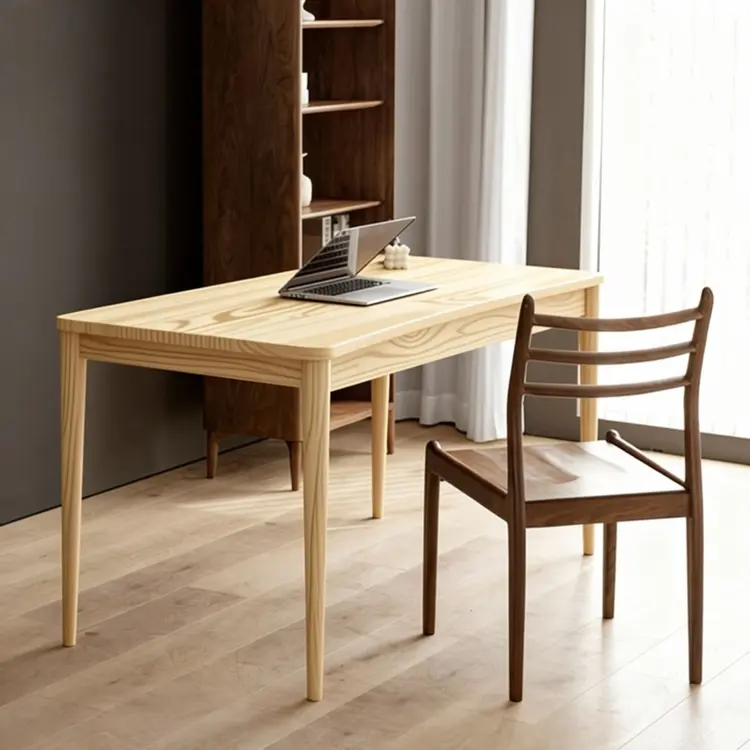
Replace the table top wood in Figure 1 with the light wood material from Figure 2
Input
Input 1
Input 2
Output
Replace the table top wood in Figure 1 with the light wood material from Figure 2
4.5s
View Example
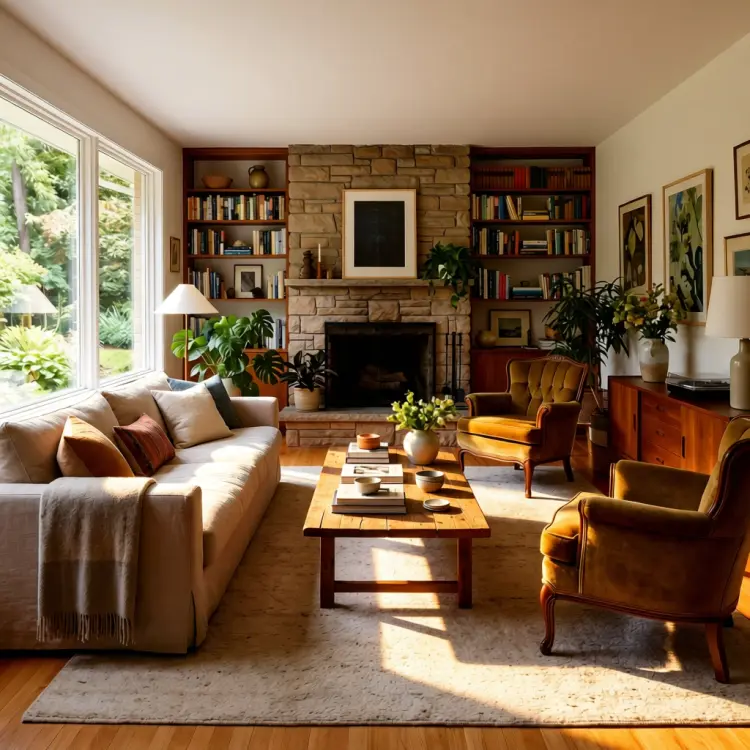
use soft lighting to relight the image.
Input
Input 1
Output
use soft lighting to relight the image.
2.8s
View Example
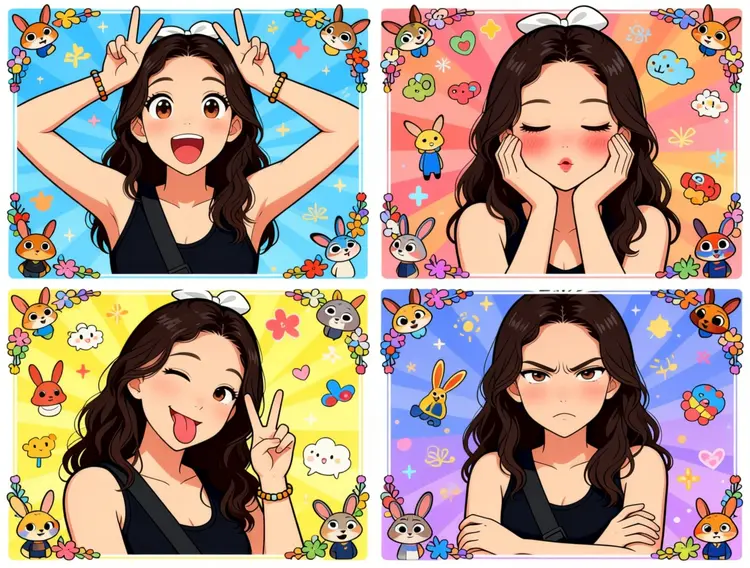
Generate a four-panel grid (2x2) image. The requirements are as follows:
Character & Panels
The character should remain consistent with the reference image, presented across four panels with different poses and expressions:
Top Left: Both hands raised above the head making double "V" (peace) signs. Eyes are wide open, mouth is open, showing a surprised and lively expression.
Top Right: Both hands cupping the cheeks. Eyes are slightly closed, mouth is pouting, and cheeks have a red blush, showing a cute and coquettish look.
Bottom Left: Head tilted slightly, one eye winking, tongue sticking out, and one hand making a "V" sign. A playful and mischievous look.
Bottom Right: Arms crossed over the chest. Brows are slightly furrowed, mouth is pouting, showing a slightly proud and "tsundere" (aloof but cute) expression.
Styling & Aesthetics
Clothing: Remains the same as in the reference image.
Background: A colorful background filled with cute cartoon elements like Zootopia.
Art Style: Overall 2D anime/manga style. Colors are vibrant, and the style is sweet and "healing" (comforting).
Details: Each small panel has an exquisite cartoon border decoration, filled with a sense of childhood wonder.
Input
Input 1
Output
Generate a four-panel grid (2x2) image. The requirements are as follows: Character & Panels The character should remain consistent with the reference image, presented across four panels with different poses and expressions: Top Left: Both hands raised above the head making double "V" (peace) signs. Eyes are wide open, mouth is open, showing a surprised and lively expression. Top Right: Both hands cupping the cheeks. Eyes are slightly closed, mouth is pouting, and cheeks have a red blush, showing a cute and coquettish look. Bottom Left: Head tilted slightly, one eye winking, tongue sticking out, and one hand making a "V" sign. A playful and mischievous look. Bottom Right: Arms crossed over the chest. Brows are slightly furrowed, mouth is pouting, showing a slightly proud and "tsundere" (aloof but cute) expression. Styling & Aesthetics Clothing: Remains the same as in the reference image. Background: A colorful background filled with cute cartoon elements like Zootopia. Art Style: Overall 2D anime/manga style. Colors are vibrant, and the style is sweet and "healing" (comforting). Details: Each small panel has an exquisite cartoon border decoration, filled with a sense of childhood wonder.
3.0s
View Example
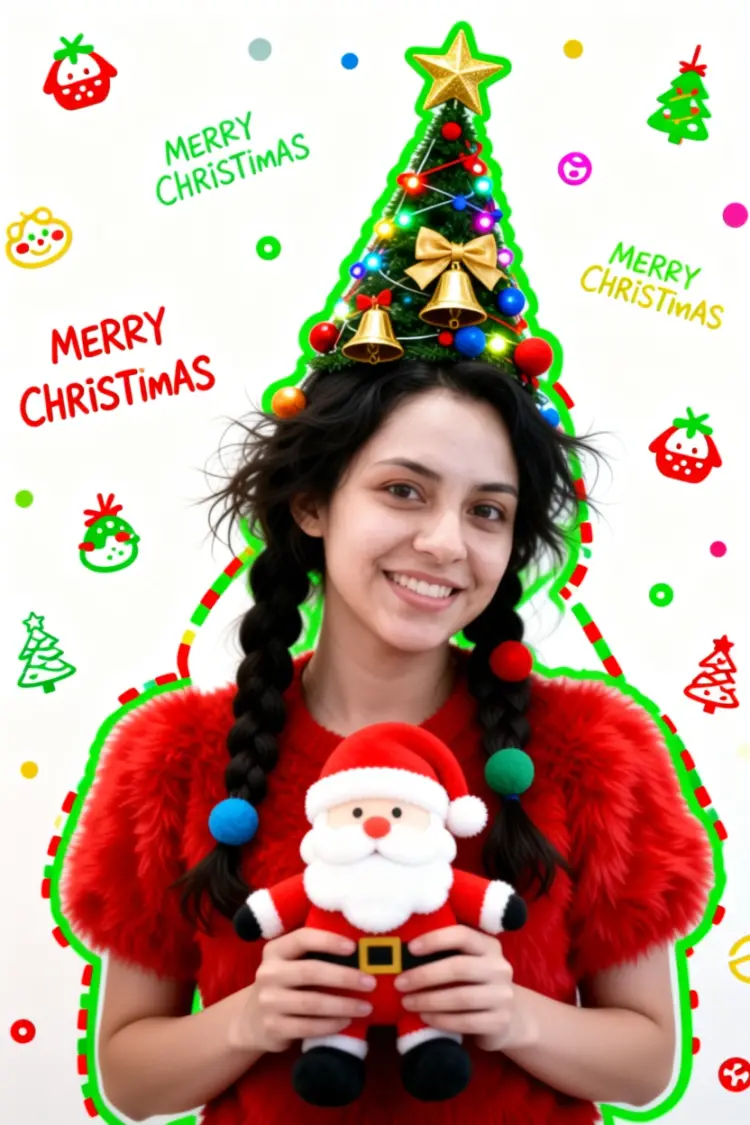
Generate a Christmas-themed image of a beautiful young girl with a "pure desire" (innocent yet alluring) aesthetic. Keep the face consistent with the reference.
Character Appearance & Styling
Hair: Loose, low double-braids decorated with colorful fabric balls. Messy, fluffy strands of hair blend naturally with the headpiece.
Headpiece: A small, neat, cone-shaped Christmas tree fixed to the top of her head. It features a gold star on top and is richly decorated with colorful lights, gold bells, bow knots, and small red, blue, and gold ornaments.
Face & Makeup: Fair "cold-white" skin, smooth as jade. Natural red-brown eyeshadow gradient. An innocent gaze with a dreamy "pure desire" filter.
Clothing: A soft, fluffy red plush top.
Pose & Atmosphere
Action: Holding a Santa Claus plush toy with both hands. She is tilting her head slightly in a playful, cute, and beautiful pose.
Expression: Full of festive celebration; a contrast of cuteness and sexiness.
Vibe: A warm, healing Christmas atmosphere.
Technical & Artistic Style
Photography: Studio soft lighting, 70mm film portrait style. Low contrast, low saturation, delicate film grain, and slight chromatic aberration/glow.
Composition: Medium shot, warm white background, unique but formal composition.
Artistic Elements: * The outline of the character is traced with green graffiti.
The surrounding white space is filled with cute hand-drawn Christmas doodles (collage style).
The silhouette is wrapped in fluorescent red, green, and gold dashed lines and polka dots.
The words "MERRY CHRISTMAS" are written everywhere in a cute font.
Input
Input 1
Output
Generate a Christmas-themed image of a beautiful young girl with a "pure desire" (innocent yet alluring) aesthetic. Keep the face consistent with the reference. Character Appearance & Styling Hair: Loose, low double-braids decorated with colorful fabric balls. Messy, fluffy strands of hair blend naturally with the headpiece. Headpiece: A small, neat, cone-shaped Christmas tree fixed to the top of her head. It features a gold star on top and is richly decorated with colorful lights, gold bells, bow knots, and small red, blue, and gold ornaments. Face & Makeup: Fair "cold-white" skin, smooth as jade. Natural red-brown eyeshadow gradient. An innocent gaze with a dreamy "pure desire" filter. Clothing: A soft, fluffy red plush top. Pose & Atmosphere Action: Holding a Santa Claus plush toy with both hands. She is tilting her head slightly in a playful, cute, and beautiful pose. Expression: Full of festive celebration; a contrast of cuteness and sexiness. Vibe: A warm, healing Christmas atmosphere. Technical & Artistic Style Photography: Studio soft lighting, 70mm film portrait style. Low contrast, low saturation, delicate film grain, and slight chromatic aberration/glow. Composition: Medium shot, warm white background, unique but formal composition. Artistic Elements: * The outline of the character is traced with green graffiti. The surrounding white space is filled with cute hand-drawn Christmas doodles (collage style). The silhouette is wrapped in fluorescent red, green, and gold dashed lines and polka dots. The words "MERRY CHRISTMAS" are written everywhere in a cute font.
2.9s
View Example
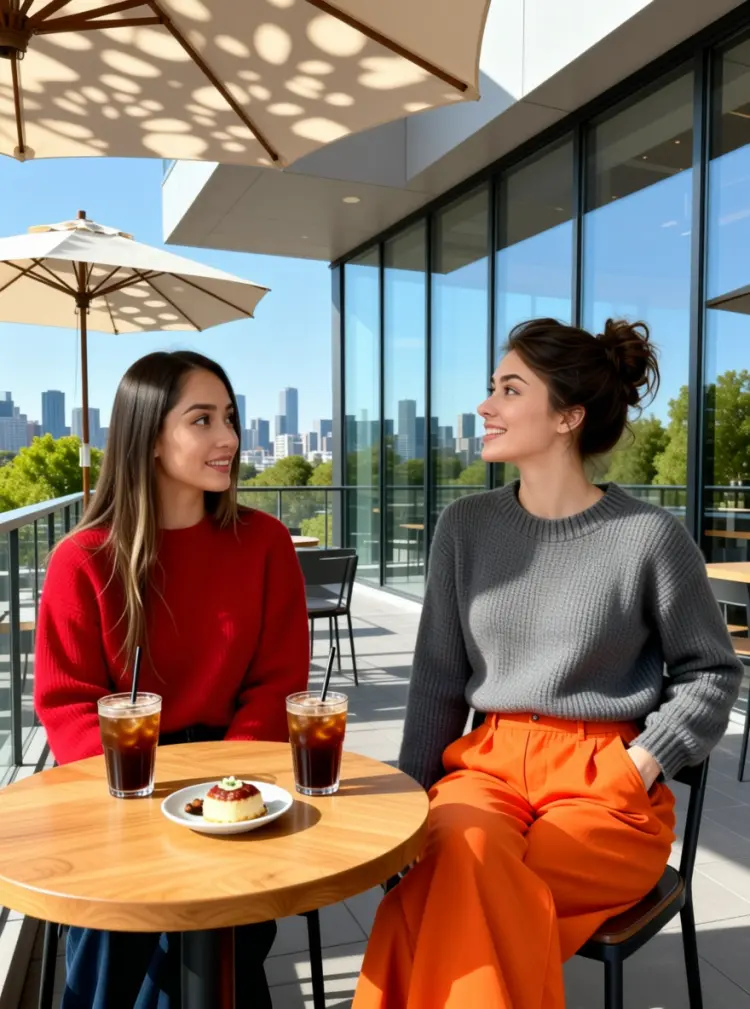
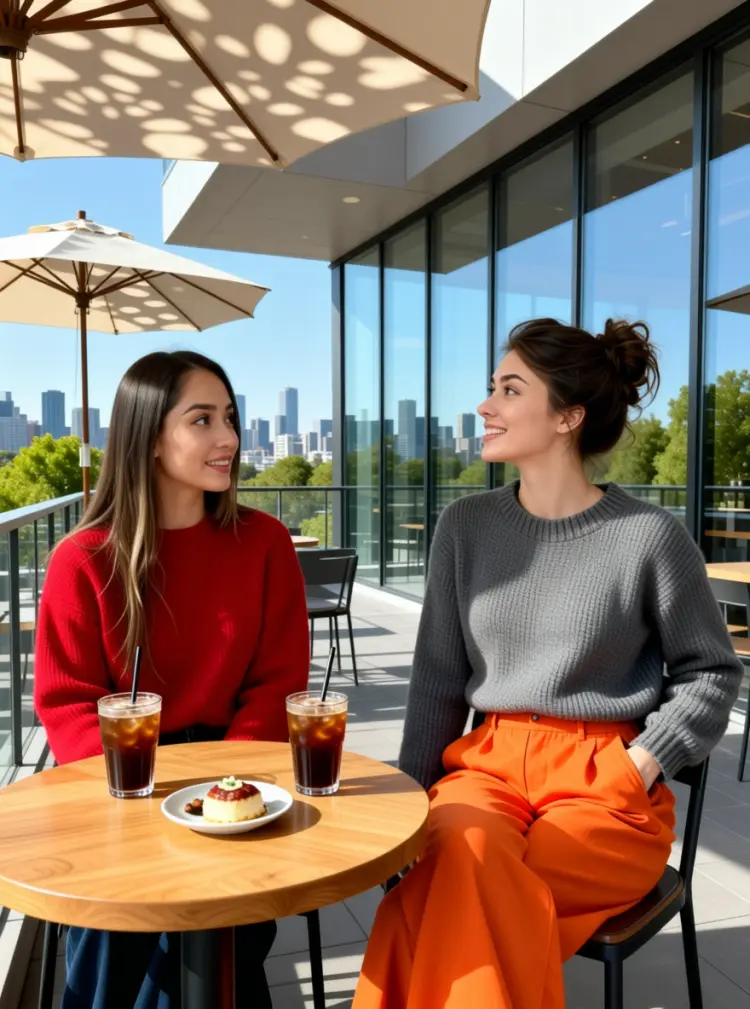
On the terrace of a modern art café, two young women are enjoying a leisurely afternoon. The woman on the left is wearing a red sweater. The woman on the right is wearing a gray neck knit sweater and a pair of eye-catching orange wide-leg pants; her left hand is casually tucked into her pocket, and she is tilting her head while talking to her companion.

They are sitting side-by-side at a small, natural wood-colored table topped with two iced coffees and a small plate of dessert. In the background, there is a city skyline visible through floor-to-ceiling windows and green trees in the distance, with sunlight casting dappled shadows through a parasol.
Input
Input 1
Input 2
Output
On the terrace of a modern art café, two young women are enjoying a leisurely afternoon. The woman on the left is wearing a red sweater. The woman on the right is wearing a gray neck knit sweater and a pair of eye-catching orange wide-leg pants; her left hand is casually tucked into her pocket, and she is tilting her head while talking to her companion. They are sitting side-by-side at a small, natural wood-colored table topped with two iced coffees and a small plate of dessert. In the background, there is a city skyline visible through floor-to-ceiling windows and green trees in the distance, with sunlight casting dappled shadows through a parasol.
4.6s
View Example

Switch Category

Effects

Text To Image

Text To Image

Text To Video

Large Language Models

Large Language Models

Text To Speech

Text To Speech

Super Resolution

Super Resolution

Lipsync

AI Music Generation

AI Music Generation

Video Editing

Speech To Text

Speech To Text

AI Enhance Videos

Remove Backgrounds

Remove Backgrounds