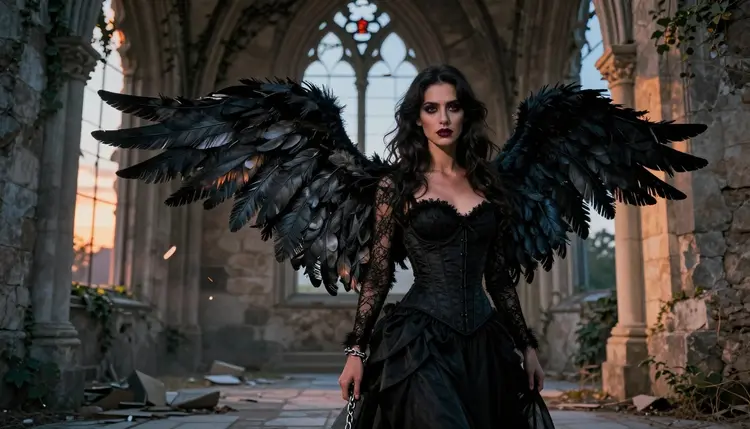
Fallen angel art turns divine beauty into something forbidden: broken wings, torn wardrobe, a halo gone dark. It is one of the most requested NSFW aesthetics on Picasso IA because it lets a single character carry both grace and danger in the same frame, and Qwen Image 2 renders that contrast better than almost anything else in the catalog. This guide shows exactly how to generate fallen angel scenes with Qwen Image 2, why it is the model to reach for when a prompt turns adult, and what the platform requires before any of it ships.
Every image below came out of Qwen Image 2, with the same account and the same toolkit anyone can open today. No hidden setting, no workaround, just a model that does not apply a content filter to an adult prompt in the first place.
Most image models sold as general purpose tools apply a safety filter that blocks anything reading as suggestive or adult, and a fallen angel prompt trips that filter fast: bare shoulders, torn fabric, an exposed chest under a leather coat. Qwen Image 2 is different. It is one of six models on Picasso IA confirmed to generate NSFW content directly, without a filter standing between the prompt and the result. The other five are Seedream 4.5, Recraft V4.1 Pro, Picasso Image Editor Pro, Picasso Video and LTX 2.3 Pro. Everything else in the full catalog, including well known general purpose names, still applies its own filter and can refuse an adult prompt outright.
What makes Qwen Image 2 specifically good for this theme is how it handles mixed textures in one frame. A fallen angel scene usually stacks skin, feathers, fabric and often broken glass or stone against dramatic, uneven light, and Qwen Image 2 keeps all of it coherent instead of flattening the detail into a generic figure.
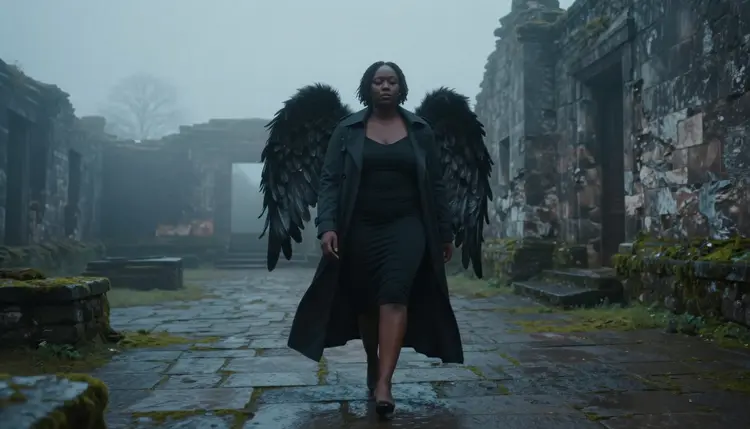
The image above is a single Qwen Image 2 generation from one detailed prompt: a trench coat, real feather texture on the wings, fog thick enough to read as atmosphere rather than a flat background. Nothing here needed a second pass or a manual fix, the model produced it from the description alone.
Hands are worth calling out separately, since they are usually where an image model breaks down first.
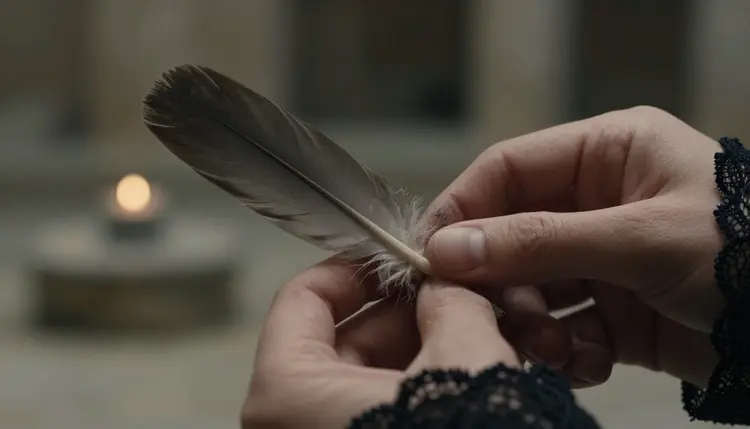
That kind of close, detail heavy shot, where a viewer's eye goes straight to finger position and skin texture, is exactly where a weaker model shows its seams. Qwen Image 2 holds up here too, which matters for a theme built around small, symbolic objects: a feather, a ring, a chain.
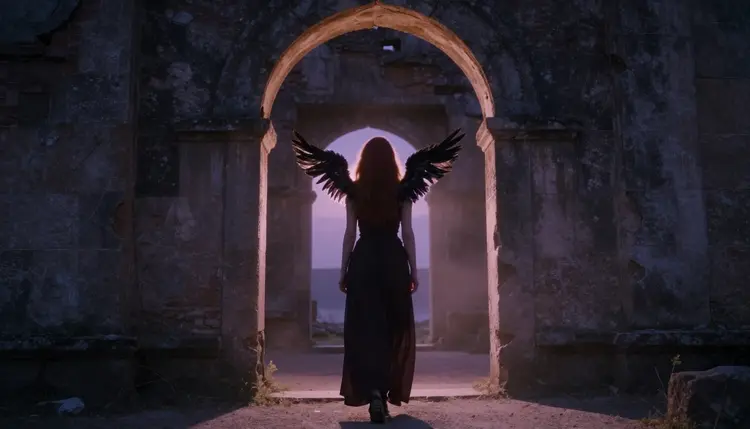
The appeal of fallen angel art is contrast. A character coded as sacred, wings, a halo suggestion, pale or ethereal styling, gets pushed into something ruined: torn lace, a broken chain, a setting that used to be holy and is not anymore. That tension between what a character is supposed to be and what has clearly happened to them is what makes the genre read as romantic and dark at once, rather than just gothic for its own sake.
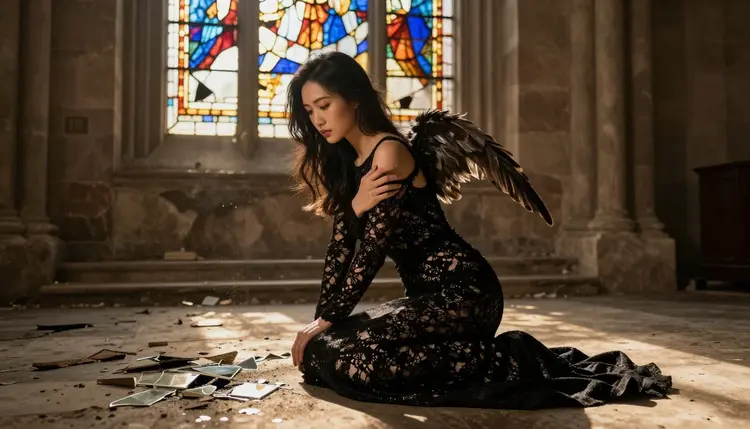
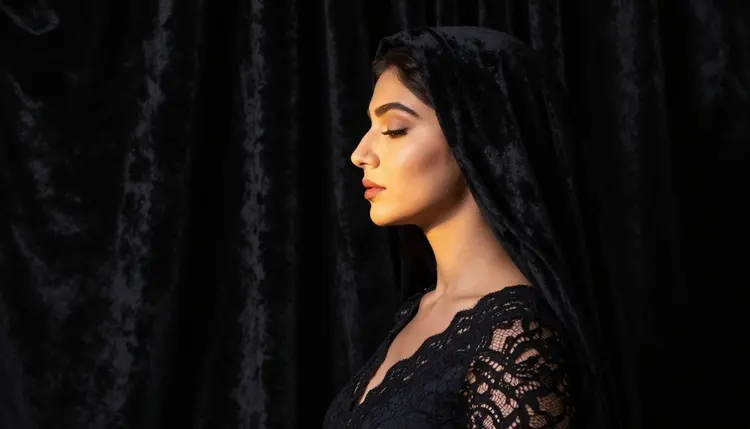
Wardrobe carries most of that story. Lace and velvet read as formal and untouched, so tearing or loosening them against a ruined setting, broken glass, cracked stone, a stained glass window with panels missing, does the emotional work without needing an explicit pose to sell the idea. The scene above pairs a gown that still reads elegant with a setting that clearly is not intact, and that gap is the whole aesthetic in one frame.
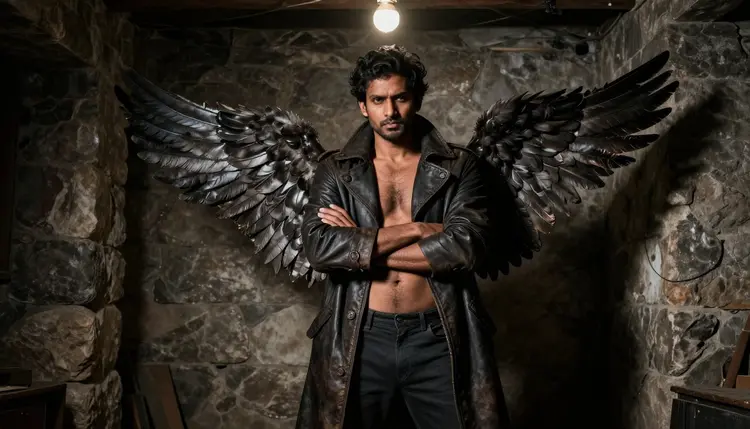
The theme is not limited to one gender either. A bare chested figure in a worn leather coat under a single bare bulb tells the same story with harder materials, leather instead of lace, a bulb instead of candlelight, but the same core idea of something beautiful that has clearly fallen from wherever it started. Qwen Image 2 handles both readings of the theme with the same consistency, since what changes between prompts is wardrobe and lighting, not the model's underlying capability.
Symbolic props, a feather, a broken chain, a tarnished ring, do a lot of the storytelling too, which is why the next section spends real time on how to prompt for them specifically.
Generating with Qwen Image 2 works the same way as any other model in the toolkit. There is no separate NSFW mode to unlock and no hidden setting to flip first.
- Open the toolkit and select Qwen Image 2. Go to the toolkit, choose text to image, and pick Qwen Image 2 from the model list instead of the default suggestion.
- Describe the character and the fall. Name the wardrobe, the wing detail, and what has clearly happened to the setting or the character, torn fabric, broken glass, a dimmed halo, so the prompt carries the contrast the theme depends on.
- Set lighting and mood in the same prompt. Candlelight, fog, a single bare bulb or stained glass at dusk each push the scene in a different direction, so pick one and describe it directly rather than leaving it to the model's default.
- Generate and check the details. Run the prompt and look closely at hands, feather texture and any small symbolic object in frame, since those are the details that carry a fallen angel scene.
- Refine with a follow-up prompt or download. Adjust the wording and regenerate if something is off, or download the image once the mood and detail match what you had in mind.
Each step takes seconds, and nothing stops you from running the same prompt with small wording changes to compare a few versions before picking one.
The more specific the prompt, the more Qwen Image 2 has to work with, and a few habits consistently help with this particular theme.
Describe the fall before the pose. Naming what has happened, a chain broken, wings damaged, a halo gone dark, before describing how the character is standing gives the model a clear emotional anchor instead of a generic dramatic pose with no reason behind it.
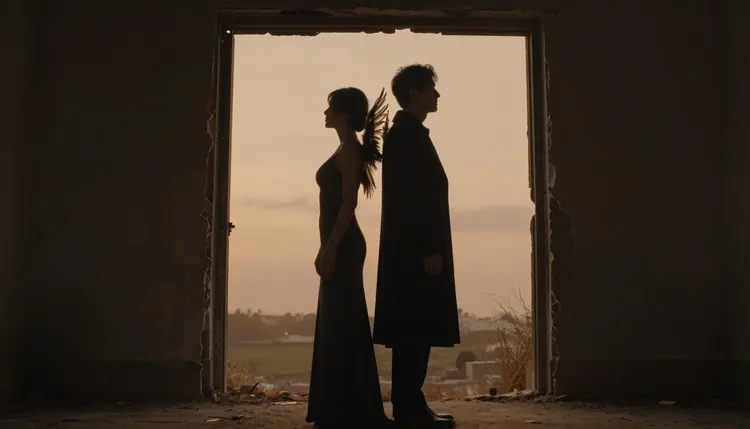
Name the setting's condition directly. Ruins, cracked stone, broken glass or a doorway with the frame falling apart all read differently than a plain gothic backdrop, and Qwen Image 2 responds to that level of detail rather than defaulting to a generic dark room.
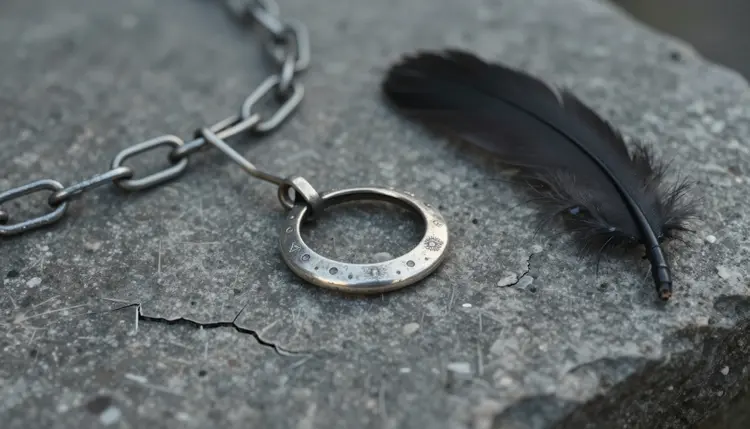
Lean on small objects. A tarnished ring, a single feather, a broken chain resting on stone can carry as much of the story as the main figure, and describing one clearly, its texture, its position, the light hitting it, gives Qwen Image 2 a strong secondary focal point instead of an empty foreground.
Keep wardrobe and lighting in the same prompt rather than splitting them across regenerations. Qwen Image 2 balances multiple instructions well, so a single detailed prompt describing wardrobe, wing condition and light source together tends to outperform a vague prompt fixed with several follow ups.
If you are switching from a filtered model, it helps to know how those behave. A filtered model will not quietly soften an adult prompt, it will refuse it outright with a message like "Content Not Supported by This Model" and point toward the confirmed models, Qwen Image 2 among them, carrying your original prompt over so you do not have to retype it.
Picasso IA's NSFW generation is for adults creating fictional characters, full stop, and fallen angel art follows the same line as every other theme on the platform. Generation is restricted to users 18 and older, and every character in a fallen angel scene should read unmistakably as a fictional adult, an original design, not a real person's likeness, not a public figure, and not anyone who could be read as a minor regardless of how stylized or mythic the setting is. Real people are never generated without their own consent, on this theme or any other, and public figures are treated the same way.
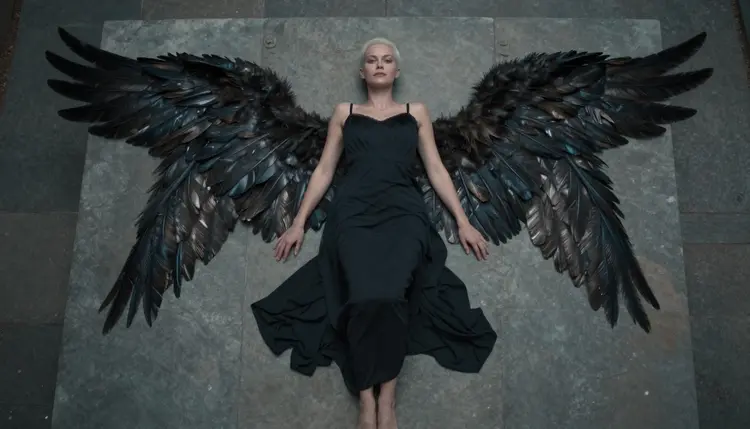
That boundary does not move for a dramatic pose or a gothic setting. Wings, a ruined altar or a stone slab are costume and set, not license to bend the age or consent rules that apply everywhere else on the platform. If you are building a recurring fallen angel character across several generations, describe invented traits, a made up name, a designed wardrobe, an original face, rather than referencing anyone real, even loosely.
Privacy works the same way here as it does across the rest of Picasso IA. What you generate stays tied to your account by default, and nothing you create is shared or published anywhere else automatically. The platform is built for original adult content, not for generating anyone real without their consent, and that line holds no matter which of the six confirmed models you use.
New accounts on Picasso IA start with free credits, enough to try Qwen Image 2 and see how it handles a fallen angel prompt before spending anything. Every generation uses credits, and Qwen Image 2 is priced like any other model of its kind, credits per image rather than a separate charge for adult content.
Once free credits run out, pricing lays out the available plans, from smaller top ups to larger subscription tiers, so you can match a plan to how often you generate. Check that page directly for current costs, since those numbers are the ones most likely to change over time.
Qwen Image 2 is not the only confirmed option if the fallen angel theme takes you somewhere it does not cover as well. Seedream 4.5 and Recraft V4.1 Pro are both filter free and worth comparing for a different rendering style, and Picasso Image Editor Pro is the pick for editing a generation after the fact rather than starting over. For motion, Picasso Video and LTX 2.3 Pro are the two confirmed filter free video models if a still fallen angel scene works better as a short clip.
Is Qwen Image 2 really uncensored for fallen angel art?
Yes. Qwen Image 2 is one of six models on Picasso IA confirmed to generate NSFW content directly, without a safety filter blocking an adult prompt. It is not a workaround or a jailbreak, it is a model that simply does not apply that filter in the first place.
Can I generate fallen angel art of real people with Qwen Image 2?
No. Picasso IA's NSFW generation is limited to fictional, adult characters only. Real people, public figures and anyone resembling a minor are not allowed on Qwen Image 2 or any other model on the platform, regardless of how the prompt is worded.
What happens if I try a fallen angel prompt on a filtered model?
Most models on Picasso IA, including well known general purpose names, apply their own content filter and will refuse a prompt that reads as adult. When that happens, the app shows a message and suggests switching to one of the six confirmed filter free models, carrying your prompt over so you do not lose it.
Do I need to enable a special setting to generate this kind of content?
No. There is no hidden toggle to switch on first. You pick Qwen Image 2, or one of the other confirmed models, from the model list in the toolkit and write the prompt as usual.
Is Qwen Image 2 good for keeping the same fallen angel character across several images?
Qwen Image 2 follows detailed prompts closely, so describing the same wing color, wardrobe and facial features consistently across prompts helps a character stay recognizable from one generation to the next. It works from text each time rather than a saved profile, so consistency comes from how repeatable the prompt is, not from the model remembering a previous image.
Can I turn a fallen angel image into a short video afterward?
Yes. Picasso Video and LTX 2.3 Pro are both confirmed filter free video models, and either can take a fallen angel image or prompt and turn it into motion once the still version looks right.
Can I edit a fallen angel image after Qwen Image 2 generates it?
Yes. You can regenerate with an adjusted prompt to change one detail, or bring the image into Picasso Image Editor Pro, one of the other confirmed filter free models, for direct edits without starting the whole scene over.
Does fallen angel art count as explicit content on Picasso IA?
No image on Picasso IA, fallen angel or otherwise, needs to be explicit to work. The theme relies on wardrobe, lighting and setting to read as adult and dramatic, and every character involved is a fictional adult, 18 or older, by policy.
Do I need a paid plan to try this theme?
New accounts get free credits to start, which is enough to test Qwen Image 2 on a fallen angel prompt before committing to anything. Beyond that, generations use credits like any other model, and pricing lays out current plans and costs.
Which other models are worth trying alongside Qwen Image 2 for this theme?
Seedream 4.5 and Recraft V4.1 Pro are both confirmed filter free and offer a different rendering style for the same theme, while Picasso Image Editor Pro handles edits to an existing generation. All three, like Qwen Image 2, are part of the six models confirmed to generate NSFW content without a filter.