

All the AI You Need in One App
Picasso IA puts images, video, 3D, voice, and chat in a single place. Pick a tool to create something new, or open an AI character to start a conversation. Over 100 models, one account, no juggling subscriptions.
Picasso IA puts images, video, 3D, voice, and chat in a single place. Pick a tool to create something new, or open an AI character to start a conversation. Over 100 models, one account, no juggling subscriptions.

Get images, video, 3D, audio, and chat in a single account. Picasso IA bundles over 100 models so you can create anything without switching apps or paying for several subscriptions.
Turn a text prompt or a still image into a short video with models like Sora and Veo. Generate clips for social, ads, or stories, then download them in HD on Picasso IA.

Create high-resolution images from a simple description using Flux. Get sharp detail, accurate prompts, and fast results, ready to download with no watermark on Picasso IA.

Enhance and upscale low-resolution photos to 4K and 8K without losing detail. Fix old, blurry, or compressed images and make them crisp enough to print on Picasso IA.
Cut out any subject in one click and get a clean transparent PNG. Keep sharp edges on hair and fine detail, then download your cutout free on Picasso IA.
Watch your image form as you type with a turbo real-time model. Sketch ideas, iterate instantly, and lock in the result the moment it looks right on Picasso IA.

Turn a text prompt or a single photo into a ready-to-use 3D model. Export your assets for games, design, or printing in a few seconds on Picasso IA.
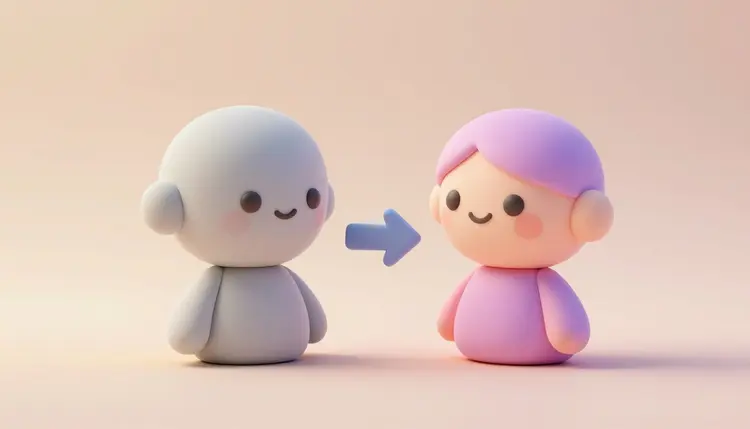
Upload a photo and turn it into a polished avatar in any style. Create profile pictures and characters that still look like you, all from one image on Picasso IA.
Edit photos by painting over what you want to change. Remove objects, fix flaws, or replace parts of an image with a clean, natural result on Picasso IA.
Browse thousands of AI creations for inspiration and prompts. See what is possible across styles and models, then make your own version on Picasso IA.
Turn any photo or idea into a charming animated movie style poster. Get the warm 3D cartoon look in seconds and download it to share on Picasso IA.
Create bold comic-book superhero art from a photo or a prompt. Get dynamic poses and a clean inked look, then download your hero shot on Picasso IA.
Turn text into natural, expressive speech in many voices and languages. Create voiceovers for videos, podcasts, and ads, then export the audio on Picasso IA.

Paste any script and hear it read aloud in a lifelike voice. Adjust tone and language, then download clean audio for any project on Picasso IA.
Transcribe audio and video into accurate text in minutes. Turn interviews, meetings, and voice notes into clean transcripts you can search and edit on Picasso IA.
Upload PDFs and files, then ask questions and get answers grounded in your own content. Summarize reports and find details fast with RAG on Picasso IA.
Generate images, video, music, and chat with AI. Pick a tool, describe what you want, and create it with over 100 models in one Picasso IA account.
Turn text into photoreal shots, illustration, and logos with 100+ models in one account on Picasso IA.

Turn a prompt into video with Veo, Sora, Kling, and Wan, all in one account on Picasso IA.
Trim, restyle, swap, and extend any clip with top editing models in one account on Picasso IA.

Match any voice to a face for dubbing, talking avatars, and ads with 100+ models in one account on Picasso IA.
Upscale, denoise, and restore footage toward 4K with the top enhancement models in one account on Picasso IA.

Turn text into full royalty-free songs with vocals and stems on Picasso IA.

Chat with every top LLM in one box, then turn ideas into images and video on Picasso IA.
Run the latest models for image, video, and chat from one account. No separate subscriptions, no juggling apps, just every model in Picasso IA.
Keep characters consistent and edit images precisely with Nano Banana Pro on Picasso IA.
Photoreal pictures with text that actually reads, powered by GPT Image 2.5 Sunburst, GPT Image 2.5 Flare and GPT Image 2 on Picasso IA.
Generate cinematic video with native audio at up to 1080p using Veo 3.1 on Picasso IA.
Generate lifelike video with realistic physics, long coherent shots, and synced sound on Picasso IA.

Chat with Claude Fable 5 for strong writing, careful reasoning, and very long context on Picasso IA.
Generate video with lifelike motion and start to end frame control using Kling 3.0 on Picasso IA.

Blend up to 10 photos in 2K with Seedream 5 Pro, or render 2K and 3K images with Seedream 5 Lite on Picasso IA.
Generate videos up to 30 seconds long with Seedance 2.5, or clips of up to 10 seconds with Seedance 2.5 Lite on Picasso IA.
Generate fast images and short video with fewer content limits using Grok Imagine on Picasso IA.
Generate video from text or a still with cinematic camera movement using Wan 3 and Wan 3 Prime on Picasso IA.

Chat with Google's Gemini 3.1 Pro and Gemini 3.5 Flash about text, images, audio and video on Picasso IA.
Chat with GPT-5.6 Sol, GPT-5.6 Terra and GPT-5.6 Luna for reasoning, coding and everyday writing on Picasso IA.
Strong reasoning for math, code, and analysis, beside every other top LLM on Picasso IA.
Practical AI tools for the work you do every day. Remove objects, restore old photos, change backgrounds, upscale video to 4K and more, all in one Picasso IA account.
Turn a few selfies into polished, professional headshots for LinkedIn, resumes, and teams on Picasso IA.

Turn a prompt into clean brand logos, variations, and color sets on Picasso IA

Turn a phone snap into studio shots, lifestyle scenes, and ad-ready visuals for your store on Picasso IA.

Repair old, scratched, and faded photos, rebuild faces, and recover color in full resolution on Picasso IA.
Add natural color to black and white photos in seconds, from family portraits to historical scans, on Picasso IA.
Erase people, objects, and text from any photo with clean background fill, on Picasso IA.

Outpaint and expand any photo, change the aspect ratio, and fill the edges with matching detail on Picasso IA.

Sharpen blur, remove noise, fix low light, and upscale photos to 4K in seconds on Picasso IA.
Erase logos, stamps, and timestamps from photos you own in seconds, in full resolution, on Picasso IA
Swap any photo background for a studio look, a real scene, or a solid color on Picasso IA.
Retouch, remove, replace and restyle any photo from a simple prompt, all in your browser on Picasso IA.

Turn a selfie into clean avatars and PFPs for socials and gaming, with consistent styles, on Picasso IA.
Make bold 16:9 video thumbnails with readable text and clean faces on Picasso IA.

Design event, movie, and promo posters with clean layouts, readable headlines, and print-ready files on Picasso IA.

Turn any idea into die-cut PNG stickers and full packs with a transparent background on Picasso IA.
Turn a prompt or template into a captioned meme in seconds, any format, no watermark, on Picasso IA.
Swap a face in any photo with a natural, consent-only blend that looks real on Picasso IA.
Turn a prompt or image into a textured 3D model for games, AR, and printing on Picasso IA.

Animate any still photo into a short clip with motion, loops, and camera moves on Picasso IA.
Upscale video to 4K, denoise, and restore old footage in your browser on Picasso IA

Auto transcribe, translate, and burn captions onto any video, then export SRT, on Picasso IA.
Remove or replace any video background with no green screen, clean hair edges, and transparent exports, free to start on Picasso IA.
Chat with AI characters inspired by famous founders, athletes, and icons. Ask questions, get advice, or just have a laugh, and switch between personalities anytime on Picasso IA.
Chat with a powerful GPT assistant for writing, ideas, code, and answers. Get help on any task in a clean, free interface on Picasso IA.
Talk to an AI version of Elon Musk about rockets, electric cars, startups, and the future of tech. Ask anything and get a bold, visionary reply on Picasso IA.

Talk football with an AI inspired by Lionel Messi. Ask about training, big matches, and life at the top of the game, anytime on Picasso IA.
Chat with an AI inspired by Shakira about music, dance, songwriting, and life on stage. Have a fun, lively conversation anytime on Picasso IA.

Talk to an AI inspired by Scarlett Johansson about film, acting, and creative life. Enjoy a witty, engaging chat whenever you want on Picasso IA.

Ask an AI inspired by Bill Gates about software, business, books, and global health. Get thoughtful answers on innovation and giving back on Picasso IA.
Talk to an AI inspired by Steve Jobs about design, products, and building great companies. Get sharp, no-nonsense advice on creativity on Picasso IA.

Have a conversation with an AI inspired by Nikola Tesla about electricity, invention, and bold ideas ahead of their time, only on Picasso IA.

Have a calm, respectful conversation with an AI inspired by Jesus about faith, hope, and everyday guidance, whenever you need it on Picasso IA.
Pick from a roster of AI characters inspired by famous figures and start chatting. Switch personalities anytime and keep the conversation going on Picasso IA.
Not sure which AI to choose? Compare the best tools side by side and read quick guides to pick the right one for your project.

See how Picasso IA compares to other all-in-one AI platforms. Get over 100 models for images, video, audio, and chat under a single account, with one set of credits and no juggling subscriptions.
Turn a text prompt or a single photo into a ready-to-use 3D model. Compare the top AI 3D generators for quality, speed, and export options, then create your own assets on Picasso IA.

Create polished profile pictures and character avatars in any style. Compare the best AI avatar tools for realism, variety, and control, all from one place on Picasso IA.
Cut out any subject in one click and get a clean transparent background. See which AI background removers keep the sharpest edges on hair and fine detail, then try it free on Picasso IA.
Upscale and sharpen low-resolution photos without losing detail. Compare the best AI tools for enhancing old, blurry, or compressed images and restore them to crisp high resolution.
Edit images with simple text prompts instead of complex software. Compare the AI photo editors that deliver the cleanest retouching, object removal, and style changes on Picasso IA.
Generate high-quality images in seconds with the fastest AI models available. Compare turbo generators on speed and detail, then create as many variations as you need on Picasso IA.

Design a professional brand logo in seconds. Compare the top AI logo tools, generate unlimited concepts, and export clean files ready for your website, app, or store on Picasso IA.
Turn any photo or idea into a charming animated movie style portrait. Compare the AI tools that nail the 3D cartoon look, then create your own on Picasso IA.
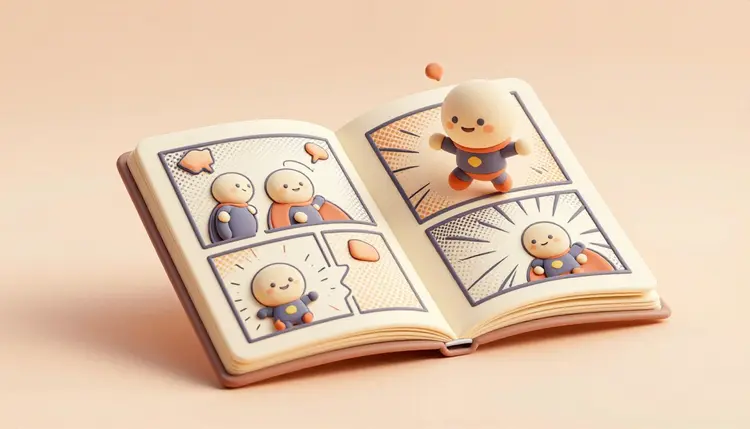
Create bold comic-book superhero art from a photo or a prompt. Compare the best AI tools for dynamic action poses and a clean inked look, then make your own on Picasso IA.

Make short, scroll-stopping videos with AI in minutes. Compare the tools creators use to produce viral clips for TikTok, Reels, and Shorts, then create yours on Picasso IA.
Turn any script into natural, expressive speech. Compare the best AI text-to-speech voices for clarity, emotion, and language support, then generate audio on Picasso IA.
Separate vocals from instrumentals to get clean stems from any track. Compare the AI vocal isolators that deliver the least noise and the cleanest split on Picasso IA.
Discover what Google's Gemini 2.5 Flash Image, known as Nano Banana, can do. See how it handles edits and prompts, and how it compares to other top image models on Picasso IA.

Compare Flux and Flux Kontext for image generation and editing. See which model wins on prompt accuracy, detail, and consistency, then run both from one account on Picasso IA.
See what is new in the latest ChatGPT and how it performs on real tasks. Compare its strengths against other leading chat models, all explained in one place on Picasso IA.
Compare Grok and ChatGPT head to head on reasoning, writing, and speed. See which AI chatbot fits your workflow, then use the best models together on Picasso IA.

Ask questions and get instant answers from any document. Compare the best AI tools for chatting with PDFs, summarizing reports, and finding details fast on Picasso IA.

Get the most out of every credit. Compare the cheapest AI tools for images, video, and chat, and see how Picasso IA gives you over 100 models without paying for several subscriptions.
Open the AI tools page on Picasso IA and scroll through more than 100 tools and models for image, video, 3D, voice, music and chat.
Choose the tool whose name matches your project, or use an all in one tool to try several models at once.
Describe what you want or upload a reference, pick a model, and generate your result in seconds.
Enhance, upscale or edit your result with the built in tools, then export in full resolution with no watermark.
Picasso IA offers more than 100 AI tools and models covering image, video, 3D, voice, music and chat, all from a single account that runs in your browser.
Pick the tool whose name matches your output, like the AI Image Generator for images or the AI Video Generator for video. If you are unsure, the all in one tools let you try several models on the same project.
Yes. One Picasso IA subscription covers every tool and model on the platform. You do not need separate accounts for image, video, voice or chat.
You can start with a free trial. Creating an account lets you save your work, access more generations and use premium models, all on the same platform.
Yes. Every tool runs in any modern mobile browser on iOS and Android, with the same models available on desktop and no app to install.
Yes. Output from every tool ships with no Picasso IA watermark and can be used for client work, marketing, products and commercial publications.
Most tools return results in a few seconds. There is no queue, so you can compare models and iterate quickly across the whole platform.
All tools are available in English, Spanish, Arabic, Portuguese, French and Hindi across the entire Picasso IA platform.