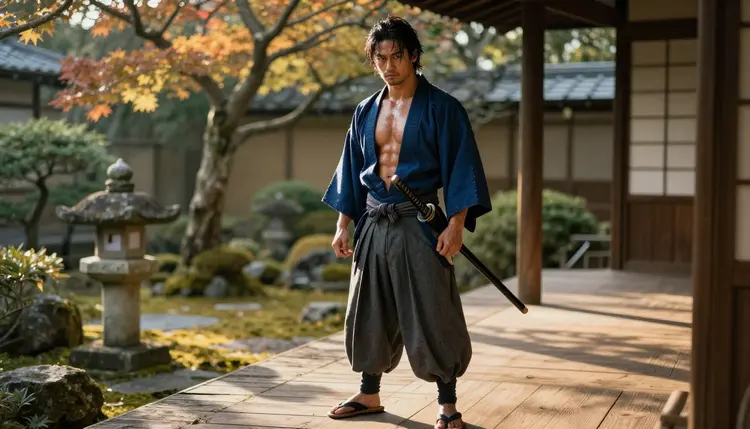
A samurai stepping through a dojo doorway, a boxer wrapping his hands before a fight, a pirate captain reading the wind off a cliff edge. Anime has always told these stories through male leads built from silhouette and stance as much as face, and Picasso IA's toolkit turns that same character logic into a photoreal, adult-rated image instead of a flat illustration. The model doing the work on this page is Qwen Image 2, one of six models in the catalog confirmed to generate NSFW content with no content filter, and one of the few built to hold several costume and prop details together in a single generation.
This page pins one model on purpose. Rather than a broad tour of the whole catalog, it walks through eight male archetypes Qwen Image 2 renders well, a five-step process from a character brief to a finished image, and the handful of rules that apply to every adult generation on Picasso IA regardless of which model draws it.
One line before the examples, since it governs all of them: every man pictured here is a fictional adult character, eighteen or older, built from a text prompt. No real person, no public figure, and no likeness borrowed from an actual cosplayer or actor.
Anime male leads are built from costume logic: a signature weapon, a coat silhouette, a stance that reads as calm or aggressive before the face even registers. Qwen Image 2 is the strongest of the six confirmed models for this particular job because it holds several named details together in one generation instead of losing one or two, a robe's exact color, a hilt's wrap pattern, a scar's placement, a boot's cut, when the prompt names all of them at once. That is the difference between a costume brief and a vague description, and it is why a prompt written like a casting note, age, build, outfit, prop, setting, mood, tends to come back closer to the intended character on the first pass.
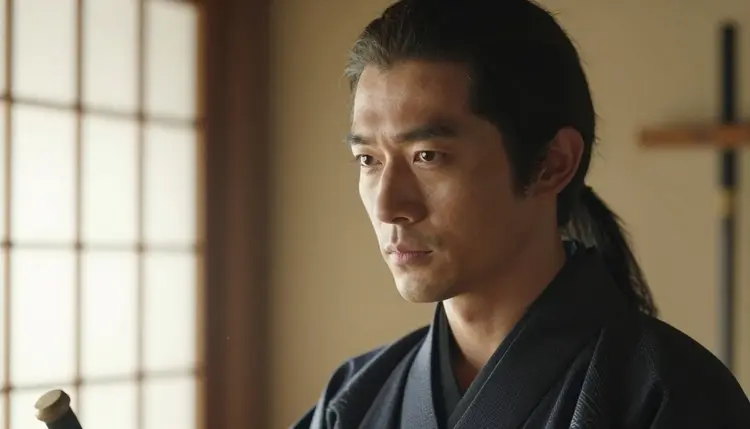
The look on this page leans toward cosplay photography rather than flat, two-dimensional illustration: real light, real fabric weight, a face and body that read as photographed rather than drawn, while the character design itself, the robe, the katana, the dojo, still carries an unmistakable anime sensibility. That combination is exactly Qwen Image 2's lane. A flatter, ink-outlined comic finish belongs to Recraft V4.1 Pro instead, also one of the six confirmed models, and worth trying when the goal is a drawn panel rather than a photoreal character portrait.
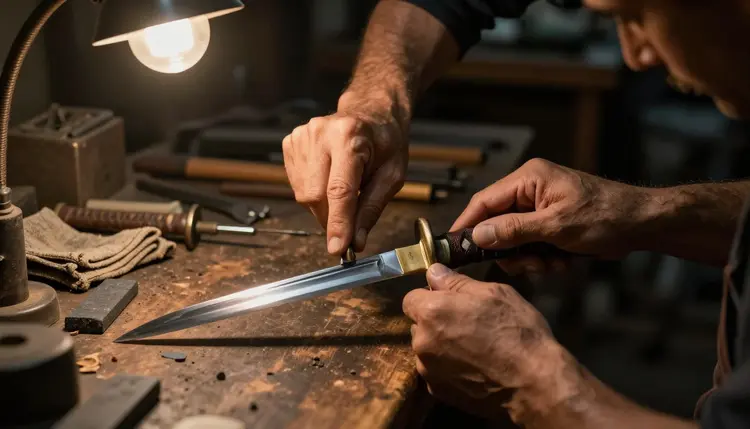
A close detail shot like a gripped hilt or wrapped hands is its own kind of prompt, worth generating on its own rather than only as a wide character shot. Naming the object, the grip, and the material, weathered leather wrap, steel guard, a workshop table in the background, gives Qwen Image 2 a tighter brief than a full-body scene does, and detail shots like this one are a reliable way to build out a character's world beyond a single portrait.
Six models across Picasso IA's catalog are confirmed to generate adult content with no content filter, and Qwen Image 2 is the one best suited to a character built from several pieces that all have to survive one generation together: a robe and its exact drape, a weapon and how it is held, a setting with its own mood and light. Most image models start dropping one or two details once a prompt names more than three or four things at once; Qwen Image 2 holds up noticeably better than most of the catalog on that specific failure mode, which matters more for an anime-style character built from costume and prop than it does for a simple portrait.
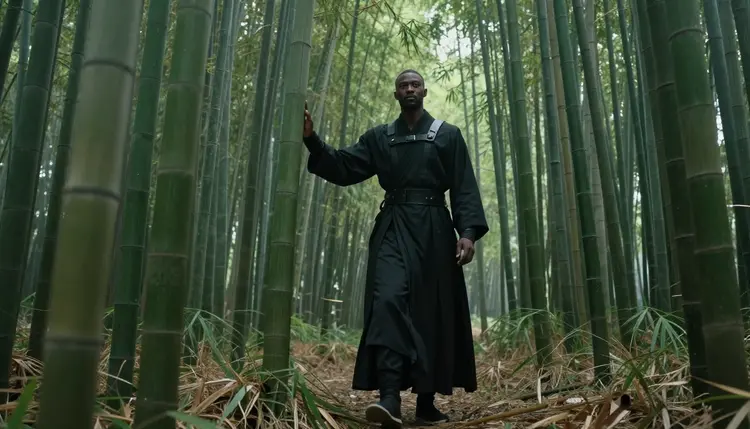
Setting carries as much of an anime character's identity as the costume does: a misty bamboo grove, a rain-soaked alley, a dojo at dawn, each one plants a genre before the pose does anything. Qwen Image 2 keeps the environment and the figure in balance rather than letting one wash out the other, so a prompt that names both the character and the place tends to come back with a scene that reads as a still from something rather than a figure pasted onto a generic backdrop.
Most well-known image models are tuned for a broad, general audience and apply a safety layer that can refuse a fictional adult prompt outright, however the character is described. Qwen Image 2 does not carry that layer, which is the entire reason it, and five other confirmed models, sit on this list while most of the catalog does not.
Qwen Image 2 handles a wide range of male anime archetypes beyond the swordsman above, each one built from the same costume-first approach: name the outfit, the prop, the setting, and the mood, and let the model carry all of it into one photoreal frame.
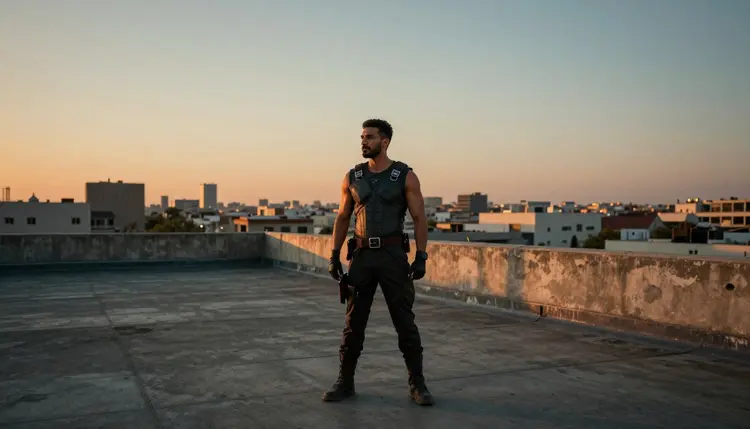
A rooftop vigilante trades the dojo's calm for tension: a battle vest, a city skyline at dusk, a stance that reads as watching rather than resting. The setting does most of the storytelling here, the same way it does in the genre's source material, so naming the time of day and the skyline matters as much as the outfit itself.
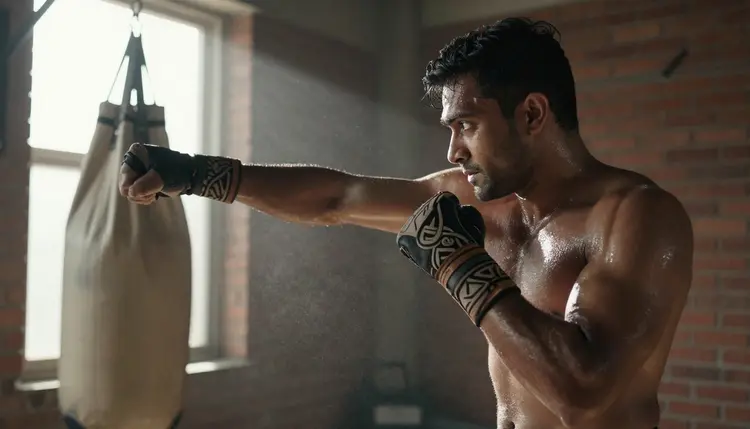
A boxer or fighter archetype leans into physique and motion instead of costume, wrist wraps, a heavy bag, a brick gym that grounds the scene in something lived-in rather than staged. This is also where Qwen Image 2's strength at holding several details together pays off again: wraps, sweat, the bag's chain, and the light through a gym window are four things a weaker model tends to simplify away.
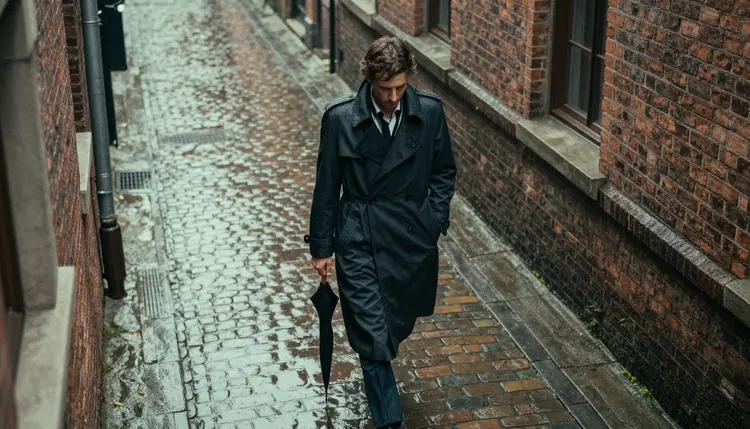
A noir detective in a rain-soaked alley is closer to a mood board than a character sheet, trench coat, wet cobblestone, a single light source. Anime borrows this archetype constantly, and it renders well on Qwen Image 2 precisely because rain, reflection, and fabric weight are the kind of layered detail the model was built to keep together rather than average out.
Turning one of these archetypes, or a character of your own, into a finished image follows the same five-step loop regardless of which one you start with.
- Write a casting note, not just a description. Name the age range, build, outfit, prop, setting, and mood in one prompt; an adult swordsman in a charcoal robe, silver-trimmed katana, standing in a wooden dojo at dawn, calm expression, is a complete brief on its own.
- Open the toolkit and select Qwen Image 2. It is the model on this page for a reason: it holds several named details together better than most of the catalog when a prompt is this specific.
- Generate a batch and check consistency first. A handful of variants from one prompt shows whether the outfit, the prop, and the setting all came through together; a tight spread across the batch means the brief was specific enough.
- Adjust one element at a time. Keep the closest result, change the pose, the setting, or a single prop, and generate again rather than rewriting the whole brief; two or three rounds is a normal distance to a keeper.
- Finish with an edit pass. Send the winning image to Picasso Image Editor Pro to fix a hand, straighten a prop, or clean up a background detail, then download it once the edges of the frame hold up.
Every archetype on this page runs under the same short set of rules as any other adult generation on Picasso IA, and a costume or setting never changes them.
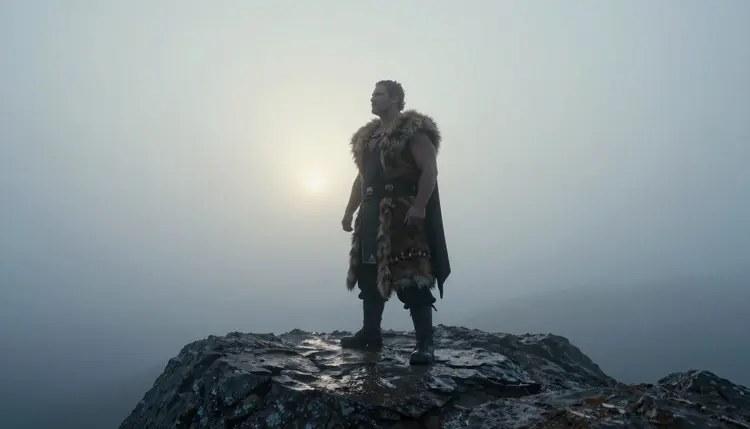
This is an 18+ platform, and every character shown or generated here is a fictional adult built from a text prompt, never a real person's likeness without explicit consent and never anyone made to look like a minor, regardless of how young an anime-inspired design can sometimes read. No public figure, no real cosplayer's face, and no photo of an actual person used as a reference for a character edit. Prompts that cross these lines are refused by the models and violate the platform's terms, and that line does not move for a mountain traveler in a fur-trimmed cloak any more than it moves for a swordsman in a dojo.
Generations stay private by default. What gets made under your account is not shown to other users and is not used to train a public model without separate, explicit consent, the same privacy baseline that applies across every adult generation on Picasso IA, not only this page.
An uncensored model is not a flawless one. A cloak's fur trim, a hand gripping a weapon, or a face in low fog light are some of the harder details for any image model to render cleanly, filtered or not, so check the joints, the hands, and the edges of a costume, not only the overall pose, before calling a generation finished. Where a finished piece ends up is the responsibility of the person who made it; local law decides what is legal to generate, and each platform sets its own rules for what it allows posted, and those two answers are not always the same one.
Qwen Image 2 is the pinned model for this page, but it sits alongside five other models confirmed to generate NSFW content with no content filter. Seedream 4.5 leans more photoreal for skin and fabric under studio-style light, Recraft V4.1 Pro leans toward a flatter, comic or anime-illustration finish instead of the photoreal cosplay look used throughout this page, and Picasso Image Editor Pro is the fix-up step after either one. Picasso Video and LTX 2.3 Pro, both confirmed filter-free, turn a finished character design into a short video clip instead of leaving it as a still image.
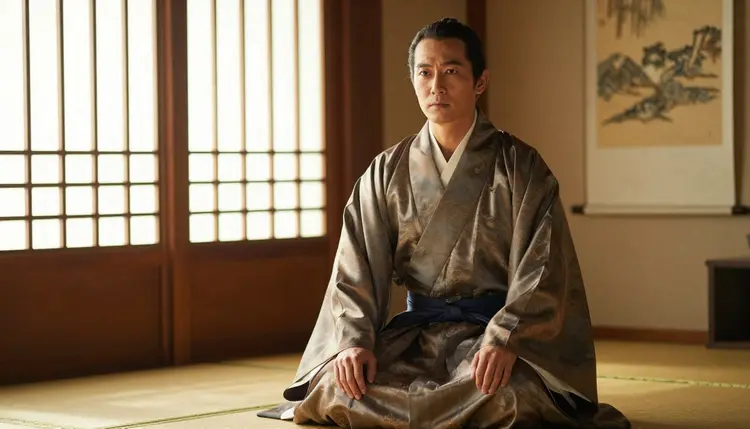
A quieter archetype, a disciple kneeling on a tatami mat in a silk robe, shows the same principle from the opposite direction: stillness and fabric detail rather than motion and prop work, and Qwen Image 2 handles both registers without needing a different model for a calmer scene.
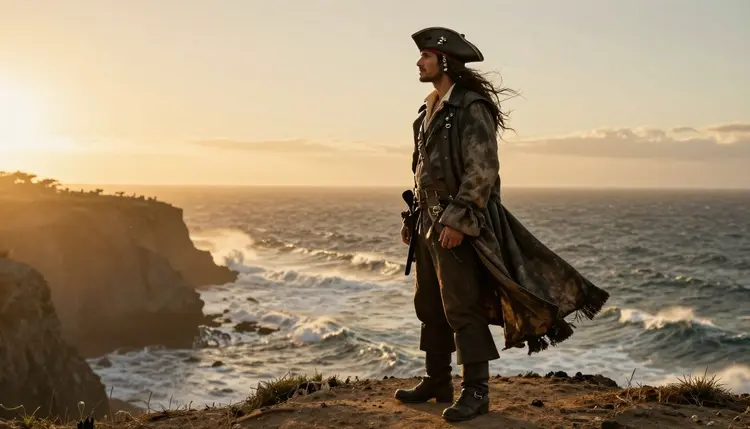
A pirate captain on a coastal cliff at sunset closes out the range this page covers, from a quiet dojo interior to an open horizon, all built with the same model and the same casting-note approach to prompting.
Generating one of these characters spends credits the same way any other image generation on Picasso IA does, and a single portrait sits toward the cheap end of what an image costs. A short video clip through Picasso Video or LTX 2.3 Pro costs more than a still image, worth knowing before turning a whole character series into motion. New accounts start with free credits, enough to test a casting note across a couple of archetypes and run a full edit pass before spending anything further. Current plans and exact prices live on the pricing page, kept there since they change more often than this page does.
Which model should I use to generate NSFW male anime art on Picasso IA?
Start with Qwen Image 2, the model this page is built around, since it holds several named costume and prop details together in one generation better than most of the catalog, which matters for an anime-style character built from an outfit, a weapon, and a setting. Reach for Recraft V4.1 Pro instead when the goal is a flatter, ink-outlined comic or illustration finish rather than a photoreal cosplay look.
Does Qwen Image 2 really have no content filter for adult male character prompts?
Yes. Qwen Image 2 is one of six models across Picasso IA's catalog confirmed to generate adult content with no content filter, provided every character described is a fictional adult, eighteen or older. Most other models, including several well-known names, are not on that confirmed list and may refuse an adult character prompt outright regardless of how it is written.
What's the difference between Qwen Image 2 and Recraft V4.1 Pro for this kind of character?
Qwen Image 2 is built to hold several named details together in one photoreal generation, a robe, a weapon, a setting, and a mood, and it is the model behind the cosplay-photography look used throughout this page. Recraft V4.1 Pro is an illustration model instead, built for flat color and ink outline, closer to a drawn comic or anime panel than a photographed scene, and worth trying when that flatter finish is the goal.
Can I turn a finished male anime character into a video?
Yes. Picasso Video and LTX 2.3 Pro are both confirmed filter-free and both generate video, so a character built in Qwen Image 2 can move into either one and come out as a short clip instead of staying a still image. Both sit inside the toolkit next to the four image models on this page.
Does Nano Banana or another well-known model generate this kind of art?
Nano Banana is not on the confirmed list, and like most models built for a broad audience it applies a safety layer that can flag and refuse an adult character prompt. The same applies to other familiar names such as Seedance, Sora, Veo, Kling, GPT Image 1, and DALL-E 3; none are confirmed filter-free, and any of them can refuse a prompt the six confirmed models on Picasso IA would generate.
What happens if Qwen Image 2 refuses my character prompt?
The generation stops and a Content Not Supported by This Model message takes the image's place. This is rare for Qwen Image 2 on a fictional adult prompt, but when it happens the fix is to check that every character named is described as an adult and try a slightly simpler version of the prompt, not to rework the description with euphemisms to slip past a check that just stopped it.
How do I write a prompt so the costume and setting both come through?
Name the age range, the outfit down to its material and color, a prop if the character carries one, the setting, and the mood, in that order, the way a casting note reads rather than a general theme. A prompt like an adult swordsman in a charcoal robe with a silver-trimmed katana, standing in a wooden dojo at dawn, calm expression, gives Qwen Image 2 something concrete to build; a vague line like a cool anime warrior leaves too much to guess.
Are the characters generated on this page real people?
No. Every character on this page is a fictional adult built from a text prompt, never a real person's likeness, a public figure, or anyone made to look like a minor. Uploading a real photo of a person to generate or edit a similar look is not supported and is refused by the models.
Why do hands and weapons sometimes render incorrectly?
A hand gripping a weapon, wrapped knuckles, or layered fabric are some of the harder shapes for any image model to draw cleanly, filtered or not. Removing a content filter changes what a model will attempt, not how well it handles complex geometry, so a simpler pose on the first pass followed by a targeted fix through Picasso Image Editor Pro is what actually solves it.
How much does a character image cost, and are there free credits?
A single character portrait sits toward the cheap end of what any image generation costs on Picasso IA, and a video clip through Picasso Video or LTX 2.3 Pro costs more than a still image. New accounts start with free credits, enough to test a casting note across a couple of archetypes and run a full edit pass before spending anything further, and current prices live on the pricing page since plans change more often than this article does.
Qwen Image 2 is already sitting in the toolkit, next to the rest of the full catalog. Open it, describe the character in one line, and run the first prompt on the free credits that come with a new account.