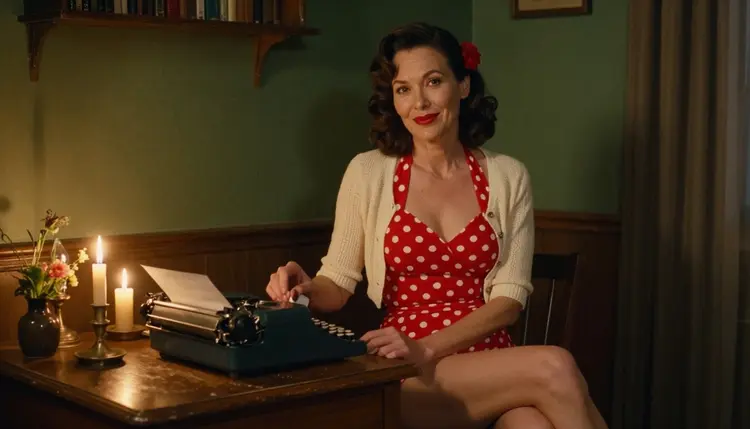
A pin-up calendar is a small publishing project: twelve scenes, one for each month, that share a character, a color palette and a mood. Done with a camera it needs a photographer, a model, a wardrobe and a studio booked for a whole season. With Picasso IA you write each scene as a prompt and build the full set in your browser, with nothing to install.
This page is a plan, not a loose list of tips. It tells you what the deliverable needs, which confirmed models to use, the five steps, a prompt idea for every month, and the rules that keep the set adult, fictional and private. Everything here is flirty and suggestive, never explicit: swimwear, lingerie, satin robes and glamour in the spirit of mid-century pin-up and boudoir photography.
The deliverable is twelve month images and, if you want one, a cover. Decide the page orientation before you write a single prompt, because a portrait wall calendar and a landscape desk calendar need different framing. Put the orientation in every prompt ("portrait framing, room above the subject for the date grid") so all twelve pictures arrive with the same shape.
Leave the dates to a layout tool. Picasso IA makes pictures, and a date grid has to be exact, so add the month names and the numbers yourself afterwards, in whatever layout software you already use. Reserving an empty band of wall, sky or fabric in each image keeps that step easy.
What makes twelve separate images read as one calendar is repetition. Keep one fictional character, described in the same words every time. Keep one lens and one kind of light for the whole set, and change the season through wardrobe, props and setting instead. A cream knit cardigan and a frosted window say January. A gingham bikini and a wildflower meadow say summer. The character, the camera and the grain stay put.
If you are still choosing a generator for pin-up work, read NSFW Pin-Up: Best AI Generator first. If you want the hand-drawn, mid-century look specifically, Recraft V4.1 Pro: 1950s Pin-Up Art goes deeper into that style.
Picasso IA marks a model as confirmed when it tested adult prompts against that exact model repeatedly and watched it generate instead of reject. That is the app's own testing, not a published setting from the model's maker, and the maker can change it at any time. What confirmed means explains the details. These are the confirmed models, and where each one fits a calendar.
For the twelve stills, two models do most of the work. Seedream 4.5 is the photoreal choice: its catalog title says it creates 4K images from text, which gives you room to crop and to print at a larger size. Recraft V4.1 Pro is the choice for an illustrated look: its catalog title calls it print-ready at 2K, and it is strong on illustration and design, which suits a painted 1950s pin-up calendar. Pick one for the whole set. Mixing a photoreal January with an illustrated February breaks the calendar.
Picasso Image Editor Pro is your repair tool. It edits an existing image, so it handles the small fixes, such as a dress color that drifted between months. It carries the infinity tag in the catalog, which means it does not spend credits on the plans that include unlimited generation.
Every other model in the catalog is untested: worth a try, not confirmed either way. If a prompt is stopped by a model you want to use, you will see a message titled "Content Not Supported by This Model". It recommends models that accept adult prompts and carries your prompt over, so you do not retype anything.
Work in this order. The first two steps happen on paper, which is where most calendars are won or lost, and the last three happen in the toolkit.
- Plan the set. Write a table of twelve rows: month, setting, wardrobe, light and one prop. Fix the orientation, the lens and the palette before you generate anything.
- Write the character and scene description. Describe one fictional adult in a few fixed sentences: age range, hair, skin, build, signature accessory. Reuse that block word for word in every month.
- Generate the key image. Choose your photoreal or illustrated model and make the strongest month first, usually July or December. Run it a few times and keep the version that defines the look of the whole calendar.
- Build the rest of the set. Paste the character block, swap the month row, and generate each remaining month. Keep the look steady by keeping the words identical, and compare each new image against the key image.
- Refine and export. Open weak frames in Picasso Image Editor Pro to match colors and fix details, then download the twelve files and place them in your layout tool with the date grids.
Budget extra attempts for the months with hard props, such as a mirror or a steaming mug. Those are the pictures most likely to need a second or third run.
Start with the character block, because everything else hangs from it. A working example: "a Central Asian adult woman in her early thirties, dark wavy hair to the shoulder, red lipstick, a small gold brooch as her signature accessory". It names an adult, gives a region and an age, and fixes three visible details the model can repeat. Never describe anyone who could read as a minor, and never base the character on a real person.
Then add the scene line. Each prompt follows the same order: character block, wardrobe, setting, light, lens, orientation. For the winter months, a prompt can read: "in a cream lace bralette under a knit cardigan, holding a steaming mug beside a frosted window, soft window light from the left, 135mm f/2, portrait framing". For February: "in a black satin slip dress adjusting an earring in an antique mirror, cool blue-hour light, 35mm f/2". Wardrobe stays glamorous and suggestive: slips, robes, swimwear, bralettes under cardigans.
Here is one way to spread the seasons across the year.
December to February are the candlelit and window months. Think a burgundy satin robe in a candlelit study, a knit cardigan by a frosted window, a black slip dress in a mirror. Light is warm candle or cool blue hour, and the palette runs red, cream and black.
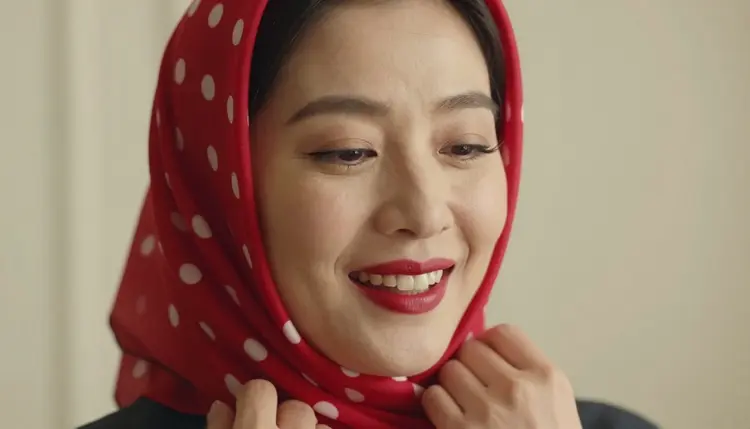
March to May are the soft daylight months. Think a silk robe on a balcony in overcast light, an apple-green gingham two-piece in a wildflower meadow, a polka dot headscarf and a red lip against a pale wall. Overcast and diffused daylight keeps the colors clean.
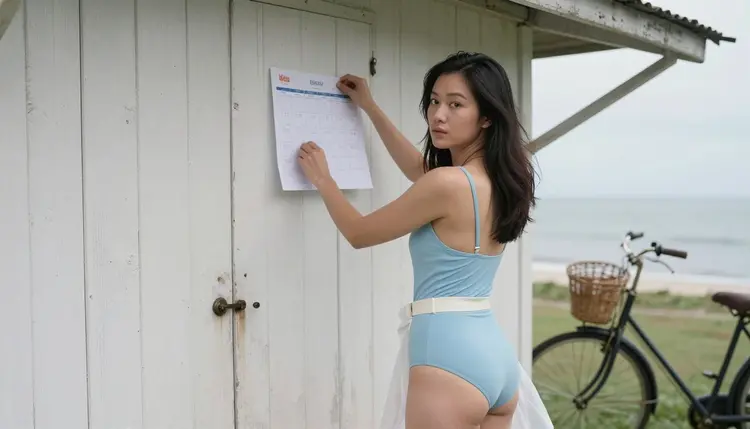
June to August are the swimwear months. A red two-piece and heels in a diffused daylight studio with a low camera angle, a pale blue vintage swimsuit pinning a page to a seaside cabin wall, a vintage one-piece with a chiffon scarf on a rocky beach at golden hour. Backlight at golden hour gives a silhouette that works well as a month with lots of empty sky.
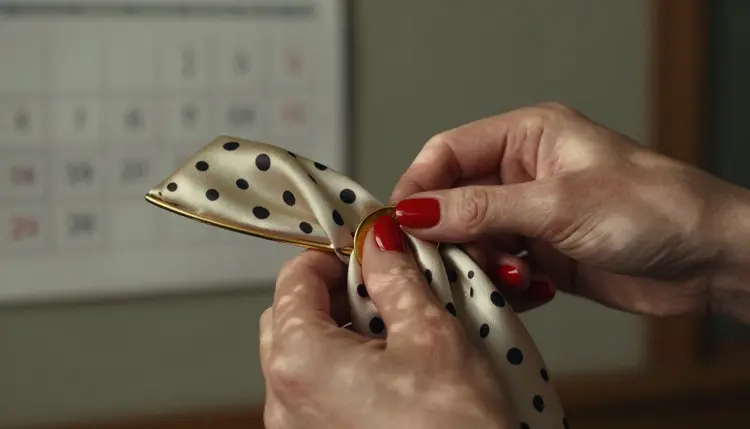
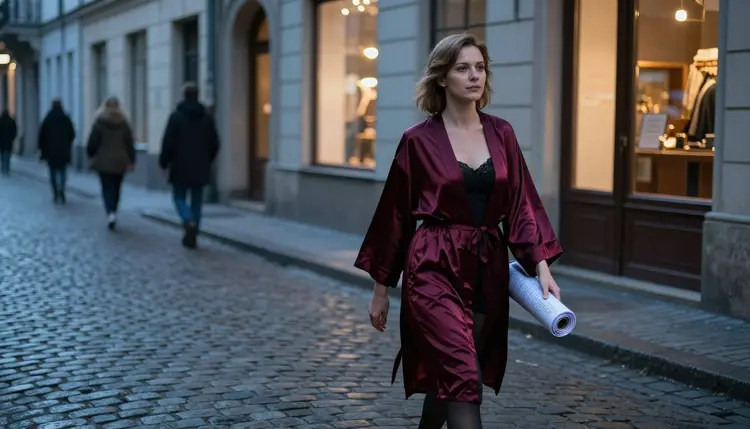
September to November are the warm, wandering months. A freckled character carrying a basket of apples through an orchard, a walking shot on a cobblestone street in a satin robe with a rolled calendar under one arm, a close detail of hands fastening a brooch on a silk scarf.
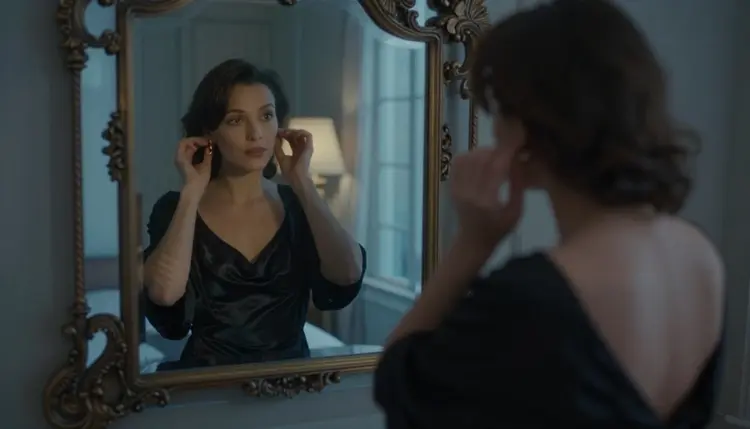
Write a different camera idea into each month so the set has rhythm: a wide environmental portrait, a detail of hands, an over-the-shoulder frame, a tight close-up, a mirror reflection, a low-angle full-length shot, a profile silhouette. Keep the lens vocabulary from your plan, and vary only the framing words. A wide frame ("35mm f/2, wide environmental portrait") sits comfortably next to a tight one ("135mm f/2, close-up portrait") when the character block and the light stay the same.
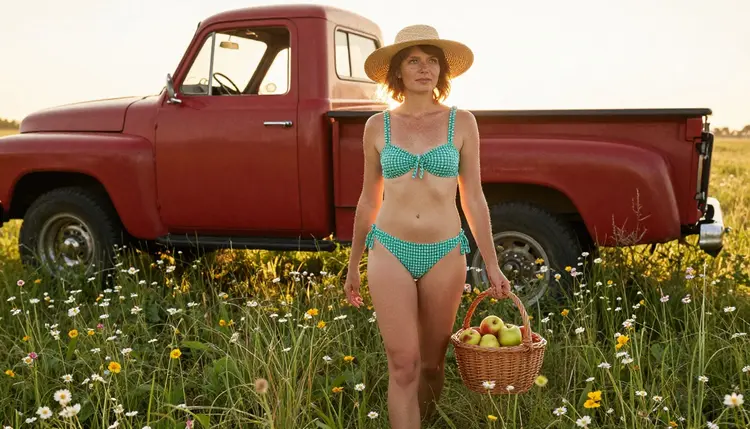
Keeping the same fictional character is the hard part, so use every tool you have. First, keep the character block identical. Second, when a month turns out well, reuse its wording instead of rewriting it. Third, in the toolkit each image you attach gets an @1, @2 badge, and you can refer to it in the prompt: Picasso IA translates the reference to the syntax each model understands. Only models that accept several inputs show the badges, so check the model you chose. If your model shows them, attach the key image as @1 and write "same woman as @1" in each month's prompt.
If a face or an outfit drifts, do not regenerate the whole month. Open the frame in Picasso Image Editor Pro, describe the single change, and keep everything else.
Stills can become clips. If you plan a digital calendar, a screen saver or a short social teaser, take a finished month into Picasso IA Video, which turns text or an image into video. LTX 2.3 Pro makes 4K video from text, and Seedance 2.5 Lite is listed up to 10 seconds. Describe small movements only: a scarf in the wind, steam rising from a mug, a candle flame.

The first rule is age. Picasso IA's adult generation is for people aged 18 and over, and every image on this page is meant for adults who are choosing to make and view it.
The second rule is that every character is a fictional adult. Do not use a real or identifiable person, a celebrity, an acquaintance or a photo of someone who has not agreed to it, and never write a prompt that describes someone who could read as a minor. The calendar models are invented adults, written into your character block, and they stay that way for all twelve months.
The third rule is privacy. Generations are private by default: what you create is tied to your account and not published or shown to others. If you share the finished calendar, that choice is yours.
If you plan to publish or print the calendar, check the rules of wherever it will live. Print services, stores, social networks and marketplaces each have their own content policies, and those policies change. Picasso IA cannot promise that any of them will accept the result, so read their current rules before you order a print run or upload a file. For a safe place to work through all twelve months, How to Set Up a Private NSFW Generation Session shows a good routine.
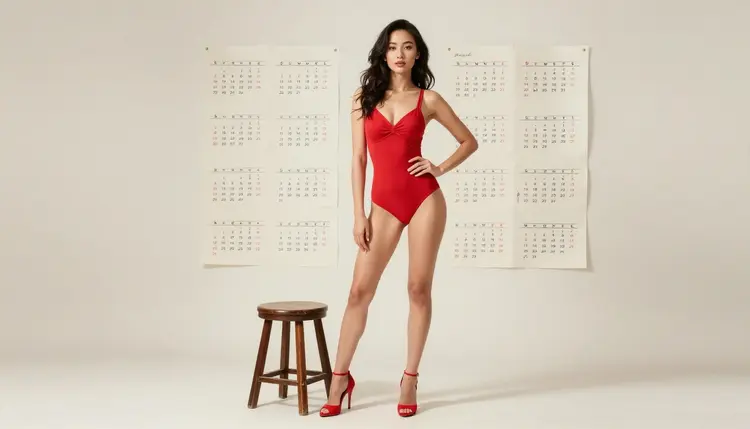
A new account can try a small free trial on selected models: Picasso IA Image, Picasso IA Editor Pro, Picasso IA Video and Seedance 2.5 Lite. That is enough to test your character block and make a key image before you commit to anything. The rest of the catalog spends credits that vary by model and by options such as resolution or duration, and the pricing page explains plans and limits. Models with the infinity tag in the catalog do not spend credits on the plans that include unlimited generation.
When you have a favorite look, the full catalog holds hundreds of models for image, video and more. Models such as Seedream 5 and Nano Banana are untested for adult prompts: worth a try if you want a different style, but not confirmed either way. Test one with a single month before you commit a set to it.
A calendar can also sit next to a small merchandise project. If you want an enamel pin that matches your calendar character, Create NSFW Images for an Enamel Pin Design covers that project.
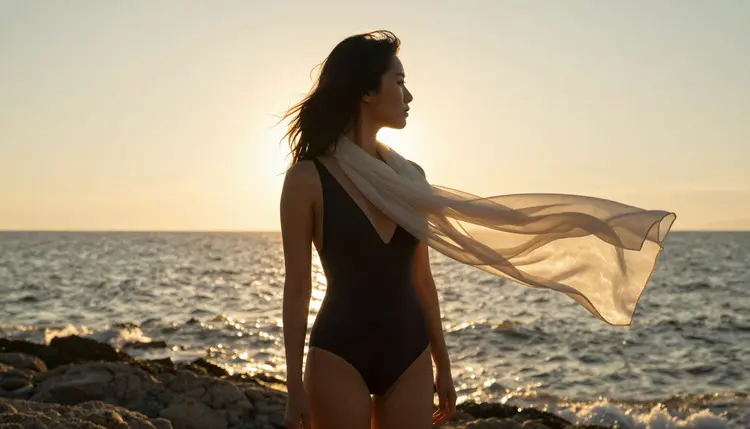
When you have twelve images you like, put them side by side before you export. Check that the skin tones, hair and wardrobe colors sit together, and that the light direction does not jump from one month to the next. A calendar is seen as a wall of twelve, not as single frames, so consistency matters more than any one image.
Can I really build a full pin-up calendar with AI?
Yes. You write twelve scene prompts with one fixed character description and generate each month in the toolkit. You add the month names and date grids afterwards in a layout tool, because exact numbers are better set outside an image generator.
Which model is best for a pin-up calendar?
For a photoreal look use Seedream 4.5, which creates 4K images from text. For an illustrated, print-ready pin-up look use Recraft V4.1 Pro. Choose one for all twelve months so the set stays consistent.
How do I keep the same woman in every month?
Write one fixed character block with age range, hair, skin and a signature accessory, and paste it unchanged into every prompt. If your model shows the @1 badge for attached images, attach your key image and refer to it in the prompt. Keep the lens and light the same too.
Are the pictures explicit?
No. The calendar style here is flirty and suggestive: swimwear, lingerie, satin robes, glamour and implied mood. Nothing on this page asks for explicit content, and the prompts avoid it on purpose.
Who can the characters be?
Only fictional adults. Never a real or identifiable person, never a celebrity, and never anyone who could read as a minor. Picasso IA's adult generation is for people aged 18 and over.
What happens if a model refuses my prompt?
The app shows a message titled "Content Not Supported by This Model". It recommends models that accept adult prompts and carries your prompt over, so you do not have to type it again. Switch to one of the confirmed models if that happens.
Can I turn a month into a video?
Yes, for a digital calendar or a teaser. Picasso IA Video makes video from text or an image, LTX 2.3 Pro makes 4K video from text, and Seedance 2.5 Lite is listed up to 10 seconds. Keep the motion small and simple.
Are my images private?
Generations are private by default. What you create is tied to your account and is not published or shown to others. Sharing the finished calendar is your decision.
Will a print shop or store accept the finished calendar?
Picasso IA cannot promise that. Each print service, marketplace and social network has its own content rules, and they change. Read the current rules of the place where you plan to publish or print before you commit to an order.
Can I try this before paying?
A new account gets a small free trial on selected models: Picasso IA Image, Picasso IA Editor Pro, Picasso IA Video and Seedance 2.5 Lite. The pricing page explains plans, and the rest of the full catalog is worth testing one month at a time.