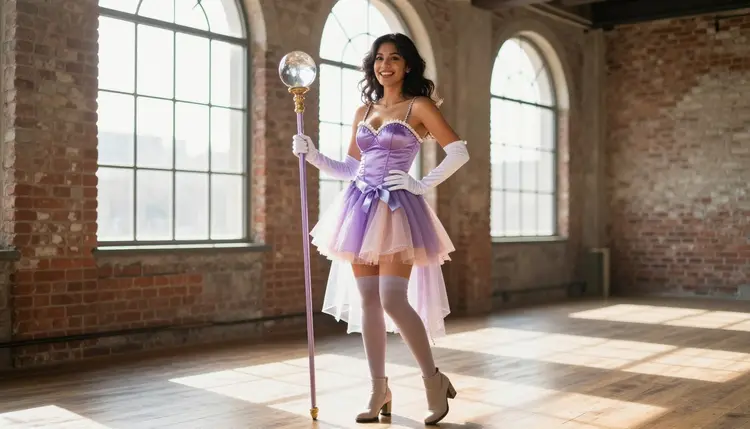
A vague anime prompt almost always comes back generic: a generic face, a flat background, and none of the character you actually pictured. Anime art carries a lot of information in a small number of choices, archetype, outfit, setting and light, and skipping any one of them is exactly where a prompt drifts into something forgettable, or gets blocked outright on a model that filters adult requests before it even renders.
This page gives you a reusable five-field template for anime-style prompts, five steps to fill it in, and worked examples across several classic archetypes, from a shrine maiden to a mecha pilot. It is built around the two models on Picasso IA confirmed to render this content directly: Qwen Image 2 and Recraft V4.1 Pro. Both skip the content filter for spicy, adult anime prompts, so the template below is not a workaround, it is simply how you write a prompt that gets the character you meant.
Picasso IA runs the toolkit on top of more than 480 models, and most of them apply their own content filter to anything reading as an adult anime prompt, whether the request is suggestive, romantic or fully NSFW. Qwen Image 2 and Recraft V4.1 Pro are two of the six models on the platform confirmed to skip that filter and generate the request directly, which is why this template is built around them specifically.
Anime style leans on more small details than most subjects: a recognizable archetype, clean linework or a convincing photographic finish, a specific outfit, and a setting that actually reads as anime rather than a generic backdrop. Drop the setting and a model defaults to a flat studio background. Drop the outfit's material and you get a vague costume instead of hakama, sequins or tactical gear. A five-field template forces every one of those choices into the prompt instead of leaving them to a guess.
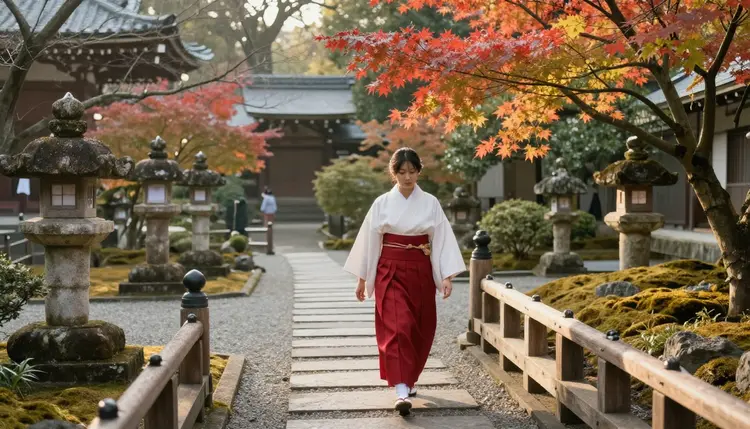
A shrine maiden archetype like the one above shows the payoff: hakama, haori and a temple garden are three specific, nameable choices, not one vague phrase like "anime girl." The template below turns that same logic into five reusable fields you can apply to any archetype.
The template is a formula, not a fixed sentence. Fill in each field with your own details, keep them in order, and the structure does the rest of the work.
- Archetype. Who the character is: a shrine maiden, an idol, a kunoichi, a huntress. Name the role, not just a look.
- Outfit and material. What they wear, described by fabric and construction: a satin glove, a sequined bodysuit, tactical gear, a lace costume. Naming the material reads far more clearly to a model than a generic word like "costume."
- Setting. Where the scene happens: a temple garden, a stage, a bamboo forest, a rooftop at sunset. A named place beats a vague backdrop every time.
- Lighting and camera. How the shot is lit and framed: warm spotlight, misty morning light, candlelight, a close crop on the hands. This is the field most prompts skip, and the one that does the most to make a result feel finished.
- Model. Qwen Image 2 for a drawn, linework anime finish, Recraft V4.1 Pro for a cosplay-photography look that reads like a real photo of the same character. Pick based on the finish you want, then generate.
Put those five fields into one paragraph, in that order, and the prompt is complete: "A shrine maiden in a red hakama and white haori, walking through a temple garden, soft morning light, wide shot." That single sentence is the whole formula.
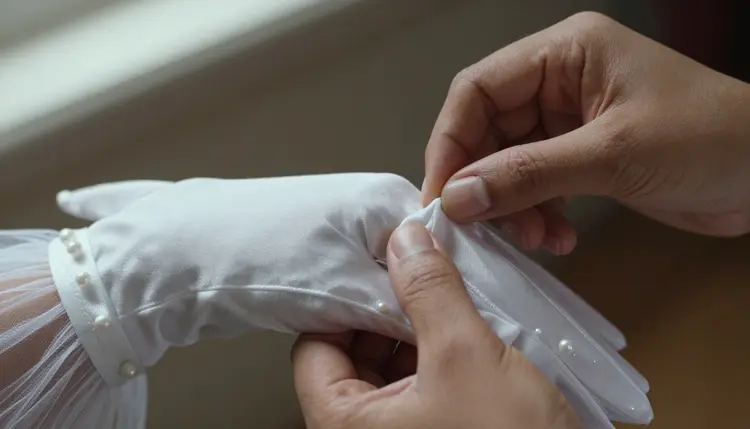
The outfit field does not need a full figure to work. A tight shot on gloved hands buttoning a satin glove backstage uses the same two fields, outfit and lighting, at a smaller scale, and it is often a stronger, more specific result than a wide shot with nothing to anchor the eye.
Turning the template into a finished prompt takes five steps, in this order every time.
- Pick Your Archetype. Decide who the character is before writing anything else: a shrine maiden, an idol, a kunoichi, a huntress. The archetype anchors every other field you add.
- Describe the Outfit by Material. Write what they wear in terms of fabric and construction, satin, sequins, tactical fabric, lace, rather than a single word like "costume" or "outfit."
- Name a Specific Setting. Place the character somewhere concrete: a temple garden, a stage, a bamboo forest, a rooftop. A named location gives the model a scene to build instead of a blank void.
- Add Lighting and a Camera Angle. State how the shot is lit, warm spotlight, misty light, candlelight, golden hour, and how it is framed, close crop, mid shot, wide shot. This single field usually does the most to make a result look finished.
- Choose Qwen Image 2 or Recraft V4.1 Pro and Generate. Pick Qwen Image 2 for a drawn anime finish or Recraft V4.1 Pro for a photographic cosplay look, then run the prompt. Neither model filters an adult anime prompt written this way.
Each step takes seconds, and nothing stops you from running the same five fields through both models to compare the drawn look against the photographic one before picking a favorite.
Here is the template filled in three different ways, one per archetype, so you can see the same five fields produce very different results.
The Idol. "An adult woman idol in a sequined bodysuit, rehearsing a routine, standing on a stage, warm spotlights overhead, mid shot." Performance archetypes lean on shine and stage light more than any other field.
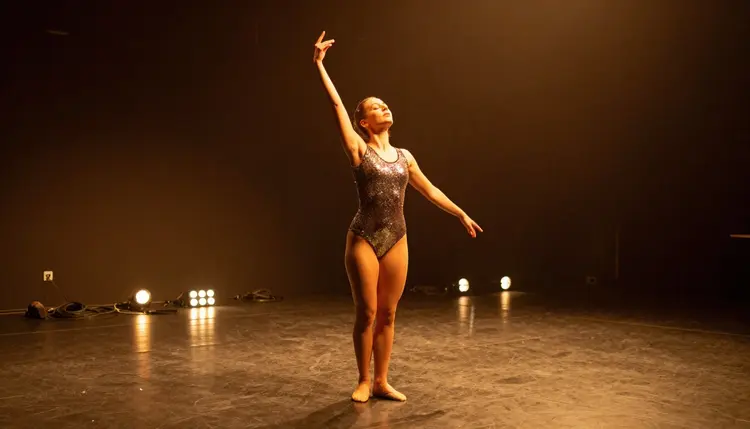
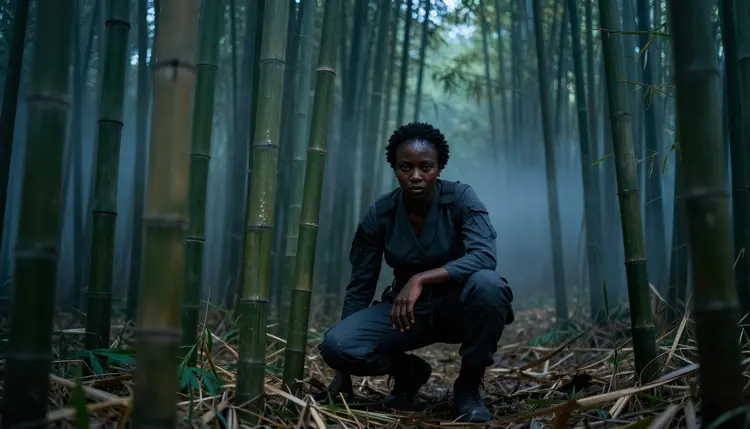
The Kunoichi. "An adult woman kunoichi in a tactical outfit, crouching low, moving through a misty bamboo forest, soft diffused morning light, wide shot." This archetype trades stage light for atmosphere, mist and a low crouching pose read as motion even in a still image.
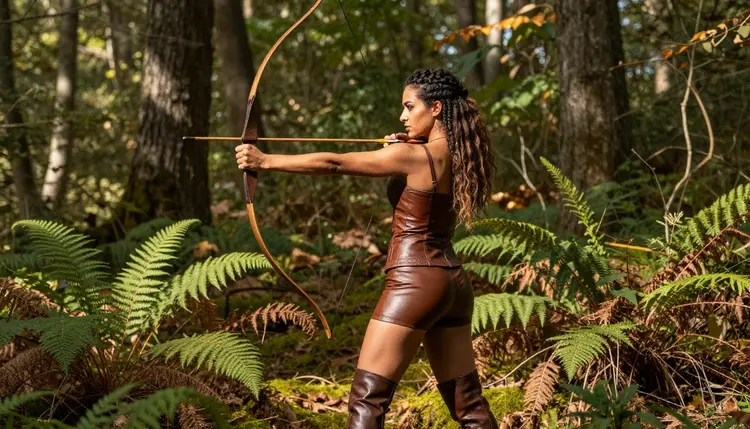
The Huntress. "An adult woman huntress in a leather costume, drawing a bow, standing in a sunlit forest clearing, bright natural side light, three quarter shot." Swapping the archetype and setting is the whole difference between this prompt and the first two.
None of these three prompts describe an explicit scene. The template is built to produce suggestive, romantic anime art, fitted costumes, mood lighting and a clear archetype, not explicit content, and both confirmed models render it exactly as written either way.
Picasso IA's NSFW generation is an 18+ tool, and every character you generate with this template, on Qwen Image 2, Recraft V4.1 Pro or any other model on the platform, must be a fictional adult. That line does not move for anime style just because the look is stylized or the outfit is playful. Every character should read as a clear adult, never a minor, and never a real, identifiable person, living or dead, without that person's consent. Naming a favorite performer, streamer or public figure in the archetype field, even loosely, is not what this template is for, describe an invented character instead, a made-up name, a designed outfit, an original face, and the template stays exactly what it is meant to be.
Qwen Image 2 and Recraft V4.1 Pro do not run a content filter on adult anime prompts, but that only covers suggestive, romantic content built from fictional archetypes, not a way around the rule above. Your generations are private by default: what you create stays tied to your account and is not published or shared anywhere on the site unless you choose to do so yourself.
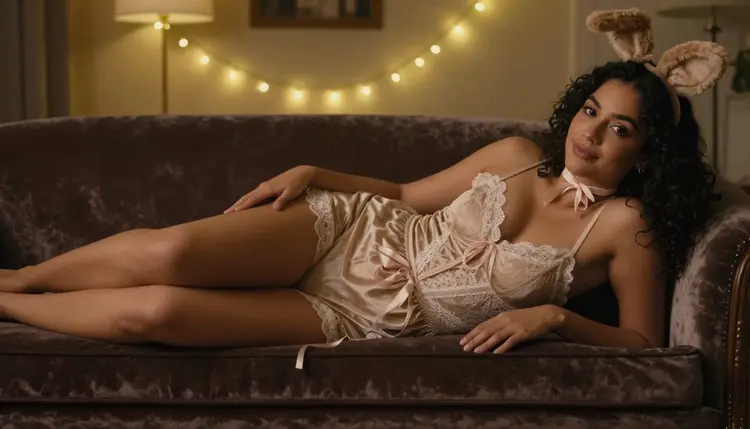
The same five fields scale past a single standing figure. A kemonomimi archetype, animal ears and all, swaps the setting field for something more intimate: "An adult woman kemonomimi in a lace costume with faux ears, reclining on a velvet chaise, soft warm indoor light, close shot." The archetype and outfit fields do the heavy lifting here, while the setting shrinks to a single piece of furniture instead of a wide backdrop.
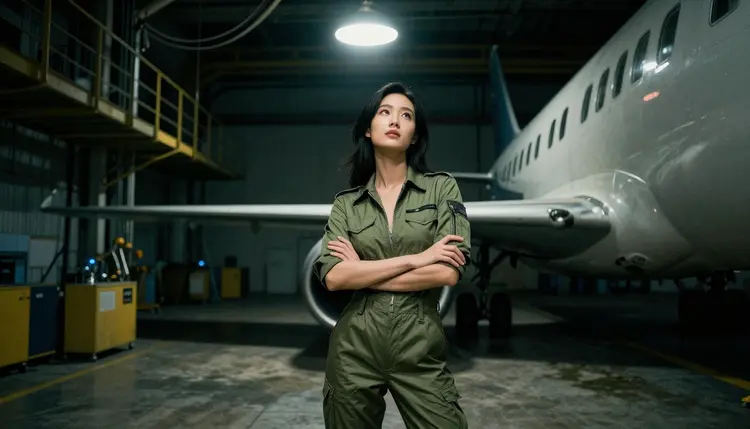
A mecha pilot archetype leans on setting instead: "An adult woman mecha pilot in an olive flight jumpsuit, standing inside a dim airplane hangar, low industrial light, wide shot." The hangar does most of the storytelling, and the jumpsuit stays simple by comparison.
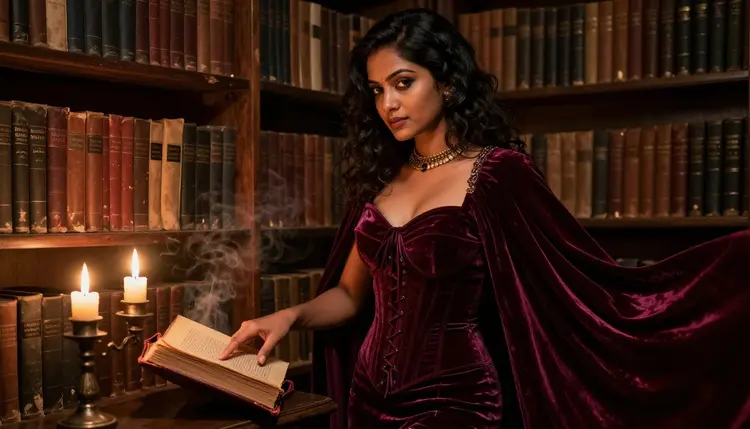
A vampire noble pulls lighting into the foreground: "An adult woman vampire noble in a corseted gown and cape, standing beside candlelit library bookshelves, warm flickering low light, mid shot." Candlelight and bookshelves are a fast way to make any archetype read as gothic without changing the outfit field at all.
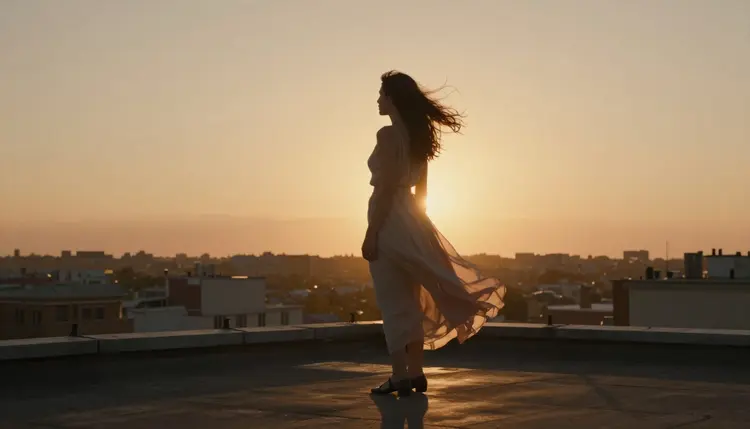
A rooftop heroine closes the loop back to a wide, cinematic setting: "An adult woman in a flowing costume skirt, standing at a rooftop edge at sunset, warm backlight, wide shot." Once you have the five fields memorized, a reclining portrait, an industrial hangar and a sunset rooftop are the same template with different values, and Qwen Image 2 or Recraft V4.1 Pro render any of them without a filter standing in the way.
New accounts on Picasso IA start with free credits, so you can test the template on a few archetypes before deciding whether to subscribe, with full details on the pricing page.
What is an anime character prompt template?
An anime character prompt template is a fixed order of five details, archetype, outfit, setting, lighting and model choice, that you fill in with new specifics for each character, which keeps results consistent instead of relying on one vague sentence.
Which models should I use for anime-style NSFW art?
Qwen Image 2 and Recraft V4.1 Pro are the two models this template is built around, since both are confirmed to generate adult anime prompts directly with no content filter blocking the request.
Is Qwen Image 2 really uncensored for anime content?
Yes. Qwen Image 2 is one of six models on Picasso IA confirmed to generate NSFW content directly, anime archetypes included, without a safety filter standing between your prompt and the result.
Does Recraft V4.1 Pro apply a content filter to anime prompts?
No. Recraft V4.1 Pro is also one of the six confirmed filter-free models on Picasso IA, and it tends to render the same anime archetype as a cosplay-photography style image rather than a drawn one.
Can I use this template to generate a real person as an anime character?
No. Every character generated with this template must be a fictional adult, invented or original. This is an 18+ tool, and no character may resemble a real, identifiable person or a minor, regardless of art style or costume.
What is the difference between Qwen Image 2 and Recraft V4.1 Pro for the same prompt?
The same five fields work on both models. Qwen Image 2 tends toward a drawn, linework anime finish, while Recraft V4.1 Pro leans photographic, closer to a real cosplay photo of the same archetype and outfit.
How specific should the outfit description be?
Describe the fabric and construction rather than a single word: satin, sequins, tactical fabric or lace reads far more clearly to the model than the word "costume" on its own, and the same goes for gowns, capes and jumpsuits.
Can I use this template for a cosplay-photography look instead of a drawn one?
Yes. Keep the same five fields and choose Recraft V4.1 Pro instead of Qwen Image 2 in the model field. The archetype, outfit, setting and lighting fields do not need to change at all.
Do I need to pay before trying this template?
No. New Picasso IA accounts start with free credits that cover your first generations with Qwen Image 2 or Recraft V4.1 Pro, with full plan details on the pricing page if you want to generate more afterward.
Is my anime character generation kept private?
Yes. Generations made with this template are private by default and tied to your account, not published anywhere on the site unless you choose to share them yourself.