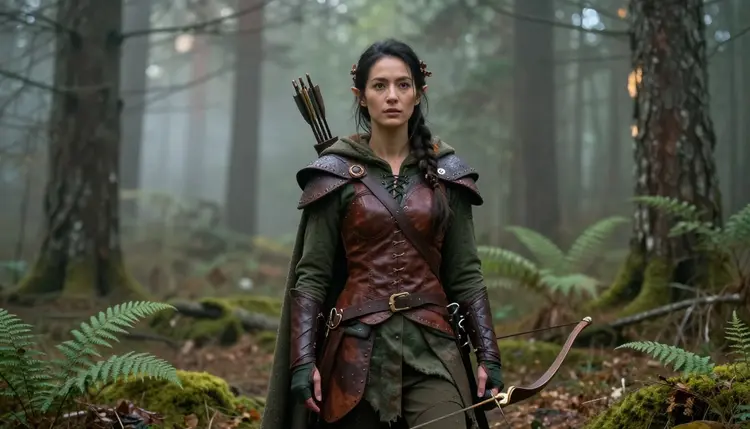
Fantasy characters are one of the hardest NSFW subjects to prompt well. A single vague line, "a sexy elf warrior," usually comes back generic, or gets blocked outright on a model that filters adult content. A reusable prompt template fixes both problems at once: it forces you to describe the archetype, the wardrobe, the setting and the light in an order that a model can actually follow, and it works the same way every time you swap in a new character.
This page gives you that template, five steps to fill it in, and worked examples across three fantasy archetypes, built for the two models on Picasso IA confirmed to generate this content directly: Recraft V4.1 Pro and Qwen Image 2. Both render adult fantasy prompts without a safety filter blocking the request, so the template below is not a workaround, it is simply how you write a good prompt for either one.
Picasso IA hosts hundreds of AI models, and most of them run a content filter that blocks adult prompts before they ever reach the render step. Fantasy subjects make that worse, since armor, exposed skin and mythic settings sit close to what a cautious filter is tuned to catch, fictional or not. Recraft V4.1 Pro and Qwen Image 2 are two of the six models on Picasso IA confirmed to skip that filter entirely, which is why this page builds its template around them.
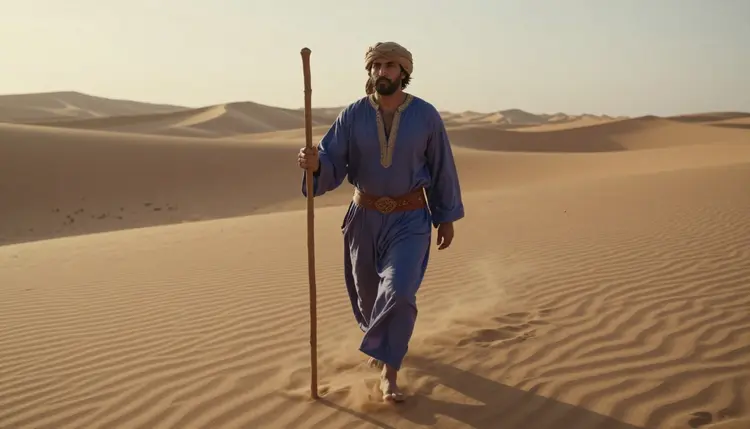
A template matters more for fantasy than for most other subjects because a fantasy character carries several moving parts at once: who they are, what they wear, where they stand and how the scene is lit. Drop any one of those and the model fills the gap with a guess, which is usually where a prompt drifts into something generic or off-tone. Writing the same five fields in the same order every time keeps the character consistent and keeps the result close to what you actually pictured.
The template below is a formula, not a fixed sentence. Fill in each field with your own details and the structure does the rest of the work.
- Archetype. Who the character is: a wandering sorcerer, a shield maiden, a court enchantress, a pirate captain. Name the role, not just an outfit.
- Wardrobe and armor. What they are wearing, described by material and fit: fur-trimmed leather, a velvet gown, a buckled breastplate. Specific fabric and hardware reads better than a generic word like "armor."
- Setting. Where the scene happens: a fjord at dawn, a candlelit library, a ship's helm at sunset. A named place beats a vague backdrop.
- Lighting and camera. How the shot is lit and framed: golden hour side light, candlelight from below, a close crop on the hands. This is the field most prompts skip, and the one that does the most to make an image feel finished.
- Model. Recraft V4.1 Pro for painterly, illustrative fantasy art, Qwen Image 2 for a more photographic, grounded look. Pick based on the finish you want, then generate.
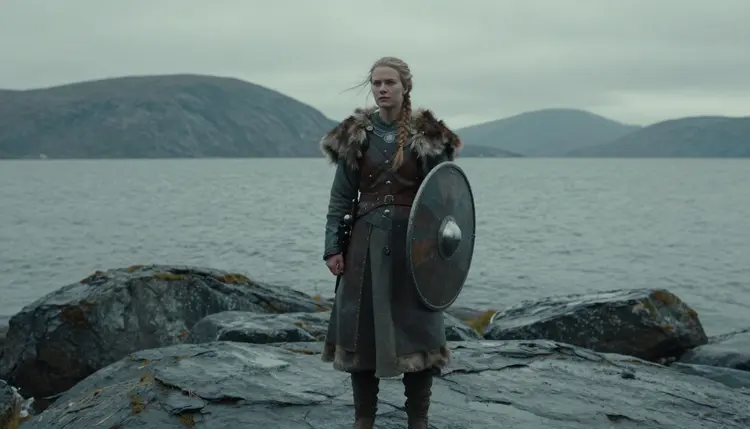
Put those five fields in one paragraph, in that order, and you have a complete prompt. A full example: "A shield maiden in fur-trimmed leather armor, holding a round shield, standing beside a fjord at dawn, cold side light off the water, mid shot." That is the whole formula in one sentence.
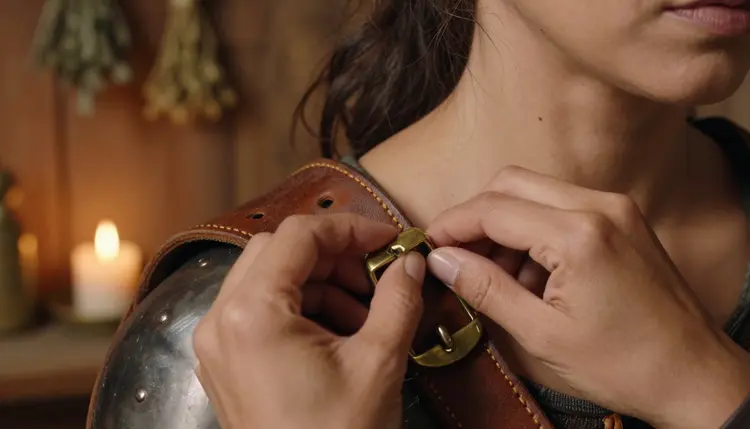
Small hardware details, a buckle, a clasp, a strap, are worth naming when a shot crops in close. "Wardrobe and armor" does not have to mean a full figure: a tight shot on hands fastening a shoulder buckle by candlelight uses the same two fields, wardrobe and lighting, at a smaller scale.
Turning the template into a finished image takes five steps, in this order every time.
- Pick Your Archetype. Decide who the character is before you write anything else: a warrior, a sorceress, a pirate captain, a bard. The archetype anchors every other field you add.
- Describe the Wardrobe by Material. Write what they wear in terms of fabric and hardware, fur-trimmed leather, a velvet gown, a buckled breastplate, rather than a single word like "armor" or "dress."
- Name a Specific Setting. Place the character somewhere concrete: a fjord, a candlelit library, a ship's helm, a village well. A named location gives the model a scene to build instead of a blank void.
- Add Lighting and a Camera Angle. State how the shot is lit, golden hour, candlelight, cold morning light, and how it is framed, close crop, mid shot, wide shot. This single field usually does the most to make a result look finished.
- Choose Recraft V4.1 Pro or Qwen Image 2 and Generate. Pick Recraft V4.1 Pro for a painterly, illustrative finish or Qwen Image 2 for a more photographic look, then run the prompt. Neither model filters an adult fantasy prompt written this way.
Here is the template filled in three different ways, one per archetype, so you can see the same five fields produce very different results.
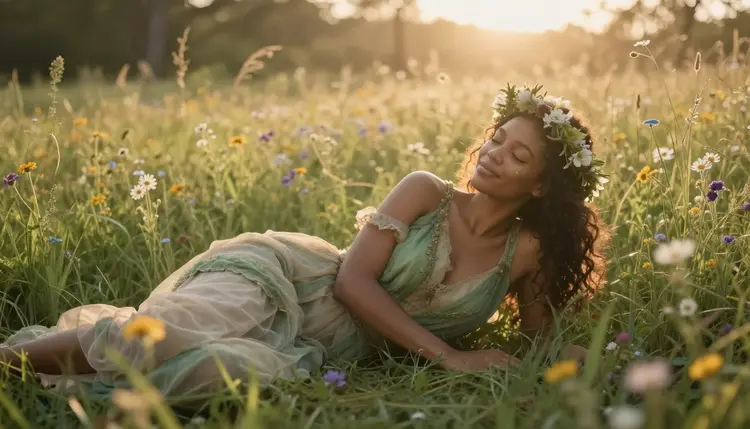
The Meadow Spirit. "An adult woman wearing a flower crown and a flowing dress, resting in a wildflower meadow, soft afternoon light, wide shot with the field stretching behind her." Nature settings pair well with looser, lighter wardrobe descriptions.
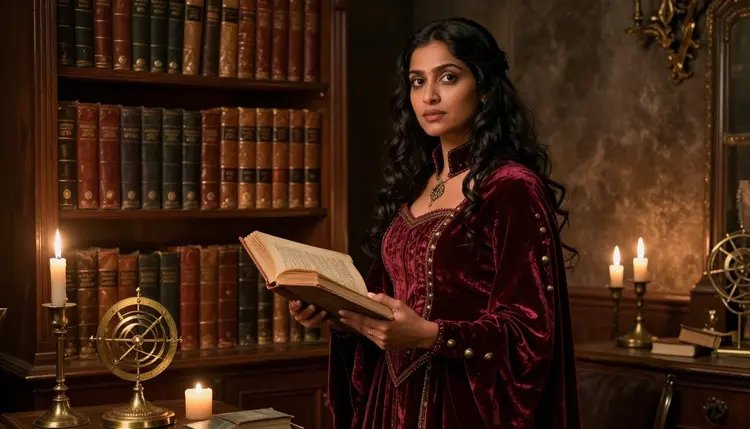
The Court Enchantress. "An adult woman in a velvet gown, holding an open book, standing in a candlelit library lined with tall shelves, warm low light from candles, mid shot." This archetype leans on fabric and firelight rather than armor.
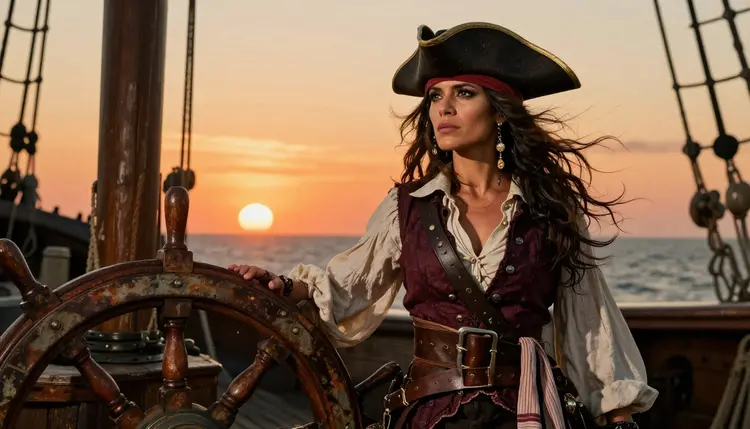
The Pirate Captain. "An adult woman pirate captain in a fitted coat and tricorn hat, standing at a ship's helm at sunset, warm backlight off the water, three quarter shot." Swapping the archetype and setting is the whole difference between this prompt and the first two.
Notice that none of the three prompts describe explicit content. The template is built to produce suggestive, romantic fantasy art, flowing fabric, armor, candlelight and mood, not explicit scenes, and both confirmed models render it exactly as written either way.
Every character you generate with this template, on Recraft V4.1 Pro, Qwen Image 2, or any other model on Picasso IA, must be a fictional adult. This is an 18+ tool: every character in every image reads as a clear adult, never a minor, regardless of art style or fantasy setting. No character may be written or posed to resemble a real, identifiable person, living or dead, without that person's consent, and a fantasy costume or setting does not change that rule.
Recraft V4.1 Pro and Qwen Image 2 do not run a content filter on adult prompts, but that only covers suggestive, romantic fantasy content, not a way around the rule above. Your generations are private by default: what you create stays tied to your account and is not published or shared anywhere on the site unless you choose to do so yourself. Treat the archetype in your prompt as an original character you are inventing, not a real person you are describing, and the template stays exactly what it is meant to be.
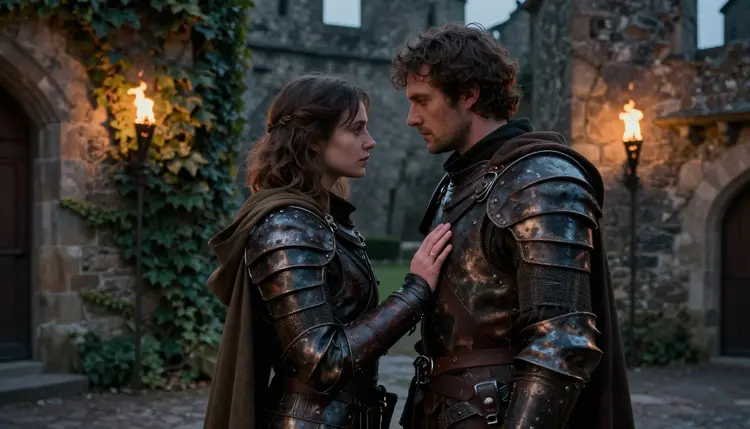
The same five fields scale past a single character. For two people in one frame, describe both in the archetype and wardrobe fields before moving to setting: "Two adults in matching fitted armor, embracing forehead to forehead, standing in a castle courtyard, soft overcast light, close shot." The setting and lighting fields do not change, only the archetype field grows to hold both characters.
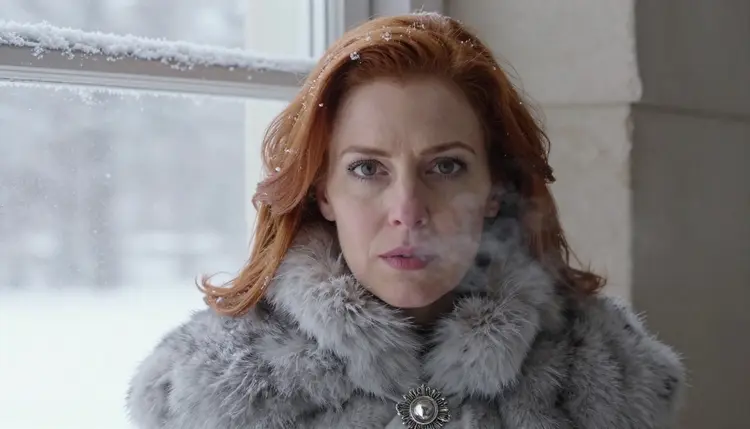
A close portrait works the same formula with the setting field doing less and the lighting field doing more: "A red-haired adult woman in a fur cloak, close portrait by a frosted window, cold blue-grey light, sharp focus on the eyes." Dropping the wide setting in favor of a tight crop is a deliberate choice inside the same template, not a different one.
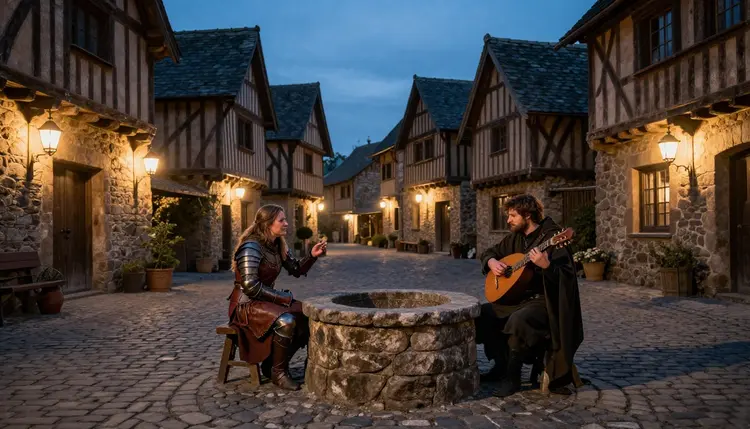
Village and everyday fantasy scenes follow the same rules too: "An adult man playing a lute beside an armored adult woman, talking near a village well, warm late afternoon light, wide shot." Once you have the five fields memorized, an intimate two person scene, a tight portrait and a full village scene are the same template with different values, and Recraft V4.1 Pro or Qwen Image 2 render any of them without a filter standing in the way. New accounts on Picasso IA start with free credits, so you can test the template on a few archetypes before deciding whether to subscribe, with full pricing on the pricing page.
What is a fantasy character prompt template?
A fantasy character prompt template is a fixed order of five details, archetype, wardrobe, setting, lighting and model choice, that you fill in with new specifics for each character, which keeps results consistent instead of relying on a single vague sentence.
Which models should I use for fantasy character art?
Recraft V4.1 Pro and Qwen Image 2 are the two models this template is built around, since both are confirmed to generate adult fantasy prompts directly with no content filter blocking the request.
Is Qwen Image 2 really uncensored for this kind of content?
Yes. Qwen Image 2 is one of six models on Picasso IA confirmed to generate NSFW content directly, including romantic and suggestive fantasy scenes, without a safety filter standing between your prompt and the result.
Can I use this template to generate a real person as a fantasy character?
No. Every character generated with this template must be a fictional adult, invented or original, never a real, identifiable person, living or dead, and never anyone who could read as a minor regardless of costume or setting.
How detailed should the wardrobe description be?
Describe the fabric and hardware rather than a single word: fur-trimmed leather or a buckled breastplate reads far more clearly to the model than the word "armor" on its own, and the same goes for gowns, cloaks and coats.
Can I use this template for a two-character scene?
Yes. Expand the archetype and wardrobe fields to describe both characters, then keep the setting and lighting fields as they are, the way the paired armor example on this page does.
What if my result looks more modern than fantasy?
Check that your setting and wardrobe fields name specific fantasy materials and locations rather than generic ones, since a vague field is what usually pulls a result toward a modern default look.
Do I need to pay before trying this template?
No. New Picasso IA accounts start with free credits that cover your first generations with Recraft V4.1 Pro or Qwen Image 2, with full plan details on the pricing page if you want to generate more afterward.
Can I turn a fantasy character image into a video afterward?
Yes. Once you have a still you like, Picasso Video or LTX 2.3 Pro, both confirmed filter-free, can turn it into a short video from the same character.
Is my fantasy character generation kept private?
Yes. Generations made with this template are private by default and tied to your account, not published anywhere on the site unless you choose to share them yourself.