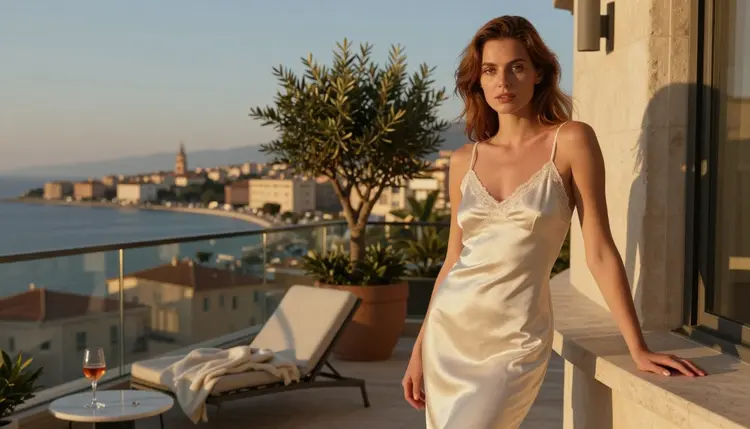
Type "PixVerse NSFW" into a search bar and you are almost always hunting for one thing: a video model that will actually let a spicy, adult scene through without blocking the render. PixVerse is a real model inside the Picasso IA Toolkit, and it turns a single prompt or reference image into smooth, cinematic motion. What it is not, at least not yet, is a model we can call uncensored with a straight face.
This guide gives you the honest version. You will see what PixVerse is good at, why its behavior on suggestive prompts is still unconfirmed, and which two video models in the same Toolkit, LTX 2.3 Pro and Picasso Video, have already proven themselves as reliable, no filter picks for mature scenes. A five step walkthrough gets your first adult clip out the door, and the site's own rules keep every generation legal and respectful.
PixVerse sits in the Picasso IA video lineup as a fast, image aware model. Feed it a written scene or a reference photo and it builds several seconds of coherent motion: a slow camera pull, a turn of the head, fabric moving in a breeze. For everyday, non adult clips, product shots, travel scenes, portrait animations, it is a strong, dependable option, and one worth a try if you want a second style of motion next to Picasso IA's own models. Creators who bounce between several models often keep PixVerse in the mix simply because its output style reads a little differently from the rest of the lineup, which is useful when a project calls for variety rather than a single house look.
Where it gets murkier is anything mature. We have not run enough suggestive prompts through PixVerse to say how its filter behaves, whether it softens a scene, rejects it outright, or lets it through untouched. Until that testing is done, treat PixVerse as an alternative worth exploring for general video work, not a confirmed choice for adult content.
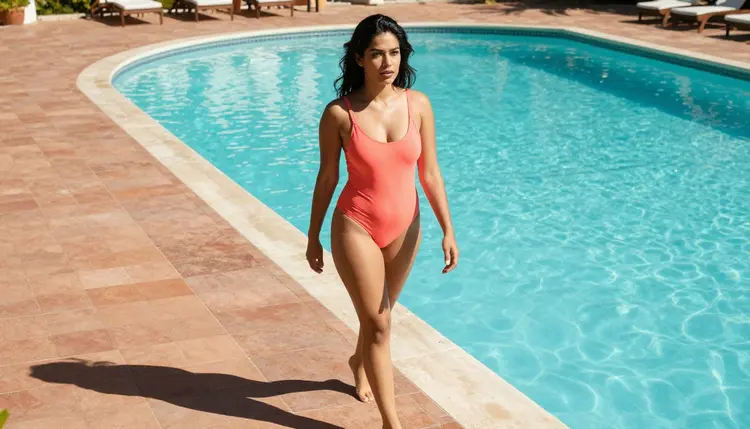
Two models in the Picasso IA Toolkit have earned a different label: confirmed, no filter picks for adult video. LTX 2.3 Pro handles longer, more controlled motion, steady framing, natural pacing, and it holds up on intimate wardrobe and romantic posing without softening the scene. Picasso Video, the platform's own model, was built with the same mature use case in mind and carries the same confirmed status. Neither model needed a workaround prompt or a coded phrase to hold its ground on a mature scene, which is exactly the kind of consistency a creator wants before committing real time to a project.
Both models read a flirty or suggestive prompt the way you wrote it, rather than second guessing the wardrobe or the mood you described. That reliability matters more than raw motion quality when the whole point of the generation is a mature scene you actually want to keep. If PixVerse is the model you reach for out of curiosity, LTX 2.3 Pro and Picasso Video are the ones you reach for when the result has to land on the first try.
The workflow is short. Open the Toolkit, pick a model, and follow these five steps to your first clip.
- Pick Your Model. Choose Picasso Video or LTX 2.3 Pro for a confirmed no filter result, or test PixVerse alongside them if you want to compare motion styles.
- Write a Clear Adult Prompt. Describe the scene, the mood, and the wardrobe in plain language, and make every character's adult age explicit in the description.
- Add Scene Details. Note the lighting, the camera angle, and the clip length so the model has enough context to render smooth, coherent motion.
- Generate and Review. Run the prompt, then watch the draft clip before you save or share it, since even a filter free model can misread a detail.
- Refine with a Second Pass. Adjust the wording or swap the reference image, then regenerate until the pacing and mood match what you pictured.
Picasso IA's adult tools are built for a clear, narrow purpose, and a few rules keep that purpose intact.
Every account creating NSFW content must be 18 or older, no exceptions. Every character you generate, no matter how detailed, is a fictional adult: the platform does not allow minors in any context, and it does not allow a real, identifiable person's likeness without that person's direct consent. Uploads and generations stay private by default, visible only to your account unless you choose to share them, and nothing you create is used to train a public model without your say so.
These limits are not fine print. They are the reason the uncensored label on LTX 2.3 Pro and Picasso Video means something: the freedom on wording and posing only holds because the guardrails around age and consent hold too.
A clip only looks as good as the prompt behind it. A few habits make the difference between a flat render and one that actually feels cinematic.
Lead with the wardrobe and the setting before the action: a satin robe in a candlelit suite reads very differently from a bikini beside a sunset pool, and the model needs that context up front. Name the lighting on purpose, golden hour, string lights, soft window light, since lighting does more for mood than almost any other word in the prompt.
Keep the language suggestive rather than clinical: words like spicy, intimate, romantic, and flirty give the model a clear emotional target without tipping into anything explicit. Describe camera motion the way a director would, a slow push in, a pan across a room, a held close up, and give the model a realistic clip length instead of asking for more seconds than the scene needs.
Finally, iterate. The first generation is a draft, not a final cut. Small wording changes, a different time of day, a tighter framing, a slower pace, usually get you closer than starting the prompt over from scratch. Keep a short note of which changes actually moved the result closer to what you wanted, since those same adjustments tend to work again on your next prompt.
Use PixVerse when the project is general purpose: a portrait that turns to camera, a product spinning under studio light, a travel scene with natural movement. It is fast, image aware, and worth having in the rotation for that kind of work, and it can be a good warm up model while you refine a prompt before sending the adult version to a confirmed choice.
Reach for LTX 2.3 Pro or Picasso Video the moment the scene turns mature. Both are confirmed, no filter models built and tested for intimate wardrobe, suggestive posing, and romantic framing, so you are not gambling on how the render will land. Some creators run the same prompt through PixVerse and one of the confirmed models side by side just to compare motion style, which is a fine way to learn the differences, as long as the adult version of the project ships from the model that has actually been tested for it.
Is PixVerse an uncensored video model?
Not confirmed. PixVerse is a capable, fast model in the Picasso IA Toolkit, but we have not tested enough suggestive prompts to call its filter behavior one way or the other, so it is best treated as an alternative to try rather than a guaranteed adult option.
Which Picasso IA video models are confirmed filter free?
LTX 2.3 Pro and Picasso Video are the two video models with a confirmed no filter status for mature prompts, alongside Seedream 4.5, Qwen Image 2, Recraft V4.1 Pro, and Picasso Image Editor Pro on the image side.
Can I use PixVerse for adult content right now?
You can try it, and some prompts may render exactly as written, but since its behavior on suggestive scenes is untested, LTX 2.3 Pro or Picasso Video is the more predictable choice when the result needs to land on the first attempt.
What counts as a fictional adult character on Picasso IA?
Every character in a generation must read as a fictional adult, described in the prompt with no reference to a real, identifiable person and no ambiguity about age. Anything that suggests a minor or a real individual without consent falls outside what the platform allows, an 18 plus, fictional only rule with no exceptions.
How long can an NSFW video clip be?
Clip length depends on the model. LTX 2.3 Pro and Picasso Video both support several seconds of coherent motion per generation, and stacking a second pass with a refined prompt is the usual way to extend or adjust a scene beyond the first render.
Do I need a reference image to start?
No. A detailed text prompt describing the wardrobe, the setting, and the mood is enough for any of Picasso IA's video models, and a reference image is an optional way to guide the look more closely when you have one.
Is my generated video private by default?
Yes. Everything you generate stays visible only to your account unless you actively choose to share it, and your uploads are not used to train a public model without your permission.
What wording should I avoid in an adult prompt?
Skip clinical or explicit terms and lean on suggestive language instead, words like spicy, intimate, romantic, and flirty communicate the mood clearly while keeping the prompt within what the platform allows.
Can I generate video of a real person?
No. Picasso IA does not allow a real, identifiable person's likeness in adult content without that person's direct consent, so every character should be described as an original, fictional adult instead.
What should I do if a clip does not match my prompt?
Review the draft, adjust the wording or the reference image, and regenerate. A slower pace, a different camera angle, or a clearer wardrobe description usually closes the gap on the second pass, and LTX 2.3 Pro or Picasso Video tend to need fewer of these adjustments than an untested model.