A great NSFW AI image rarely comes down to the character alone. The room, the light and the textures around them do half the work, turning a technically fine render into something that actually holds a mood. Most people spend all their prompting effort on the pose and the outfit, then default to whatever background comes back first, and the result reads flat even when everything else is right.
This guide collects seven backgrounds and settings that consistently lift an NSFW scene on Picasso IA, from a sunlit bedroom to a quiet forest clearing, each with what makes it work and the kind of wardrobe and light that suits it. You will also get the exact five step workflow for generating any of them, the models confirmed to run without a content filter, and the rules every scene on the platform follows regardless of which setting you pick.
Picasso IA's uncensored models render backgrounds with the same care as the person in frame, so the setting is not a placeholder you fix later, it is part of the composition from the first prompt. A bedroom scene reads differently depending on whether the light is warm and low or flat and clinical, and a street scene reads differently depending on whether the stone is wet or dry, whether the hour is dusk or midday.
Wardrobe and setting also talk to each other. Silk and linen suit soft interior light, a swimsuit only makes sense with sand or water in frame, a trench coat needs weather or at least the suggestion of a season. Naming the setting with the same detail as the outfit, the material, the light source, the time of day, gives the model something concrete to build around instead of a generic backdrop.
The seven ideas below are less about one perfect prompt and more a set of dependable starting points. Pick one, adjust wardrobe and color to the character you are building, and the setting does a lot of the storytelling for you.
Sunlit Bedroom. A bed by a window at mid morning is one of the most reliable settings in the whole catalog, because the light does most of the work. Ask for soft daylight falling across rumpled sheets, a silk robe loosely tied, and warm skin tones, and the model reads the whole scene as intimate without needing anything overstated. Keep the palette narrow, cream, blush, pale gold, and the shot stays calm rather than busy.
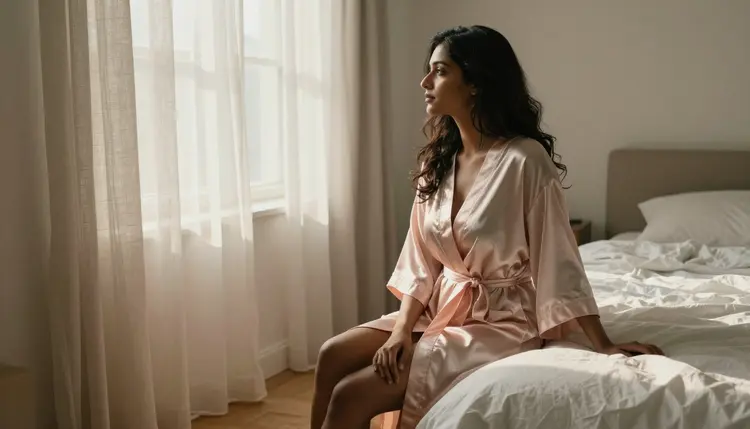
The window itself is worth describing on purpose, sheer curtains, a slight breeze, morning light rather than a generic lamp. That single detail turns a plain bedroom into a scene with a time of day and a mood attached to it.
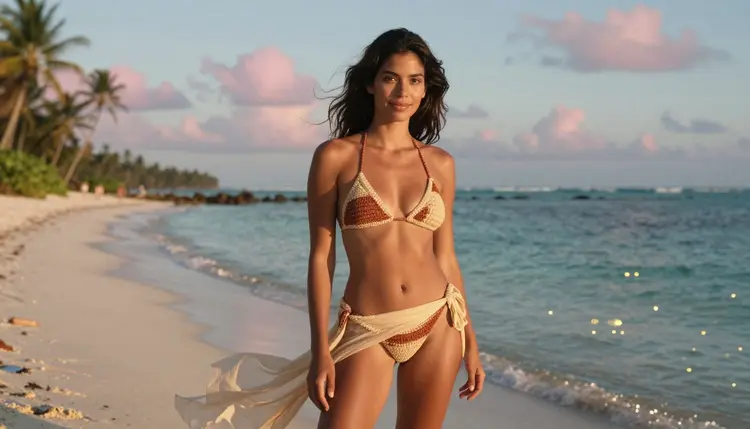
Beach at Dusk. Golden hour on sand trades the calm of a bedroom for movement and open air. A swimsuit in a saturated color, green or coral, reads well against a fading orange sky, and asking for wind in the hair or fabric keeps the pose from looking staged. Waves in soft focus behind the subject add depth without pulling attention away from her.
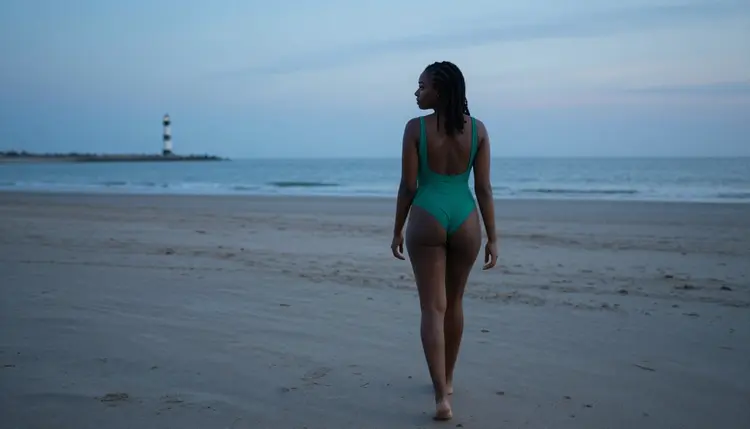
Dusk specifically, rather than full daylight, is what sells the mood, the lower sun softens shadows and turns ordinary sand into something closer to a film still.
Quiet Forest Clearing. A mossy log or a fallen tree in dappled light gives a scene an unhurried, almost secretive feel that a studio or a city street cannot match. Lace or a slip dress against rough bark and green moss creates a texture contrast that generates well. Keep the light filtered rather than direct, sun coming through a canopy rather than open sky, so the scene reads as a hidden spot rather than an open field.
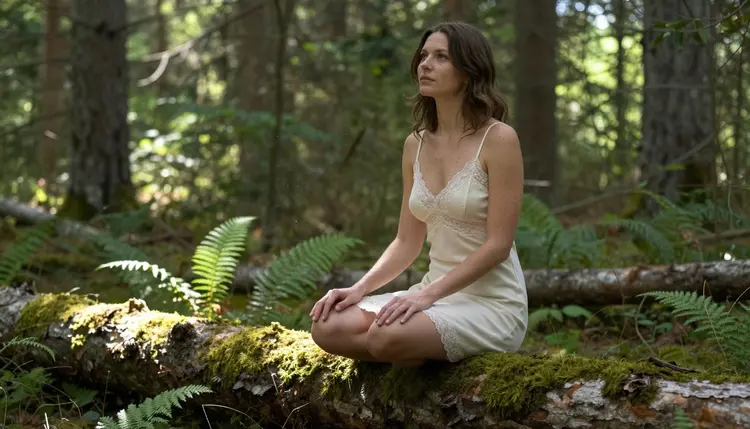
Small details, moss texture, a shaft of light landing on one shoulder, do more for this setting than a wider shot of the whole forest.
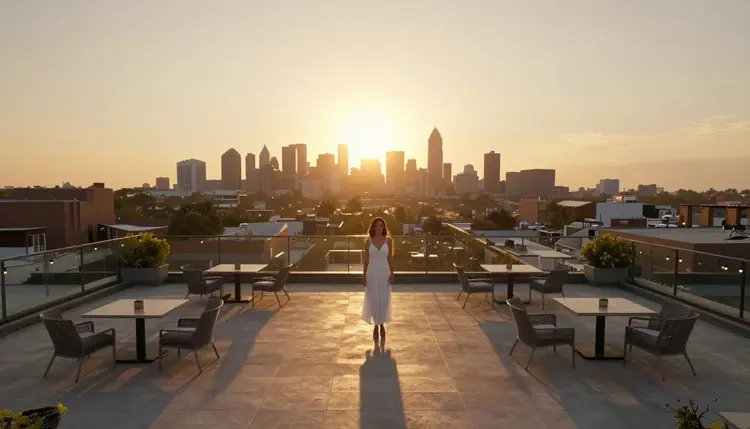
City Rooftop. A rooftop at golden hour pairs a fitted dress with an open skyline for a scene that reads as confident rather than shy. Leaning on a railing with the city blurred slightly behind her gives the shot depth, and warm evening light flatters most wardrobe colors better than flat midday sun. This setting works especially well for a character meant to feel grounded in a real, modern place rather than a fantasy backdrop.
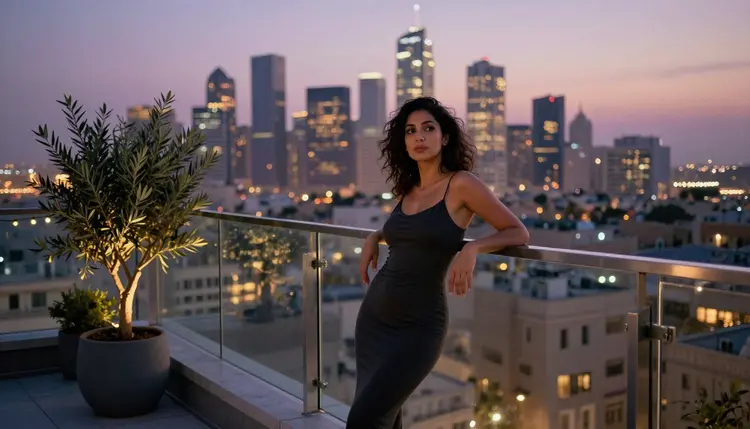
Ask for the skyline slightly out of focus so the character stays the clear subject, with the city reading as atmosphere rather than competing detail.
Minimalist Studio Backdrop. Not every strong scene needs a location at all. A grey seamless backdrop and directional studio light strip away every distraction and put the full weight of the image on wardrobe, pose and skin tone. Satin and other reflective fabrics work especially well here, since a clean backdrop lets the fabric catch the light instead of fighting a busy background for attention.
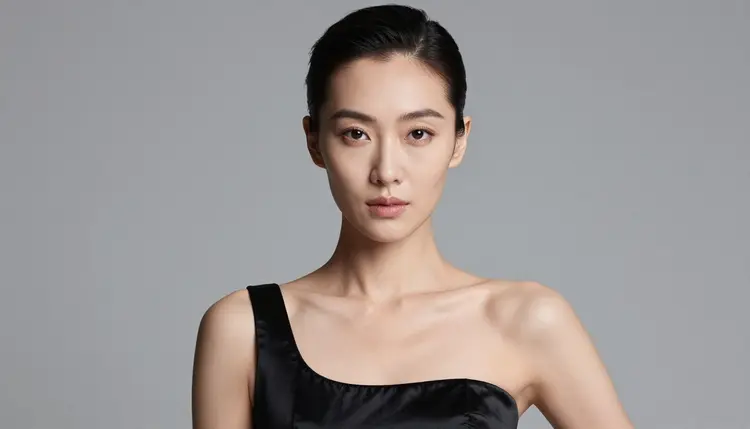
This is the setting to reach for when you want a portfolio style result rather than a scene, or when you are testing a new wardrobe idea and do not want the background to influence how it reads.
Garden in Bloom. Kneeling among hydrangeas or another dense flower bed gives a scene a soft, romantic quality that a plain outdoor shot does not. A sundress in a warm, contrasting color, yellow against blue flowers works particularly well, keeps the subject readable against a background that could otherwise turn busy. Overcast or early evening light is usually more flattering here than harsh midday sun, since it keeps both the flowers and the skin tones even.
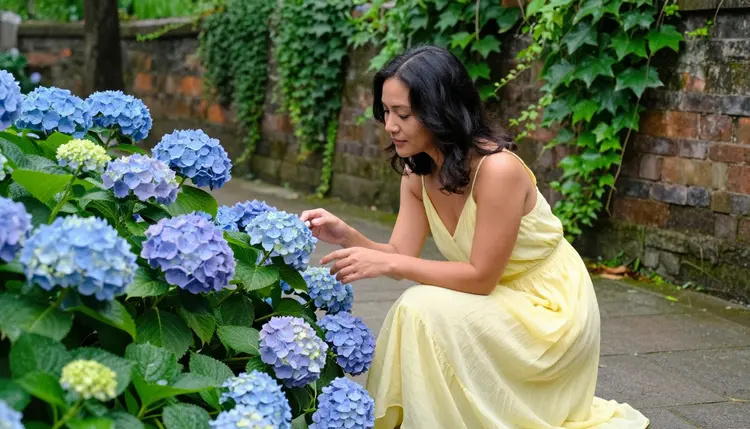
This setting pairs naturally with a gentler, more playful mood than a bedroom or rooftop scene, and it is a dependable choice when the brief calls for something closer to romantic than dramatic.
Historic City Street. Cobblestone streets and old facades give a scene narrative weight, as if the character is walking through a story rather than posing for a camera. A trench coat in a deep color, burgundy reads especially well against warm stone, keeps the outfit from disappearing into a busy street background. Ask for wet or slightly reflective cobblestone for extra mood, or dry stone and late afternoon light for something calmer.
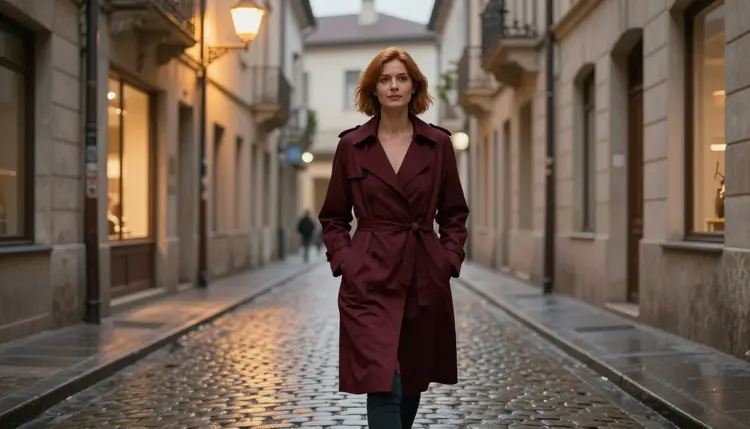
Movement helps this setting more than a static pose, walking, coat catching a breeze, is what keeps a street scene from looking like a plain standing portrait in front of a wall.
Every idea above works the same way once you are in the toolkit. There is no separate mode for NSFW content and no extra setting to unlock first.
- Open the toolkit and pick an uncensored model. Go to the toolkit and choose one of the six models confirmed to generate NSFW content without a content filter, Seedream 4.5, Qwen Image 2, Recraft V4.1 Pro, Picasso Image Editor Pro, Picasso Video or LTX 2.3 Pro.
- Describe the setting before the pose. Name the location, the light source and the time of day first, a sunlit bedroom, a beach at dusk, a mossy forest clearing, so the model has a clear scene to build the character into.
- Match wardrobe and color to the setting. Silk and linen suit interior light, a swimsuit needs sand or water, a trench coat needs weather or a street, naming fabric and color keeps the outfit from reading as generic.
- Generate and check the light and texture. Run the prompt and look closely at how the light falls across skin and fabric, and whether the background reads as a real place rather than a flat backdrop.
- Refine the prompt or download. Adjust wording for small details, moss texture, wind, skyline blur, and regenerate, or download the image once the setting and mood match what you pictured.
Each step takes seconds, and switching from one setting to another is just a matter of rewriting the location and wardrobe details in the same prompt.
A few habits make any of the seven settings above work better, regardless of which one you pick.
Name the light source, not just good lighting. Window light, a bare bulb, golden hour, overcast sky each produce a different mood, and the model responds to a named source far more reliably than a vague request for nice lighting.

Close, detail focused shots carry mood on their own. A hand resting on silk sheets in soft morning light says almost as much about the scene as a full body shot, and it is a useful way to vary a set of images built around the same setting without repeating the same composition each time.
Keep the palette narrow. Two or three colors that clearly belong together, cream and gold for a bedroom, blue and yellow for a garden, read as intentional, where five competing colors usually read as noise instead of atmosphere.
Describe fabric behavior, not just fabric type. Silk catching the light or linen with visible wrinkles gives texture information that a silk robe alone does not, and texture is often what separates a flat render from one that looks tactile.
Every setting on this list follows the same rules as the rest of Picasso IA's NSFW generation, regardless of how romantic or dramatic the backdrop is. Generation is limited to users who are 18 or older, and every character in every scene must read as a fictional adult, an original design rather than a real person's likeness, a public figure, or anyone who could be mistaken for a minor. A beautiful setting is never a reason to bend that line.
Real people are never generated without their own consent, on any background and with any model, and that includes anyone recognizable from a photo you might reference for wardrobe or pose ideas. If you are building a character across several of these settings, invent their features, name and style rather than basing them on someone real, even loosely.
Privacy works the way it does across the rest of the platform by default, what you generate stays tied to your account, and nothing is shared or published automatically. These rules apply the same way whether the scene is a quiet bedroom or a crowded city street, and they do not change based on which of the six uncensored models you use.
All seven settings above work with any of the six models on Picasso IA confirmed to generate NSFW content without a content filter, Seedream 4.5, Qwen Image 2, Recraft V4.1 Pro, Picasso Image Editor Pro, Picasso Video and LTX 2.3 Pro. Each renders backgrounds a little differently, Recraft V4.1 Pro tends toward crisp, illustrative detail, while Seedream 4.5 and Qwen Image 2 lean more photographic, so it is worth generating the same setting on two of them to see which style fits the character you are building.
Other models in the catalog, Seedance 2.5 and Seedream 5 Lite among them, are untested for this kind of prompt and worth trying on your own terms rather than relying on for an adult scene, since none of them are confirmed to skip a content filter the way the six above are.
New accounts start with free credits, enough to test two or three of these settings before spending anything. Beyond that, generation uses credits like any other model on the platform, and pricing lays out current plans if you end up generating regularly. If a still image of one of these settings works better as motion, Picasso Video and LTX 2.3 Pro are the two confirmed filter free video models for turning a background idea into a short clip.
Which of these seven backgrounds is easiest to start with?
The sunlit bedroom is the most forgiving of the seven, since soft window light is easy to describe and hard to get wrong, making it a good first prompt before trying settings with more moving parts like a beach or a city street.
Do I need a different model for each background idea?
No, any of the six uncensored models can render all seven settings, though they render them a little differently, so trying the same setting on two models is a quick way to see which rendering style you prefer.
Can I combine two of these settings in one prompt?
Yes, describing a mossy clearing with soft window style light, or a rooftop scene with garden style flowers in the foreground, works as long as the two elements do not contradict each other, and it is a good way to make a familiar setting feel more original.
What happens if I try one of these prompts on a model with a content filter?
Most models in the catalog apply their own content filter and will refuse an adult prompt outright, regardless of how the background is described. When that happens the app points you toward the six confirmed models and carries your prompt over so you do not have to retype it.
Can I keep the same character consistent across several of these settings?
Yes, describing the same facial features, hair color and build in each prompt helps a character stay recognizable from one setting to the next, since each generation works from the written description rather than a saved profile.
Do these settings need to look photorealistic?
No, Recraft V4.1 Pro leans toward a crisp, illustrative look while Seedream 4.5 and Qwen Image 2 lean photographic, so any of the seven settings can be pushed toward either style depending on which model you pick.
Is it fine to describe a real city or beach by name?
It is better to describe the qualities of a place, cobblestone streets, warm sand, a rooftop skyline, rather than naming one specific real location tied to real people, since the goal is an original fictional scene rather than a depiction of an actual place.
Do I need a paid plan to try all seven settings?
No, new accounts get free credits that are enough to test two or three of these settings first, and generation afterward uses credits like any other model, with current plans listed on the pricing page.
Are the characters in these background ideas real people?
No, every character shown across these seven settings is a fictional adult, 18 or older, and Picasso IA does not generate real people or public figures without their own consent, on any background or with any model.
Can a still image from one of these settings become a short video?
Yes, Picasso Video and LTX 2.3 Pro are both confirmed filter free video models, and either can turn an image or prompt from any of the seven settings into a short clip once the still version looks right.