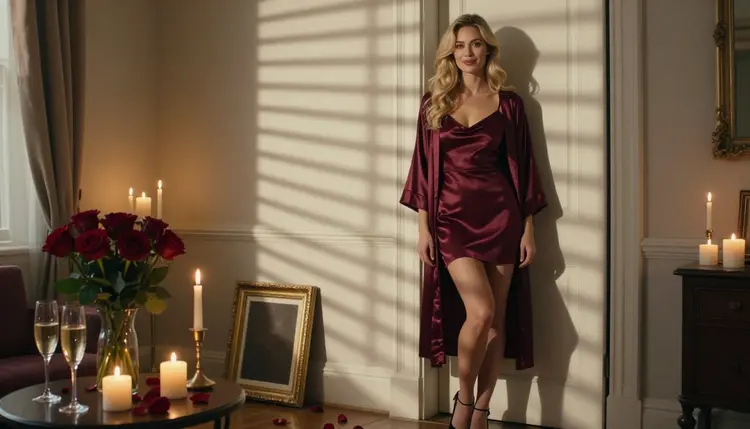
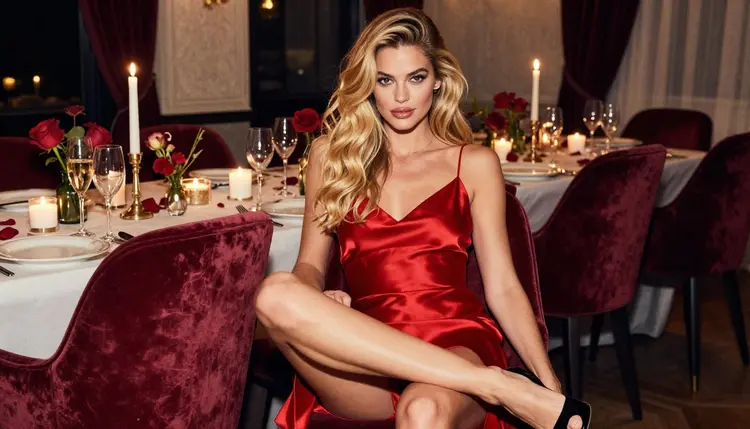
An anniversary surprise works best when it feels staged for one evening: a framed portrait on the mantel, candles burning low, roses on the table and two glasses waiting. This page shows you how to build that set as a series of romantic, suggestive and flirty pictures made with Picasso IA, for adults only, with a fictional adult woman as the subject. You will plan the scenes, write the prompts, generate a key image and then repeat the look until you have a small gallery you can print, frame or keep on your own screen.
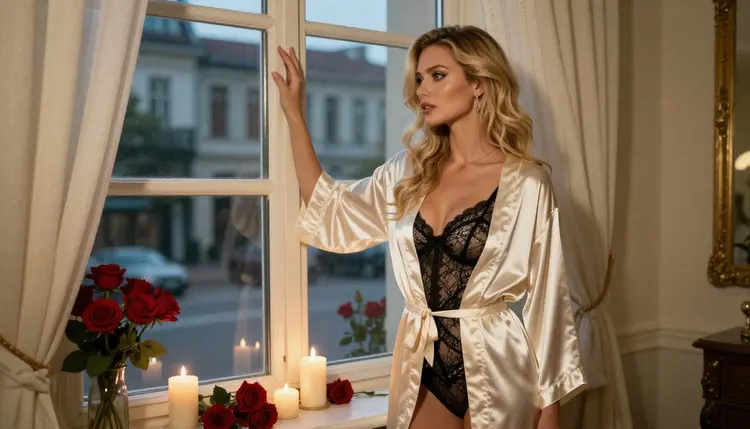
The approach is simple. You decide on a mood (candlelight, roses, satin), you pick a handful of settings, and you let the models in the toolkit do the photography. Nothing gets installed, everything runs in the browser, and what you create stays private to your account.
Start with the deliverable. An anniversary surprise is usually one hero picture and a few supporting ones. A good plan is one wide, mood-setting frame, two or three portraits, one full-length frame, one detail shot and one candid walking shot. That is enough to fill a small photo frame set, a slideshow or a private album without repeating yourself.
Next, decide the format. If you plan to print the portrait and put it in a frame, aim for a high-resolution still and keep the composition simple, with plenty of room around the subject. If you want a screen gallery, 16:9 frames look best. Picasso IA lets you pick the output settings per model, so choose the shape before you generate, not after.
Consistency is the part that decides whether the set looks like one photo shoot or like six unrelated pictures. Keep the same description of the woman in every prompt: hair, eyes, makeup and build, written the same way each time. Keep the same props too: roses, candles, champagne glasses and satin. The light and the lens can change from picture to picture, the character and the props should not.
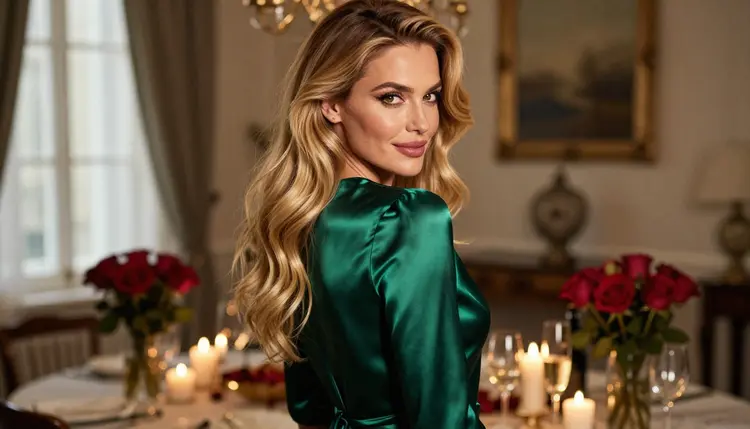
One more rule for the whole project: no lettering. A card, a gift tag or a printed message inside the picture is exactly what image models tend to misspell. Write "no text, no lettering, no card" in the prompt, and add your own words later in any layout tool you like.
A short checklist before you begin:
- One fictional adult woman, described once and reused word for word.
- One palette: burgundy, ivory, emerald or black satin, with red roses.
- One light source per scene: candles, a window or golden hour.
- A list of the pictures you want, written before you open the toolkit.
Picasso IA keeps a short list of models it has tested with adult prompts, repeatedly, and watched generate instead of refuse. Those are the ones called confirmed. It is the app's own testing, not a published setting from the maker of each model, so it can change. The table below tells you what each one does for an anniversary set.
| Model | Best for | Format |
|---|
| Seedream 4.5 | Photoreal portraits and wide candlelit scenes | Text to image, 4K |
| Recraft V4.1 Pro | Illustrated or designed versions of the same scene | Print-ready images, 2K |
| Picasso Image Editor Pro | Fixing details in an image you already made | Edits an existing image |
| LTX 2.3 Pro | A slow candlelit clip from a text prompt | 4K video from text |
| Picasso IA Video | Turning a finished still into a short clip | Text or image to video |
| Seedance 2.5 Lite | A short moving version of the hero frame | Video, up to 10 seconds |
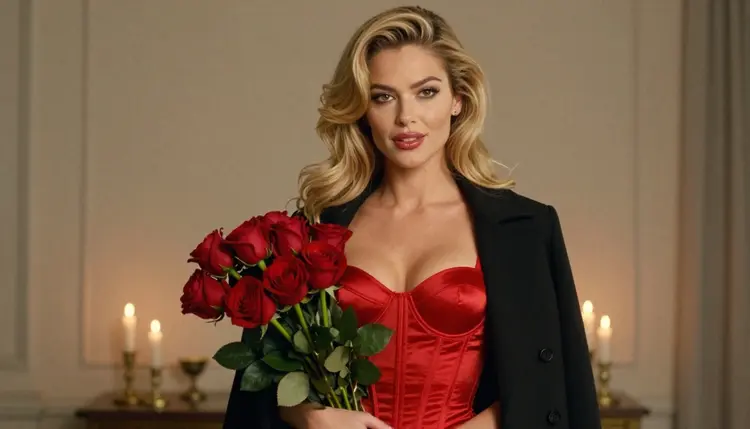
For the stills, Seedream 4.5 is the natural first choice: it is a text-to-image model with 4K output, and photographic wording such as lens, light and fabric suits it. If you want a printed portrait with a clean, designed finish, try Recraft V4.1 Pro, which the catalog describes as producing print-ready images at 2K. Picasso Image Editor Pro is the finishing tool: it edits an image you already have, and it is marked unlimited with the infinity tag.
Models outside that list are untested, which means worth a try but not confirmed either way. Qwen Image 2 is one of them, and so is Picasso Video from Pruna. If a model refuses a prompt, the app shows a message titled "Content Not Supported by This Model", recommends models that accept adult prompts and carries your prompt over, so you do not retype anything.
The workflow is the same whether you want three pictures or ten. Read the five steps once, then follow them in order.
- Plan the set. Write the list of frames: hero, window, over-the-shoulder, portrait, full-length, candle walk and one detail. Note the palette and the props you will repeat.
- Write the character and scene description. Describe the fictional adult woman once, then add the setting, light and lens. Save that paragraph so you can paste it into every prompt.
- Generate the key image. Open the toolkit, pick Seedream 4.5 and generate the hero frame. Try two or three variations and keep the one that fixes the look of the set.
- Build the rest of the set consistently. Reuse the saved description and change only the pose, the framing and the light. Attach the key image as a reference when the model accepts it, and refer to it in the prompt with its badge.
- Refine and export. Open the best frames in Picasso Image Editor Pro to clean small details, then download. Make a short clip only if you want one.
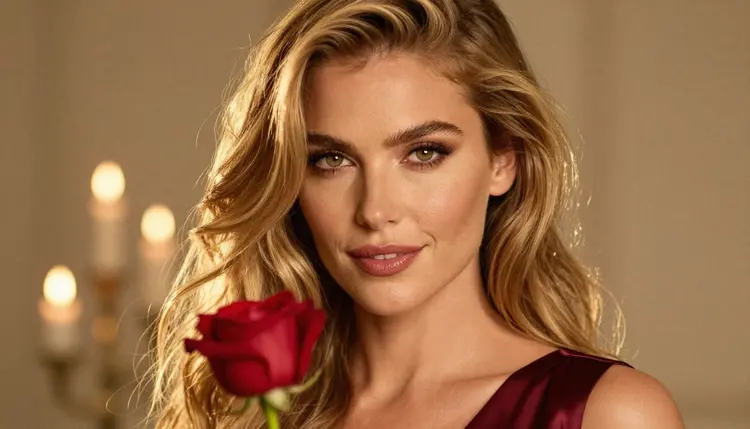
A prompt for this project reads like a photographer's shot list. Say what the woman wears, where she is, where the light comes from and which lens you imagine. Here is a hero prompt you can adapt: "Raw photograph, wide frame of one adult woman with long wavy golden-blonde hair and hazel eyes, in a burgundy satin slip and robe, candlelit room with red roses and two champagne glasses on a table, hard morning sun through blinds, 85mm, film grain, no text, no lettering."
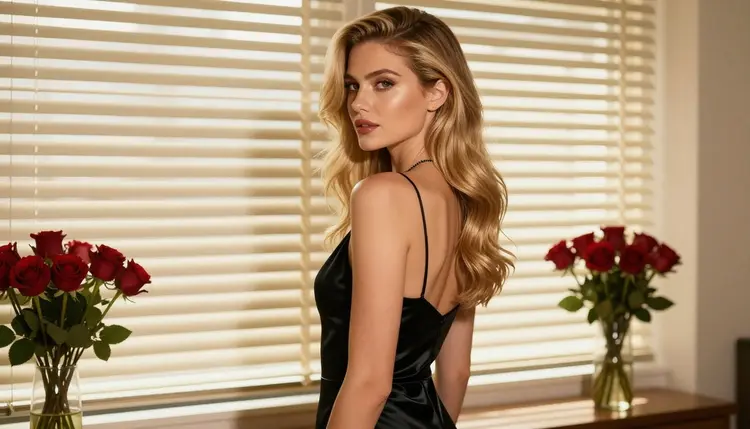
For a window frame, switch to soft light from the left, a wider 24mm lens and an ivory satin robe over a black lace bodysuit, with the woman looking out of the window beside candles and roses. Looking away from the camera keeps the mood quiet and makes the room part of the story. Do not ask for a mirror in this frame; reflections are one of the places where generated faces drift from picture to picture.
For the over-the-shoulder shot, use a longer lens, a 100mm macro, an emerald satin slip and a candlelit table in the background. The long lens blurs the candles into soft points and keeps attention on the shoulder, the hair and the fabric.
A medium shot, waist up, suits a red satin corset top under a black coat with a bouquet of roses held in front. Soft overcast daylight keeps the reds from turning orange. For the tight close-up, go to 135mm with golden backlight and let the candles sit behind as bokeh.
Keeping the same woman is mostly a matter of discipline. Paste the same description, keep her hair and makeup wording unchanged, and avoid adding new facial details in later prompts. When a frame drifts, do not rewrite everything: generate again from the saved text, or attach your key image as a reference and say which part to keep. Seedream 4.5 handles this well for stills, and Picasso Image Editor Pro can correct a hand or a strap afterward.
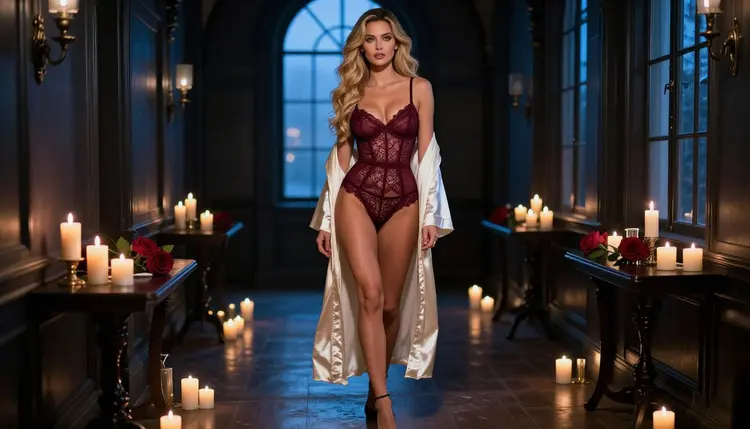
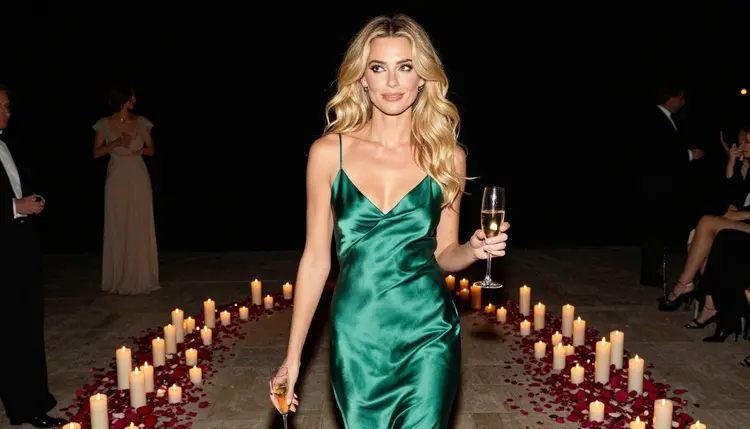
For the full-length frame, stand her in a hallway in blue-hour light, with a burgundy bodysuit and an ivory robe and candles along the floor. For the candid walking shot, put two champagne flutes in her hands and keep the candlelight low. For the detail shot, ask for exactly one hand holding a single red rose with a gold ring, lit by golden backlight. Saying "exactly one hand" matters; models sometimes add fingers or a second hand when the count is vague.
If you want motion, finish the stills first. Picasso IA Video turns an image into a short clip, Seedance 2.5 Lite is listed for clips up to 10 seconds, and LTX 2.3 Pro makes 4K video from text. A candle flicker, a slow push-in on the roses or hair moving in a breeze is enough. Ask for one small movement, not a plot.
If you are weighing other formats for the same pictures, the pages on a greeting card and a poster print cover the layout side.
Everything in this project is for adults. Picasso IA's adult content is 18+ only: you must be an adult to generate it, and you should only share it with adults who want to receive it. An anniversary gift is a good use, but the person receiving it has to be a willing adult.
The woman in your pictures is a fictional adult. Do not upload a photo of a real person, your partner, a celebrity or anyone identifiable, and do not write a real name into the prompt. No one who could read as a minor ever belongs in these pictures, in any wardrobe, setting or style. If a result looks ambiguous in age, delete it and rewrite the description.
What you generate is private by default: it is tied to your account and not published or shown to anyone else. That changes only if you choose to share it yourself. If you post the pictures on a platform, a print shop or a messaging app, check the rules of wherever you publish, because each place sets its own limits and they can change.
A new account can try a few generations for free on selected models: Picasso IA Image, Picasso Image Editor Pro, Picasso IA Video and Seedance 2.5 Lite. It is a small free trial on selected models, not on the whole catalog. The pricing page lists how credits and unlimited generation work, since each generation costs credits that vary by model and by options such as resolution or duration.
That makes a sensible first run: generate a hero frame, edit one detail in Picasso Image Editor Pro, and turn the result into a short clip with Picasso IA Video. You will see how the set holds together before you spend more on 4K output.
Beyond the confirmed list, the full catalog holds hundreds of models. Qwen Image 2 and Picasso Video from Pruna are untested for adult prompts, so treat them as experiments and keep the same prompt text so you can compare the result with your confirmed frames.
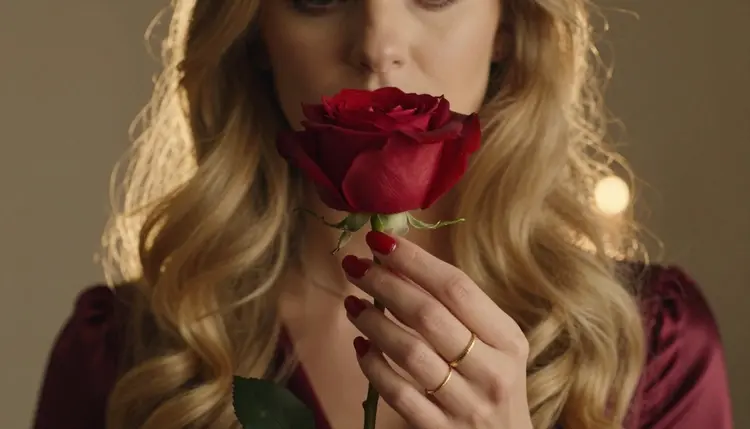
When the set is ready, pick the picture you like most for the frame, the one with the roses and the gold ring for the card inside, and keep the rest as an album for the evening itself.
Can I make an anniversary gift with NSFW images?
Yes, as long as the pictures are romantic and suggestive rather than explicit, and the person who receives them is an adult who wants them. Picasso IA is for adults only, and every character is a fictional adult woman or man.
Which model should I use first for the portrait?
Seedream 4.5 is a good first choice for a photoreal portrait with candlelight and roses. It makes 4K images from text. If you want a more designed, print-ready look, try Recraft V4.1 Pro as a second version of the same scene.
How do I keep the same woman in every picture?
Write her description once (hair, eyes, makeup, build) and paste it unchanged into every prompt. Change only the pose, the wardrobe, the light and the lens. You can also attach your best frame as a reference and mention it in the prompt.
Can I use a photo of my partner?
No. Picasso IA pictures are of fictional adults only, never a real or identifiable person. Do not upload photos of your partner, a friend or a celebrity. Describe an invented woman with words instead, and keep the result as a fictional gift.
How do I avoid text and gift tags in the picture?
Add "no text, no lettering, no card, no gift tag" to the prompt and keep the scene about the room and the person. Image models often misspell words, so it is cleaner to add your message later in a layout tool.
Can I turn the pictures into a short video?
Yes. Picasso IA Video makes a clip from a text prompt or an image, Seedance 2.5 Lite is listed up to 10 seconds, and LTX 2.3 Pro makes 4K video from text. Ask for one gentle movement, such as candle flicker or a slow push-in.
What happens if a model refuses my prompt?
The app shows a message titled "Content Not Supported by This Model" and recommends models that accept adult prompts. It carries your prompt over, so you do not retype it. Then you can run the same prompt on a confirmed model.
Are my pictures private?
Yes. Generations are private by default: they are tied to your account and not published or shown to others. Only you decide whether to share them, and if you do, check the rules of the place where you post or print them.
Is the free trial enough for a whole set?
A new account gets a small free trial on selected models, including Picasso IA Image, Picasso Image Editor Pro, Picasso IA Video and Seedance 2.5 Lite. It is enough to test the look. For a full set, check the pricing page for how credits and unlimited generation work.
Is this only for adults and fictional characters?
Yes, always. Picasso IA is 18+ only, every character is a fictional adult, and no one who could read as a minor and no real person appears. If a result does not meet that line, delete it and rewrite the prompt.