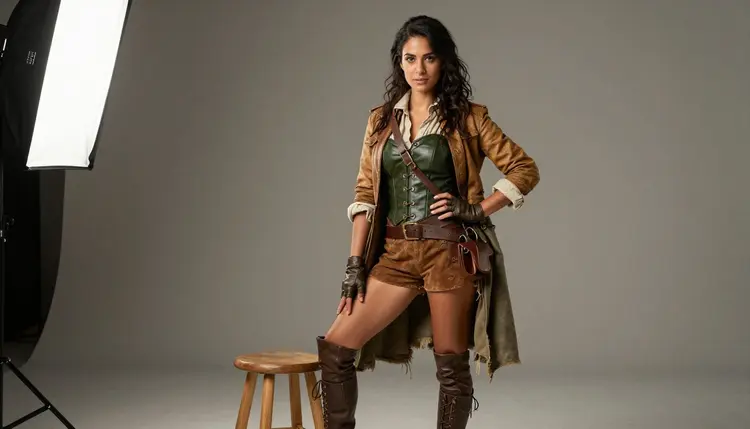
An original character only becomes useful once someone can see her from more than one angle. A reference sheet is the standard tool for that: one set of consistent images showing the same face, the same outfit, and the same silhouette from the front, the side, the back, and in motion, so an artist, a cosplayer, or a game designer always has something exact to check against.
Seedream 4.5 is one of six models on Picasso IA confirmed to run with no content filter, which matters here because a mature, adult-fantasy original character, leather, a hooded cloak, a fitted corset, the kind of design that shows up in dark fantasy and adventure art, is exactly the brief a filtered model tends to refuse outright. This page covers what a complete sheet actually needs, how to build one in five steps, and the rules every character on it has to follow.
Every image below comes from the same fictional adult character, generated to show what a finished sheet looks like: nine shots, one outfit, run through Seedream 4.5 with no filter standing in the way.
A reference sheet, sometimes called a turnaround or a model sheet, is a set of images of one character used as a drawing, costuming, or writing reference rather than as finished art in its own right. Illustrators use it to keep a face and an outfit consistent across a whole comic. Cosplayers use it to plan a costume piece by piece. Game and tabletop designers use it to hand an artist or a 3D modeler one clear brief instead of a page of adjectives.
Building one by hand has always meant either hiring an illustrator for several drawings or planning an actual photoshoot with a model and a costume, both slow and expensive for a character who exists only in someone's notes. Generating the same sheet with Seedream 4.5 collapses that into a handful of prompts that share one fixed description, adjusted for angle and pose each time, with the model, the costume, and the setting decided once and reused rather than rebuilt from scratch for every shot.
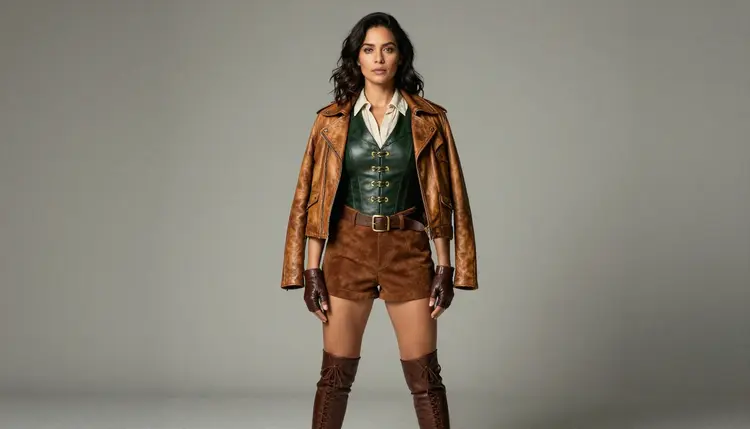
The result above is the anchor shot most sheets start from: a straight, front-facing pose that establishes the face, the outfit's silhouette, and its base colors before anything else gets built on top of it. Every other angle in this guide extends from a version of that same description.
Most of the models in the Picasso IA catalog apply a content filter and refuse a prompt the moment it reads as adult, mature, or suggestive, corset lacing, a bare shoulder under a cloak, a pose held a beat too long. When that happens the app shows a message that the model does not support the content and carries the prompt over to one that will actually run it, so nothing typed gets lost. Seedream 4.5 is one of those alternatives, and it is confirmed filter free: a mature original character, dark fantasy costume included, runs the same way any other prompt does.
It shares that status with five other models, each suited to a different part of building a sheet. Qwen Image 2 is the open-source pick when one prompt needs to track five or six separate details at once, useful for a costume with a lot of layered pieces. Recraft V4.1 Pro is for illustration and stylized art, the right choice if the character is meant to read as drawn or painted rather than photographic. Picasso Image Editor Pro edits one image already generated, handy for fixing a hand or a fold in the cloak on an otherwise finished shot without regenerating the whole thing. Picasso Video and LTX 2.3 Pro handle motion, for animating a finished sheet into a short clip once the stills are locked. Seedream 4.5 is the one built for a photographic result, which is what this particular sheet calls for. See the full catalog for everything else the app offers.
Building a full sheet is really one description repeated with small, deliberate changes, not nine unrelated generations. The character's face, hair, and outfit stay fixed in the prompt from the first image to the last; only the angle, the pose, and sometimes one prop change.
- Write One Fixed Character Description. Settle the face, hair, and outfit in a short paragraph, invented features on a fictional adult, and reuse that exact wording in every prompt so the sheet reads as one person instead of nine.
- Open the Toolkit and Select Seedream 4.5. Choosing the model before typing the prompt means the first generation actually runs instead of bouncing to a filtered alternative and wasting a try.
- Generate the Front, Side, and Back Views First. These three carry the most information for an artist or a cosplayer, and they expose any inconsistency in the outfit description early, before the rest of the sheet builds on top of it.
- Add a Three-Quarter, a Seated, and an Action Pose. Once the turnaround holds up, generate the poses that show how the outfit moves and folds: a three-quarter angle, a seated pose, and a stride.
- Finish with Two Close-Ups and Review the Full Set Together. A face close-up and a detail shot of the belt or trim catch what a full-body image cannot, and laying all nine images out side by side is the only way to catch a color or detail that drifted partway through.
A sheet that gets used past the first day covers more than one flattering angle. These are the nine shots behind this guide, in the order a sheet is usually built.
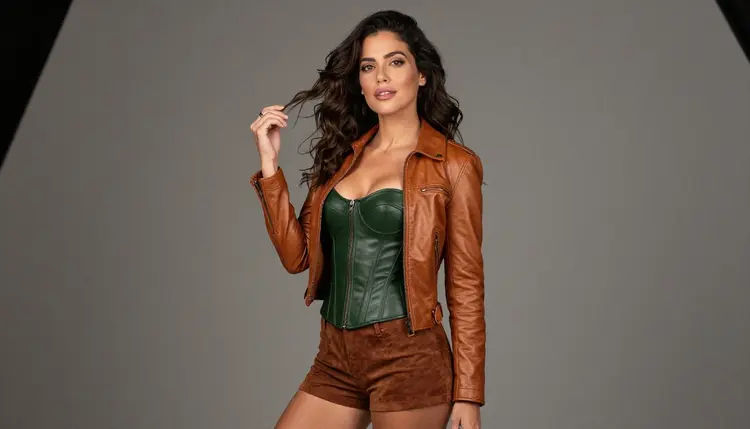
The three-quarter angle sits between the flat front view and a full profile, and it is often the pose an artist reaches for first because it shows the face and the line of the collar at once. A small, natural gesture like a hand in the hair keeps it from reading as stiff.
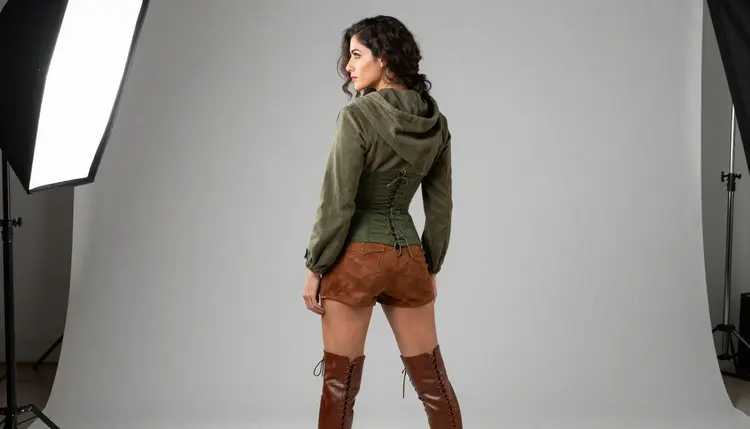
The back view is the shot most sheets skip and most artists ask for anyway: cloak seams, a hood's drape, how the corset closes, anything that is invisible from the front has to come from here or it gets guessed at.
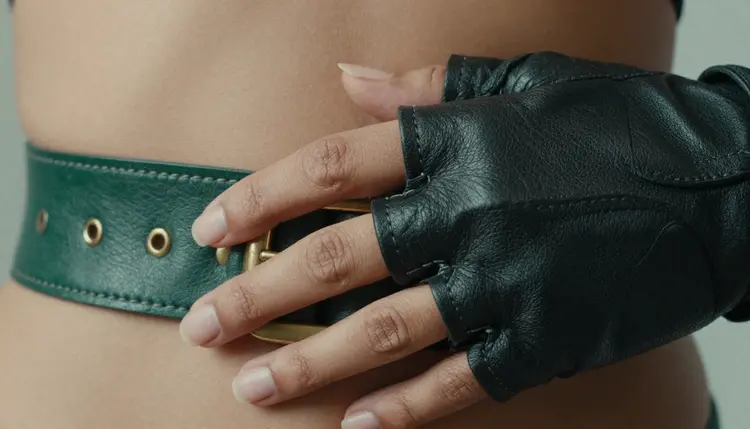
A close-up on one piece of hardware, here a belt buckle, settles a detail no full-body shot renders clearly enough to copy: the metal's finish, the leather's stitching, exactly how the piece sits at the waist.
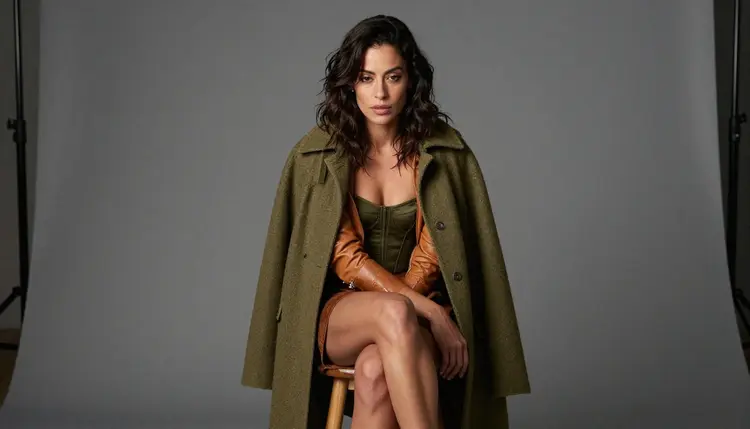
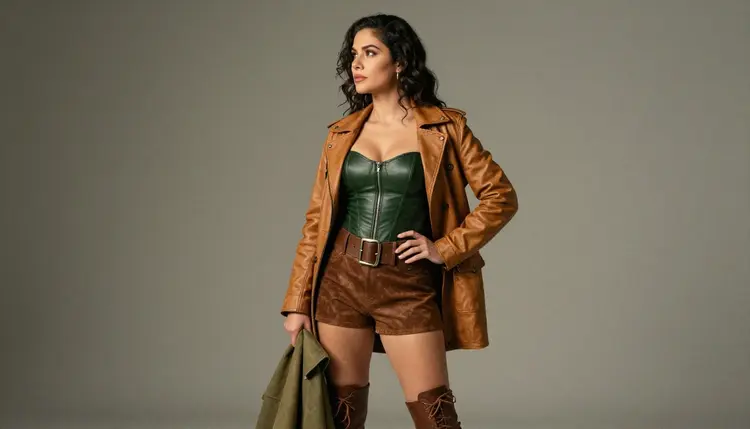
A seated pose shows how heavier layers, a coat here, fold and pool differently than they do standing, information a cosplayer needs before cutting fabric and an illustrator needs before drawing the character at rest.
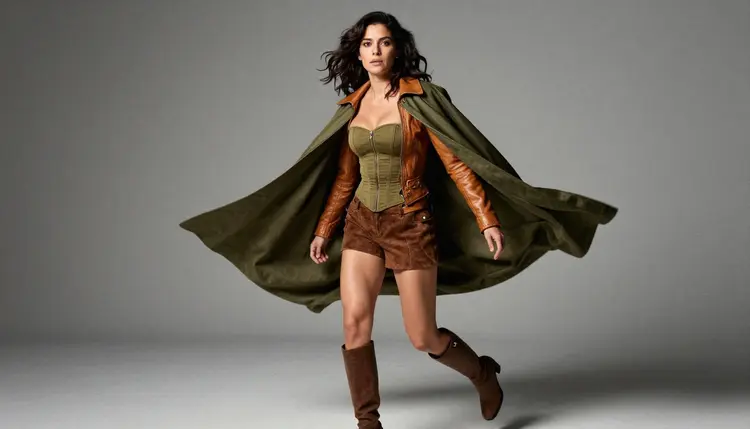
An action pose, cloak in motion, is what confirms a design actually works past a static stance: whether the silhouette still reads clearly when fabric is moving and the pose is not simply flattering but dynamic.
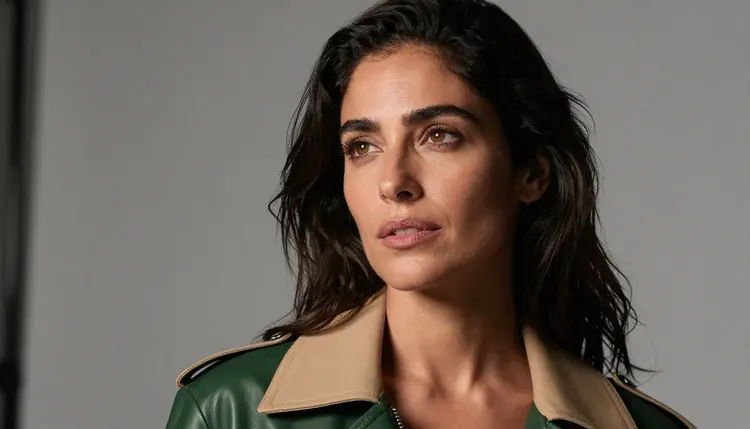
The closing face shot is the one most reused afterward, in a profile card, a story cover, or a game menu, so it earns its own close, well-lit generation rather than being cropped out of a wider image.
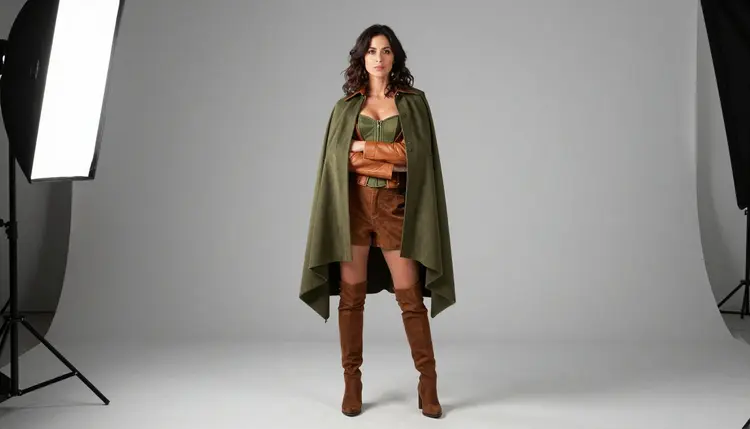
The wide studio shot above is usually generated last, once every detail from the other eight images is confirmed, as the one that shows the full outfit and its proportions together in a single, uncluttered frame.
Consistency across a sheet comes from repetition, not from a clever prompt trick. Keep the exact wording for the face and outfit unchanged across every generation; changing so much as a color name mid-sheet reads as a different character in the finished set. Name materials and colors precisely, olive wool rather than green coat, so the model has the same concrete details to reason from on image one and image nine. Generate the full set in one sitting where possible, since a description that felt complete on Monday can read differently once revisited days later. And treat the first pass as a draft: comparing all nine images side by side, the way step five above describes, is what catches a stray detail before it ships as part of the finished sheet.
This applies to every image on this page and every reference sheet generated the same way: everyone shown must be a fictional adult character, eighteen and older, invented rather than based on anyone real. No public figure, no celebrity, and no likeness of a real person, with or without a claimed resemblance, belongs on a sheet built this way, and no character may be made to look like a minor in any style. Prompts that cross these lines are refused and violate the platform's terms.
Seedream 4.5 running with no content filter does not loosen any of this. A missing content filter removes the block on mature or suggestive material in general; it does not touch the separate rule about whose likeness can appear or how old a character has to read as, and that rule holds no matter which of the six confirmed models is generating the image.
Generations on Picasso IA are private by default: what happens in the toolkit stays tied to the account that made it rather than appearing anywhere public, and what gets shared afterward, and where, is a choice the account holder makes, governed by local law and by the rules of wherever it lands, not by anything the tool decides on its own.
Does Seedream 4.5 actually generate this kind of character with no content filter?
Yes. Seedream 4.5 is one of six models on Picasso IA confirmed to run with no content filter, alongside Qwen Image 2, Recraft V4.1 Pro, Picasso Image Editor Pro, Picasso Video, and LTX 2.3 Pro. A mature original character in a fitted corset or a hooded cloak runs the same way any other prompt does, with nothing to reword or disguise to get past a filter that is not there.
What is a character reference sheet actually used for?
It is a drawing, costuming, or writing aid, one set of images showing the same face and outfit from several angles so an illustrator, a cosplayer, or a game designer has something exact to check against instead of rebuilding the character's look from memory on every new piece of work.
How many images does a full reference sheet need?
Nine is a solid working number: a front view, a side profile, a three-quarter angle, a back view, a detail close-up, a seated pose, an action pose, a face close-up, and one wide shot showing the full outfit together, which is the exact set this guide walks through.
Can I actually keep the same face and outfit across all nine images?
Yes, by reusing one fixed, precisely worded description of the face and outfit in every prompt rather than rewriting it each time, and by generating the full set in one sitting so nothing about the description drifts between the first image and the last.
What if my sheet needs to look drawn or painted instead of photographic?
Seedream 4.5 leans toward a photographic result even when a prompt asks for a drawn look, so Recraft V4.1 Pro is the better fit for an illustrated or stylized character sheet; it is also confirmed to run with no content filter.
Is a real person's likeness allowed anywhere on a sheet like this?
No. Every character generated this way must be fictional and an adult, eighteen or older, with no minor, no public figure, and no real person's likeness, claimed resemblance or not, permitted anywhere on the sheet, and prompts that attempt it are refused.
How much does a full nine-image sheet cost in credits?
A new account starts with free credits, enough to generate several of the nine views and iterate on at least one before deciding whether to buy more, since image generations sit toward the cheap end of what the app offers. Exact amounts live on the pricing page, since they change as the catalog evolves.
Can I add a tenth pose to a sheet I already finished?
Yes. As long as the original character description is kept, a new pose can be generated later and it will still match the rest of the set, since consistency comes from reusing the same wording rather than from generating everything in one single batch.
Can a finished reference sheet be turned into a short video?
Yes, as a separate step. Picasso Video animates a chosen still into a short clip, and LTX 2.3 Pro generates cinematic motion directly from a prompt, and both run with no content filter, so a character built this way can move without losing the look locked in on the sheet.
Why does one image in a finished set sometimes not quite match the rest?
Usually because a detail in the description drifted between generations, a color named slightly differently or a prop left out of one prompt, which is exactly what comparing all nine images side by side, as the fifth step above describes, is meant to catch before the set is called finished.