A spicy romance cover does most of its selling in a single glance. A reader scrolling a store page sees a thumbnail, a mood and a title, and within a second decides whether the book is dark, sweet, funny or heated. This page shows how to build that image with Picasso IA: a moody, suggestive cover scene made from silhouettes, silk, roses and rain, for an adults-only book with fictional characters.
Everything here stays provocative and never explicit. You work with robes, satin, candlelight, wet glass and one red rose, and the tension comes from what the frame hints at rather than what it shows. The three image models that matter for a cover are Seedream 4.5, Recraft V4.1 Pro and Picasso Image Editor Pro, and all three are confirmed for adult prompts.
The deliverable is one hero image that carries the whole mood of the book. Around it you usually want a small set: a wide banner for your newsletter or store header, a square crop for social posts, and one or two alternate scenes that work as chapter openers or a bonus for your mailing list. Plan the hero first and treat the rest as variations of it.
Format depends on where the book lives. An ebook cover is tall, a wraparound print cover is wide, and a banner is wider still. Check the trim size and the file rules of wherever you publish before you generate anything. A wide frame gives you the most room to crop later, so it is a safe place to start, and you can cut a tall version out of it once the composition is settled.
Consistency is what makes a cover set look like one book. Choose a palette of two or three colors, for example burgundy, black and rose red. Keep one direction of light, such as rain-gray daylight from a window or a single candle. Keep one recurring motif: the rose, rain on glass or a silk ribbon. A set where every image shares those three things reads as the same story even when the scenes change.
Leave room for the title. Keep the top third or the bottom third of the frame quiet: a dark wall, a rain-streaked window, an empty terrace, a stretch of black silk. Add the title and the author name afterward in the layout app you already use. Image models tend to garble lettering, so ask for no text in the frame and set the type yourself.
Romance covers often keep faces out of focus or out of frame. Silhouettes, a figure turned away, an over-the-shoulder glance and close shots of hands on fabric all suggest a character without pinning down a face, which also lets the reader imagine the lead. Whoever appears is a fictional adult, and the prompt should say so.
Picasso IA tested adult prompts against the six models below repeatedly and watched them generate instead of reject. That is what "confirmed" means here. It is not a published setting of the model's maker, who can change it at any time, and the page on what confirmed means explains the details.
| Model | Best for | Format |
|---|
| Seedream 4.5 | Photoreal hero frames and the main cover scene | Image, 4K |
| Recraft V4.1 Pro | Illustrated or designed covers, print-ready art | Image, 2K |
| Picasso Image Editor Pro | Editing an existing image: robe color, props, background | Image edit, unlimited tag |
| LTX 2.3 Pro | A teaser clip for the cover from a text prompt | Video, 4K |
| Picasso IA Video | Turning a prompt or your finished cover into a short clip | Video, unlimited tag |
| Seedance 2.5 Lite | Short looping scenes for social posts | Video, unlimited tag, up to 10 seconds |
For the cover itself, two models do most of the work. Seedream 4.5 creates 4K images from text, which suits a photoreal dark romance frame: a woman in a burgundy satin robe on a wet terrace, a man in silhouette against blinds, a hallway lit by candles. Recraft V4.1 Pro produces print-ready images at 2K and is strong on illustration and design, so it fits a painted or graphic cover, the kind with flat shapes, bold roses and room for big lettering.
Picasso Image Editor Pro is the finishing tool. It edits an image you already have, which is how you change a robe from black to plum, remove a stray object from the frame or soften a background without rerunning the whole scene. The video models come in at the end, when you want a clip from a still.
Other models in the catalog are untested for adult prompts: not confirmed either way, and worth a try. Qwen Image 2, Seedream 5 and Flux are examples. Run one scene on them, compare it with your Seedream 4.5 result and keep whichever frame fits the book. The full catalog lists everything.
This workflow takes you from a book idea to a cover you can drop into your layout. You run it in the toolkit, one scene at a time, and each step feeds the next.
- Plan the Set. Write down the title idea, the heat level and the three things every image will share: palette, light and one motif. Decide which formats you need, such as a cover, a banner and a square crop.
- Describe the Scene. Write one paragraph per scene with who, what they wear, where they are, the light and the angle. Say "fictional adult woman in her early thirties" or "fictional adult man in his late thirties" and ask for an opaque robe, a satin dress or an open silk shirt.
- Generate the Key Image. Run the hero scene on Seedream 4.5 or Recraft V4.1 Pro. Generate a few versions, pick the one with the strongest mood and a quiet area where the title will go.
- Build the Rest of the Set. Reuse your character description word for word and change only the angle, the setting or the shot type. Attach the key image as a reference when the model accepts one, and refer to it in the prompt.
- Refine and Export. Fix details with Picasso Image Editor Pro, such as a robe color, a prop or a background. Download the final images and add the title and author name in your layout app.
When the hero frame works, save the exact wording of its prompt. A cover series lives on repetition, and the saved text is what lets book two look like it belongs next to book one.
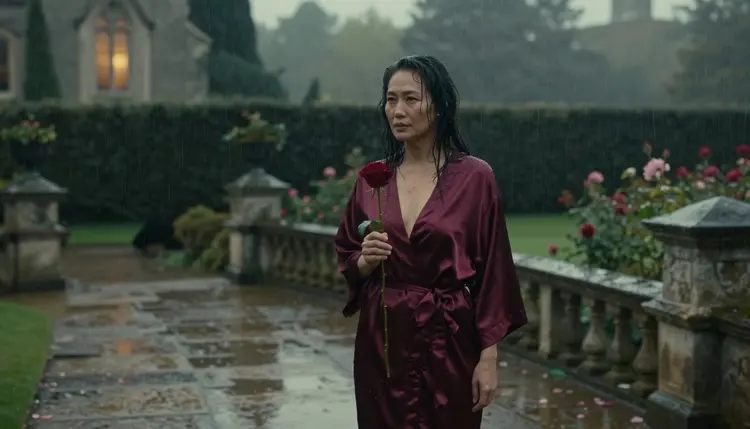
A good prompt reads like a shot list. Name the subject, the wardrobe, the setting, the light, the angle and the lens. Here is a hero frame for a dark romance cover: "Wide frame, a fictional adult woman in her early thirties stands alone on a wet stone terrace after rain, in a floor-length opaque burgundy satin robe, holding one dark red rose and looking over her shoulder. Overgrown rose bushes, a gothic window glowing amber, fine rain, overcast soft daylight, 85mm f/1.8, film grain."
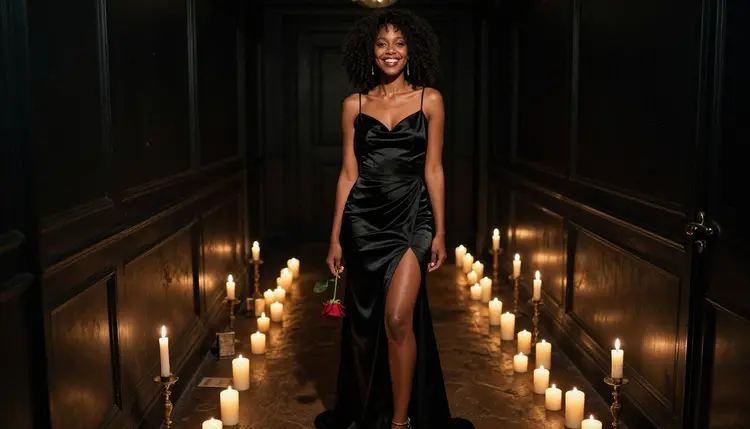
Notice what is in it. The wardrobe is specific and covered, the pose is a glance rather than a display, and the mood comes from rain, amber glass and thorns. Swap the pieces to make a new scene without losing the family look: the same robe on a balcony, the same rose in a candlelit hallway, the same rain on a different window.
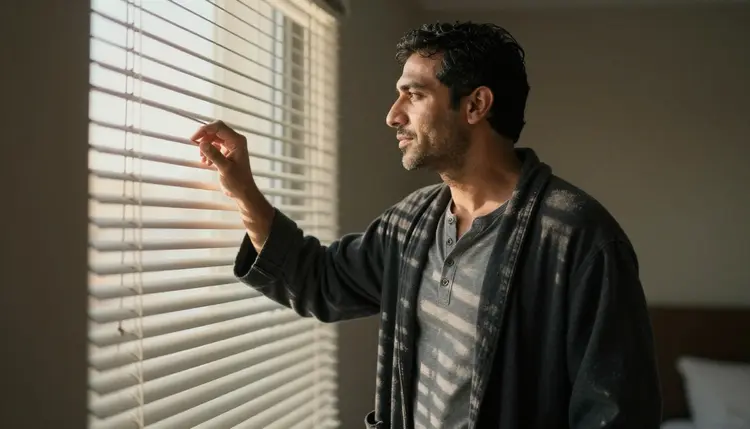
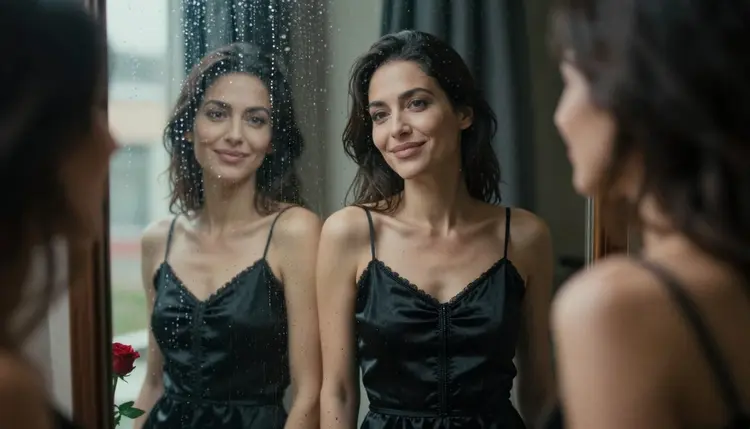
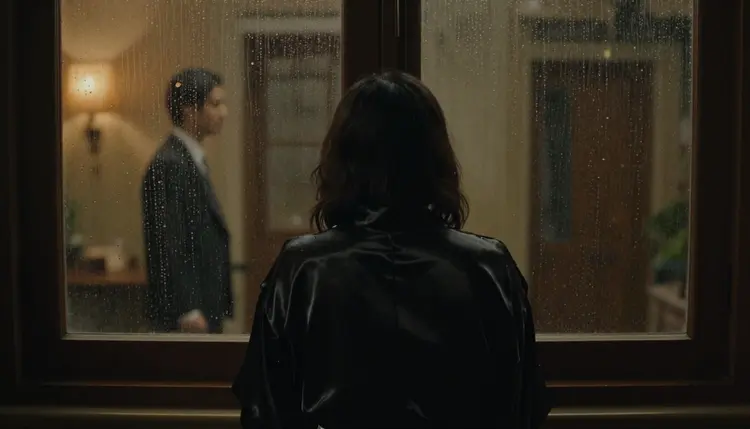
Reflections give you a cover that feels like a secret. A fictional adult woman in her late thirties in a black satin slip dress, reflected in rain-streaked glass with a red rose on the sill, shot at 135mm f/2, produces a frame with two layers: the sharp rose and the soft figure behind the drops. Silhouettes work the other way. Put a fictional adult man in a dark silk robe in front of a window with blinds, add hard morning sun, and the stripes of light do the dramatic work for you.
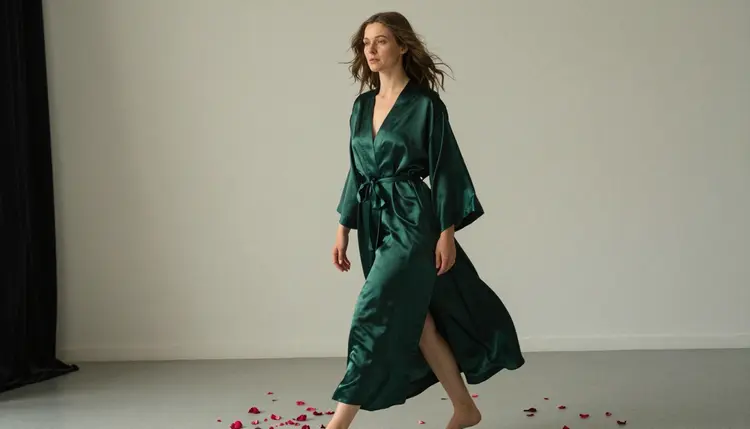
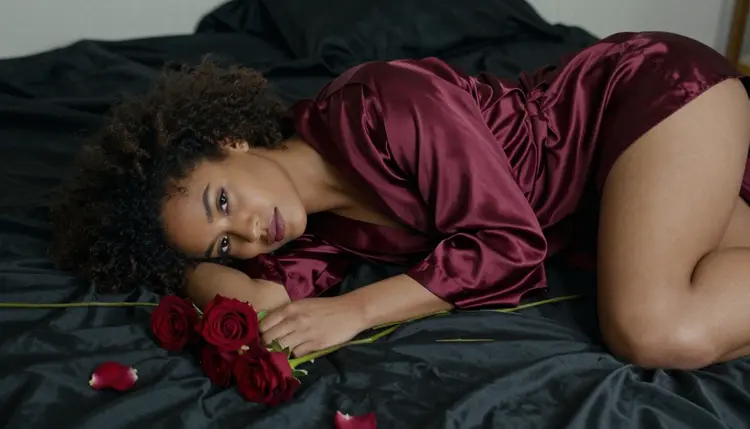
Angle changes the energy of a set. Use an overhead angle on black silk sheets with scattered roses for a quiet, intimate frame in which an opaque burgundy robe is the only color. Use a low-angle full-length frame in a candlelit hallway, 35mm f/2, when you want the character to feel powerful. Use a medium shot, waist up, for a man in an open silk shirt holding a rose on a rainy balcony.
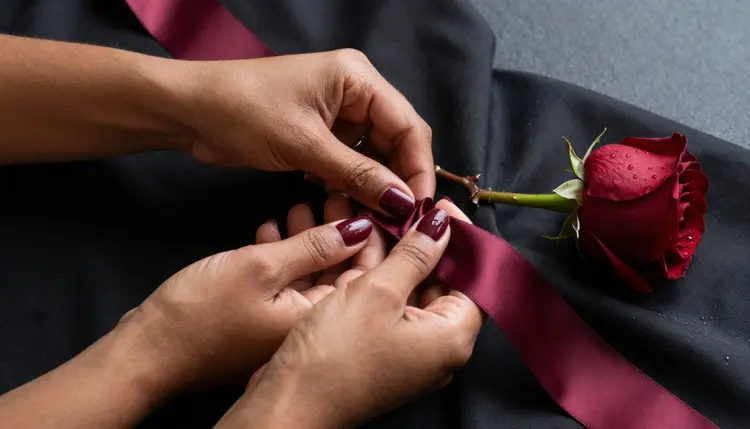
Details sell the story without a face. A close shot of hands pulling a burgundy silk ribbon across black sheets beside a thorned rose says everything the blurb says, and it crops well into a square for social posts. The same goes for a hand on a doorknob, a ring on a rose stem or a glove laid over a letter.
To keep the same fictional character across images, write the description once and paste it unchanged: age range, build, hair, skin tone, the one signature piece of wardrobe. Then vary only the scene. In the toolkit, each image you attach gets an @1, @2 badge, and you can refer to it in the prompt; Picasso IA translates the reference into the syntax each model understands. Only models that accept several inputs show the badges, so check the model page first.
Stills can become clips when the book needs a trailer. Give Picasso IA Video your finished cover and ask for slow movement: rain falling, a curtain lifting, the camera drifting closer. LTX 2.3 Pro makes 4K video from a text prompt, and Seedance 2.5 Lite is listed up to 10 seconds, which is plenty for a looping social post. For a related plan built around a moving preview, read the guide for an indie book teaser.
Picasso IA is for adults only. You must be 18 or older to use the NSFW models and to make this kind of cover, and the story you are illustrating should be written for an adult audience.
Every character is a fictional adult. Never prompt for a real or identifiable person, a celebrity or someone you know, and never describe anyone who could read as a minor. If an age is part of your prompt, make it clearly adult, and keep the wardrobe, pose and setting adult as well. Covers made from the likeness of real people are outside what this page is for.
What you create is private by default. It is tied to your account and not published or shown to others. Whether it goes public is your decision, and it only happens when you download a file and post it yourself.
Publishing is a separate question. Stores, print services and ad networks each have their own rules about covers and adult material, and those rules change. Check the rules of wherever you publish before you upload, and keep a tamer alternate cover ready in case a store asks for one.
A new account can try a small free trial on selected models: Picasso IA Image, Picasso IA Editor Pro, Picasso IA Video and Seedance 2.5 Lite. That is enough to test a concept before you commit. It does not cover the whole catalog, so a trial image from a model outside that list will spend credits. Plans and prices live on the pricing page, and every generation costs credits that vary by model and by options such as resolution or duration.
Models marked with the infinity tag in the catalog do not spend credits on the plans that include unlimited generation. Picasso Image Editor Pro, Picasso IA Video and Seedance 2.5 Lite carry that tag, which makes them practical for the iteration stage: many edits of one cover, many short clips from one still.
If a model's rules stop a prompt, the app shows a message titled "Content Not Supported by This Model". It recommends models that accept adult prompts and carries your prompt over, so you do not retype it. From there, move the same scene to Seedream 4.5 or Recraft V4.1 Pro and keep working.
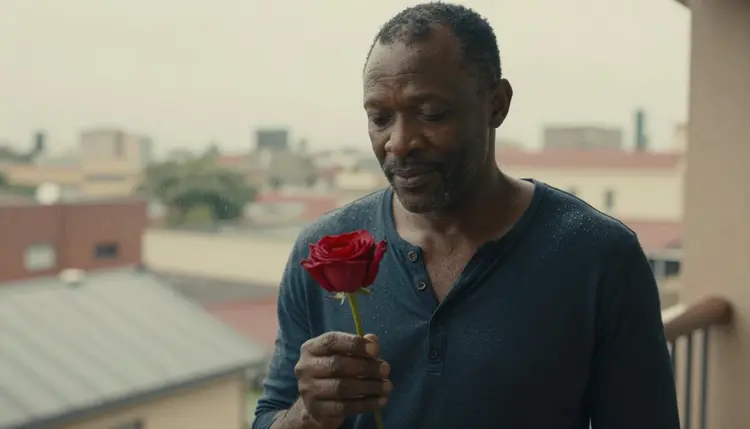
Once the cover is done, the rest of the book's visuals follow from it. A romance novel mood board helps you plan the scenes before you write them, and an album cover concept uses the same silk, candle and rain vocabulary for a different medium. Try an untested model on a single scene, compare the results and keep the best one.
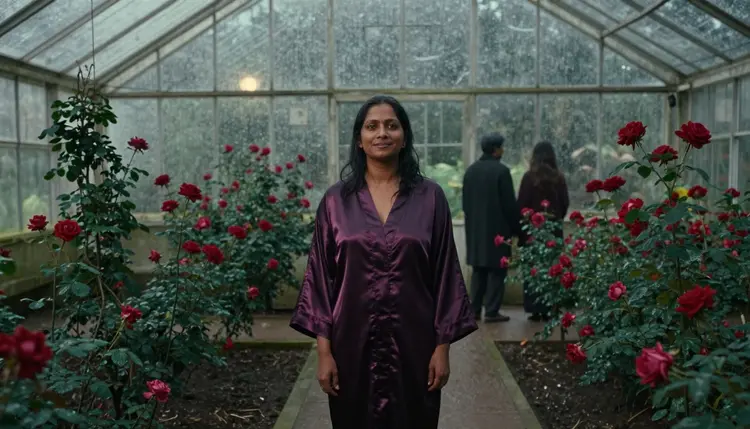
Can I make a spicy romance book cover with Picasso IA?
Yes. Use Seedream 4.5 or Recraft V4.1 Pro in the toolkit to generate a suggestive, adults-only cover scene of fictional characters in robes, satin and candlelight. Add the title and author name afterward in your layout app.
Which model is best for a romance cover?
For a photoreal dark romance frame, start with Seedream 4.5, which creates 4K images from text. For an illustrated or graphic cover, try Recraft V4.1 Pro, which makes print-ready images at 2K.
Are the covers explicit?
No. The approach on this page is provocative but never explicit: robes, satin, silhouettes, roses and rain, with intimacy implied by the mood and not shown. All characters are fictional adults, and the page is for readers aged 18 or older.
Can I put a real person or a celebrity on the cover?
No. Use fictional adult characters only. Never prompt for a real or identifiable person, and never for anyone who could read as a minor. Describe invented characters by age range, build, hair and wardrobe instead.
Can the model add the title and author name?
You can ask, but image models often garble lettering. A cleaner result comes from generating the scene with no text and a quiet area in the frame, then setting the title and author name yourself in a layout or design app.
Is my cover work private?
Yes. Generations are private by default: what you create is tied to your account and not published or shown to others. It becomes public only if you download a file and post it somewhere yourself.
How do I keep the same character across a series?
Write one character description and reuse it word for word, changing only the setting, the angle and the light. In the toolkit you can also attach your key image as a reference, and models that accept several inputs show @1 and @2 badges you can use in the prompt.
Can I turn my cover into a teaser clip?
Yes. Picasso IA Video makes video from text or an image, so you can start from your finished cover. LTX 2.3 Pro and Seedance 2.5 Lite are also confirmed for adult prompts.
What happens if a model refuses my prompt?
The app shows a message titled "Content Not Supported by This Model", recommends models that accept adult prompts and carries your prompt over so nothing is retyped. Models that are not on the confirmed list are untested, so a refusal there is not unusual.
Will a store or print service accept this cover?
That depends on the platform. Each store and print service sets its own rules for covers and adult material, and they change over time, so check the current rules of wherever you publish before you upload. Keeping a milder alternate cover ready is a sensible precaution.