A goal overlay is the one graphic every viewer on a stream actually looks at: the bar climbing toward a sub count, a follower count, or a tip goal, with a portrait sitting right beside it. For a creator running a spicier, after-dark stream, that portrait does real work. It is the tease that makes chasing the next goal feel worth it, and a stock asset or a screenshot borrowed from someone else's channel does not hold up next to it. Seedream 4.5 is one of six models on Picasso IA confirmed to run with no content filter, and its photorealistic, editorial rendering treats a goal-overlay portrait like an actual photoshoot rather than a generic PNG pulled off a template site.
This page covers why the model fits a goal-overlay brief, what actually makes an overlay hold up through hours of stream instead of one lucky frame, a five-step process for building a matching set, and the rules every fictional adult on screen has to follow.

Most of the 488 models in the Picasso IA catalog run a content filter, and a goal-overlay portrait built around a satin top, bare shoulders, or a flirty over-the-shoulder glance is exactly the kind of prompt that filter exists to catch. Try it on a filtered model and the app returns a Content Not Supported by This Model message, then offers to carry the prompt to a model that will actually run it. Seedream 4.5 is one of those alternatives, confirmed filter-free, so a suggestive overlay portrait generates the same way a plain webcam-style photo does.
It shares that filter-free status with five other models, each suited to a different piece of an overlay setup. Qwen Image 2 is the open-source pick for a prompt stacking several details, outfit, prop, desk setup, in one line, useful for a goal tier as specific as a bronze, silver, and gold reveal set. Recraft V4.1 Pro suits a drawn or vector-style overlay instead of a photoreal one, closer to a stylized stream logo than a photograph. Picasso Image Editor Pro touches up a finished portrait afterward, useful for fixing a hand resting on the desk. Picasso Video and LTX 2.3 Pro turn a chosen portrait into the short celebration clip that plays the moment a goal is actually hit. Seedream 4.5 is the one to reach for first when the brief calls for a photographic, webcam-real image rather than an illustration. Other video generators on the catalog, Seedance among them, are worth trying for the same clip, but treat them as untested rather than confirmed filter-free. See the full catalog for everything else the app offers.

An overlay almost never gets looked at up close. It sits in a corner of the screen for hours at a time, usually shrunk to a few hundred pixels beside a chat window and an alert box, so a portrait that only reads well full-size is an incomplete brief. Planning a small tiered set, one look per goal milestone, gives a stream real progression instead of one image doing every job from the first goal to the grand finale.
Pose and expression carry an overlay further than a busy background does. A confident stare with hands on hips reads clearly even shrunk down. A relaxed lean over a desk reads as an invitation rather than a random pose. A closed-eye, quiet moment reads as intimate at a size where fine detail is lost anyway. Naming the expression and the pose clearly, instead of a vague word like hot, gives the model something concrete to build the whole portrait around, and it is what keeps the result reading correctly once it is squeezed into a stream layout.

Consistency across the tiered set matters as much as any single portrait. The same fictional streamer, the same rough desk setup, the same lighting, repeated across three or five goal tiers, is what makes an overlay set read as one persona's stream instead of a random grab bag of images stitched together at the last minute.
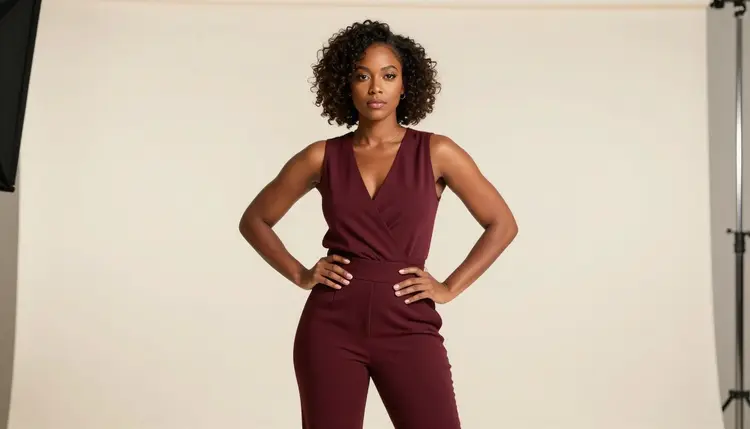
A goal overlay also has to survive next to an alert box, a webcam frame, and a chat panel without fighting any of them for attention. Keeping the background simple, a plain desk, a monitor's glow, one accent light, lets the pose and expression do the talking instead of a cluttered scene competing with the rest of the layout.

Turning a goal-overlay concept into an actual tiered set, rather than one lucky generation, takes a short amount of planning before the first prompt, and the process itself stays quick.
- Fix the Streamer as One Consistent Fictional Adult. Give the character a hair color, a build, and one signature prop such as a headset or a ring, so every tier generated for the overlay reads as the same invented person.
- Name the Goal Tier and the Pose in the Same Line as the Outfit. Mention the tier, bronze, silver, or the grand finale, a pose, and the outfit together, so the model treats it as one scene in a set rather than a generic portrait.
- Open the Toolkit and Select Seedream 4.5. Picking the filter-free model before writing the prompt avoids spending a first generation on a model that refuses the brief outright.
- Generate the Set Around One Fixed Desk and Lighting Setup. Keep the background and light source constant across tiers, and vary only the pose or the outfit, so the results feel like one continuous stream rather than five unrelated photos.
- Review Each Tier Shrunk Down to Overlay Size. Resize each result to roughly the pixel size it will actually sit at in the layout before picking a favorite, since a detail that reads clearly full-size can vanish once it sits behind chat and an alert box.
Camera framing decides more of an overlay's readability than wardrobe does. A close crop on the face and shoulders holds up at a small size the way a full-body shot never will, since a full-body pose loses almost all its detail once it is squeezed into a corner of a 1080p canvas. Deciding the crop before writing the prompt, rather than cropping a full-body image after the fact, keeps the framing intentional instead of accidental.

A short reference table for prompting an overlay:
| Say this | Instead of this | Why it helps |
|---|
| a fictional streamer in a green satin top, arms raised in celebration | a hot goal overlay | gives the model a concrete outfit and pose instead of a vague mood |
| close crop on the face and shoulders, confident half-smile | a hot close-up | names the exact framing this format actually needs |
| leaning on the desk, relaxed and looking at the camera | a flirty photo | gives the model a specific pose instead of leaving it to chance |
| profile view, eyes closed, hand near the collarbone | a moody portrait | reads as intimate even once shrunk to overlay size |
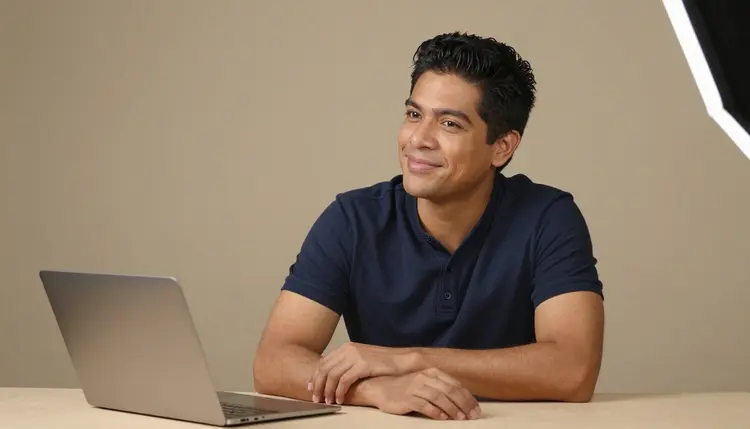
An overlay does not have to feature a woman only. A man leaning on his desk with a relaxed half-smile, or raising both fists the moment a goal fills, reads exactly as well for a celebration graphic, and the same pose, crop, and lighting approach applies regardless of who is on screen. Props tied to the setup itself, a headset, a ring light's reflection in the eyes, a second monitor in the background, ground a portrait in an actual streaming desk rather than a generic studio backdrop.

Every portrait generated here is for adults, eighteen and over, and the streamer in frame must be entirely fictional: an invented person, not a real streamer, not a public figure, and never built to resemble a real person without their consent. No character that reads as a minor, in any outfit or pose. Prompts that cross these lines are refused, and attempting them violates the platform's terms.
Seedream 4.5 running with no content filter changes what kind of adult content it will render, not who it can be rendered of. The rule against real people and minors applies on every model in the catalog, filtered or not.
Generations on Picasso IA stay private by default, visible only in your own account unless you choose to download or share them, so testing several tiers before settling on a final overlay set does not put anything on public view. What gets used afterward, layered into an actual stream, is still governed by the rules of whatever platform hosts the broadcast.
Generations on Picasso IA are paid for with credits spent per image, not a separate subscription tier for each model. A new account starts with free credits, enough to run the five-step process above across a small tiered set before deciding whether to buy more. Image generations sit toward the cheap end of what the app offers, well below the cost of a video generation.
Exact credit amounts and plan pricing change as the catalog evolves, so current numbers live on the pricing page rather than printed here where they would go stale. Building a small tiered set around one fixed desk and lighting setup, then reviewing each tier at overlay size, is the efficient way to land on art worth putting on stream.
Does Seedream 4.5 really generate a NSFW streaming overlay with no content filter?
Yes. Seedream 4.5 is one of six models on Picasso IA confirmed to run with no content filter, alongside Qwen Image 2, Recraft V4.1 Pro, Picasso Image Editor Pro, Picasso Video, and LTX 2.3 Pro. A goal-overlay portrait built around a satin outfit, bare shoulders, or a flirty pose runs the same way any other prompt does, and every streamer generated must still be a fictional adult, eighteen and over.
What size should a goal-overlay image actually be?
Most overlay layouts sit an image somewhere between 300 and 600 pixels wide inside a stream canvas of 1920 by 1080, so a close crop on the face and shoulders holds up far better than a full-body pose. Generate the portrait with a bit of extra room around the subject, then crop it to the exact size your streaming software needs afterward.
Can I reuse the same fictional streamer across every goal tier?
Yes. Keep the character's hair, build, and one signature prop written the same way in every prompt, and vary only the pose, the outfit, or the lighting. Reusing that fixed description is what keeps the first tier, the middle tier, and the grand-finale image looking like the same persona rather than a different person each time.
Should a goal overlay be a photo or an illustrated style?
Either works, but they call for different models. Seedream 4.5 is the filter-free pick for a photographic, webcam-real look, while Recraft V4.1 Pro is the better starting point for a stylized or vector-style overlay closer to a stream logo. Pick the one that matches the rest of the channel's branding rather than mixing styles across tiers.
Can the streamer in the overlay be a man instead of a woman?
Yes. The same approach, a fixed pose, a named crop, and consistent lighting, works the same way for a male streamer as it does for a female one, and nothing about the format favors one gender over the other.
How many goal tiers should a set actually cover?
There is no fixed number, but three to five tiers, an opening goal through a grand finale, gives a stream real progression without turning the planning into a full production. Fewer than three tends to feel flat, and more than five is rarely worth tracking separately.
Can I edit a finished overlay afterward to fix one detail?
Yes. If a hand on the desk or a fold of fabric comes out wrong in an otherwise good result, Picasso Image Editor Pro can adjust just that area with a plain instruction instead of regenerating the whole portrait from scratch. It also runs with no content filter, so an adult overlay can be edited the same way it was generated.
Can a goal overlay become an animated celebration clip?
Yes, as a separate step. Picasso Video can animate a finished portrait into the short clip that plays the moment a goal is hit, and LTX 2.3 Pro generates cinematic video directly from a prompt, and both run with no content filter. Settling on a still portrait first is the more efficient order, since an image generation costs less than a video one.
Does the overlay need to match the streamer's actual appearance?
No. The streamer in the overlay is a fictional adult character built for the brief, not a likeness of the real person running the channel, and it should never be prompted to resemble a real, identifiable individual without their consent regardless of who that is.
Is creating a NSFW streaming goal overlay free to start on Picasso IA?
New accounts start with free credits, enough to try several poses, crops, and outfits before anything needs to be purchased. Beyond that, generations are paid for with credits rather than a flat subscription per model. Current numbers live on the pricing page rather than stated here.