Flux 2 is a family of image models in the Picasso IA catalog, and the question people ask next to the name is short: does it take an adult prompt, or does it refuse? The honest answer on this page is that nobody here can promise either one. Flux 2 Pro is a real model that you can open and try in the toolkit, but Picasso IA has not run adult prompts against it again and again, so it does not carry the word confirmed. Its status is untested.
That is useful information, not a warning label. Untested means the result is open: the model may generate your frame, or it may decline it. This guide shows how to run the test in a few minutes with a clean prompt, how to read what comes back, and where to go if the answer is no. Everything here is for adults. Every character is a fictional adult, the pictures in this article are glamour and boudoir portraits, provocative at most and never explicit, and the section on rules below says exactly where the line sits.
Flux 2 is made by Black Forest Labs, and the catalog holds several variants of it: Pro, Max, Dev, Flex and Klein. This page names the family and points to Pro, because Pro is the entry most people open first. Its catalog title reads "Flux 2 Pro: Generate AI Images from Text or Photos", which tells you the two ways in. You describe a picture in words, or you start from photos you already have.
The variant Flux 2 Max is listed as "Create 4MP Images from Text with Flux 2 Max", so it is the text to image entry with the 4MP figure in its title. This page describes neither model beyond what those titles say. Sizes, options and limits are shown on each model page, and what you see in the toolkit can differ from one variant to the next. Picasso IA is not affiliated with Black Forest Labs. The model is simply one of the hundreds in the full catalog, next to the confirmed models covered further down.
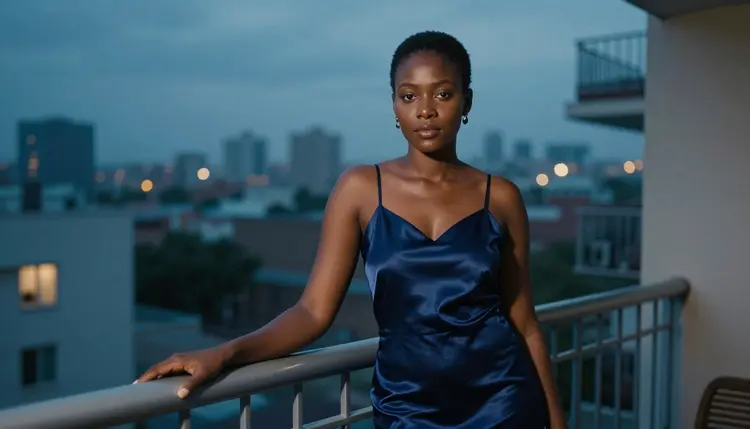
What would you try with it? Photoreal adult portraits are the natural fit. Picture a woman in her mid thirties in a champagne satin slip dress under a cream knit cardigan, sitting on the edge of an unmade linen bed, soft window light from the left, 85mm f/1.8. A prompt that names the wardrobe, the light and the lens gives any image model something concrete to work with, and it keeps the result in glamour and boudoir territory instead of leaving the mood to chance.

Reference photos are the second way in. In the toolkit, each image you attach to a model that accepts several inputs gets an @1, @2 badge, and you can refer to it inside the prompt: Picasso IA translates that reference into the syntax the model understands. Whether the Flux 2 variant you open shows the badges depends on the inputs it accepts, so check the model page before you plan a prompt around them.
In this section of Picasso IA, the word confirmed has a narrow meaning. A model is confirmed when Picasso IA tested adult prompts against that exact model repeatedly and watched it generate instead of reject. It is not a published setting of the model's maker, who can change how the model behaves at any time. The page what confirmed means explains the whole idea in more detail.
Untested is the other side of the line, and it is not a verdict. Flux 2 is not called filtered here, and it is not called filter-free either. There is simply no result to report. The same status covers Seedream 5, Nano Banana, Wan, Kling, Veo and most of the rest of the catalog, which is why a page like this one exists: to give you a fair way to find out for yourself instead of repeating a rumor.
You will find strong opinions about Flux online, in both directions. Treat them as a reason to test, not as an answer. The sibling page Flux NSFW: Reputation vs Confirmed looks at the wider Flux name against the confirmed list, and this page stays on the practical question of what to do with Flux 2 today.
Two things follow from the untested status. First, a single result tells you about that prompt only: one image that comes back tells you the model accepted that frame, and one refusal tells you it declined that frame. Second, you do not have to guess in advance. The app shows you the answer as you go, and if the answer is a refusal, it hands you a way forward in one tap.

The test takes a few minutes and uses a prompt you could show anyone. Follow the steps in order and stop at the one where the answer becomes clear.
- Open the model in the toolkit. Open the toolkit, choose the text to image category and select Flux 2 Pro. The model page lists the options it offers.
- Write a clean adult prompt. Describe one fictional adult: an age range such as mid thirties, the wardrobe, the setting, the light and the lens. Never name a real person.
- Generate and read the result. Run it and look closely at the image: the fabric, the light, the hands, the edges. If it matches your prompt, you have your answer for that frame.
- Recognise the refusal message. If the model declines, the app shows a message titled "Content Not Supported by This Model". It means that model did not take that prompt.
- Switch to a confirmed model. The message recommends models that accept adult prompts and carries your prompt over, so you retype nothing. Pick one and run it again.
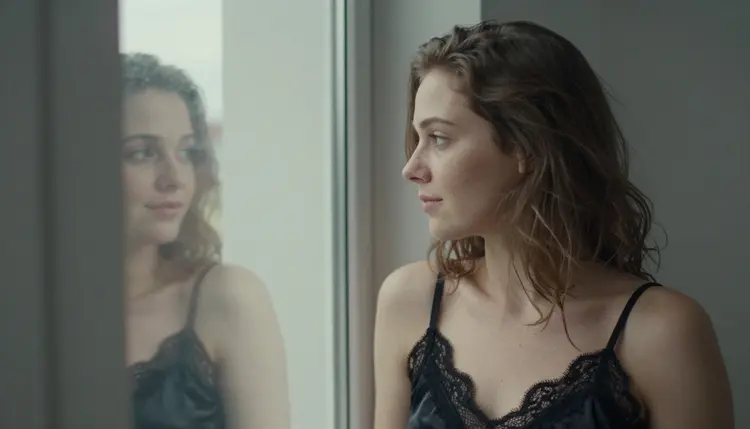
A prompt that works well for step 2 reads like a photo brief: "Raw photograph of a woman in her mid thirties, black lace-lined satin camisole, seen over the shoulder while she looks at her window reflection, freckles, overcast soft daylight, 35mm f/2, natural film grain." It names who, what she wears, the angle, the light and the lens, and it says nothing a photographer would not say on a boudoir shoot.
If the first attempt is declined, rewording inside the same adult glamour direction is reasonable: more about fabric, light and setting, less about pose. A decline on one prompt does not tell you what the model does with another one, and a result that comes back does not promise the next prompt will too. That is the honest meaning of untested.
When Flux 2 declines a prompt, or when you would rather skip the test, the confirmed models are the fallback. Picasso IA tested adult prompts against each of them repeatedly and watched them generate. They cover photoreal images, illustration, editing and video, so most ideas have a home.
For the kind of picture you would send to Flux 2, a photoreal adult portrait in window light, Seedream 4.5 is the closest match: it is a text to image model that works at 4K, and a prompt you wrote for Flux 2 is a fair starting point. If your idea leans toward illustration, posters or print, Recraft V4.1 Pro is the better pick, since its catalog title promises print-ready images at 2K and it is strong on illustration and design.
If you already have an image and want to change it, use Picasso Image Editor Pro. It edits an existing image and carries the infinity tag, which means it does not spend credits on the plans that include unlimited generation. For motion, LTX 2.3 Pro makes 4K video from text, Picasso IA Video turns text or an image into video, and Seedance 2.5 Lite makes clips up to 10 seconds. An image you made earlier can serve as the starting image for a clip.
This is an 18+ page. The tools and the images on it are for adults only. Nothing here is meant for anyone under that age.
Every character is a fictional adult. Never use the name or the likeness of a real or identifiable person, and never describe anyone who could read as a minor: no one who could read as a minor, ever, whatever the setting or the wardrobe. Write the age as mid twenties or older, and keep the subject to an invented person.
Your generations are private by default. What you create is tied to your account and is not published or shown to other people. The content line is the same on every model and every page of this section: provocative, never explicit, which means wardrobe, light, mood and implied intimacy rather than anything graphic.

A new account can try a few generations for free in a small free trial on selected models: Picasso IA Image, Picasso Image Editor Pro, Picasso IA Video and Seedance 2.5 Lite. Flux 2 Pro is not on that list, so it works with credits like the other models outside the trial. Credits vary by model and by options such as resolution, and the pricing page is the place for plans and details.
Models with the infinity tag in the catalog do not spend credits on the plans that include unlimited generation. Flux 2 Pro does not carry that tag. Picasso Image Editor Pro, Picasso IA Video and Seedance 2.5 Lite do, and all three are confirmed, which makes them a comfortable place to iterate on a prompt once you know what you want.
Other untested models are worth a try on the same terms. Flux 2 Max is the 4MP text to image variant, and two sibling pages cover related names: Nano Banana NSFW: Untested, Try It and Seedream 5 Pro NSFW: Try It and See. Each follows the same pattern as this page. Test a clean prompt, read the result, and switch to a confirmed model if the app says the content is not supported.
Does Flux 2 work for NSFW prompts?
It is untested here, so nobody can promise either answer. Picasso IA has not run adult prompts against Flux 2 repeatedly, which is what confirmed requires. You can try your own prompt in the toolkit and read the result: it may generate, or it may decline.
What happens if Flux 2 refuses my prompt?
The app shows a message titled "Content Not Supported by This Model". It recommends models that accept adult prompts and carries your prompt over, so you do not retype anything. Pick a confirmed model such as Seedream 4.5 and run it again.
Which models are confirmed to accept adult prompts?
Seedream 4.5, Recraft V4.1 Pro and Picasso Image Editor Pro for images, and LTX 2.3 Pro, Picasso IA Video and Seedance 2.5 Lite for video. Confirmed means Picasso IA tested them repeatedly and watched them generate. The explainer covers the details.
Can I generate a real person or a celebrity with Flux 2?
No. Every character on this page and in this section must be a fictional adult. Do not use the name or the likeness of a real or identifiable person, in Flux 2 or in any other model. Write an invented character with a wardrobe, a setting and a light, and keep it that way.
Can the character look like a minor?
No. This is an adults-only section, 18+ only, and every character must be a fictional adult of mid twenties or older. Never describe or hint at anyone who could read as a minor. Prompts that do are outside the rules of the page, whichever model you use.
How do credits and plans work for Flux 2?
Credits vary by model and by options such as resolution. Flux 2 Pro does not carry the infinity tag, so it spends credits like other models outside the free trial. Plans and details are on the pricing page, which is the only place this page points to for them.
Can I edit a Flux 2 image or turn it into a video?
Yes, with confirmed models. Picasso Image Editor Pro edits an existing image, and Picasso IA Video turns text or an image into video. LTX 2.3 Pro and Seedance 2.5 Lite are the other video options. Open them from the toolkit and attach your image.
What resolution does Flux 2 offer?
The catalog title of Flux 2 Pro says it generates images from text or photos and does not state a resolution. Flux 2 Max is listed as 4MP text to image. For anything more precise, read the options on each model page, because they can differ between variants.
Are my Flux 2 generations private?
Yes. Generations are private by default: what you create is tied to your account and is not published or shown to other people. That holds for Flux 2 and for every other model in the toolkit, confirmed or untested.
Is there a free trial for Flux 2?
A new account gets a small free trial on selected models: Picasso IA Image, Picasso Image Editor Pro, Picasso IA Video and Seedance 2.5 Lite. Flux 2 Pro is not among them. The trial is not a promise about the whole catalog, and the pricing page explains how credits work.