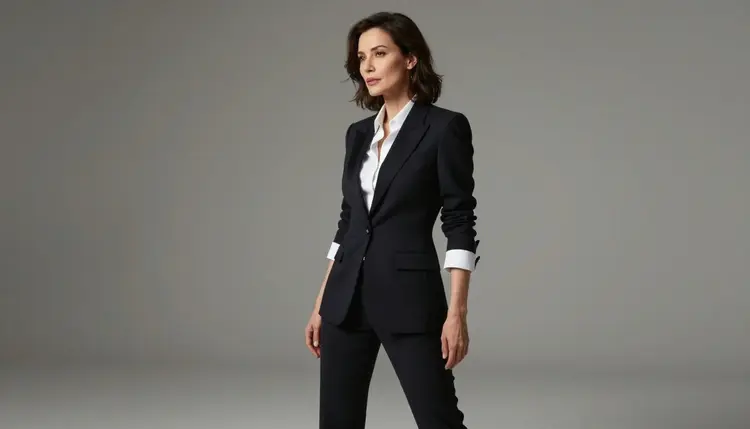
Most image models route every prompt through a safety filter before anything gets rendered. That filter is tuned to catch flagged language, and pose based prompts trip it constantly, even when the request is a legitimate piece of adult fiction featuring an invented character. When that happens on Picasso IA, the app does not just fail silently. It shows a "Content Not Supported by This Model" message, carries your prompt forward, and points you toward the models that are actually built to handle it.
Seedream 4.5 is one of six models on the platform confirmed to generate NSFW content directly, with no filter step blocking an adult prompt before it reaches the model. The other five are Qwen Image 2, Recraft V4.1 Pro, Picasso Image Editor Pro, Picasso Video, and LTX 2.3 Pro. Every other model in the catalog, including big name flagship tools, may still refuse a flagged prompt outright, so if you have been bouncing off refusals while trying to turn a reference pose into finished art, the fix is not a cleverer prompt. It is switching to one of these six.
For a still image workflow built around a reference pose, Seedream 4.5 is the practical starting point. It sits in the text to image part of the toolkit, it takes a written description alongside your reference, and it does not interrupt that process with a rejection screen when the description is explicitly adult. You can see it directly at Seedream 4.5.
Seedream 4.5 is a general purpose text to image model, and its core strength for this use case is straightforward: it follows a detailed written prompt closely, including instructions about body position, camera angle, framing, and lighting, which is exactly the information you are trying to transfer from a reference pose into a finished piece. Feed it a clear description of the pose alongside the character and setting you want, and it renders its own interpretation instead of refusing the request outright.
It also holds up across a wide style range. You can push it toward photoreal rendering, toward painterly or illustrated looks, or toward stylized anime adjacent art, all from the same model, by changing the wording of the prompt rather than switching tools. That flexibility matters for a reference pose workflow, because the pose itself is usually the only thing you want to keep fixed. Everything else, including the character's identity, outfit, setting, and art style, is meant to change from render to render.
The other advantage worth naming plainly is reliability. Because Seedream 4.5 is one of the confirmed filter free models, an explicit adult prompt does not carry a higher risk of being blocked partway through than a tame one does. You spend your generation attempts refining the result, not rewording a prompt to get past a content check.
A reference pose is a picture you use only for body positioning, not for identity. It can be a stock photography pose, a 3D posing mannequin render, a sketch, or a drawing you made yourself. It should never be a photograph of a real, identifiable person that you intend to recreate. The steps below assume you already have a fictional or stock pose image ready to go.
- Pick a fictional pose reference. Use a stock pose photo, a 3D mannequin render, or a sketch, something that shows body position and camera angle only, with no real identifiable person attached to it.
- Open Seedream 4.5 in the toolkit. Head to the toolkit and select Seedream 4.5, or jump straight to its page at Seedream 4.5.
- Upload the reference and describe the scene. Attach the pose image, then write a prompt describing the fictional character, outfit, setting, and style you want, and mention explicitly that the pose should follow the reference.
- Generate and review the result. Check that the pose reads correctly and that the rest of the image, the character, the setting, the lighting, matches what you described.
- Refine or regenerate as needed. Adjust the wording of your prompt for anything that is off, then generate again. Small wording changes usually fix awkward details faster than starting over.
The single biggest lever you have is specificity. A vague prompt gives the model room to guess, and it will guess in ways you did not intend. A prompt that names the character's build, hair, outfit, the setting, the light source, and the camera framing gives Seedream 4.5 far less room to drift from what you pictured.
| Prompt element | Why it matters |
|---|
| Pose reference | Anchors body position and camera angle so the model is not guessing the composition |
| Character description | Keeps the fictional character consistent in build, hair, and features across attempts |
| Setting and lighting | Controls mood and depth, and prevents flat, generic backgrounds |
| Art style | Decides whether the result reads as photoreal, painterly, or illustrated |
| Explicit adult terms | Needed for adult content to render as intended, since vague euphemisms often produce a tamer result than you asked for |
Because Seedream 4.5 does not filter an explicit prompt, you can describe adult content directly instead of writing around it with euphemisms. Direct language actually produces more predictable results here, since the model is not left guessing what a softened phrase was standing in for. If a first attempt lands close but not quite right, change one element at a time, the outfit, the pose detail, the framing, rather than rewriting the whole prompt, so you can tell which change moved the result.
This workflow is for adults creating fictional characters, full stop. A reference pose is a tool for body positioning only. It is never a stand in for a real person's photo, and it should never be used with the intent of recreating a specific real, identifiable person's likeness, public figure or otherwise. Anything that resembles a minor is refused regardless of which model you use, and that check sits outside and above any per model filter difference described on this page.
Being on the list of six confirmed filter free models does not mean a model will render literally anything. It means these six do not block an adult prompt purely for being adult. Content involving real people or anything resembling a minor is a separate, hard line, and it applies platform wide, on Seedream 4.5 and on every other model in the catalog alike.
If you are ever unsure whether a reference image is appropriate to use, treat that uncertainty as a no. Stock pose libraries, posing mannequin renders, and your own sketches are made for exactly this purpose and carry no such risk.
New accounts on Picasso IA start with free credits, so you can try generating from a reference pose with Seedream 4.5 before deciding whether to subscribe. Those credits work across the platform's full model catalog, not just this one model, so the same balance covers experiments with any of the other models if you want to compare results.
Because Seedream 4.5 is a standard model in the catalog rather than a premium or dynamically priced one, using it costs the same regardless of what you generate with it. For current credit costs and plan options, see pricing. If you want to see what else is available before or after this workflow, from other image models to video and 3D tools, the full catalog lists everything Picasso IA offers.
Is it allowed to use a reference pose image to generate NSFW art?
Yes, as long as the reference is a fictional or stock pose used purely for body positioning, such as a stock photo, a posing mannequin render, or a sketch. Using a reference this way to create an adult image of a fictional character is within the platform's rules.
Can I upload a photo of a real person as the pose reference?
No. A reference pose must never be a photograph of a real, identifiable person that you intend to recreate. The reference is for body position and camera angle only, and the character you generate has to be fictional, not a real individual, public figure, or anyone resembling a minor.
Why did my prompt get rejected on another model?
Most models on Picasso IA run a content filter that blocks prompts flagged as adult, whether or not the request is a legitimate piece of fiction. When that happens you will see a "Content Not Supported by This Model" message rather than a generated image.
What happens to my prompt after it gets rejected?
Nothing is lost. The app carries the same prompt forward and recommends switching to one of the six confirmed filter free models, Seedream 4.5, Qwen Image 2, Recraft V4.1 Pro, Picasso Image Editor Pro, Picasso Video, or LTX 2.3 Pro, so you do not have to retype anything.
Which models are confirmed to generate NSFW content without a filter?
Six models on Picasso IA are confirmed filter free: Seedream 4.5, Qwen Image 2, and Recraft V4.1 Pro for still images, Picasso Image Editor Pro for image editing, and Picasso Video and LTX 2.3 Pro for video. No other model in the catalog is confirmed to skip the content filter.
Does Seedream 4.5 also generate video?
No, Seedream 4.5 is a text to image model, so it produces still images only. If you want a pose reference workflow that ends in video instead, use Picasso Video or LTX 2.3 Pro, both of which are also confirmed filter free.
Should I try to reword a flagged prompt to get it past the filter?
No. Rewording or disguising a prompt to sneak past a content filter is not the intended path, and results are unreliable at best. The straightforward move is switching to one of the six confirmed filter free models, where the same explicit prompt is simply accepted.
Can I generate stylized or anime style NSFW art, or only realistic images?
Seedream 4.5 covers a wide style range from photoreal to painterly to illustrated, anime adjacent looks, controlled through how you word the art style portion of your prompt rather than through a separate setting.
What if the reference pose includes a background I do not want?
Describe the setting you actually want in your prompt. The pose reference is only there to anchor body position and camera angle, so a written description of the setting typically overrides an unwanted background from the reference image.
Can I keep the same fictional character consistent across several pose images?
Reusing the same detailed character description, build, hair, features, outfit, across prompts is the most reliable way to keep a fictional character recognizable from one generation to the next, though exact consistency is not guaranteed on every attempt.