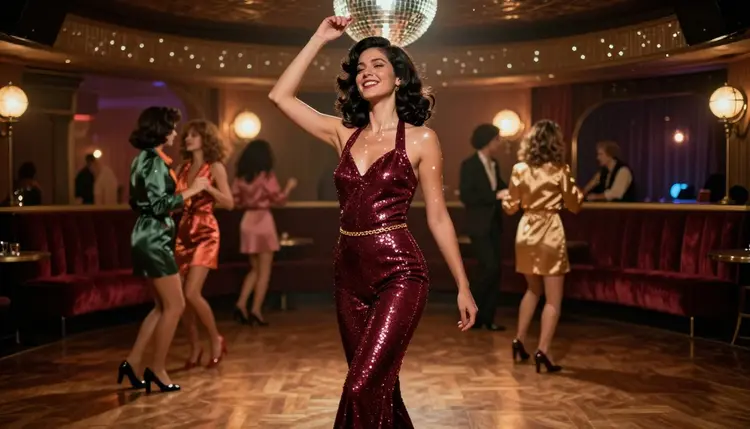
A mirror ball scatters a thousand small lights across a dance floor, and every one of them lands somewhere different, a sequin cuff, a satin shoulder, a jawline turned toward the glow. Disco glamour is one of the hardest looks to get an AI image model to hold onto, because most models read glossy fabric, close framing and a confident dance pose about the same way they read anything else that looks like adult content, and they shut the prompt down before the sparkle ever renders.
Recraft V4.1 Pro does not have that problem. It is one of six models on Picasso IA confirmed to run with no content filter, and it is built to hold exactly what disco glamour depends on: saturated color, metallic sheen, and skin lit half warm half cool under a spinning mirror ball. This page covers why the model fits the look, nine real results across solo, couple and group scenes, the five steps from an empty prompt box to a keeper, and the rules that apply to every image it makes. Every character on this page is a fictional adult, eighteen and over.
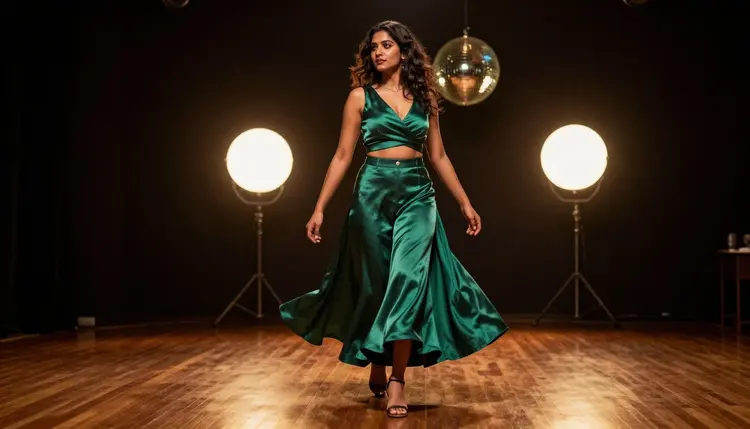
Most of the catalog on Picasso IA applies a content filter, and that filter tends to flag disco glamour before it flags almost anything else: a fitted satin set, a close crop on a bare shoulder under colored light, two characters dancing cheek to cheek, all of it reads to a filter about the same as anything else it treats as adult. When that happens the app shows a "Content Not Supported by This Model" message and carries the prompt over to a model that will actually run it, so nothing typed gets lost. Recraft V4.1 Pro is one of the alternatives, and it is confirmed filter free: a disco prompt runs the same way any other prompt does, no rewording, no softening a phrase to sneak it past a filter that simply is not there.
It shares that status with five other models, and disco glamour specifically is where Recraft V4.1 Pro pulls ahead. It holds glossy, saturated color and metallic sheen, the exact gold of a sequin cuff, the shine on a satin shirt, the scatter of a mirror ball across skin, more convincingly than most of the catalog, and it keeps a character consistent across a close portrait and a full body dance pose in the same set. Seedream 4.5 is the pick when the brief calls for a fully photographic look rather than a glamour, posed one. Qwen Image 2 is the open source option for a prompt that stacks several separate things at once, a couple, a crowd, a specific light rig. Picasso Image Editor Pro edits a disco shot already generated instead of starting from scratch, useful for fixing a hand mid spin or swapping the color of the lights after the fact. Picasso Video and LTX 2.3 Pro handle video, for animating a still into a spin or generating motion directly, a fringed hem catching the light as it turns. See the full catalog for everything else the app offers.
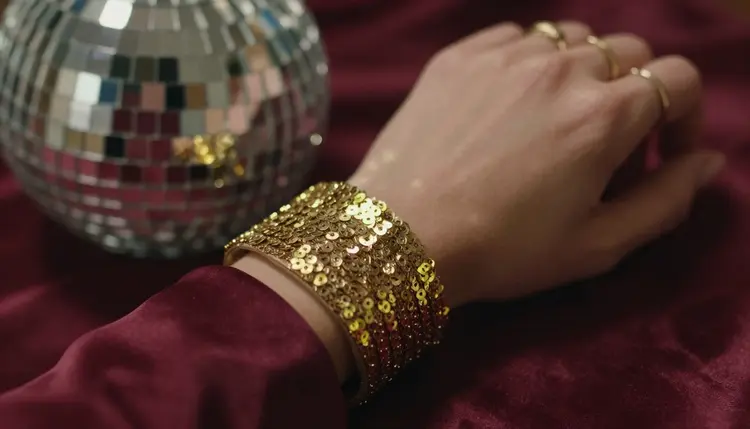
Disco glamour is not one pose in one outfit, it is a whole floor of settings, angles and light, and Recraft V4.1 Pro covers most of it convincingly from a single prompt. A few looks worth trying:
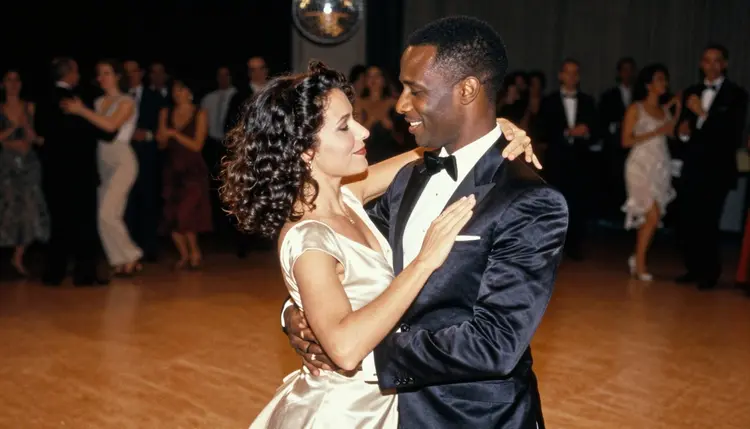
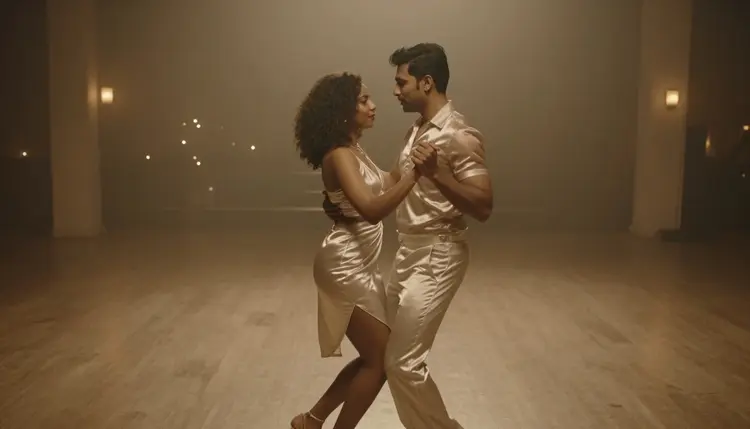
A slow dance cheek to cheek under a mirror ball reads as intimate rather than staged, and it gives the model two characters to keep consistent at once, matching height, matching light, the small distance between two faces. Naming the hold, cheek to cheek, one hand at the waist, gives Recraft something concrete to work from instead of a generic couple shot.
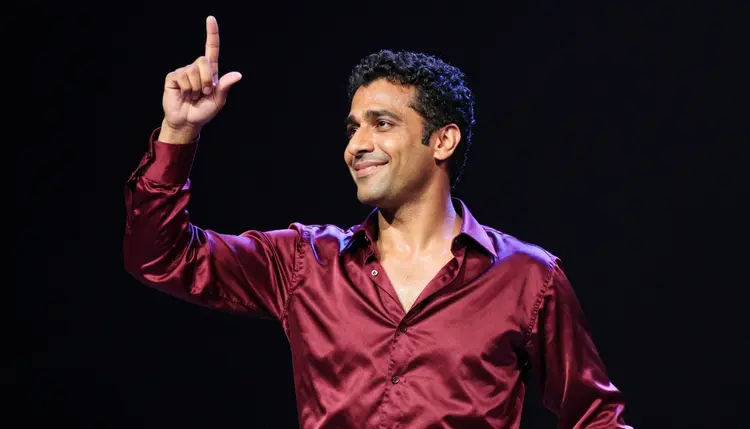
A single figure holding a confident pose, chest open, one arm raised, works as well for a man as it does for a woman, and it is a strong test of how well the model renders satin under moving light, the fabric catching a highlight along the shoulder and losing it again at the sleeve.
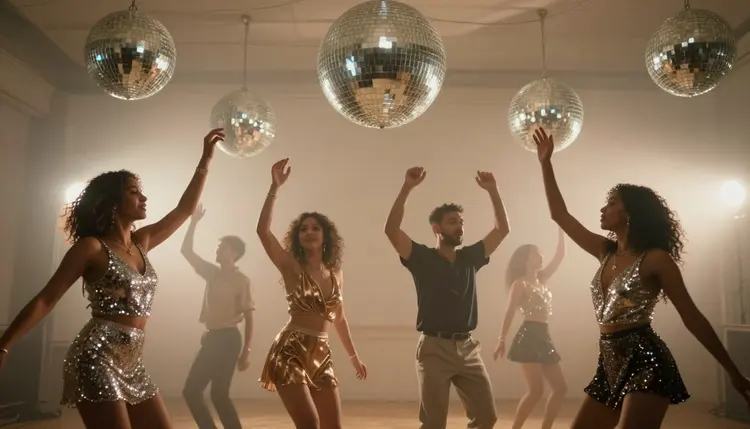
A small group reaching up toward a row of hanging disco balls adds several characters to one frame without losing any of their individual detail, sequin texture, arm position, the gap of floor between them. It is the most demanding of the nine looks, and it shows how far a stylized model can hold a busy scene together.
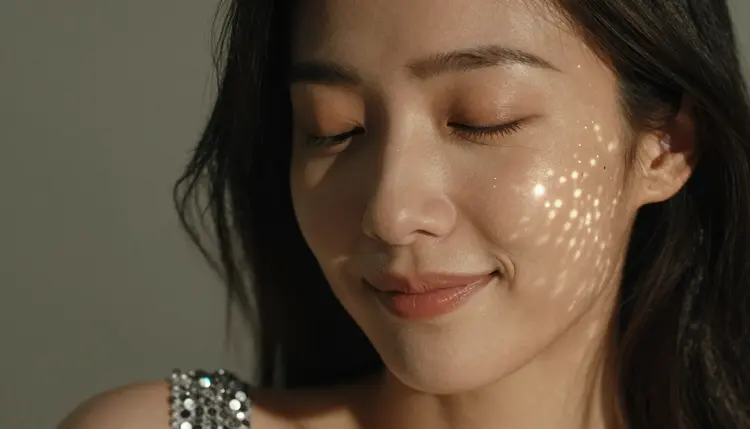
A close portrait strips everything back to the face and the light, small squares of color scattered across a cheekbone and a jaw from a mirror ball somewhere out of frame. It is where Recraft V4.1 Pro's color handling shows most directly, since the reflected light has to read as light and not as makeup or texture painted on.
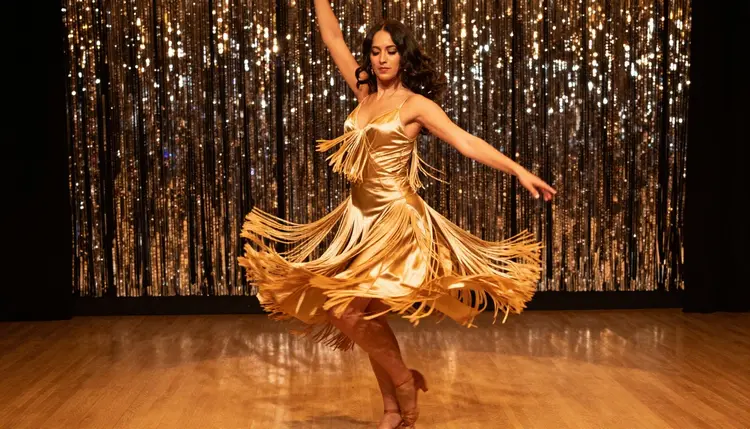
A spin captured mid turn, fringe lifting away from the body, is a motion shot dressed as a still image, and naming the fabric, fringed gold satin, gives the model something specific to swing rather than a vague blur.
The path from a blank prompt box to a disco portrait worth keeping is short, and it is the same loop whether this is a first generation or a fiftieth.
- Write the scene in plain, concrete words. Name the subject as a fictional adult character, then the outfit, the light and the pose: a fictional woman in a fringed gold satin dress, spinning under a mirror ball, colored spotlights sweeping the floor. Concrete nouns about fabric, sequins and light do more work than adjectives about the body.
- Open the toolkit and select Recraft V4.1 Pro. The model is listed among the text to image options, picking it before typing the prompt saves a wasted first generation on a model that will simply refuse it.
- Generate a batch and look at it as a set. A handful of variants from the same prompt shows how the model read it, a tight, consistent batch means the brief landed, a scattered one means a detail is missing, usually about the light or the outfit.
- Change one thing and generate again. Keep whichever image is closest, then adjust a single variable, the dress color, the light rig, or the pose, rather than rewriting the whole prompt. Three or four rounds like this is normal before something is worth keeping.
- Review the result closely before saving it. Zoom into hands, sequin edges, and any text or lettering in frame, these are where an otherwise strong disco image tends to fall apart, on Recraft V4.1 Pro as on any image model.
Disco glamour is defined by fabric and light more than almost any other genre, so name the material before the pose: a stiff satin versus a loose fringe, a warm gold spotlight versus the cool white flash of a strobe. Naming the fabric and the light source does more for a convincing result than any adjective attached to the body.
Name the garment specifically rather than reaching for glamorous on its own. A fringed satin dress renders differently from a fitted sequin jumpsuit, because the model has something concrete to reason about, how fringe moves separately from the body, how sequins catch light in small individual points rather than one smooth sheen. The same goes for the setting, a crowded dance floor, an empty room lit only by a mirror ball, a stage with a light rig overhead, each carries its own texture and light logic, and naming one anchors the whole image.
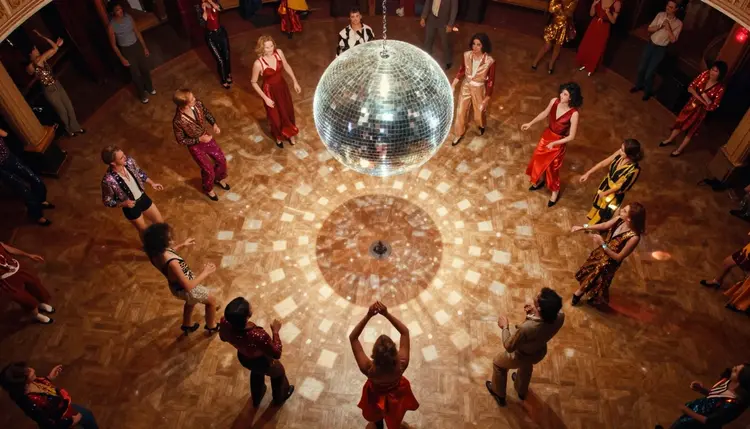
Describe the pose the way a photographer would direct it, spinning with the fringe lifting, reaching up toward the light, cheek to cheek in a slow hold, rather than reaching for vague intensifiers. A specific, composed pose reads as a real photograph or a real glamour shot, a vague one tends to produce something generic.
Keep every character fictional and think of them that way even when the word fictional is not typed into every prompt, invented names, invented features, nothing built to resemble someone real. Ask for one moment, not a sequence, since a prompt that tries to describe an entrance, a dance and an exit all at once tends to blur all three together. And treat the first batch as a draft, not a final answer, the fastest way to a keeper is comparing a small set side by side and changing one variable at a time, not writing a longer and longer single prompt chasing perfection on the first try.
This is stated plainly because it matters more than any prompting tip: everything generated here is for adults, eighteen and over, and every subject must be a fictional adult character. No real person's likeness runs on this platform without that person's own consent, and no public figure or celebrity is permitted at all. No minor, and no character made to look like one, in any style, disco scenes included. Prompts that cross these lines are refused, and attempting them violates the platform's terms.
Recraft V4.1 Pro having no content filter does not change any of this. Removing the filter that blocks adult content in general is not the same as removing the rules about whose likeness can be generated or how old a character must read as, those rules hold regardless of which model is running the prompt.
Generations stay private by default, what is created is tied to the account, not posted anywhere or shown to other users, unless the person chooses to share it. The tool also does not take judgment off anyone's hands once an image exists. What gets shared, and where, is governed by local law and by the rules of whatever platform it lands on. Legal to generate is not the same as allowed to publish.
Generations on Picasso IA are paid for with credits, spent per image rather than through a separate subscription tier for each model. A new account starts with free credits, enough room to run the loop above, several batches and a few rounds of iteration, before deciding whether to buy more. Image generations sit toward the cheap end of what the app offers, well below the cost of a video generation.
Exact credit amounts and plan pricing change as the catalog evolves, so current numbers live on the pricing page rather than printed here where they would go stale. What stays true regardless of the number: iterating on a disco glamour portrait, comparing a small batch and adjusting one variable at a time, is the efficient way to spend credits, on Recraft V4.1 Pro or any other model in the catalog.
Does Recraft V4.1 Pro really generate NSFW disco glamour art with no filter?
Yes. Recraft V4.1 Pro is one of six models on Picasso IA confirmed to run with no content filter, alongside Seedream 4.5, Qwen Image 2, Picasso Image Editor Pro, Picasso Video, and LTX 2.3 Pro. A disco glamour prompt runs on it the same way any other prompt does, with no need to reword or disguise anything to get past a filter that simply is not there.
Why is Recraft V4.1 Pro specifically good for disco glamour rather than general NSFW images?
Disco glamour depends on saturated color and metallic sheen more than most adult image genres, sequins, satin, and light bounced off a mirror ball, and that is exactly what Recraft V4.1 Pro is built to hold. It keeps a character consistent from a close portrait to a full body dance pose, which matters for a set of images meant to feel like the same night.
What settings and lighting work best for a disco glamour scene?
A crowded dance floor under a mirror ball, an empty room lit only by colored spotlights, or a stage with a light rig overhead all work well, since each gives the model a concrete light source to reason about. Naming the fabric and the light together, rather than either alone, tends to produce the strongest result.
Is Recraft V4.1 Pro free to use on Picasso IA?
New accounts start with free credits, which cover several generations before anything needs to be purchased. Beyond that, generations are paid for with credits rather than a flat subscription per model, and how far a given amount of credits goes depends on current pricing, which is kept up to date on the pricing page rather than stated here.
Can I generate a real person or a celebrity in a disco glamour image with Recraft V4.1 Pro?
No. Every subject on this page must be a fictional adult character, eighteen and over. A real person's likeness, including a celebrity or any other public figure, is not permitted without that person's own consent, and prompts that attempt it are refused and violate the platform's terms regardless of which model is running.
What if I want a more photographic look instead of a stylized glamour illustration?
Recraft V4.1 Pro leans toward a glossy, illustrated glamour finish even on a photographic brief, so it is not always the right tool for a strictly photographic result. Seedream 4.5 is built for a photographic, hyper realistic look, and it is also filter free, which makes it the better pick when the goal is a straight photograph rather than a stylized glamour shot.
Why do hands or sequin details sometimes look wrong in my disco image?
Hands, fine sequin edges, and fringe are difficult for every image model, filtered or not, and Recraft V4.1 Pro is no exception. The fix is usually a simpler pose, fewer hands visible in frame, or a closer look at the batch before picking a winner, checking hands and fabric edges before saving is worth doing on every generation, not only when something looks obviously off.
How many images should I generate before I have a keeper?
There is no fixed number, but three or four rounds of generating a small batch, picking the closest result, and changing one variable is a normal distance to something worth keeping. Trying to get a perfect result on the first prompt usually takes longer than iterating, because a single very long prompt is harder for the model to satisfy than a short one refined over a few rounds.
Can I edit a Recraft V4.1 Pro disco photo after generating it?
Yes. Once an image is close but not quite right, Picasso Image Editor Pro can adjust it directly, fixing a hand, changing the color of the lights, or swapping one detail with a plain instruction instead of a fresh generation from scratch. It is also filter free, so a disco glamour image can be edited the same way it was generated.
Can a Recraft V4.1 Pro disco image become a video?
Yes, through a separate step. Picasso Video takes a still image and animates it into a short clip built from that frame, and LTX 2.3 Pro generates cinematic video directly from a prompt, both run with no content filter. The efficient order is to settle on a still image first, since a round of image generation costs less than a round of video, and only animate the frame already decided as a keeper.