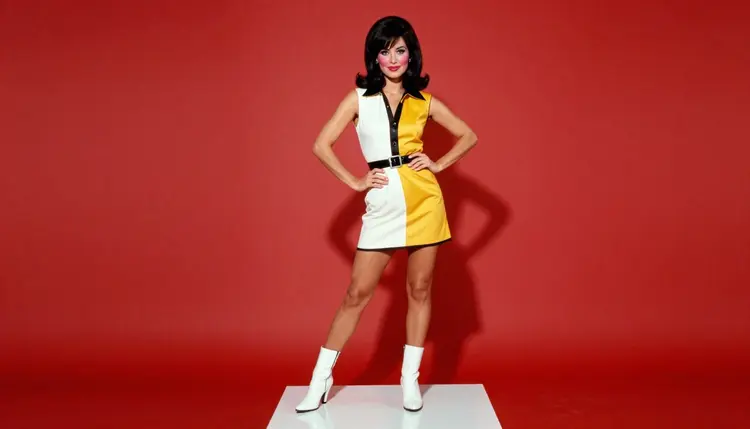
Pop art turns a photo shoot into a graphic statement: one saturated backdrop, a color-blocked outfit, a single bold prop, and a pose that reads like a page pulled from a sixties fashion spread. On Picasso IA that look comes from styling choices, not from switching a model into an illustrated or cartoon mode. Recraft V4.1 Pro, the model pinned to this guide, renders the wardrobe and the set as a photograph: real fabric, real studio light, a saturated color story built the way a stylist would build it on an actual shoot floor.
This page stays narrow on purpose. It walks through the five steps from a blank prompt to a finished pop art frame, spells out the styling vocabulary, color block, contrasting backdrop, graphic pattern, that pushes a photoreal render toward pop art without ever asking for an illustrated or CGI finish, and closes with the rules that keep every frame fictional and adult.
One line before anything else, since it governs every example below: every person shown here is a fictional adult, eighteen or older, and no real likeness, public figure, or anything resembling a minor appears in any of it.
Pop art photography earns its name from restraint more than from a filter: one dominant hue behind the subject, a wardrobe that answers or contrasts that hue in a hard block rather than a gradient, and a single graphic accessory, a pair of sunglasses, a glove, a scarf, doing the work a whole prop table would do elsewhere. Out of Picasso IA's catalog of 488 AI models, six are confirmed to generate adult content with no content filter, and Recraft V4.1 Pro is the pick pinned to this page because it renders wardrobe, skin and studio light as a photograph while still holding a hard color block without muddying it into a gradient, the exact discipline a pop art frame depends on.
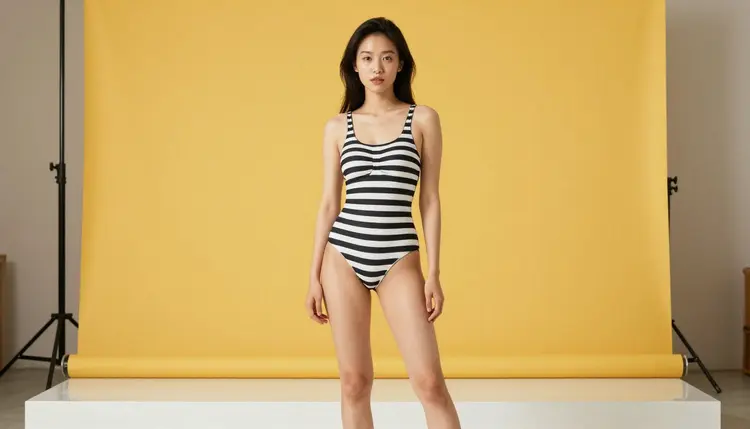
The look above is one backdrop, one graphic pattern, one pose, nothing else asked of the model beyond photographing it well. A striped swimsuit against a flat yellow wall is a complete pop art brief: no illustration keyword, no art style name, just a color and a pattern that a lens would actually see.
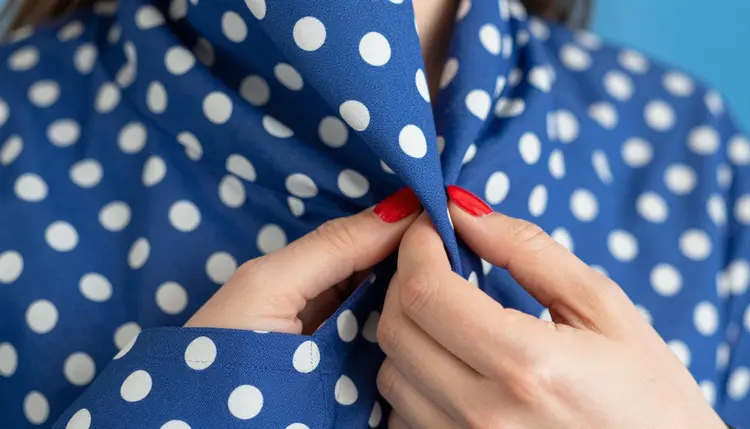
A close crop works the same way at a smaller scale. Polka dots on a dress, shot tight against a backdrop in the same family of blue, reads as pop art because the pattern and the wall agree with each other, not because the render style changed underneath it.
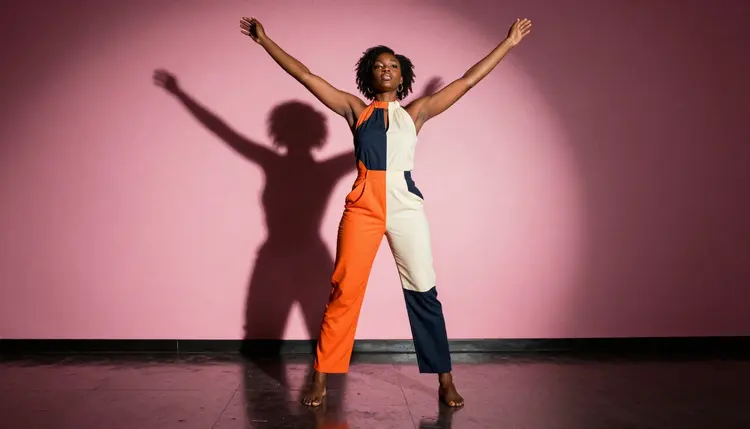
A jumpsuit split into two flat blocks of color, orange and cream, against a wall in a third, unrelated color, pink, is the same three-part formula scaled up to a full figure: backdrop, wardrobe block, pose. Nothing in the prompt above asked for an art style; every instruction named something a stylist could actually hang on a rack or paint on a wall.
Six models in the catalog run with no content filter on adult prompts, out of 488 total. That is a small, named list, not the whole catalog, and most models here, including several familiar names, are tuned for a general audience and will screen an adult styling prompt before it ever renders.
| Model | Type | Best for pop art work | Try it |
|---|
| Recraft V4.1 Pro | Image | Photographic color block, saturated backdrops, wardrobe styling | Recraft V4.1 Pro |
| Seedream 4.5 | Image | Straight photoreal skin, fabric and studio light | Seedream 4.5 |
| Qwen Image 2 | Image | A shoot with several styling elements in one frame | Qwen Image 2 |
| Picasso Image Editor Pro | Image editor | Cleaning up a hand, a hem or a prop after the fact | Picasso Image Editor Pro |
| Picasso Video | Video | Turning a finished pop art still into motion | Picasso Video |
| LTX 2.3 Pro | Video | A cinematic pop art scene described start to finish | LTX 2.3 Pro |
Recraft V4.1 Pro carries most of this page because color-blocked, photographic styling is exactly its strength, but the other five cover the parts of a pop art project it does not own alone: a straighter photoreal pass from Seedream 4.5, a busier scene with several styling elements from Qwen Image 2, a cleanup pass from Picasso Image Editor Pro, and motion from Picasso Video or LTX 2.3 Pro.
A handful of other names come up around this kind of work too: Qwen Image 3 Pro, Seedance 1.5 Pro, LTX 2 Fast, Leonardo AI, Vidu. None of them carry a confirmed no-filter status on this page, so treat any of them as untested, worth a try on a styling prompt, never a guarantee that an adult prompt will render rather than being refused.
Getting from a blank prompt to a finished pop art frame follows the same five-step loop every time, whether the shoot is one figure or a duo.
- Pick One Dominant Backdrop Color. Name a single saturated hue, yellow, pink, turquoise, purple, and describe it as a flat studio wall, not a gradient or a textured surface.
- Color-Block the Wardrobe. Choose an outfit in one or two colors that either matches the backdrop in the same family or contrasts it hard, and name the pattern, stripes, polka dots, checks, or a solid block, rather than leaving it vague.
- Add One Graphic Accessory. Sunglasses, gloves, a sash or a scarf in a strong color does the job a whole prop table would elsewhere; naming two or three competing accessories usually weakens the frame instead of strengthening it.
- Open the Toolkit on Recraft V4.1 Pro. Write the backdrop, the wardrobe block and the accessory as one prompt, keep the pose simple and frontal or three-quarter, and generate a batch rather than a single frame.
- Pick the Cleanest Block, Then Edit It. Compare the batch for which frame holds the color block cleanest without bleeding into the backdrop, then send that one to Picasso Image Editor Pro to fix a hand, a hem or an edge before calling it finished.
The vocabulary that gets a pop art result out of a photographic model is short, and naming it precisely matters more than naming an art style ever would. A color block means one solid color per garment or per zone of the frame, no gradient, no fade, no printed texture breaking it up. A contrasting backdrop means the wall behind the subject sits in a different part of the color wheel than the wardrobe, not a neutral gray or a soft studio seamless. A graphic pattern, stripes, polka dots, checks, does the same job as a bold print in an actual sixties fashion spread: repetition at a scale a camera reads clearly from a few feet back.
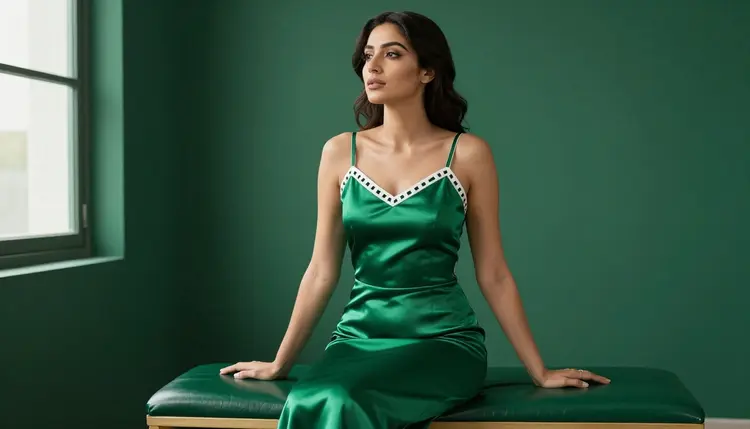
Tone-on-tone is the other half of the formula: a satin dress in the same green as the wall behind it, shot at an angle that lets the fabric catch light differently than the flat paint does. The color repeats, but the texture separates the two, which is what keeps a monochrome frame from reading as flat rather than styled.
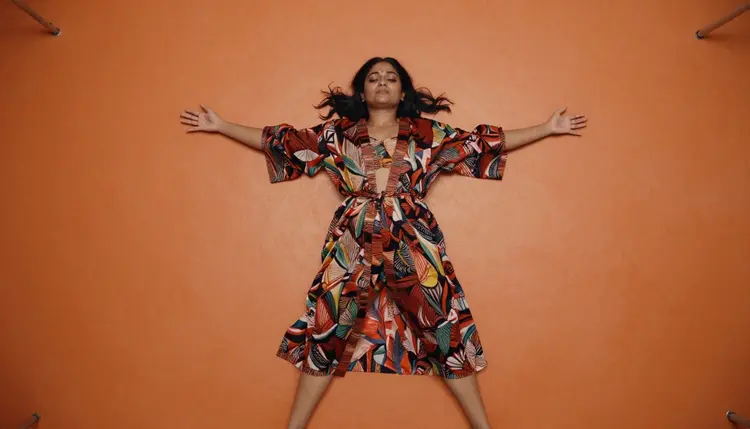
Camera angle is part of the styling vocabulary too. An overhead shot turns a flat colored floor into a second backdrop, above and below the subject at once, and a printed robe against a solid floor color reads as pattern-on-block the same way a striped swimsuit does against a plain wall.
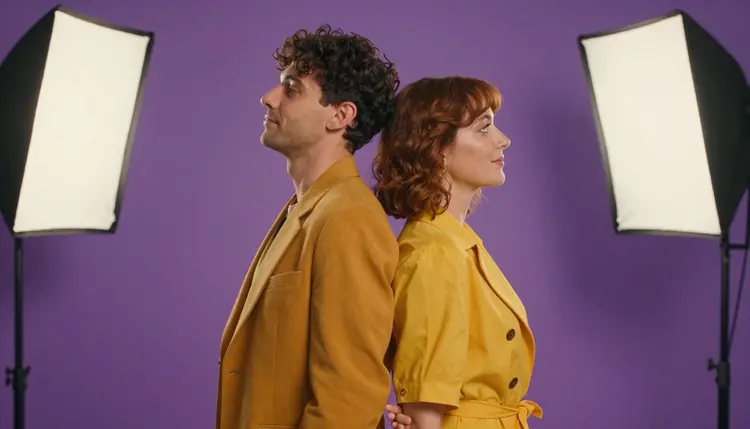
A two-person frame works on the same three-part formula, just doubled: matching wardrobe color across both figures, a backdrop in a contrasting hue, and a pose, back-to-back, mirrored, symmetrical, that reads as a single graphic shape rather than two separate portraits stitched together.
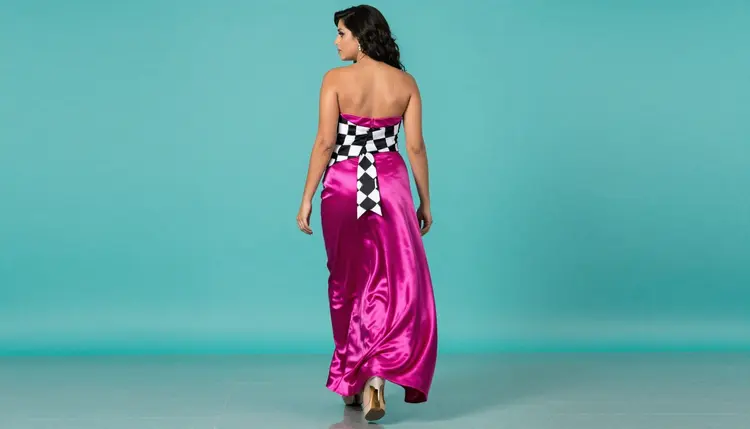
Motion helps a color block read as a moment rather than a static swatch. A gown caught mid-step, a sash swinging, keeps the frame from looking like a paint chip with a person standing in front of it, while the color relationship, pink against turquoise, stays exactly as deliberate as a still pose would make it.
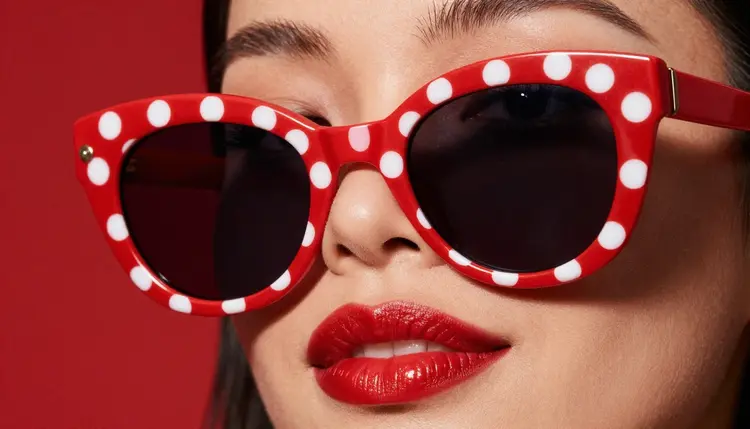
A macro crop is the fastest way to test whether an accessory alone can carry a pop art frame. Red polka dots on a sunglasses frame, matched to a glossy red on the mouth below it, needs no backdrop instruction at all once the crop is tight enough that the accessory becomes the entire composition.
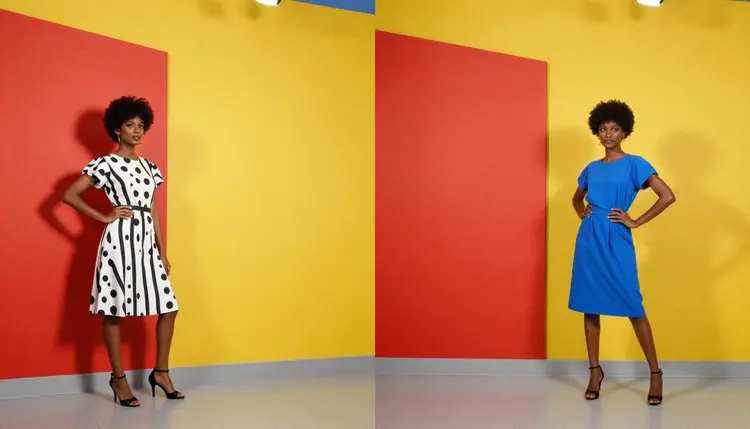
A three-color backdrop is the one exception worth naming, since it breaks the single-hue rule on purpose: red, yellow and blue blocked side by side behind two figures in their own graphic dresses turns the wall itself into the subject's pattern, which only holds together because every block stays flat and none of them fade into the next.
Pop art styling runs under the same short set of rules as every other adult generation on Picasso IA, and a bold color block does not change any of them.
This page and every generation it describes is for adults only, eighteen and over, and every person in every example is a fictional adult, never a real one. No real person's likeness without their explicit consent, no public figures, and nothing resembling a minor in any wardrobe, pose or color story, regardless of how stylized the frame looks.
An uncensored model is not a flawless one. Hands, jewelry and the exact edge where a color block meets the backdrop are some of the harder details for any photographic model to render cleanly, filtered or not, so check those edges before calling a frame finished, not only the color and the pose.
What happens on the account stays there by default. Picasso IA does not publish a generation anywhere, does not attach a name to a prompt in any public listing, and where a finished frame ends up afterward is the responsibility of the person who made it; local law and each platform's own posting rules decide what is allowed from there, and the two are not always the same answer.
A pop art image spends credits the same way any other generation on Picasso IA does, toward the cheap end of what a single still image costs. A short clip through Picasso Video or LTX 2.3 Pro, turning a finished frame into motion, costs more than the still it started from, worth knowing before turning a whole shoot into video. New accounts start with free credits, enough to test a backdrop and wardrobe combination across a couple of frames and run one edit pass before spending anything further. Current plans and exact prices live on the pricing page, kept there since they change more often than this page does.
Which model should I use for NSFW pop art on Picasso IA?
Start with Recraft V4.1 Pro. It is one of six models across the catalog confirmed to generate adult content with no content filter, and it holds a photographic color block, wardrobe against a saturated backdrop, without drifting into an illustrated or CGI finish, which is exactly what a pop art frame needs.
Is Recraft V4.1 Pro really filter free for adult pop art prompts?
Yes. Recraft V4.1 Pro is one of six models across the catalog confirmed to generate adult content with no content filter, and every claim on this page is limited to those six confirmed models, none of them are guessed or extended to any other name.
Do I need to ask for an illustration or cartoon style to get a pop art look?
No, and asking for one usually works against the brief here. The pop art mood on this page comes entirely from the backdrop color, the wardrobe block and the accessory, described as a real photograph would be lit and dressed, never from switching the render into an illustrated, painted or CGI style.
What is the difference between pop art styling and a straight photoreal shoot on Seedream 4.5?
Pop art styling still asks for a photograph, just with a narrower, more deliberate color story: one saturated backdrop, a wardrobe in one or two colors that block cleanly against it, and one graphic accessory. A straight photoreal brief on Seedream 4.5 can use a softer, more naturalistic palette and a busier set; the two techniques overlap since both stay photographic, but pop art trades palette variety for color discipline.
Can a finished pop art frame be turned into a video?
Yes. Picasso Video and LTX 2.3 Pro are both confirmed filter free and both generate video, so a finished Recraft V4.1 Pro frame can move into either one and come out as a short clip that keeps the same color block and wardrobe rather than starting the styling over from scratch.
Does a well-known model like Nano Banana generate NSFW pop art?
Nano Banana is not on the confirmed list, and like most models built for a broad audience it applies a safety layer that can flag and refuse an adult styling prompt regardless of how the color and wardrobe are worded. The same applies to other familiar names such as Seedance, Sora, Veo, Kling, GPT Image 1 and DALL-E 3; none are confirmed filter free here, and any of them can refuse a prompt the six confirmed models would render.
What happens if a pop art prompt gets refused?
The generation stops and a Content Not Supported by This Model message takes the image's place, and the app recommends switching to one of the six confirmed models, carrying the original prompt over so nothing typed gets lost. Switching models is the supported move, not rewording the wardrobe or color description with euphemisms to slip past a filter that already refused it.
How do I describe a color block so the model actually renders it clean?
Name one dominant color per zone, backdrop, wardrobe, accessory, and say flat, solid or matte rather than leaving the finish vague; a phrase like a flat yellow studio wall behind a black and white striped swimsuit gives the model something concrete, while a vague instruction like a colorful vintage look leaves too much room to guess.
Can I generate a pop art image of a real person or a celebrity?
No. A real person's likeness needs their explicit consent, and public figures are excluded entirely from this kind of generation; both are refused by the models and against Picasso IA's terms. This page's pop art examples are fictional adults only, and that rule does not bend for a stylized or color-blocked treatment.
How much does a pop art image cost, and are there free credits?
A single pop art still sits toward the cheap end of what any image generation costs on Picasso IA, and a video clip through Picasso Video or LTX 2.3 Pro costs more than the still it starts from. New accounts start with free credits, enough to test a couple of backdrop and wardrobe combinations and run one edit pass before spending anything further. Exact current prices are on the pricing page, since plans change more often than this article does.
Recraft V4.1 Pro is already sitting in the toolkit with the rest of the full catalog. Pick one saturated backdrop, block the wardrobe against it, and run the first pop art frame on the free credits that come with a new account.