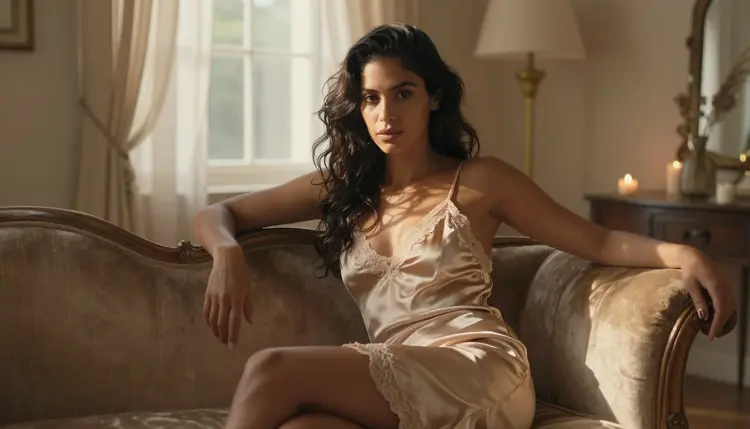
A painterly portrait is not a filter and it is not an illustration. It is a quality of light: window light falling across a shoulder, one lamp warming a room at dusk, the kind of chiaroscuro a Renaissance painter spent a lifetime chasing with pigment and a camera can now catch in a single frame. Chasing that mood in an NSFW portrait on most AI image models means running into a content filter the moment a silk robe or bare skin shows up in the prompt, a filter that reads the outline of a body faster than it reads the light around it.
Seedream 4.5 does not have that problem. It is one of six models on Picasso IA confirmed to run with no content filter, and among those six it is the photographic one, built to render real light on real fabric and skin rather than to stylize either. This page covers why that photographic strength is what makes a painterly mood believable, five looks worth trying from a sunlit window to a candlelit bed, the five steps from a blank prompt to a keeper, and the rules that apply to every portrait it makes. Every character on this page is a fictional adult, eighteen and over.
Most of the models in the Picasso IA catalog apply a content filter, and that filter reacts to a loosened robe, a bare shoulder in warm light, or two characters standing close together about the same way it reacts to anything else it reads as adult. It does not judge the mood of the scene, it pattern matches the wording, so a quiet, painterly portrait prompt can get refused for the same reasons a far more direct one would. When that happens, the app shows a "Content Not Supported by This Model" message and carries the prompt over to a model that will actually run it, so nothing typed gets lost. Seedream 4.5 is one of the alternatives, and it is confirmed filter free: a robe by a window or a candlelit bedroom scene runs the same way any other prompt does, no rewording, no softening a phrase to sneak it past a filter that simply is not there.
It shares that filter free status with five other models, but painterly light specifically is where Seedream 4.5 pulls ahead. Recraft V4.1 Pro is also uncensored, and it is the one to reach for when the brief actually wants a painted or illustrated look, a portrait that reads as brushwork rather than a photograph. Seedream 4.5 goes the other way: it renders the scene as a photograph would capture it, so the painterly quality comes entirely from real light and real fabric, not from a stylized filter over the image. Qwen Image 2 is the open source pick when a prompt stacks several separate things at once, two characters, a specific room, a precise time of day. Picasso Image Editor Pro edits a portrait you already have instead of generating one from scratch, useful for adjusting a hand or the fall of a robe after the fact. Picasso Video and LTX 2.3 Pro handle video, for animating a still into a slow, quiet clip, curtains moving, a candle flickering. Seedream 4.5 is the one to reach for when the brief is a photograph with a painter's eye for light. See the full catalog for everything else the app offers.
A painterly portrait is not one pose repeated in a different robe, it is a small catalog of rooms, light sources and moments, and Seedream 4.5 covers most of it convincingly from a single, well written prompt. A few looks worth trying:
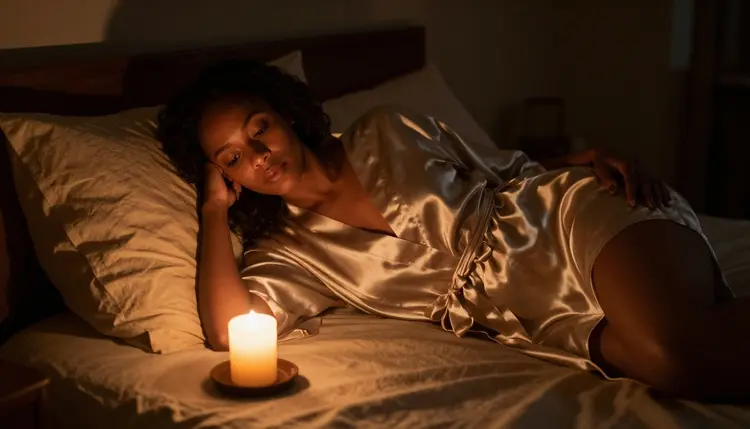
Reclining on a bed beside a single candle turns the light source into the whole mood: warm, unsteady, catching the sheen of satin and leaving the rest of the room in soft shadow. Naming the candle and the fabric together gives the model something concrete to render instead of a generic dim room.
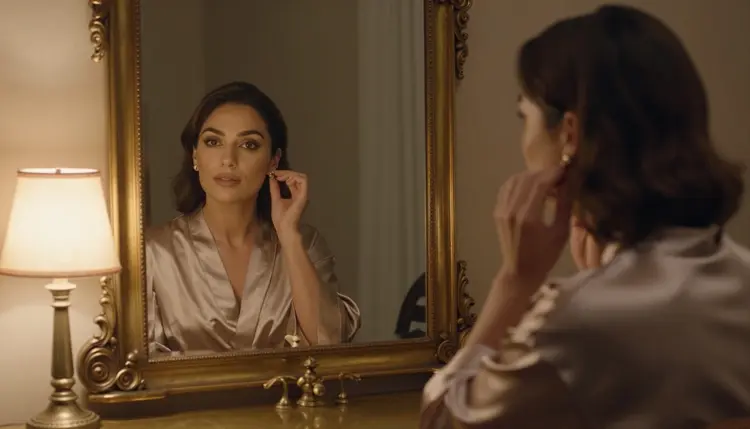
A quiet moment at an antique vanity, fastening an earring under a warm lamp, reads as a private ritual rather than a pose held for a camera. The mirror gives Seedream 4.5 a second surface to get right, reflected light and a second angle on the same face, which is a strong test of how convincingly it handles a room.
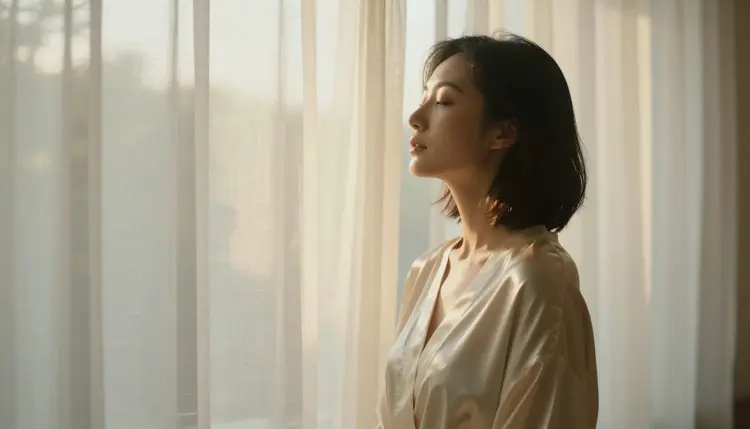
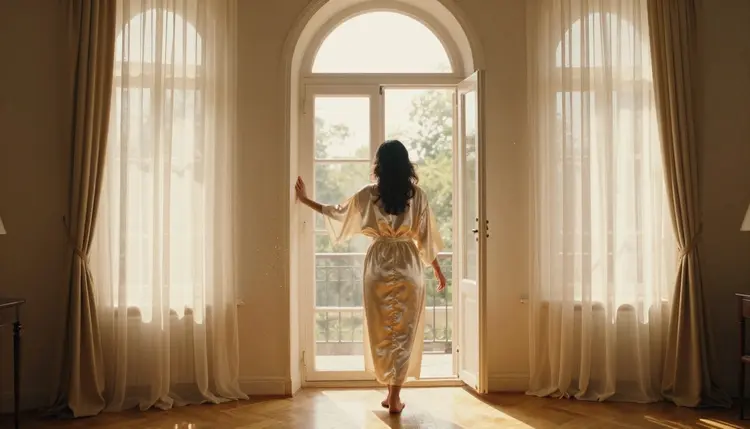
A profile beside sheer curtains with golden backlight through the fabric is close to the purest version of the painterly brief: a single light source, a strong edge, hair catching the glow from behind. It is the shot to study when the goal is light doing all the work.
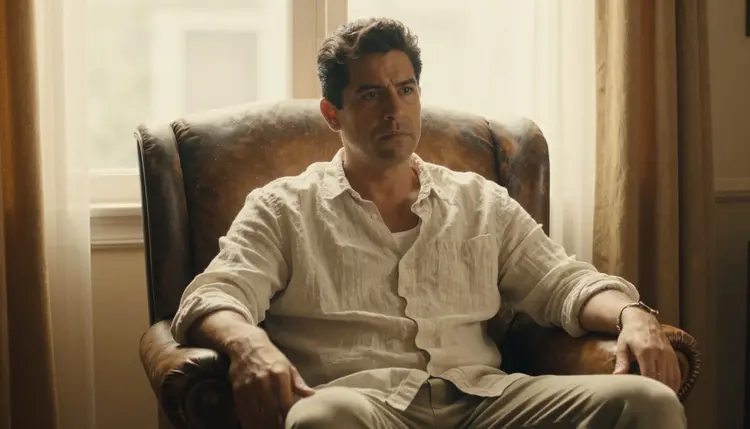
The same mood carries to a male subject just as well: a linen shirt, a leather armchair, warm window light crossing the side of the face. Painterly light is not gendered, and naming the same fabric and light cues for a man in an armchair produces the same quiet, warm result as the robe and window scenes.
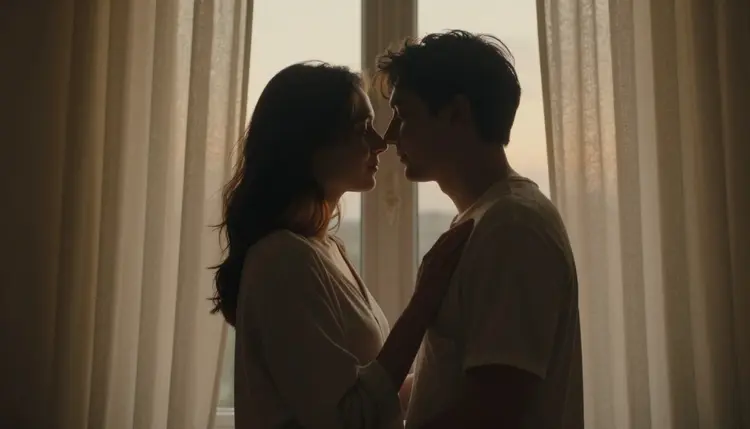
Two characters together, foreheads touching and silhouetted against a dusk window, tests something the single portrait shots do not: keeping two faces and two sets of hands consistent while the light behind them does most of the storytelling. It is a strong scene when the brief calls for intimacy without needing a single explicit detail to carry it.
The path from a blank prompt box to a portrait worth keeping is short, and it is the same loop whether this is a first generation or a fiftieth.
- Describe the light before the pose. Name the light source first, morning sun through an arched window, a single candle, a warm table lamp, then the subject and the fabric; Seedream 4.5 reads a named light source as an instruction, not a mood word, and it changes the whole image.
- Open the toolkit and select Seedream 4.5. The model is listed among the text-to-image options; picking it before typing the prompt saves a wasted first generation on a model that will simply refuse it.
- Generate a batch and look at it as a set. A handful of variants from the same prompt shows how the model read the light: a tight, consistent batch means the brief landed, a scattered one means the light source needs to be named more precisely.
- Change one thing and generate again. Keep whichever image is closest, then adjust a single variable, the light's color, the fabric, the pose, rather than rewriting the whole prompt. Three or four rounds like this is normal before something is worth keeping.
- Review the result closely before saving it. Zoom into hands, jewelry, and the edges where fabric meets skin; these are where an otherwise strong painterly portrait tends to fall apart, on Seedream 4.5 as on any image model.
A painterly portrait lives or dies on the light source, so name it specifically rather than reaching for the word painterly itself: morning sun through an arched window, a single candle on a nightstand, a brass lamp on a vanity, late afternoon light through wooden blinds. A named light source does more for the mood than any adjective attached to the scene.
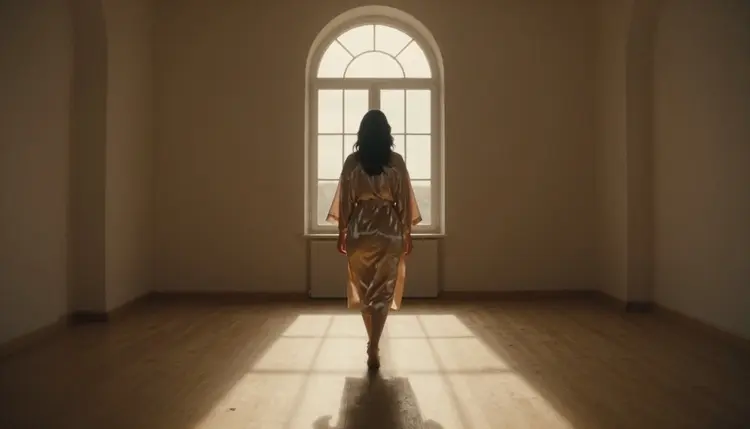
Name the fabric and how it behaves, not just robe on its own. Silk catches light in long, smooth highlights, satin pools it, linen scatters it into a soft, matte texture. Describing the fabric this way gives the model something concrete to reason about, how a specific material folds, where it catches a highlight, how it moves against skin.
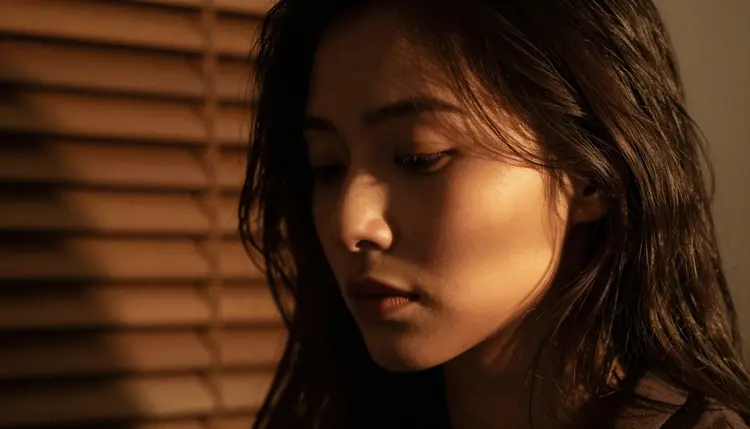
Describe the pose the way a painter would direct a sitting, a hand resting at a window frame, a chin tilted toward the light, a profile held still against a curtain, rather than reaching for vague intensifiers. A specific, composed pose reads as a real photograph with a painter's sense of light; a vague one tends to produce something generic.
Keep every character fictional and describe them as such in your own head even when the word fictional is not typed into every prompt: invented names, invented features, nothing built to resemble someone real. Ask for one scene, not a sequence, since a prompt that tries to describe three moments at once tends to blur all three together. And treat the first batch as a draft, not a final answer: the fastest way to a keeper is comparing a small set side by side and changing one variable at a time, not writing a longer and longer single prompt chasing perfection on the first try.
This is stated plainly because it matters more than any prompting tip: everything generated here is for adults, eighteen and over, and every subject must be a fictional adult character. No real person's likeness runs on this platform without that person's own consent, and no public figure or celebrity is permitted at all. No minor, and no character made to look like one, in any style, painterly portraits included. Prompts that cross these lines are refused, and attempting them violates the platform's terms.
Seedream 4.5 having no content filter does not change any of this. Removing the filter that blocks adult content in general is not the same as removing the rules about whose likeness can be generated or how old a character must read as; those rules hold regardless of which model is running the prompt.
Generations stay private by default: what you create is tied to your account, not posted anywhere or shown to other users, unless you choose to share it yourself. The tool also does not take judgment off your hands once an image exists. What gets shared, and where, is governed by local law and by the rules of whatever platform it lands on. Legal to generate is not the same as allowed to publish.
Generations on Picasso IA are paid for with credits, spent per image rather than through a separate subscription tier for each model. A new account starts with free credits, enough room to run the loop above, several batches and a few rounds of iteration, before deciding whether to buy more. Image generations sit toward the cheap end of what the app offers, well below the cost of a video generation.
Exact credit amounts and plan pricing change as the catalog evolves, so current numbers live on the pricing page rather than printed here where they would go stale. What stays true regardless of the number: iterating on a painterly portrait, comparing a small batch and adjusting the light one step at a time, is the efficient way to spend credits, on Seedream 4.5 or any other model in the catalog.
Does Seedream 4.5 really generate NSFW portraits with no content filter?
Yes. Seedream 4.5 is one of six models on Picasso IA confirmed to run with no content filter, alongside Qwen Image 2, Recraft V4.1 Pro, Picasso Image Editor Pro, Picasso Video, and LTX 2.3 Pro. A robe by a window or a candlelit scene runs on it the same way any other prompt does, with no need to reword or disguise anything to get past a filter that simply is not there. Every subject must still be a fictional adult character, eighteen and over.
What makes a portrait feel painterly instead of illustrated?
The light source, named specifically, is what does the work, morning sun through an arched window, a single candle, a warm lamp on a vanity, rather than flat, even lighting. Seedream 4.5 renders that light photographically, on real fabric and skin, so the mood reads as a captured moment rather than a drawn or painted style.
Which model should I use instead for an illustrated or painted style?
Recraft V4.1 Pro is built for illustration and stylized art and is also confirmed filter free, which makes it the better pick when the goal is a portrait that actually reads as brushwork or a painted panel rather than a photograph. Seedream 4.5 stays the pick whenever the goal is a photographic image with painterly light.
What kind of light and setting work best for a painterly portrait?
An arched window with morning sun, a single candle beside a bed, a warm lamp at an antique vanity, or late afternoon light through wooden blinds all work well, since each gives the model one clear, dominant light source to build the whole image around. Naming the light source before the pose tends to produce the strongest result.
Is Seedream 4.5 free to use on Picasso IA?
New accounts start with free credits, which cover several generations before anything needs to be purchased. Beyond that, generations are paid for with credits rather than a flat subscription per model, and how far a given amount of credits goes depends on current pricing, which is kept up to date on the pricing page rather than stated here.
Can I generate a real person or a celebrity as a painterly portrait?
No. Every subject on this page must be a fictional adult character, eighteen and over. A real person's likeness, including a celebrity or any other public figure, is not permitted without that person's own consent, and prompts that attempt it are refused and violate the platform's terms regardless of which model is running.
Can a painterly portrait include two characters together?
Yes. A scene with two characters, an embrace by a dusk window for example, works well as long as both are described as fictional adults; keeping the light source and the pose specific helps Seedream 4.5 hold both faces and both sets of hands consistent across a batch.
Why do hands or jewelry sometimes look wrong in my portrait?
Hands, rings, and earrings are difficult for every image model, filtered or not, and Seedream 4.5 is no exception. The fix is usually a simpler pose, a hand resting rather than gesturing, or a closer look at the batch before picking a winner; checking hands and jewelry before saving is worth doing on every generation, not only when something looks obviously off.
How many images should I generate before I have a keeper?
There is no fixed number, but three or four rounds of generating a small batch, picking the closest result, and changing one variable is a normal distance to something worth keeping. Trying to get a perfect result on the first prompt usually takes longer than iterating, because a single very long prompt is harder for the model to satisfy than a short one refined over a few rounds.
Can I edit a Seedream 4.5 portrait after generating it, or turn it into a video?
Yes, both are possible as separate steps. Picasso Image Editor Pro can adjust a portrait directly, fixing a hand or the fall of a robe with a plain instruction instead of a fresh generation from scratch, and Picasso Video or LTX 2.3 Pro can animate a finished still into a slow, quiet clip. All three run with no content filter, so a painterly portrait can be edited or animated the same way it was generated.