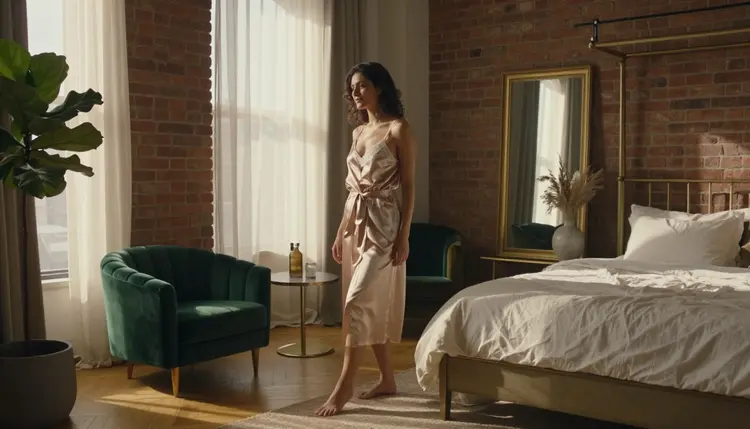
LTX 2.3 Pro renders one shot per generation, and it remembers nothing about the room it rendered a minute ago. Ask for a bedroom by a window in one prompt and a bedroom by a window in the next, and the model will happily give you two different bedrooms: a different headboard, curtains that were never described the same way twice, a window that faces a different direction. A scene that is supposed to unfold in one place only reads as one place if the room itself is planned as carefully as the character standing in it.
This guide covers how to write a room description that repeats exactly across every shot, how to lock the light and the camera angle so nine different clips read as nine moments in the same space rather than nine different apartments, the five step process for generating an NSFW video with a setting that actually holds together, and the mistakes that quietly break continuity halfway through a sequence, using LTX 2.3 Pro, one of only six models on Picasso IA confirmed to generate adult content directly, without a safety filter standing in the way. Every character described in every example below is a fictional adult.
Most advice about consistency in AI video focuses on the character: same hair, same face, same outfit. A setting gets less attention, and that is exactly why it breaks first. A character description is usually written once and copied into every prompt on purpose. A room tends to get described in passing, in whatever few words fit naturally into a sentence about the shot, and those few words rarely match from one prompt to the next.
LTX 2.3 Pro treats every generation as an independent render. Nothing about the brass bed frame or the window in shot one carries into shot two unless the prompt for shot two repeats it. A viewer forgives small differences in an outfit far more easily than a room that visibly changes shape, since a room is the fixed thing a sequence is supposed to happen inside of, not a variable the story is allowed to move around.
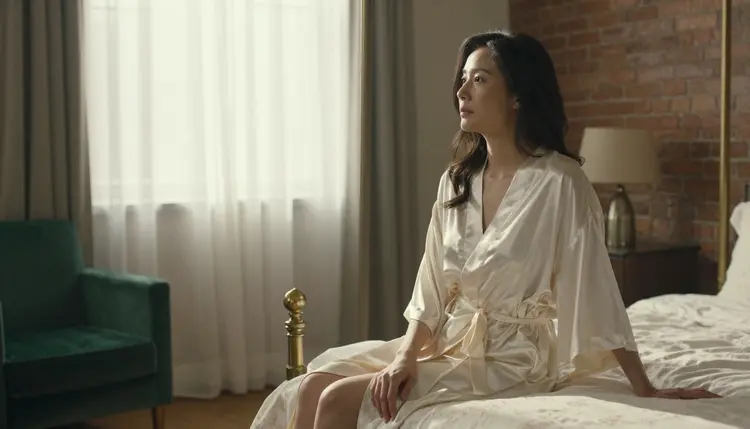
A shot like this one only works as the first frame of a sequence, not a single standalone image, if every detail visible in it, the brass bed frame, the tall window, the light falling across the linens, gets written down before the second shot is ever generated. Otherwise the next shot in the same supposed room starts from a blank page, and the model fills the gaps with whatever it prefers that generation.
The fix is the same one that works for a character: write the room once, in plain language, and paste that exact wording into every shot's prompt where the room appears. A working room description usually needs four kinds of detail. The architecture, a tall window, a brass bed frame, an oak floor. The soft furnishing, cream linen sheets, a sheer curtain, a green velvet armchair. The wall and floor material, exposed brick on one side, pale plaster on the other. And the light source, one window, nothing else, so every shot can be placed in time by how that one window is lit.
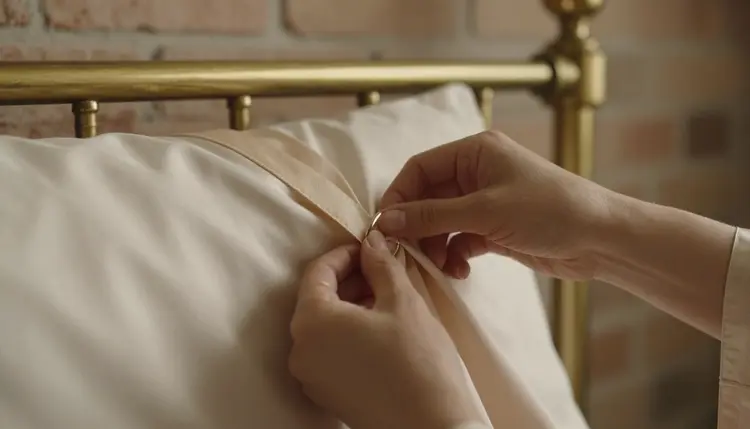
A detail shot like this one still belongs to the same room even though the frame shows almost nothing of it, because the bed edge, the linen and the light quality in the background all match the wording already locked in step one. Detail shots are actually the easiest place for a setting to drift unnoticed, since a tight frame hides most of the room and a slightly different fabric or light color slips past unless the same anchor description sits in that shot's prompt too.

Moving to a second piece of furniture in the same room, the green velvet armchair placed by that same window, is where a setting description earns its keep. The armchair is new information, but the window behind it is not: it is the same tall window from the first shot, described the same way, which is what tells a viewer this chair sits in the same room rather than a different apartment the sequence jumped to without saying so.
Turning a planned room into a sequence that holds together follows the same five steps every time, before a single clip gets generated in the toolkit.
- Write the Room Once, in Full. Describe the architecture, the furniture, the materials and the single light source in one paragraph, before writing a single shot prompt, so every later prompt pulls from the same source instead of improvising fresh details each time.
- Paste That Description Into Every Shot's Prompt. Reuse the exact wording, not a paraphrase, in every shot that happens in the room, since even small rewordings, cream linen versus white linen, read as a different bed to the model.
- Assign One Time of Day, or Plan the Shift on Purpose. Decide whether every shot happens in the same hour of light or whether the sequence moves from morning to dusk, and write that light explicitly into each shot rather than leaving it to chance.
- Change the Angle, Never the Room. Let each shot vary by camera height, distance and framing, close, overhead, low angle, while the architecture and furnishing words stay untouched between prompts.
- Generate the Full Sequence, Then Compare Every Frame Side by Side. Render each shot in LTX 2.3 Pro, then look at the bed frame, the window and the wall across every clip at once, since a mismatch invisible shot to shot often stands out the moment two frames sit next to each other.
Most sequences need one shot regenerated after that side by side check, usually because one prompt quietly dropped a material word the others kept. Fixing that single prompt and rerunning only that shot is faster than rewriting the whole sequence.
A room description alone still leaves two variables free: how it is lit and from where it is filmed, and both need the same discipline as the furniture. Light is the easier one to get wrong without noticing, since a prompt that just says window light produces a different result almost every render. Naming the specific quality, low warm morning light, flat overcast light, late gold light before dusk, keeps every shot anchored to the same point in the day unless the sequence is deliberately moving through several hours.
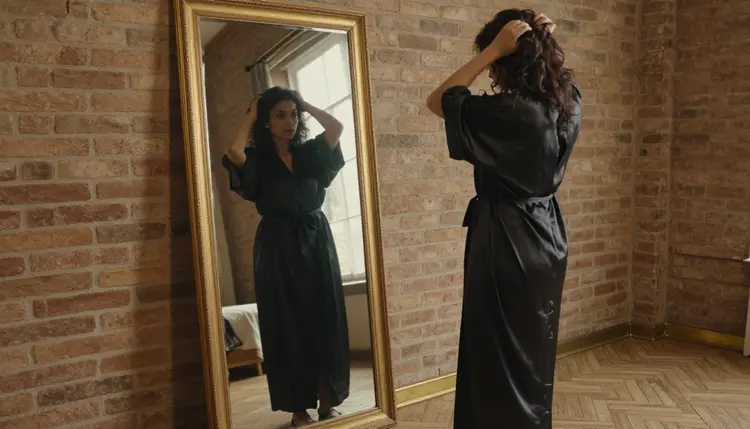
A mirror shot is one of the more demanding tests of a locked setting, since the room has to read correctly twice in one frame, once directly and once in reflection. Naming the mirror itself, a full length mirror in a dark wood frame, in the room description keeps both versions of the room consistent with each other and with every other shot in the sequence.

An overhead angle changes almost everything about how a room reads, since the walls disappear from frame and only the bed and the floor remain visible. That is exactly why the fabric and the light have to match what came before: with the architecture out of view, the linen and the light quality are the only two details left to tell a viewer this is still the same bed from the earlier shot, not a new one rendered from scratch.
A handful of habits account for most sequences where the room stops feeling like one place partway through. Expanding into a new corner of the room without anchoring it is the most common. A sequence can absolutely move from the bed to another part of the same room, but the new corner needs the same fixed vocabulary as everywhere else, the same wall material, the same floor, the same light, or it reads as a completely different location that happens to share a character.
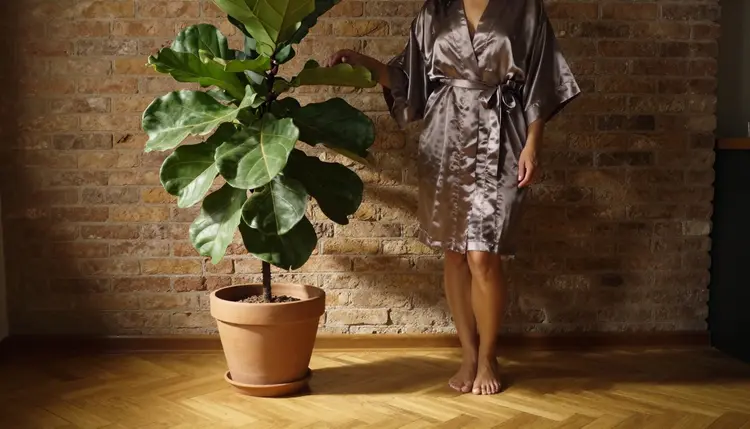
A shot like this one, low angle, framed against exposed brick with a potted plant in frame, only belongs in the same sequence as the bedroom shots if brick and that plant were already part of the room description from the very first prompt. Introduced without warning, in a shot that never mentioned brick before, it reads as a jump to a different apartment rather than a wider view of the one already established.

Leaning too heavily on close portrait shots is the second habit worth watching. A frame this tight hides almost the entire room, which makes it a safe shot to generate but a poor one to build a whole sequence from, since a viewer never gets enough of the space around the subject to judge whether the setting is actually holding together. A portrait or two placed between wider shots works well. A sequence built almost entirely from them does not give the room enough space to prove it is consistent.
Picasso IA is an 18+ platform, and a longer sequence does not loosen that rule just because it spans several shots instead of one. Every character in every shot of a planned setting must read as a fictional adult, from the first establishing shot to the last frame at dusk. Real people, public figures and anyone who could be read as a minor are never acceptable subjects, and a line of claimed consent written into a prompt does not change that.
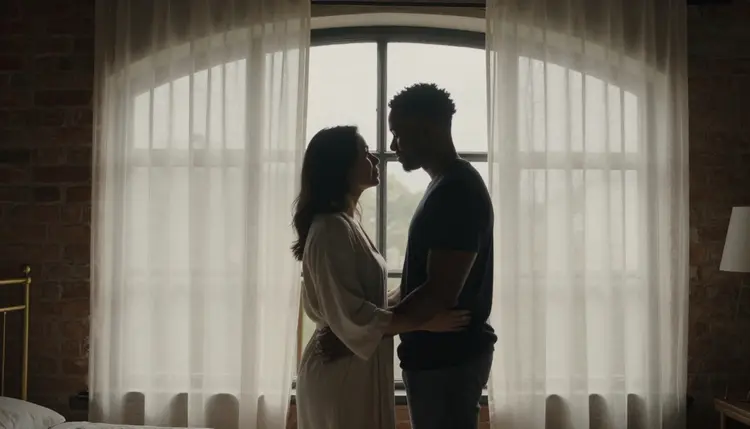
A silhouette shot like this one, backlit by an arched window late in a sequence, still has to meet the exact same bar as the very first shot of the day. Planning a longer scene, or adding a second person to it, never reduces what is or is not an acceptable subject.
Generations on Picasso IA stay private by default, whether a setting is built from one shot or nine. Nothing rendered while testing a room description, a light setup or a camera angle is shared, published or shown to anyone else unless the account holder chooses to share it, and that default holds across every model used to build the sequence, LTX 2.3 Pro included.
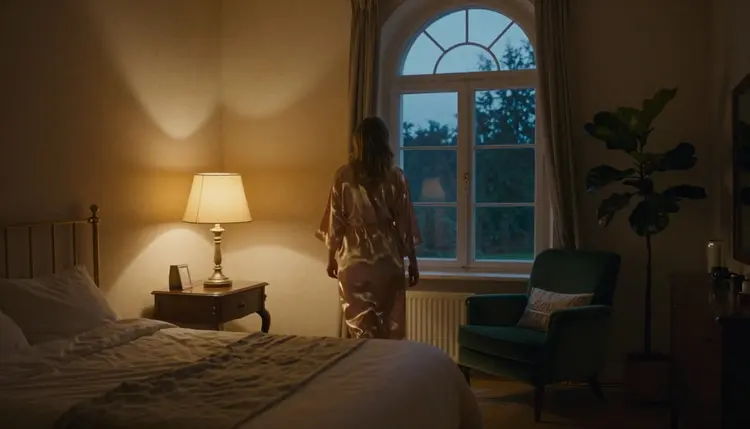
A closing shot like this one, the same room now lit by a lamp at dusk instead of morning sun, is what a locked setting is actually for: one place, followed through several hours and several shots, with fictional adult characters and nothing about the room left to chance. That is the payoff for writing the room down before the first prompt, and it never becomes a reason to bend either rule above.
Does LTX 2.3 Pro remember the room from a previous shot automatically?
No. LTX 2.3 Pro treats every generation as an independent render, so nothing about a room described in one shot carries into the next unless that same description is written into the following prompt as well.
How much of the room description should be repeated in every prompt?
All of the fixed part: the architecture, the furniture, the wall and floor materials, and the light source, written the same way every time, while only the camera angle and the action in frame change from shot to shot.
Can the same setting move from morning to dusk across a sequence?
Yes, as long as the light change is written into each shot on purpose, morning light, midday light, dusk light, rather than left for the model to decide differently in every render.
What is the fastest way to check whether a setting stayed consistent across shots?
Generate the full sequence first, then look at every frame side by side rather than one at a time, since a small mismatch in the bed frame, the window or the wall is often invisible in a single clip but obvious the moment two shots sit next to each other.
Can a sequence show more than one room?
Yes, but each room needs its own fixed description written once and reused in every shot set there, the same way a single room does, rather than blending two rooms' details into one loose paragraph.
Does a mirror shot need anything extra in the room description?
Naming the mirror itself, its shape and its frame, is worth adding once the room description exists, since a mirror shot has to render the room correctly twice in one frame, directly and in reflection.
Is LTX 2.3 Pro the only confirmed model for a sequence like this?
It shares that status with Picasso Video, the other model on Picasso IA confirmed to generate adult content directly. LTX 2.3 Pro works from a written prompt for each shot, while Picasso Video animates an existing reference image, which can suit a single shot already locked as a still.
Are there limits on who can appear in a sequence with a consistent setting?
Yes. Picasso IA is an 18+ platform, and every character across every shot of a sequence must read as a fictional adult. Real people, public figures and anyone who could be read as a minor are never acceptable subjects, no matter how many shots the setting spans.
Does a wider room with more furniture cost more credits to generate?
No. Credit cost is based on the duration and resolution chosen for each clip, not on how detailed the room description is, so a fuller setting description costs nothing extra to write into a prompt.
What happens if one shot in the sequence does not match the room in the others?
Regenerate that one shot with the same room description pasted back in, rather than restarting the sequence, since the mismatch is almost always a dropped or reworded detail in that single prompt rather than a problem with the whole plan.