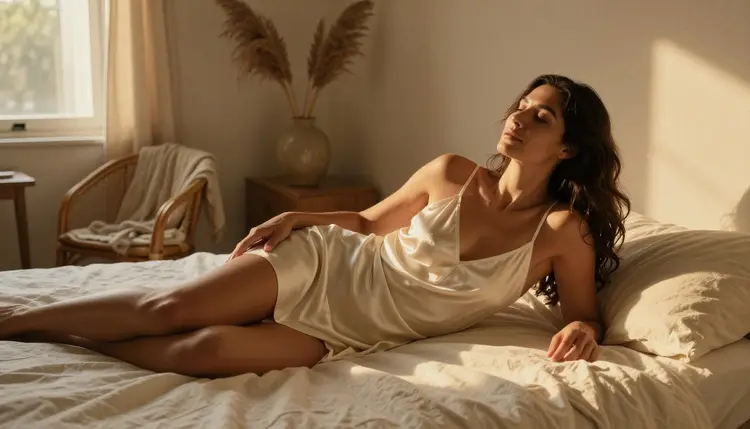
Two prompts can ask for the exact same pose and produce two completely different images: one flat and forgettable, the other with real weight and atmosphere. The difference is almost never the pose. It is the light. Golden hour through a curtain, a single candle flame, the cool blue wash of dusk through a window: each one tells the model how to shape a body, where shadow falls, and what mood the whole frame is supposed to carry.
This guide breaks lighting and mood into words you can actually drop into a prompt, walks through a five-step process for building one from scratch, and looks at how the confirmed uncensored models on Picasso IA each handle light a little differently. Every example on this page uses fictional adult characters, eighteen and over.
A generation model reads a prompt the way a photographer reads a call sheet: it builds a scene, then lights it. Skip the lighting entirely and the model defaults to flat, even studio light, competent but forgettable. Name the light and the model has to decide where shadow falls, how skin catches highlight, and what color the whole frame leans toward, and all three of those decisions are what a viewer actually reads as mood.
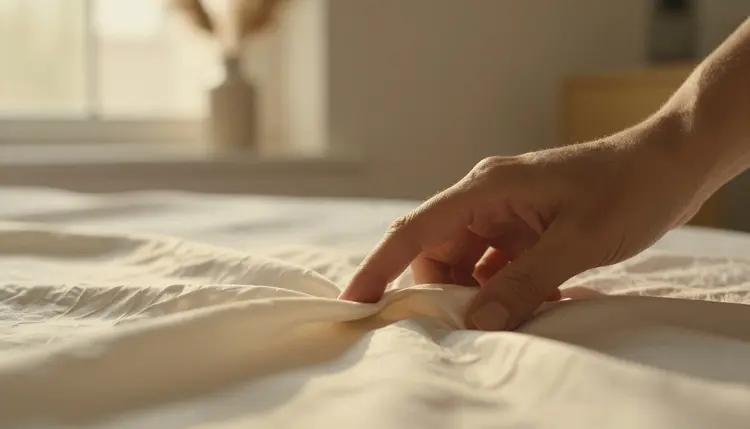
Warm, low, directional light like the one above reads as intimate almost automatically. A single phrase, golden hour, changes the color temperature, the shadow length, and the texture the model renders on skin and fabric alike. Swap that phrase for candlelight or blue hour and the entire emotional register of the same pose shifts with it, even though nothing else in the prompt moved. That is the leverage lighting has that pose and outfit descriptions do not: it sets the mood before a viewer even registers what is happening in the frame.
This matters more for a mature or intimate scene than almost any other kind of prompt, because mood is the difference between a suggestive, romantic frame and one that reads as clinical or flat. The rest of this page is a working vocabulary for that leverage, a five-step process for using it, and a look at how the six uncensored models on Picasso IA each render it.
Four kinds of light cover most of what a mature or romantic scene needs, and each one is a phrase a model actually recognizes rather than a vague mood word it has to guess at.
Golden hour is the warm, low, directional light in the thirty or so minutes after sunrise or before sunset. It throws long soft shadows, warms skin tones toward amber, and reads as tender or sun-drenched depending on the rest of the prompt. It is the most forgiving lighting phrase on this list and a safe default when nothing more specific is called for.
Candlelight is warmer still and much smaller as a light source, which means harder falloff: a face or shoulder lit by a single flame a few feet away goes from bright to shadow fast. Naming candlelight also pulls the model toward props that make sense with it, a nightstand, a flicker on the wall, a room that reads as private rather than staged.
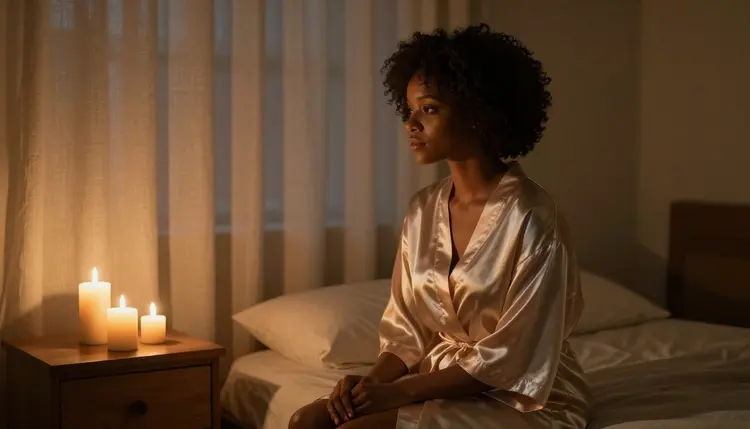
Blue hour is the window just after sunset or before sunrise, when the sky still holds light but the sun itself is gone. It renders as cool, slightly desaturated, and quiet, the opposite mood of candlelight even though both count as low light. A silhouette against a blue-hour window reads as pensive or private in a way plain daylight rarely does.
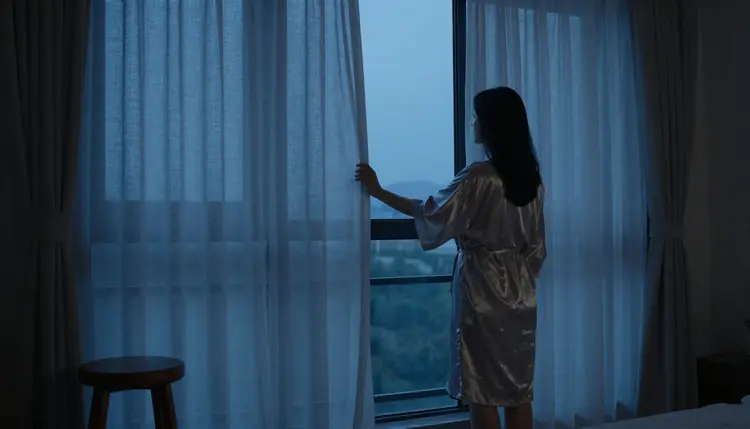
Soft diffused window light, the kind that comes through a sheer curtain or on an overcast day, is the most even of the four and the easiest to combine with a busy scene, since it does not compete for attention the way a hard shadow or a flame does. It is also the safest choice when the goal is a clear, flattering read of a character rather than heavy atmosphere.
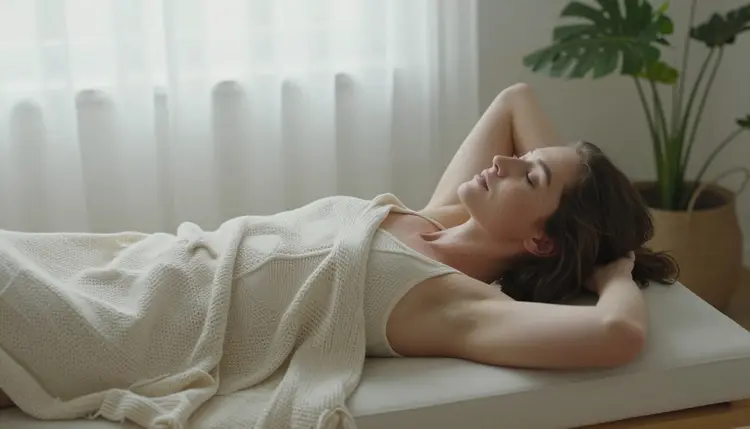
Pair any of these four with a mood word, intimate, tender, playful, contemplative, and a texture word, silk, satin, skin, and a prompt goes from a bare description to a scene with an actual emotional temperature.
Building a lighting-driven prompt is a short, repeatable process once the vocabulary above is in hand.
- Pick one light source before anything else. Decide whether the scene is lit by golden hour sun, candlelight, blue hour dusk, or diffused window light, and write that phrase early in the prompt so the model treats it as a scene-defining choice rather than an afterthought.
- Attach one mood word to the light. Intimate, tender, playful, or contemplative next to the light source tells the model what emotional register to aim for, not just what the room looks like.
- Name where the shadow falls. A phrase like soft shadow across the shoulder or backlit silhouette against the window tells the model how the light should shape the body, which is the detail that separates a flat render from one with real depth.
- Open the toolkit and choose a confirmed uncensored model. Picking one of the six filter-free models before generating, rather than after a rejection, saves a wasted first attempt on a model that will not run the prompt as written.
- Generate a small batch and compare the light, not just the pose. Look at where the highlight lands and how warm or cool the frame reads across the set, then adjust the lighting phrase, not the whole prompt, before generating again.
Picasso IA confirms six models run with no content filter: Seedream 4.5, Qwen Image 2, Recraft V4.1 Pro, Picasso Image Editor Pro, Picasso Video, and LTX 2.3 Pro. Each one carries light a little differently, and knowing which is which saves a round of trial and error.
Seedream 4.5 leans photorealistic, and it is the strongest of the six at rendering a specific light source believably: real skin catching a real highlight, fabric that behaves the way silk or satin actually does under a warm or cool source. It is the default pick when the goal is a convincing, photographic mood.
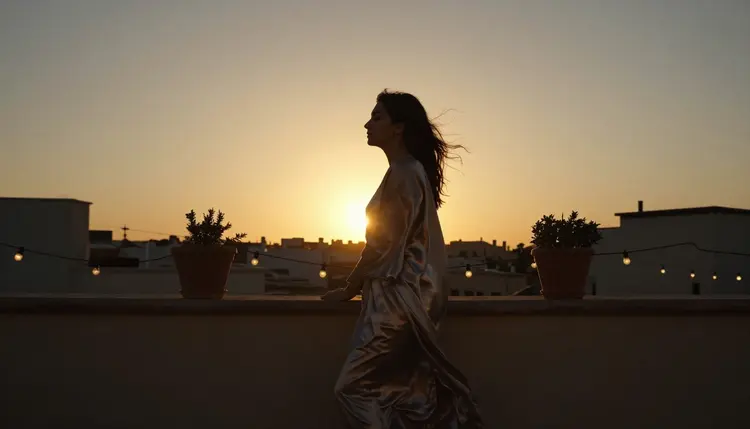
A golden sunset silhouette like the one above is exactly the kind of directional, high-contrast lighting Seedream 4.5 handles well, since it reasons about a real light source rather than painting a flat gradient behind the subject.
Qwen Image 2 is the open-source pick, and it holds up well when a prompt stacks several lighting and mood details at once, a candle, a window, a specific fabric texture, without losing track of any one of them.
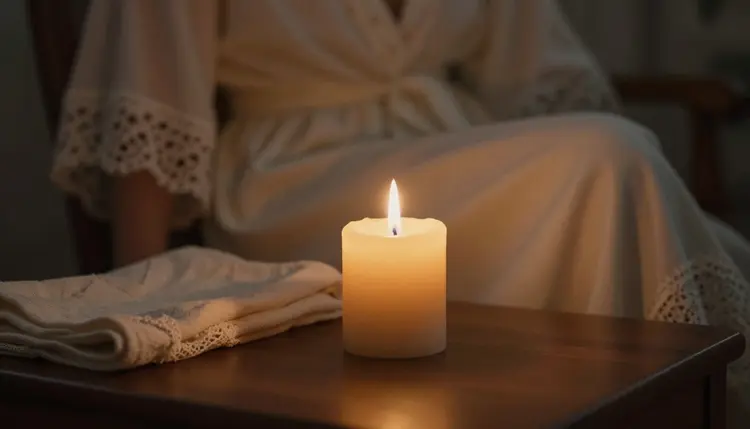
Recraft V4.1 Pro is the better choice when the brief is drawn or illustrated rather than photoreal, and it still responds to lighting phrases: a candlelit scene renders with warm flat color and clean shadow shapes instead of photographic falloff.
Picasso Image Editor Pro does not generate a scene from nothing, it edits one that already exists, which makes it the tool for correcting a lighting choice after the fact, brightening a shadowed corner, warming a cool frame toward candlelight, or fixing one detail a mirror caught wrong.
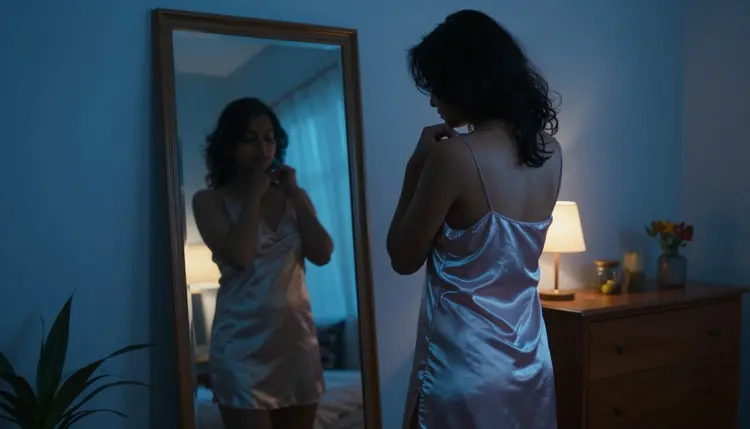
A blue-hour mirror scene like this one is a common edit case: getting the strap or the reflection exactly right often takes a second, targeted pass rather than a full regeneration.
Picasso Video animates a still image into motion, which means the lighting choice gets made once, in the source image, then carried into the clip. LTX 2.3 Pro generates video directly from a prompt and handles a moving light source, a flickering candle, a slow golden-hour pan, better than a model built only for stills.
Every scene described on this page is for adults only, eighteen and over, and this page and the models behind it are meant for adult use only. Every character in every example is fictional: no real person's likeness, no public figure, and no character built to resemble anyone real without their consent. No minor, and no character styled to look like one, in any lighting or setting. A prompt that crosses these lines is refused, and attempting one violates the platform's terms.
Removing the content filter on these six models changes what kind of scene can be described, not who is allowed to appear in it. The fictional-adult rule and the no-real-people rule apply the same way whether the light is candlelight or daylight.
By default, what gets generated stays private to the account that generated it. Nothing here is a promise about how a local law or a hosting platform treats what is later shared, and legal to generate is not the same as allowed to publish wherever you post it.
The single most common mistake is describing the pose in detail and leaving the light unnamed. Without a lighting phrase, most models default to a flat, even light that reads as a studio photo, competent but with none of the mood a candle or a golden-hour window would add.
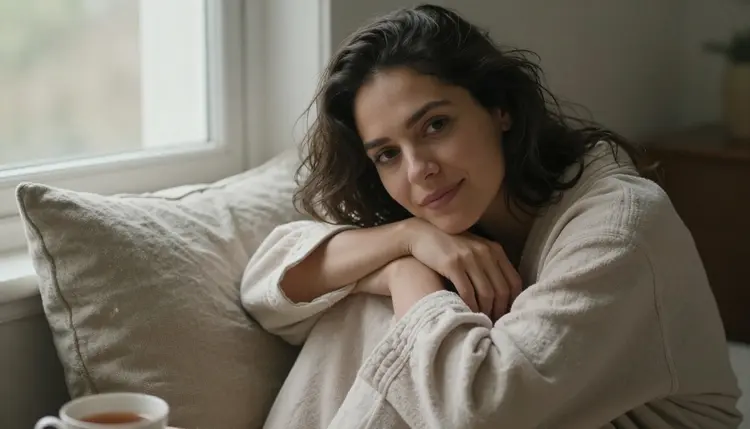
Plain daylight through a window, like the frame above, is a perfectly good choice when the goal is a clear, warm, approachable read rather than heavy atmosphere, but it is worth choosing on purpose rather than getting it by default because no lighting phrase was written at all.
Stacking too many light sources in one prompt is the second common mistake. Candlelight, moonlight, and a lamp in the same sentence gives the model three competing instructions instead of one clear scene, and the result usually looks muddier than any single light source would have on its own. Pick one primary source and let a second one, if there is one, stay secondary.
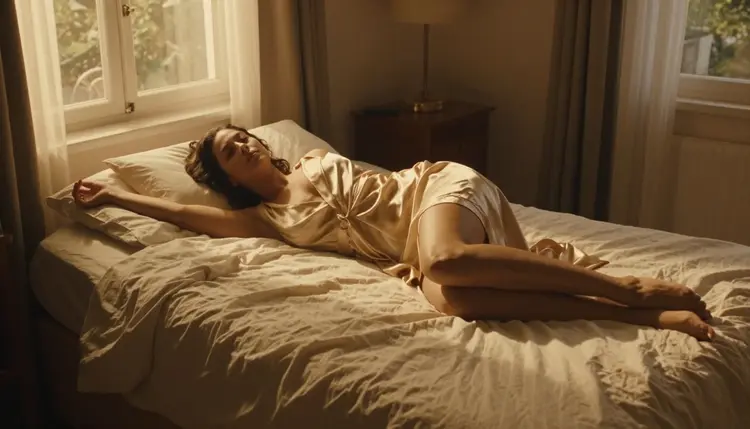
The third mistake is naming a mood word without a light to carry it. Romantic or intimate on its own is an instruction the model has to interpret without a visual anchor; paired with golden hour or candlelight, the same word becomes a specific, renderable choice instead of a guess.
What is the fastest way to add mood to an NSFW prompt?
Name one light source before describing anything else. Golden hour, candlelight, blue hour, or soft window light each carries its own mood on its own, so naming it early does more for the final image than a long list of pose or outfit details.
Which uncensored model on Picasso IA is best for realistic lighting?
Seedream 4.5 is the strongest of the six confirmed filter-free models at rendering a specific light source photorealistically, since it reasons about how real light behaves on skin and fabric rather than painting a flat gradient.
Can I combine more than one light source in a single prompt?
It is possible, but it is the most common way a lighting prompt goes wrong. Naming two or three light sources at once usually gives the model competing instructions and a muddier result than picking one primary source and, at most, one secondary one.
Do candlelight and golden hour produce different moods with the same pose?
Yes, noticeably. The same pose lit by warm, low golden-hour sun reads as tender or sun-drenched, while the same pose by a single candle flame reads as private and close, with harder shadow falloff. The light, not the pose, is usually what sets the mood.
Are all six uncensored models equally good at rendering mood lighting?
No. Seedream 4.5 is the strongest for photorealistic light, Qwen Image 2 holds up best when a prompt stacks several lighting details at once, and Recraft V4.1 Pro renders lighting phrases in a drawn or illustrated style rather than a photographic one.
Is every character in these lighting examples an adult?
Yes. Every example on this page uses fictional adult characters, eighteen and over, and no character is built to resemble a real person without consent. That rule applies regardless of how the scene is lit.
Can Picasso Image Editor Pro fix lighting on an image after it is generated?
Yes. It edits an existing image rather than generating a new one from scratch, which makes it the right tool for brightening a shadowed area, warming a frame toward candlelight, or correcting one detail a mirror or reflection got wrong.
Can I turn a lit still image into a moving video?
Yes, through a separate step. Picasso Video animates an existing still into a short clip, carrying whatever lighting choice was made in the source image, and LTX 2.3 Pro generates video directly from a prompt, including a moving light source like a flickering candle or a slow golden-hour pan.
Why does my image look flat even though I described the pose in detail?
Almost always because no lighting phrase was in the prompt. Without one, a model defaults to even, studio-style light, which reads as competent but flat. Adding a single lighting phrase, before adjusting anything else, is usually the fix.
Is it free to try these lighting prompts on Picasso IA?
New accounts start with free credits, enough to test several lighting and mood variations before deciding whether to buy more. Current credit amounts and plan pricing live on the pricing page rather than stated here, since they change as the catalog evolves.