Two of the best-known video models in the catalog get compared over and over for adult scenes: Kling v3 Video and Seedance 2.5. Both generate cinematic clips from a text prompt, both are popular with people who want a boudoir or glamour look in motion, and both come up in the same search. This page compares them the only fair way: with the same prompt, the same wardrobe and the same adult, fictional character, run through the toolkit so you judge the clips yourself.

We keep the claims small on purpose. Nobody outside the companies that make these models can promise how they treat an adult prompt on a given day, and their rules can change. What this page can tell you is what each model is, what is confirmed on Picasso IA and what is not, and how to set up a test that takes a few minutes. Everything here is provocative at most: lingerie, satin, swimwear, soft light, implied intimacy. Nothing explicit, and every character is a fictional adult.
Here is what is known and what is not. Kling v3 Video and Seedance 2.5 are both untested on Picasso IA. That means we have not confirmed either one as accepting or rejecting adult prompts, and we do not describe either as filtered or as filter-free. They are worth a try, nothing more. Picasso IA does not promise a result from them.
What is confirmed is a different model with a similar name: Seedance 2.5 Lite. Picasso IA tested adult prompts against that exact model repeatedly and watched it generate instead of reject. "Confirmed" describes that testing on Picasso IA. It is not a published setting of the maker, who can change a model at any time. You can read what the word means on the page about what confirmed means.
So the practical answer is a short sequence. If you want to see Kling v3 Video on an adult prompt, try Kling v3 Video. If you want Seedance 2.5, try Seedance 2.5. If either stops your prompt, switch to Seedance 2.5 Lite, the confirmed option, with the same prompt.

Seedance 2.5 and Seedance 2.5 Lite are two separate models. They share a family name and a look, but a result on one tells you nothing certain about the other. Keep that in mind when you read forum posts, which often mix the two.
Kling v3 Video. In the Picasso IA catalog its title reads "Generate Cinematic Video with Kling v3 Video". It sits in the text to video category, so the starting point is a written prompt, and the stated aim is a cinematic result. It is made by Kling, a product of Kuaishou. Picasso IA is not affiliated with Kling or Kuaishou. If its filters stop a prompt, check its current rules before you try again, because they are the maker's to set and to change.
Seedance 2.5. The catalog title is "Create 30-Second AI Videos with Seedance 2.5". It is also in the text to video category, and the title points to longer clips than the Lite version. It is made by ByteDance. Picasso IA is not affiliated with ByteDance either. As with Kling, if its filters stop a prompt, check its current rules.
Seedance 2.5 Lite. The catalog title is "Seedance 2.5 Free and Unlimited AI Video Generator up to 10 Seconds". It carries the infinity tag, which means it does not spend credits on the plans that include unlimited generation, and it is part of the small free trial on selected models. It is the confirmed one of the three.

Notice what the three titles say and what they do not say. They state a task (text to video), a style (cinematic) and a length (up to 10 seconds for Lite, 30 seconds in the Seedance 2.5 title). They do not say anything about audio, frame rate or resolution for the first two, so we do not either. When you open a model page, read the options it shows. That is the real list of what you can set.
A comparison only means something when only one thing changes. Keep the prompt, the character and the wardrobe fixed, and change the model. The steps below take a few minutes per model.
- Write one prompt. Describe a single fictional adult woman, a setting, a wardrobe and a camera move. For example: a woman in an ivory satin robe over a black bodysuit, standing at a tall studio window, soft diffused daylight, slow push in, 85mm lens, film grain, adult and confident.
- Open the first model. In the toolkit, select Kling v3 Video, paste the prompt and pick the options the page offers. Generate once and save the result.
- Open the second model. Select Seedance 2.5, paste the exact same prompt and keep the options as close as the page allows. Generate once and save the result.
- Add the confirmed model. Run the same prompt on Seedance 2.5 Lite. If another model refuses, the app shows "Content Not Supported by This Model" and offers models that accept adult prompts, carrying your prompt over so you do not retype it.
- Judge the three clips. Put them side by side and compare the motion, the fabric, the light and how well the clip follows your camera instruction. Then repeat with a second prompt before you decide anything.
A fair judgment looks at the clip and not at the name. One clip is a sample. Run two or three prompts with different light, for example golden hour and a lamp-lit hotel suite, and see which model you keep reaching for. Write down what you change between runs. If you change the prompt and the model at once, you learn nothing about either.
If you attach a reference image for the character, the toolkit gives it an @1 badge and you can refer to it in the prompt. Only models that accept several inputs show the badges, so check each model page. A fixed reference is a good way to keep the same woman across all three runs.
The table below keeps to attributes that can be stated without guessing. It uses the catalog titles and the status on Picasso IA.
| Kling v3 Video | Seedance 2.5 | Seedance 2.5 Lite |
|---|
| Task | Text to video | Text to video | Text to video |
| Stated style | Cinematic | Longer clips in the title | Up to 10 seconds |
| Maker | Kling | ByteDance | Picasso IA catalog listing |
| Status here | Untested | Untested | Confirmed |
| Unlimited tag | No | No | Yes |
| Where to try it | Kling v3 Video | Seedance 2.5 | Seedance 2.5 Lite |

Read the status row carefully. "Untested" is not a warning and it is not a promise. It means Picasso IA has not run enough adult prompts against that model to say either way. "Confirmed" means it has, and the model generated. The unlimited tag row is about credits only: a model with the tag does not spend credits on the plans that include unlimited generation, and the details live on the pricing page.
This section applies to every model on this page, confirmed or not.
Picasso IA's adult section is for people aged 18 or older. If you are not an adult where you live, close the page. There is no workaround and none is offered.
Every character you generate must be a fictional adult. Never use a real or identifiable person, never a celebrity, and never a prompt that describes or hints at anyone who could read as a minor. Write "woman" or "man" and give an adult look: mid twenties or older, mature styling, confident posture. A prompt that breaks this rule is outside what the section is for.
What you generate is private by default. It is tied to your account and not published or shown to others. Keep it that way: do not share clips of a real person's likeness and do not pass fictional characters off as real ones. Keep the content provocative rather than explicit, and respect the rules of any other service you use.

Pick the model by what you need from the clip, not by the name that gets the most searches.
Try Kling v3 Video first when you want to see a cinematic look from a written prompt and you are happy to treat the result as a test. It suits a single, controlled shot: a woman turning toward a window, a robe moving with a slow camera push, a balcony at dusk. If its filters stop the prompt, check its current rules, then move on without rewriting your whole idea.
Try Seedance 2.5 first when the length in its title matters to you, for example a scene that needs a slower build. The catalog title mentions 30-second videos, so open the model page and read what the options allow before you plan a long shot. It is untested here, so treat it as worth a try.
Try Seedance 2.5 Lite first when you want a result you can count on being generated. It is confirmed, it carries the unlimited tag and it is part of the small free trial on selected models, so a new account can run a few generations before it spends anything. Open the pricing page for the details. Credits for other models vary with the model and options such as duration, and the same page explains how they work.
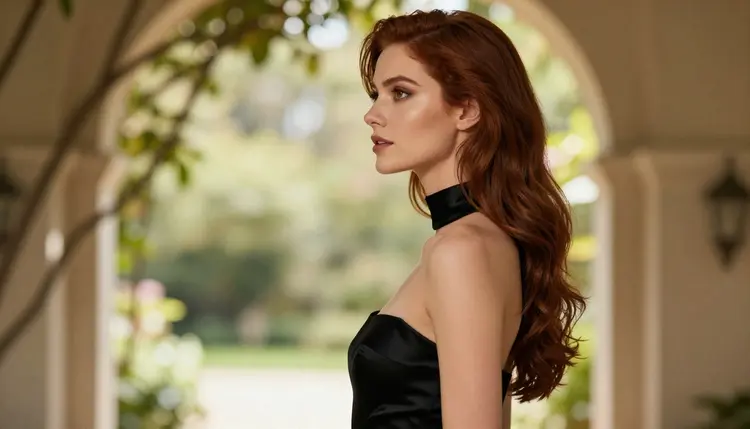
If you want another confirmed route, there are two more video models. LTX 2.3 Pro makes 4K video from text, and Picasso IA Video makes video from text or an image and is marked unlimited. You can also build the first frame as an image with Seedream 4.5 for a photoreal look or with Recraft V4.1 Pro for an illustrated one, and polish it with Picasso Image Editor Pro before you animate it.

Picasso IA also has other pages on neighboring comparisons. If you are weighing a different pair, read Wan 2.7 vs Seedance 2.5 or Grok Imagine vs Seedance 2.5. For the model on its own, see Kling 3 NSFW Video: Does It Work?, and for the family in Picasso IA's hands, NSFW Video with Seedance 2.5.
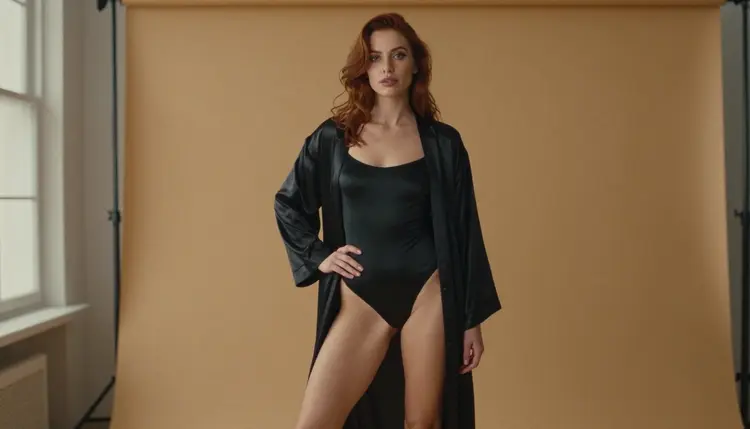
A last practical habit: keep your best prompt in a note, with the model it came from. When a clip works, you want to be able to rerun it with a small change instead of starting again. Prompts that name the wardrobe, the light and the camera move tend to carry from one model to the next better than prompts that only name a mood.

Is Kling 3 or Seedance 2.5 better for NSFW video?
There is no verified answer, and we do not rank them. Both are untested on Picasso IA, so neither is confirmed or described as filtered. Run the same prompt on each through the toolkit and judge the clips. If you want a model that is confirmed, use Seedance 2.5 Lite.
Is Kling v3 Video confirmed uncensored on Picasso IA?
No. It is untested here, which means we have not confirmed it either way. It is worth a try on a flirty, suggestive prompt. If its filters stop the prompt, check its current rules, and fall back to a confirmed model.
Is Seedance 2.5 the same as Seedance 2.5 Lite?
No. They are different models. Seedance 2.5 is made by ByteDance and is untested here. Seedance 2.5 Lite is the confirmed one, and a result on one does not predict the other. See Seedance 2.5 Lite.
What does confirmed mean?
It means Picasso IA tested adult prompts against that exact model repeatedly and watched it generate instead of reject. It is not a published setting of the maker, who can change it at any time. The full explanation is on the page about what confirmed means.
What happens if a model refuses my prompt?
The app shows a message titled "Content Not Supported by This Model". It recommends models that accept adult prompts and carries your prompt over, so nothing is retyped. You can pick one and generate again from the same text.
Can I use the same prompt on both models?
Yes, and you should. Keep the character, the wardrobe and the camera move fixed and change only the model. Where a model offers different options, keep them as close as you can. That is the only way to compare them fairly.
Do I need to install anything?
No. Picasso IA runs in the browser. Open the toolkit, choose a model and generate. The site is available in Arabic, English, Spanish, French, Hindi and Portuguese.
Is there a free way to try this?
A new account can try a small free trial on selected models, and Seedance 2.5 Lite is one of them. Kling v3 Video and Seedance 2.5 are not on that list. Details are on the pricing page.
Can I make clips of a real person or a celebrity?
No. Characters must be fictional adults. Never use a real or identifiable person and never anyone who could read as a minor. The section is 18+ only, and what you generate is private by default.
Are Kling and ByteDance connected to Picasso IA?
No. Picasso IA is not affiliated with Kling, Kuaishou or ByteDance. Their rules are their own and can change, so check their current rules when you use their models. For a longer look at the first model, read Kling AI NSFW Video Generation.