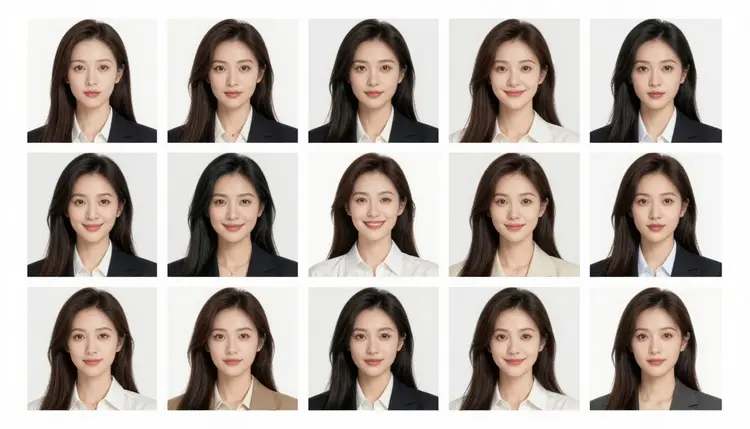
Picasso IA's catalog holds 488 models, and only 6 of them are confirmed to generate adult content directly, with no safety filter inspecting the prompt and refusing it before generation starts. Seedream 4.5 is one of those six, and it is the model this page builds around, specifically for batches of ten.
Ten is a different scale than three or four. At that size, batch generation stops being a quick spot check and turns into a real elimination exercise: you generate enough variations that the weak ones and the strong ones both become obvious, and the job shifts from hoping one image works to picking the best one out of a genuine spread. That only works if every image in the batch actually renders. A model that applies a content filter to adult prompts can refuse mid batch, so out of ten requested images, an unknown number might come back as refusals instead of renders. Seedream 4.5 does not have that problem for adult prompts, so a batch of ten reliably comes back as ten images to sort through, not ten uncertain attempts at getting past a filter.
This page focuses on the review side of that equation: moving quickly through ten images, cutting what does not work, and landing on a single winner without studying each result for as long as it took to generate it. That is a different job than generating two or three images just to check whether a prompt works at all.
Seedream 4.5 is a text to image model. You write a prompt describing a fictional character, a pose, a setting, and a style, and it renders that description into an image. It does not edit an existing photo, that job belongs to Picasso Image Editor Pro, and it does not produce video, which is what Picasso Video and LTX 2.3 Pro are for.
What matters for a batch of ten is how consistently Seedream 4.5 holds onto a character description across that many repeats. A clear prompt keeps producing a recognizable version of the same fictional character while pose, framing, and lighting shift between each one. That combination, a stable character with a varied presentation, is what makes a ten image batch worth reviewing: identical images give nothing to choose between, and a drifting character gives nothing consistent to pick from.
Seedream 4.5 is one of six models confirmed to generate adult content directly on Picasso IA:
| Model | Type |
|---|
| Seedream 4.5 | Text to image |
| Qwen Image 2 | Text to image |
| Recraft V4.1 Pro | Text to image |
| Picasso Image Editor Pro | Image editing |
| Picasso Video | Text to video |
| LTX 2.3 Pro | Text to video |
The other 482 models are not confirmed for adult prompts, and running a ten image batch on one of them risks the filter refusing several of the ten outright, defeating the point of a large batch.
Generating ten images from one prompt is the easy part. Reviewing them without losing track of which one was actually best is where most people slow down. The five steps below cover both halves: setting up the batch and working through it fast.
- Write a prompt built to survive ten repeats. Describe the fictional character, setting, and art style clearly enough that all ten images stay recognizable as the same character, since a vague prompt tends to drift further the larger the batch gets.
- Set the output count to ten and run it in one pass. Open the toolkit, select Seedream 4.5, set the batch size to ten, and generate the full set together so every image is judged against the same prompt and settings.
- Do one fast elimination pass across all ten thumbnails. Scan the grid once and remove anything with an obvious problem, like a distorted pose or a composition that does not match the prompt, without stopping to study any single image closely yet.
- Shortlist three finalists and open them full size. Take whatever survived the first pass, usually three to five images, and compare those at full resolution, since small thumbnail differences in expression and lighting often decide the final pick.
- Choose the winner and download it. Pick the single strongest image from the shortlist and download it, then set aside the rest of the batch rather than trying to reuse them elsewhere.
That two pass structure, a fast elimination followed by a closer look at a shortlist, is what makes a batch of ten manageable. Judging all ten images in full detail one at a time takes real time and tends to lose track of which one was actually best. Cutting obvious misses first and studying only the survivors turns ten images into a two or three minute task instead of ten separate judgment calls.
Ten is also large enough to expose problems a smaller batch can hide. A batch of three might all share the same flaw, since there is not enough spread to notice a pattern. Across ten, a recurring problem, like a pose the model consistently gets wrong, becomes obvious on the first pass, useful information for the next prompt even when none of the ten is a keeper.
A few habits make a ten image batch easier to review, not just easier to generate.
Put the character first. Hair, build, clothing or the lack of it, and any distinguishing feature should come before the scene in the prompt, since that is the part that needs to stay fixed across all ten images while everything else varies.
Name one art style, not several. A prompt that mixes styles, like asking for both a painterly look and a photorealistic look, tends to produce ten inconsistent results rather than ten strong variations on one style.
Describe the setting, not just the character. A prompt that only covers the character and skips the environment leaves the model to invent a background from scratch each time, which makes the batch harder to compare since backgrounds are shifting along with everything else.
Leave the pose open on purpose. The whole point of a ten image batch is a spread of poses and framing to choose from, so over specifying the pose narrows that spread and works against the reason for generating ten in the first place.
Do not stack contradictory requests. A prompt asking for two things that do not fit together, like a specific pose paired with an unrelated action, tends to produce weaker results across the entire batch, not just in one image out of ten.
None of this is about wording a prompt to get past a filter. Seedream 4.5 does not apply that filter to adult prompts, so there is nothing to word around. If a different, unconfirmed model refuses a prompt, switch to one of the six confirmed models instead of rewriting the request to disguise it.
Picasso IA's adult content tools exist for fictional characters only, generated for adult users. That applies to every image in every batch, including all ten at once. Do not use any prompt, reference, or model, including Seedream 4.5, to generate a real person's likeness, a public figure, or anyone who could be read as a minor, regardless of how the prompt is phrased.
A larger batch creates no exception to this. If a prompt violates the fictional characters only rule, a batch of ten produces ten violations, not one, and the same standard applies to every image, whether it is picked as the winner or set aside in the first elimination pass.
Within that boundary, fictional characters leave real room to work: original characters, characters built from a general description, and a specific art style or setting all fit. The technique here is meant to help land on the best version of a fictional character already described, not to test how the rule can be avoided.
Generating with Seedream 4.5 uses credits like any other model on Picasso IA, and a batch of ten images uses more credits than generating one, since each image in the batch is a separate generation. The exact cost depends on your plan and any free credits on the account, so check pricing for current numbers rather than relying on a figure here that could go out of date.
If ten feels like a lot to commit to on a first try, a smaller batch is a reasonable way to check whether the prompt works before scaling up to ten for the real selection pass. Once a prompt reliably produces strong results, running a full batch of ten is just a matter of spending more credits, not a change to the workflow.
Seedream 4.5 is not the only confirmed option if cost or style is a factor. Qwen Image 2 and Recraft V4.1 Pro are also confirmed to handle adult prompts directly, so checking pricing and the full catalog is worth doing if a different price point or look is what you are after.
Why generate ten images instead of three or four?
A batch of three or four is enough to check whether a prompt works, but it does not give much to compare against, since the differences can be minor. Ten produces a wider spread of pose, framing, and lighting, turning the review into an actual selection between strong and weak results instead of a quick pass or fail check.
Is Seedream 4.5 the only model that can generate a batch of ten?
Seedream 4.5 is the model this page focuses on because it is confirmed to generate adult content without a filter interrupting the batch, though the output count setting works the same way across models in the toolkit. For an adult prompt, what matters is using one of the six confirmed models, so the full batch of ten actually renders instead of some images coming back refused.
How do I review ten images quickly without missing the best one?
Work in two passes instead of one. Scan all ten thumbnails once and remove anything with an obvious flaw, then take the handful that survive and compare those at full size, since that structure catches the best result without requiring a close look at every single image in the batch.
Can I use this technique to generate real people?
No. Picasso IA's adult content tools are restricted to fictional characters only, and that applies to every model, including Seedream 4.5. Generating a real person's likeness, a public figure, or anyone who could be read as a minor is not permitted, regardless of how the prompt is written or how large the batch is.
Why did a different model refuse my adult prompt?
Most models in the catalog apply a content filter that inspects a prompt before generating anything, and if the prompt reads as adult content, the filter can refuse it. When that happens, the app shows a message that the content is not supported by that model and points toward the confirmed models instead, carrying the prompt over so it does not need to be retyped.
Does a batch of ten cost more credits than a single image?
Yes. Each image in a batch is a separate generation, so ten images use more credits than one would. The exact cost depends on the plan and any free credits on the account, so check pricing for current numbers.
Which other models are confirmed for adult content besides Seedream 4.5?
Five others: Qwen Image 2, Recraft V4.1 Pro, Picasso Image Editor Pro, Picasso Video, and LTX 2.3 Pro. Out of 488 models in the catalog, these six are confirmed to handle adult prompts without a filter blocking the request, and every other model should be treated as unconfirmed for this use.
Should I reword a prompt to get around a content filter on another model?
No. Disguising or rewording a prompt to sneak past a filter is not the intended path and is not reliable. If a model refuses an adult prompt, the straightforward move is switching to one of the six confirmed models, such as Seedream 4.5, and running the same prompt there instead.
What if none of the ten images in a batch look right?
Adjust the prompt and run another batch rather than trying to salvage a weak result. If the character, setting, or style was not specific enough, the whole batch tends to drift the same way, so tightening those details before the next run usually produces a stronger set.
Can I generate ten variations of a video instead of an image?
This batch and review technique is built around image generation with Seedream 4.5. For video, Picasso Video and LTX 2.3 Pro are the two confirmed models, though reviewing several video variations at once works differently than a ten image batch.