Art Nouveau is a look you recognize before you can name it: long curving lines, whiplash stems, flowers that bend like handwriting, gilded frames that wrap around a figure instead of boxing her in. Poster artists of the late nineteenth century built a whole visual language out of it. On this page you will bring that language into adult glamour imagery, with the mood kept provocative and never explicit.
The trick is to leave the poster itself behind and keep the ingredients. Flowing satin robes, lilies and irises, curved architectural arches, stained-glass light and candle glow can all be described in a prompt, and a good model draws them as a photograph on film. The model that handles this best is Recraft V4.1 Pro, which is one of the confirmed models in Picasso IA.
You will find a short explanation of the look, the confirmed models, a five step method, seven prompt ideas written out in full, the rules of the section and a ten question FAQ. If you prefer a different costume world, the fantasy art page and the steampunk art page use the same method with other wardrobe and sets.
Art Nouveau is built on a few repeatable shapes. The S curve of a flowing sleeve. The arch of a window that echoes the arch of a shoulder. Botanical forms such as lilies, irises, poppies and ferns that frame the subject. Warm gold against deep green and burgundy. When you write these shapes into a prompt as wardrobe, props and architecture, the picture inherits the rhythm of the style without needing any text or poster layout.
Recraft V4.1 Pro is listed in the catalog as a model for print-ready images at 2K, and it is known in the app for illustration and design. That makes it a natural fit for a look that was born in graphic design. It tends to respect composition: when you ask for a curved gilded frame behind the subject, you get a frame that follows the figure, not a rectangle pasted on top. Picasso IA has tested adult prompts against this exact model repeatedly and watched it generate instead of reject, which is what "confirmed" means in this section. It is not a published setting of the model's maker, who can change it at any time, and the page on what confirmed means explains the details.
The second ingredient is light. Art Nouveau interiors were famous for colored glass, so a prompt that mentions stained-glass light, candlelight or dappled shade through ferns gives the picture warm patches of amber and green that sit on satin like paint. Soft overcast daylight works too, because it keeps the fabric folds readable. Pick one light per prompt. Mixing three sources usually flattens the result.
The third ingredient is the camera. Because the house look of this section is raw photography on film, ask for a lens and an aperture, for example 85mm f/1.8 for portraits and 24mm f/2.8 for wide room shots. The look stays photographic, with natural grain and real fabric, and the Art Nouveau character comes from what is in front of the lens.
Picasso IA keeps a short list of models that have been tested with adult prompts and confirmed. For this look the image models matter most, and the video models are there for the moment you want the robe to move. The table lists all six with what each one is best for.
Start with Recraft V4.1 Pro, because the look is design-led. Switch to Seedream 4.5 when you want the skin and fabric to read as photoreal as possible and the frame to be sharp at 4K. Use Picasso Image Editor Pro when the picture is nearly right and you only want to change one thing, such as the color of the robe.
Other models in the full catalog are untested: nobody at Picasso IA has checked them against adult prompts, so they are neither confirmed nor ruled out. They are worth a try if you like their style, and if one declines a prompt, the app shows the refusal message and sends you toward the confirmed models with your prompt carried over.
The method is the same every time, and each step takes a minute or less. Read it once, then keep it as a checklist.
- Open the toolkit and pick the model. Go to the toolkit and choose Recraft V4.1 Pro as your image model. Leave the first run at the default settings so you can judge the raw result.
- Describe wardrobe and set. Name the robe fabric and color, then two or three botanical props and one curved architectural element, such as a gilded arch or a carved bench.
- Set the light and the lens. Choose one light source (candlelight, stained-glass light, overcast window) and add a lens such as 85mm f/1.8 so the picture reads as film photography.
- Generate and review. Look at the hands, the fabric folds and the face. Check that the frames and arches curve around the figure and that no lettering appears anywhere in the picture.
- Refine or switch. Fix a single detail with Picasso Image Editor Pro, or run the same prompt on Seedream 4.5 to compare how each model draws satin.
Each idea below names wardrobe, set, light and angle. Copy it as it is, then change the colors and props to taste. The character is always a single adult woman, and all of them are written to stay suggestive rather than explicit.
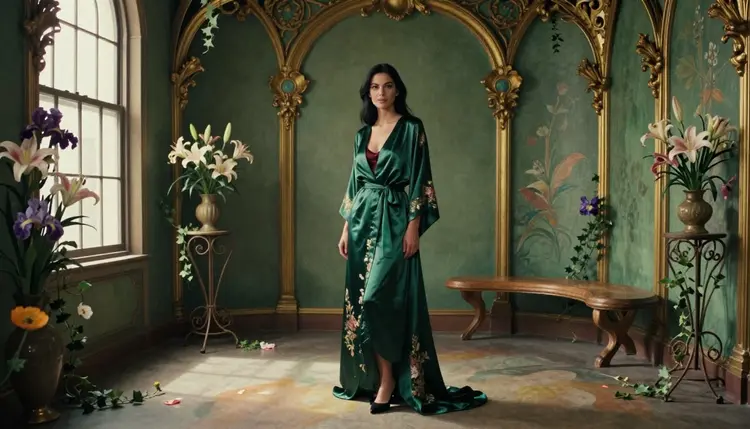
Emerald robe among gilded frames. A woman in her thirties stands in an emerald satin floral robe over a burgundy satin slip, in a room with curved gilded frames, lilies and irises. Overcast soft daylight, wide frame, 24mm f/2.8. This is the hero shot of the look: wide enough to show the set, soft enough to keep the satin folds clean.
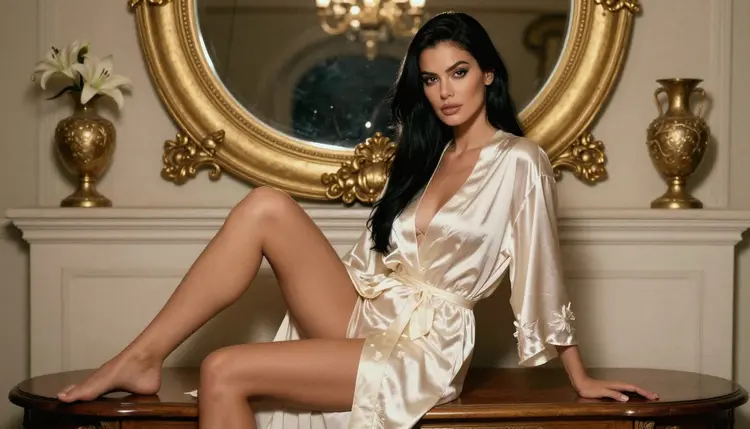
Ivory robe on a carved bench. She sits upright on a carved wooden bench in an ivory satin robe with a floral pattern, gilded frames behind her, golden hour backlight creating a warm rim along the hair. Three-quarter eye-level view, 85mm f/1.8. The backlight turns the satin edge into a thin line of gold, which is very much in the spirit of the style.
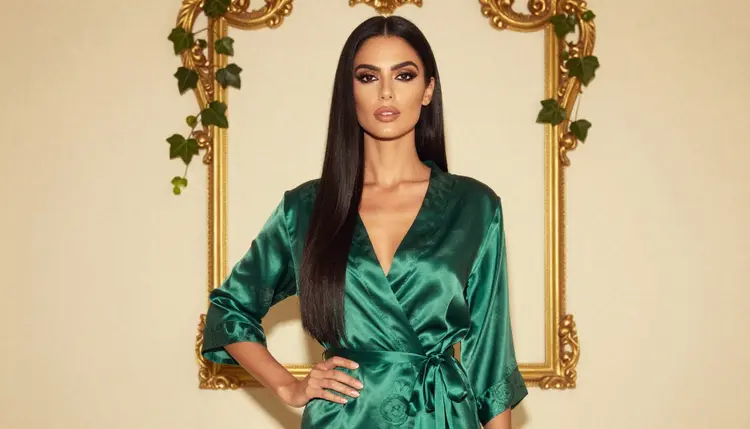
Profile before a curved frame. A strict side profile of the woman in an emerald satin robe, standing before a curved gilded frame, warm tungsten lamp light on one side of the face and the background left a little darker. 35mm f/2. Profiles echo the classic poster silhouette without making a poster, and the lamp adds a glow that suits the gold.
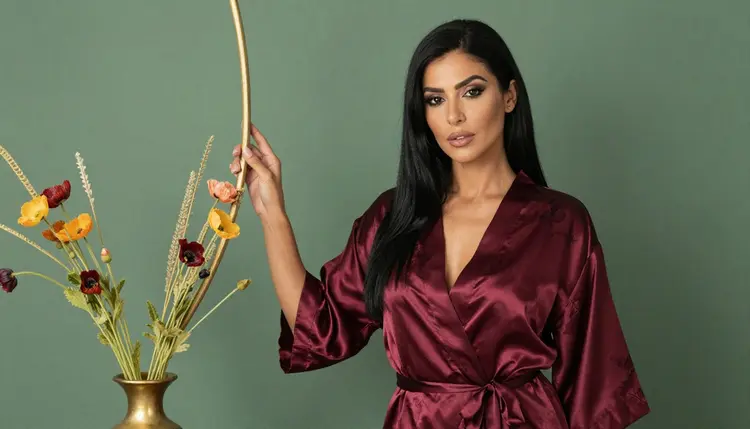
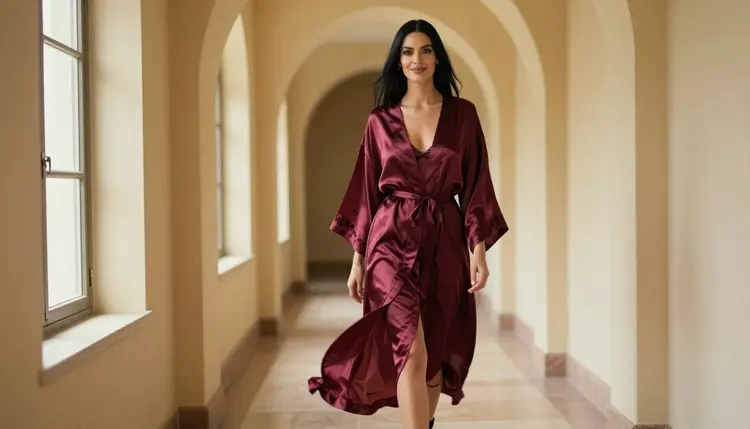
Burgundy robe beside poppies. A waist-up portrait in a burgundy satin robe, red poppies in a glass vase at her elbow, soft diffused daylight as if from a studio window. 24mm f/2.8. The robe and the flowers share a hue family, which makes the picture feel designed.
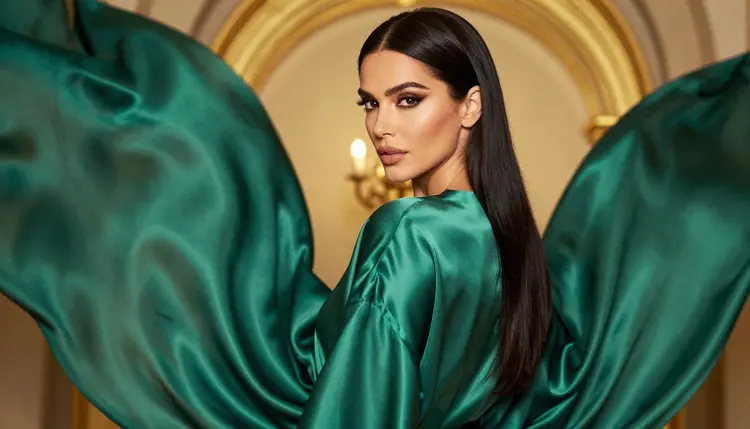
Glance over the shoulder. She looks back over her shoulder in emerald satin beneath a gilded arch, tungsten lamp light from the front left, 85mm f/1.8. This is a flirty angle that shows the back of the robe and the line of the neck, and it relies on the pose rather than on skin.
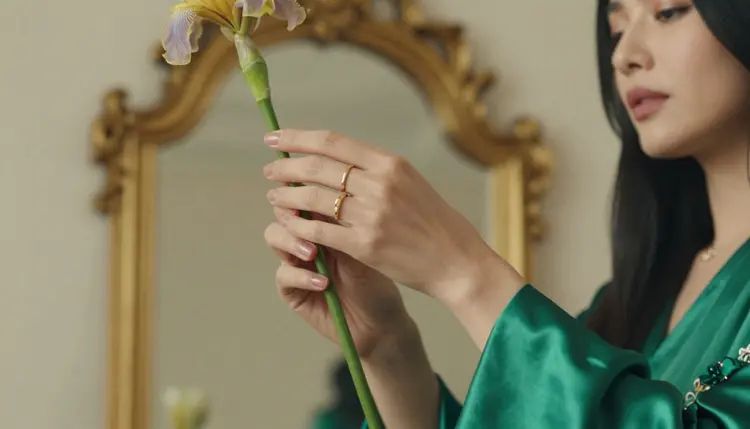
Iris stem and flowing sleeve. A detail frame of one hand holding a single iris stem, with the sleeve of an emerald satin robe falling in a long curve, dappled shade light, 135mm f/2. Specify "exactly one hand in frame" in your prompt, because details are where extra fingers like to appear.
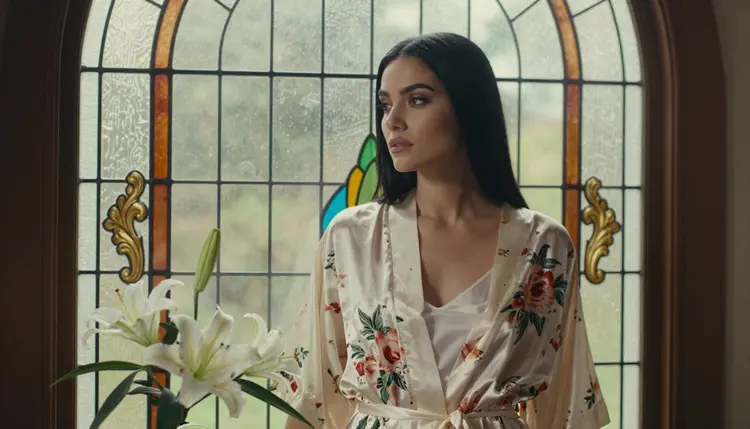
Window with lilies. The woman in an ivory satin robe looks out of an arched window with a vase of lilies on the sill, overcast soft daylight, 35mm f/2. It is a quiet, romantic frame, and it works as a calm opener for a set of pictures.
Candlelit salon. A wide environmental portrait: the woman seated among candles, gilded frames and flowers in an emerald satin robe, candlelight as the only source, 85mm f/1.8. Candlelight pushes the whole palette toward amber, which makes gold read richer. Keep the number of candles modest, otherwise the model may add too many flames.
This section is for adults. You must be 18 or older to use it, and every prompt on this page assumes that. The pictures are provocative and never explicit, and the prompts here describe wardrobe, pose, light and mood, not anything beyond that.
Every character is a fictional adult. Do not use a real or identifiable person, a celebrity or a likeness of someone you know, and never write a prompt that could make anyone read as a minor. If a result looks to you like it could, discard it and rewrite the prompt with an older age and more mature styling.
What you create is private by default: it is tied to your account and not published or shown to others. Share a picture only if you decide to, and only if it is fictional and suitable for the people you share it with.
A new account can try a few generations for free on selected models: Picasso IA Image, Picasso Image Editor Pro, Picasso IA Video and Seedance 2.5 Lite. That is a small free trial, not access to the whole catalog, and it is enough to test the editing and video steps of this page. Credits, plans and the models marked unlimited are explained on the pricing page.
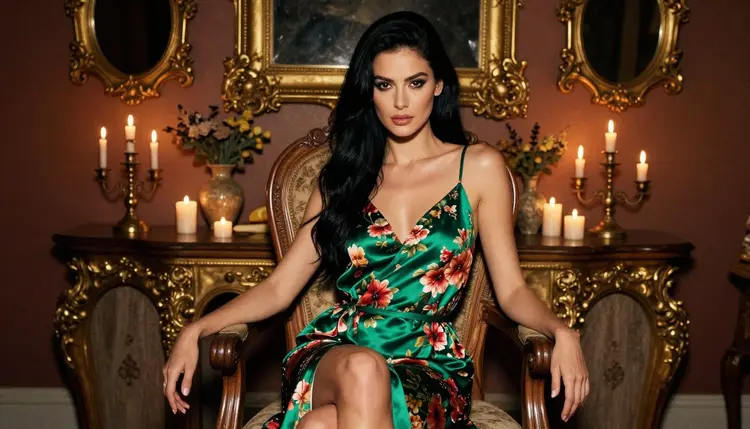
For the main look, Recraft V4.1 Pro and Seedream 4.5 are the two image models to compare. When you want the picture to move, send the finished frame to Picasso IA Video for image to video, or to LTX 2.3 Pro when you prefer text to video in 4K. A flowing robe and a candle flame are good material for motion, so a short clip of the same scene can be a satisfying next step.
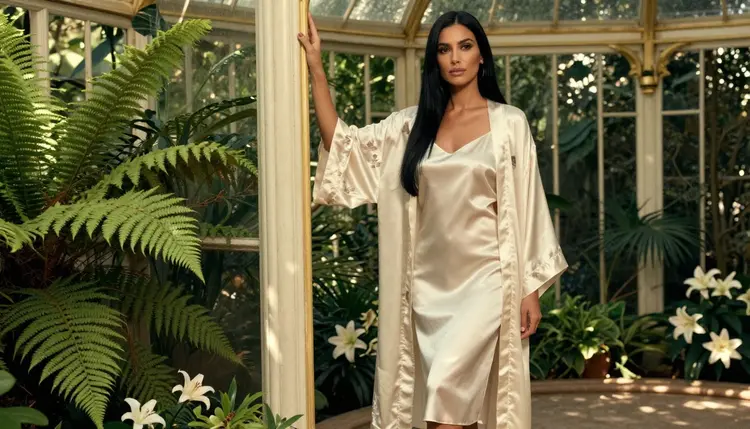
Browse the full catalog if you want to try models that have not been tested yet. They may or may not accept your prompt, and nothing on this page claims either, so treat them as experiments. For a darker costume world with the same workflow, the goth art page is a useful companion.
Which models are confirmed for NSFW Art Nouveau pictures?
Six models are confirmed in Picasso IA: Seedream 4.5, Recraft V4.1 Pro, Picasso Image Editor Pro, LTX 2.3 Pro, Picasso IA Video and Seedance 2.5 Lite. For still pictures in this look, use Recraft V4.1 Pro first and Seedream 4.5 as the photoreal alternative.
Why use Recraft V4.1 Pro for this look?
The catalog lists it for print-ready images at 2K, and it is strong on illustration and design. Art Nouveau is a design style, so a model that keeps curves, frames and botanical shapes organized suits it well. It is also confirmed, which means adult prompts were tested against it and generated instead of being rejected.
How should I word the prompt?
Name the robe fabric and color, two or three flowers, one curved architectural element, one light source and a lens. Describe what is in front of the camera instead of asking for a poster. Short, concrete prompts usually beat long lists of adjectives, and you can add details in a second round.
Can I put two characters in one scene?
You can, but results are cleaner with one. If you try two adults, describe each by wardrobe and position, and keep the set simple. The cosplay art page shows how to keep costumes distinct when more than one figure is in the frame.
What happens when a model refuses a prompt?
The app shows a message titled "Content Not Supported by This Model". It recommends models that accept adult prompts and carries your prompt over, so you do not have to retype anything. Pick one of the confirmed models and run it again.
Is this section only for adults and fictional characters?
Yes. You must be 18 or older, every character is a fictional adult, and no real or identifiable person is allowed. Do not write prompts that could make anyone read as a minor. The pictures are suggestive, never explicit.
Are my pictures private?
Generations are private by default. What you create is tied to your account and is not published or shown to others unless you choose to share it yourself.
Can I turn a finished picture into a video?
Yes. Send the frame to Picasso IA Video for image to video, or use LTX 2.3 Pro to build a 4K clip from a text prompt. Both are confirmed, and a flowing satin sleeve or a candle flame gives them natural motion to work with.
How do I change just one detail, such as the robe color?
Open the picture in Picasso Image Editor Pro and describe the single change, for example "make the robe burgundy". It edits an existing image and is marked unlimited in the catalog, so it suits small adjustments after the first generation.
Can I try this before paying?
A new account gets a small free trial on selected models, including Picasso Image Editor Pro, Picasso IA Video and Seedance 2.5 Lite. Details about plans and credits are on the pricing page, and you can start in the toolkit.