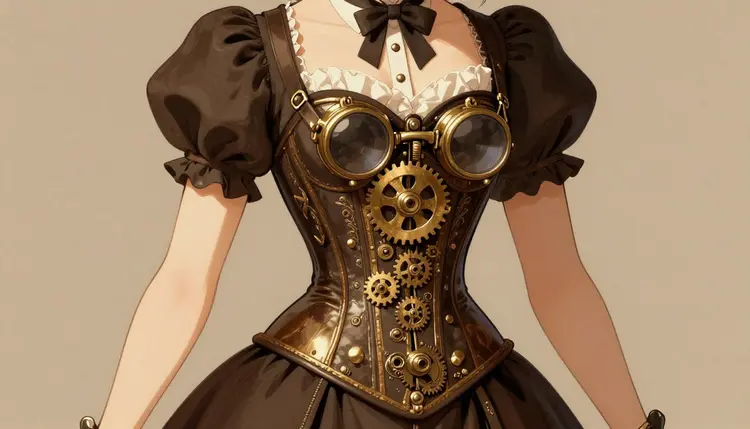
Most image models on the market ship with a safety filter that blocks adult prompts outright, no matter how clearly fictional the scene is. That is fine for family photos, but it gets in the way the moment you want a corseted airship captain with brass goggles and bare shoulders, or a clockwork automaton posed nude on a workshop table. Recraft V4.1 Pro is one of six models in Picasso IA confirmed to generate NSFW content directly, without a filter stepping in to refuse the prompt.
Steampunk is a demanding style to render well. It layers period costuming, exposed mechanics, brass and copper tones, leather straps, goggles, gears, and Victorian silhouettes into a single frame, and it usually needs to hold up at close range where small details like rivets and stitching actually show. Recraft V4.1 Pro is built for exactly that kind of prompt following, which is why it pairs so well with adult steampunk work: you can describe an intricate scene in plain language and expect the model to keep the mechanical detail, the costuming, and the nudity or adult framing all in one coherent image, instead of dropping half the prompt or refusing it.
You can start generating directly from the toolkit, where Recraft V4.1 Pro sits alongside the other 487 models in Picasso IA, or browse the full catalog if you want to compare it against other text-to-image options first.
Recraft V4.1 Pro is a text-to-image model. You type a description, it renders a still image, and it does not filter adult content the way most models on the platform do. That single fact is what makes it the practical choice for this kind of art: you are not fighting the model to get a scene through, you are just describing it clearly.
For steampunk specifically, that means the model handles the layered elements the aesthetic depends on: brass fittings and copper piping, leather harnesses and corsetry, clockwork joints on a mechanical limb, goggles pushed up on a forehead, an airship envelope in the background, gaslight or amber lighting. Because the model follows detailed prompts closely, you can be specific about which parts of the scene carry the adult content (a partially undone corset, exposed skin against metal plating, a nude automaton) and which parts carry the steampunk setting, and expect both to survive into the final image rather than one crowding out the other.
Recraft V4.1 Pro is a still-image model, so it is the right tool for portraits, character concept art, pin-up style compositions, and single-scene illustrations. If you later want to animate a steampunk character or turn a still into a short clip, that is a separate step using a video model such as Picasso Video or LTX 2.3 Pro, both of which are also confirmed filter free in Picasso IA. You can find Recraft V4.1 Pro's own page, with its examples and settings, at Recraft V4.1 Pro.
Getting a clean result on the first try is mostly about setup: picking the right model before you start, then giving it a prompt that separates the setting from the adult content so neither gets lost. Here is the process from an empty prompt box to a finished image.
- Open the toolkit and select Recraft V4.1 Pro. Head to the toolkit and choose Recraft V4.1 Pro from the text-to-image models. Starting on a confirmed filter-free model means you will not lose your prompt to a refusal partway through.
- Build the steampunk setting first. Describe the world before the character: an airship gondola, a clockmaker's workshop, a boiler room lit by gaslight, a brass observatory. This gives the model a coherent backdrop to place the subject in.
- Add the character and the adult content plainly. State the pose, the costuming or lack of it, and the body clearly and directly. Vague or coded language tends to produce vague or coded results, and there is no filter here to work around, so there is no reason to write around what you actually want.
- Generate and check the full image. Look at the whole frame, not just the subject. Steampunk scenes lean on background detail, gears, pipes, gauges, so a rushed check can miss a background element that clashes with the rest of the composition.
- Refine with a second prompt instead of starting over. If the pose is close but the lighting is off, or the mechanical detail needs more presence, adjust just that part of the prompt and regenerate rather than rewriting the whole thing from scratch.
The single biggest improvement you can make to a steampunk prompt is ordering: setting, then character, then the specific adult detail, in that sequence. Models read prompts roughly left to right in terms of emphasis, so putting the world first gives the character something to stand inside rather than floating on a blank background.
Material words do a lot of work in this style. "Brass," "copper," "leather," "brushed steel," and "aged wood" each pull the render toward a different texture, and naming two or three of them together is usually enough to establish the steampunk look without needing a long list of props.
| Element | What to specify | Example wording |
|---|
| Setting | Location and light source | airship cabin lit by an oil lamp |
| Costuming | Material and coverage | unbuttoned leather corset, brass buckles |
| Mechanics | What is visible and where | exposed clockwork gears on the left arm |
| Adult content | Pose and body plainly stated | reclining, nude from the waist up |
| Mood | Tone of the lighting | warm gaslight, soft shadow |
Keep the adult description as direct as the rest of the prompt. Because Recraft V4.1 Pro does not filter this content, there is no benefit to softening the language, and doing so tends to produce a vaguer image than stating exactly what you want.
Everything generated through Picasso IA, including with Recraft V4.1 Pro, is limited to adults and fictional characters. Do not attempt to generate the likeness of a real person, a public figure, or anyone who could be read as a minor. This applies to every model on the platform without exception, and it is not something a prompt can override.
Not every model in Picasso IA handles adult prompts the same way. Most apply a content filter, and when a prompt is flagged, the app shows a "Content Not Supported by This Model" message instead of an image. When that happens, Picasso IA carries your prompt over automatically and points you toward the models known to accept it, so nothing you wrote is lost. The correct response to a refusal is switching to one of those models, never rewording the prompt to slip past a filter on the original one.
The models currently confirmed to generate NSFW content directly, without that filter, are:
Any other model on the platform, including large well-known names, should be assumed to have a content filter unless you have tested it yourself and seen otherwise.
New accounts on Picasso IA start with free credits, which is enough to test Recraft V4.1 Pro on a steampunk prompt or two before deciding whether to subscribe. Credit costs vary by model and, for some models, by the settings you choose, such as resolution. For the current credit costs and subscription tiers, check pricing directly rather than relying on a number quoted elsewhere, since plans and costs are the kind of detail that changes over time.
There is no separate fee for generating adult content specifically. Recraft V4.1 Pro costs the same whether the prompt is a fully clothed airship captain or a nude one, since the model itself does not distinguish between the two the way a filtered model would.
Is Recraft V4.1 Pro really uncensored for NSFW prompts?
Yes. Recraft V4.1 Pro is one of six models in Picasso IA confirmed to generate NSFW content directly, without a safety filter blocking or altering the prompt. Most other models on the platform do apply a filter to adult content.
Do I need to disguise or reword an adult prompt to get it through?
No, and you should not. Recraft V4.1 Pro has no filter to work around, so writing plainly gets better results than coded language. If you are on a different model that does refuse the prompt, the fix is switching to a confirmed filter-free model, not rewording it.
Can I generate a real person or celebrity in a steampunk scene?
No. Picasso IA does not permit generating the likeness of real people or public figures, adult content or otherwise. Every image must depict a fictional character, and this rule applies across the entire platform, not just to NSFW prompts.
What happens if I try an adult prompt on a model that filters it?
The app shows a "Content Not Supported by This Model" message instead of generating an image. Picasso IA then carries your prompt over and suggests the confirmed filter-free models, so you can retry immediately without retyping anything.
Which other models can generate NSFW content besides Recraft V4.1 Pro?
The other confirmed models are Seedream 4.5, Qwen Image 2, Picasso Image Editor Pro, Picasso Video, and LTX 2.3 Pro. No other model on the platform is currently confirmed filter free.
Can Recraft V4.1 Pro animate a steampunk image into a video?
No, Recraft V4.1 Pro only produces still images. To animate a steampunk character or scene, use a confirmed video model such as Picasso Video or LTX 2.3 Pro as a separate step.
How much does it cost to generate NSFW steampunk art?
Cost depends on the model and, for some models, the settings used. Check pricing for current credit costs and plans rather than an estimate, since these details change over time. New accounts also receive free credits to test the model first.
Why does steampunk work well with Recraft V4.1 Pro specifically?
Steampunk relies on layered detail, brass, leather, clockwork, and costuming all in one frame, and Recraft V4.1 Pro follows detailed prompts closely, which keeps that detail intact instead of the model dropping or simplifying parts of the scene.
Is there a way to edit a generated image afterward?
Yes. Picasso Image Editor Pro is a confirmed filter-free editing model, useful for adjusting a Recraft V4.1 Pro output, such as changing a pose detail or a costume element, without regenerating the whole scene from scratch.
Where do I start generating with Recraft V4.1 Pro?
Open the toolkit and select Recraft V4.1 Pro from the text-to-image models, or view its dedicated page at Recraft V4.1 Pro for examples before you begin. You can also browse the full catalog to compare it against the platform's other models.