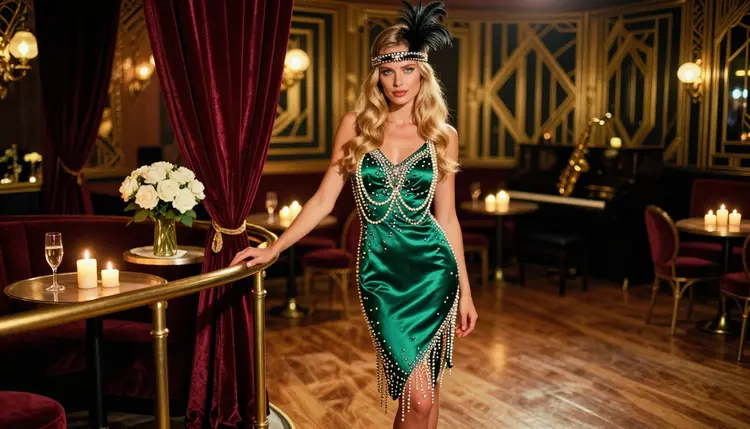
Flapper glamour is the look of the Jazz Age: beaded slip dresses that catch the light, feather headbands, ropes of long pearls, finger-waved hair and a lounge lit by candles. It is flirty and suggestive by nature, because the whole style is built on movement, shimmer and attitude rather than on showing anything. That makes it a natural fit for adult glamour art that stays on the right side of the line.
This page shows you how to generate that look with Recraft V4.1 Pro inside Picasso IA. You get the wardrobe vocabulary to type, a short walkthrough, seven prompt ideas and the rules that apply to every NSFW page here. Every character is a fictional adult, and everything you create stays private by default.
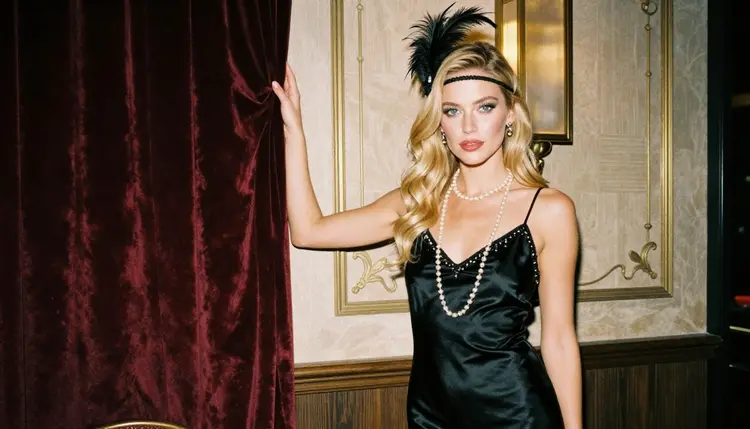
The flapper look is mostly surface detail. A beaded dress is thousands of tiny highlights. Pearls are curves and reflections. A feather headband is a soft edge against a dark room. If a model smears those details, the picture reads as a generic party dress. If it keeps them sharp, the picture reads as an era.
Recraft V4.1 Pro is listed in the catalog as a model for print-ready images at 2K, and it is the one the app has confirmed for adult prompts. In practice that means you can describe a beaded satin slip dress, a low back, layered pearls and a smoky lounge and expect it to generate the frame instead of rejecting it. Here "confirmed" means Picasso IA tested adult prompts against that exact model repeatedly and watched it generate. It is not a published setting of the model's maker, who can change it at any time.
The model also handles design-minded compositions well: clean silhouettes, strong color blocking, a deep emerald dress against warm brass and velvet. That suits the flapper era, which was all about bold shapes and confident color. Black, champagne, emerald, burgundy and ivory are the safest palette choices because they photograph well under candlelight.
One more reason to start here: the same woman can carry the whole set. Keep the hair, face and makeup description identical from prompt to prompt, change only the dress, the light and the angle, and you get a consistent mini series that looks like one editorial shoot. The era enters through props and costume, never through anything explicit.
For this look you have a few models that Picasso IA has confirmed for adult prompts. Start with the image models for the portrait, then move to the video models if you want the beads to swing and the candles to flicker. Each name below links to its page in the catalog.
Every other model in the catalog is untested for adult prompts. Untested does not mean filtered and it does not mean filter-free: it means nobody has checked it here. If you like the look of a model that is not in the table, it is worth a try, and the app will tell you plainly if it does not accept the prompt. You can browse everything in the full catalog.
The workflow is short. You pick the model, describe what she wears and where she stands, set the light, generate and then fix the small things. Here is the order that works well for this look.
- Open the toolkit and pick the model. Go to the toolkit, choose text to image and select Recraft V4.1 Pro. Paste your base description of the woman first so every later prompt starts the same way.
- Describe the wardrobe and the room. Name the dress fabric, its color, the pearls, the headband and the setting, for example a beaded satin slip dress in emerald, a feather headband and a candlelit jazz lounge with velvet booths.
- Set the light and the mood. Say candlelight, warm tungsten lamp light or late-afternoon side light, then add a lens such as 50mm f/1.4 or 85mm f/1.8 and a mood word like flirty or confident.
- Generate and review. Look at the beadwork, the pearl strands, the feather edges, the hands and the face. If a strand of pearls merges with the dress, regenerate with a shorter description of that area.
- Refine or switch. Send the picture to Picasso Image Editor Pro to fix one detail, or run the same prompt in Seedream 4.5 if you want a more photographic result.
If a model ever refuses a prompt, the app shows a message titled "Content Not Supported by This Model", suggests models that accept adult prompts and carries your prompt over, so you do not retype it.
These seven prompts all start from the same base: an adult woman with long honey-blonde waves, blue eyes and polished glamour makeup. Swap in your own base description and keep it fixed. The flapper details go in the wardrobe, the set and the light.
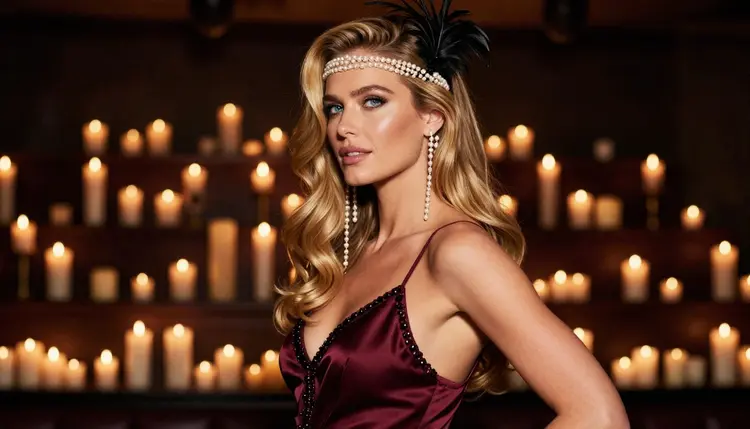
Black beads under a tungsten lamp. Full-length standing frame in a jazz lounge, beaded black satin slip dress with a low back, feather headband, long pearls, warm tungsten lamp light, 50mm f/1.4, raw photograph with film grain. The lamp gives the beads a dotted shimmer, and the dark dress keeps the background quiet.
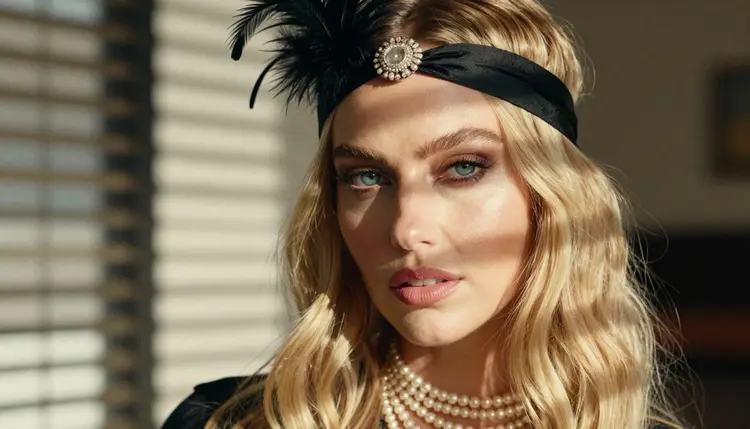
Pearls and feathers up close. Tight close-up portrait, feather headband, layered pearl strands resting on the collarbone, glossy red lipstick, morning sun through blinds striping the face, 50mm f/1.4. The blinds add hard stripes of light that feel like a film still from a smoky club at dawn.
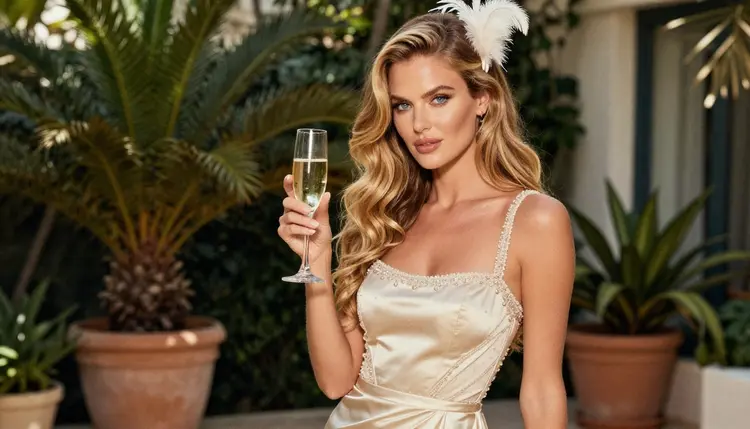
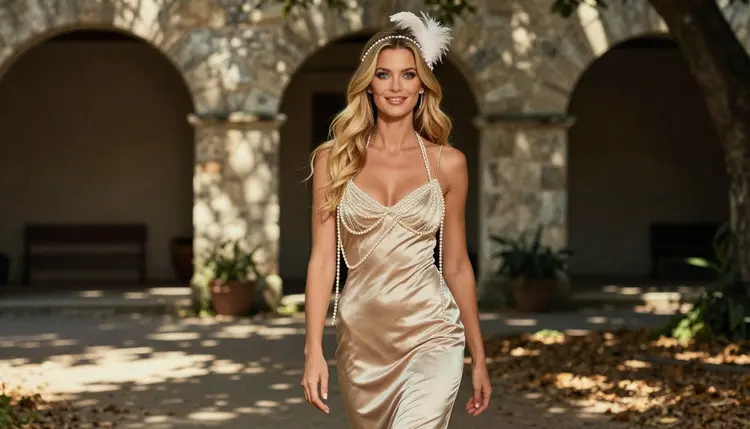
Champagne dress in a shaded courtyard. Candid three-quarter walking shot, champagne beaded slip dress that moves with each step, dappled shade light under an arched colonnade, 24mm f/2.8. This one is about motion and the swing of the fringe, so mention fringe and hem movement in the prompt.
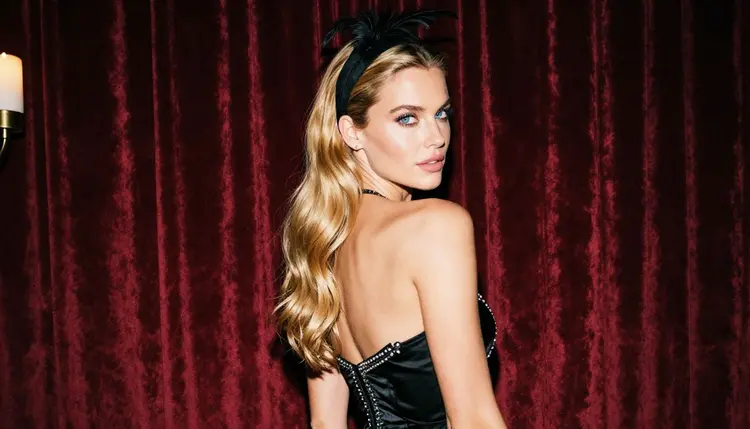
Burgundy silhouette before the candles. Profile silhouette, burgundy beaded dress, a row of candles behind the model, 70mm f/2.8, a deep dark background. Ask for a rim of warm light on the shoulder and the line of the pearls so the shape stays readable.
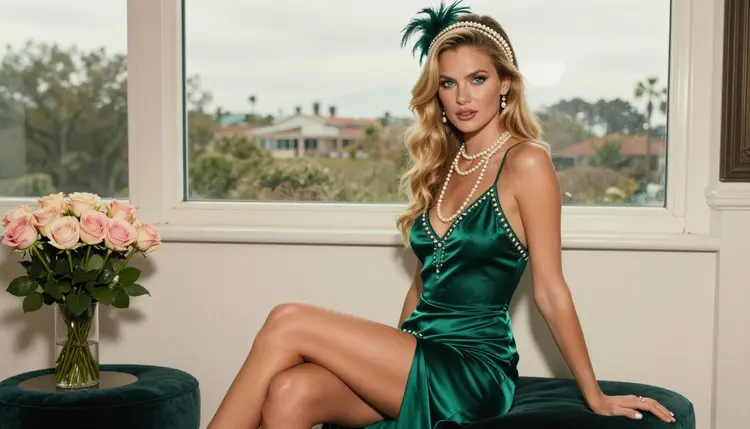
Ivory dress with a champagne coupe. Medium shot from the waist up, ivory beaded dress, a champagne coupe held loosely, finger-waved hair pinned up, dappled shade, 100mm f/2.8. A longer lens softens the background and lets the beadwork carry the frame.
Emerald dress on a velvet stool. Eye-level three-quarter view, the model seated upright on a velvet stool, emerald beaded dress, long pearls, overcast soft daylight, 50mm f/1.4. Soft daylight is forgiving and shows the true color of the green.
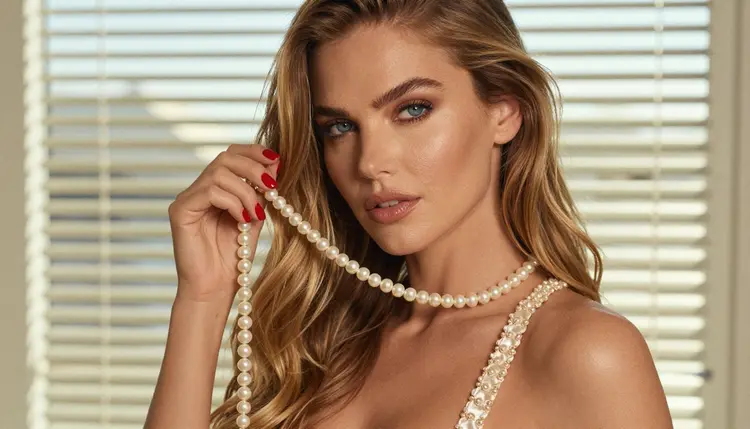
Detail of pearls and one hand. Detail shot of long ivory pearls lifted by one hand on a shoulder, a beaded strap in focus, hard morning sun, 85mm f/1.8. Say exactly one hand, because details with hands are where models most often add a finger too many.
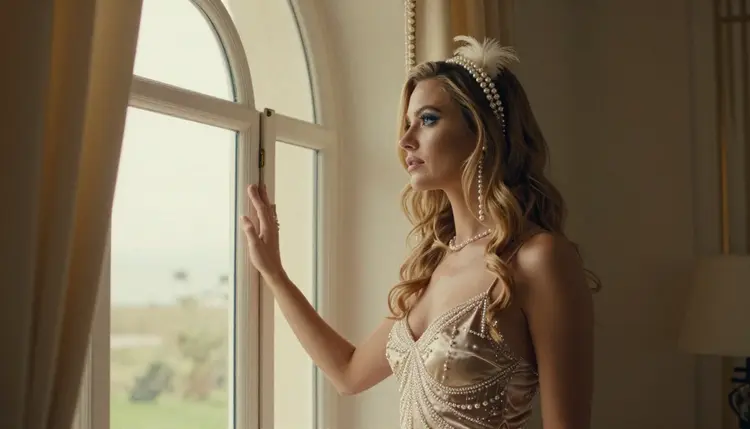
If you want an over-the-shoulder glance by a velvet curtain or a figure looking out of a tall arched window in late-afternoon light, use the same method: base description, dress, set, light, lens. For other looks built the same way, see disco glamour art and cosplay art.
This section is the same on every page of the NSFW area, and it applies here without exception. Picasso IA is for adults only, 18+. If you are under age, this is not the place for you.
Every character you create must be a fictional adult. Do not use the name or likeness of a real or identifiable person, and do not write prompts that describe or hint at anyone who could read as a minor. A flapper theme is about costume and mood, never about age.
What you generate is private by default: it is tied to your account and not published or shown to others. Keep it that way, and keep your prompts provocative but not explicit. The goal of this page is glamour, boudoir mood and period styling, and the models are confirmed for that kind of work.
A new account can try a small free trial on selected models, which include Picasso IA Video, Picasso Image Editor Pro, Picasso IA Image and Seedance 2.5 Lite. That is enough to test the editing and video steps of this workflow. Details on credits and plans live on the pricing page, and nothing there is needed to read this guide.
Recraft V4.1 Pro and Seedream 4.5 spend credits according to the options you choose, such as resolution. Models with the infinity tag in the catalog do not spend credits on the plans that include unlimited generation. Check the model page before you run a long session.
Beyond the confirmed list, the catalog holds hundreds of models, and all of them are untested for adult prompts. If you want to try one for a flapper scene, keep the prompt tasteful and treat the result as a test. When a model accepts the prompt you will see the picture, and when it does not you will see the refusal message and the suggested alternatives.
For a looser, more graphic take on the same adult themes, try comic art with the same model. Once you have a favorite portrait, a short clip with Picasso IA Video, LTX 2.3 Pro or Seedance 2.5 Lite brings the candles and the beads to life.
Which models are confirmed for flapper glamour art?
Recraft V4.1 Pro, Seedream 4.5 and Picasso Image Editor Pro for images, and LTX 2.3 Pro, Picasso IA Video and Seedance 2.5 Lite for video. Confirmed means Picasso IA tested adult prompts against each one repeatedly and watched it generate. Every other model is untested, not filtered and not filter-free.
Why use Recraft V4.1 Pro for this look?
It is listed for print-ready images at 2K and is strong on design and illustration. Flapper art relies on clean shapes, bold color and crisp beadwork, and that is where it does well. It is also confirmed for adult prompts, so you can describe the wardrobe directly.
How should I word a flapper prompt?
Start with one fixed description of the woman, then add the dress fabric and color, the pearls and headband, the room, the light and a lens. Use plain nouns such as beaded satin slip dress, finger waves and candlelight. Avoid explicit words, which are never needed for this style.
Can I put two characters in one scene?
Yes, as long as both are fictional adults. Describe each one separately with a clear position, such as one at the bar and one by the piano. If you want ideas for a duo layout, the cosplay art page shows a similar way of building a scene.
What happens when a model refuses my prompt?
The app shows a message titled "Content Not Supported by This Model". It recommends models that accept adult prompts and carries your prompt over, so you do not have to retype anything. Switch to one of the confirmed models and run it again.
Are the characters real people?
No. Every character is a fictional adult. Never use a real or identifiable person, and never write anything that could make a character read as a minor. Picasso IA is 18+ only, and the flapper theme is about costume, not age.
Is what I create private?
Yes. Generations are private by default: they are tied to your account and are not published or shown to others. You decide what to do with the files you download.
Can I turn a flapper portrait into a video?
Yes. Use Picasso IA Video to animate a finished image or a text prompt, or LTX 2.3 Pro for a 4K clip from text. Ask for gentle motion such as swaying fringe, flickering candles or a slow turn of the head.
How do I change one detail without redoing the picture?
Open the picture in Picasso Image Editor Pro and describe only the change, for example a longer pearl strand, a different headband or a darker lipstick. It edits the image you already have, so the rest of the frame stays as it was.
Can I try it before paying?
A new account gets a small free trial on selected models, including Picasso IA Video, Picasso Image Editor Pro, Picasso IA Image and Seedance 2.5 Lite. See the pricing page for how credits and plans work, then open the toolkit to start.