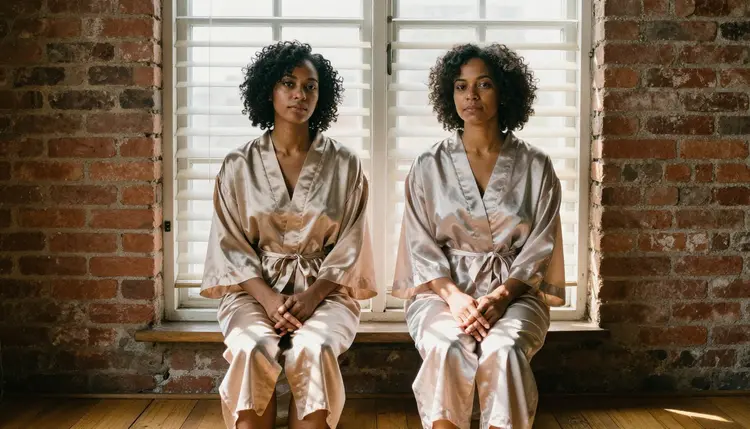
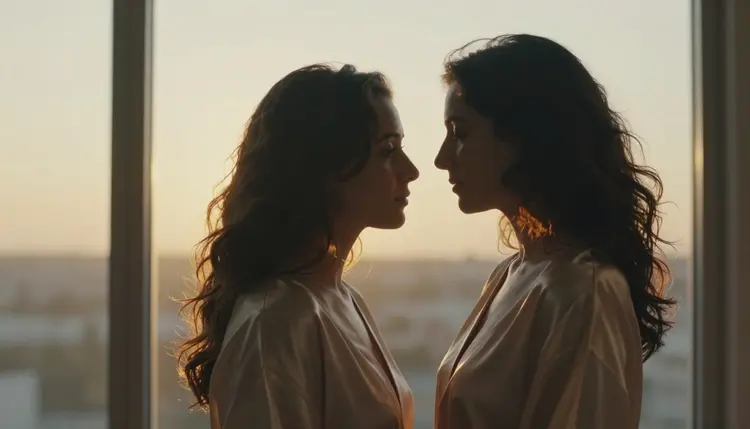
Two women in silk robes, foreheads touching, fingers laced together on a sunlit windowsill. That is the heart of lesbian couple art: tenderness and implied intimacy rather than anything graphic. It is a popular request for adult romantic imagery, and it is also one of the easier looks to get right once you know which words steer the model. This page shows how to make it with Seedream 4.5 on Picasso IA, what to type for wardrobe, light and lens, and which other models help when you want a video or a small edit.
Everything here is for adults. Both characters are fictional women in their mid thirties or older, and the pictures stay suggestive and romantic. You write the scene, choose the light, and the model draws two people who look like they belong in the same room.
Couple art lives or dies on small gestures. A hand resting on a shoulder, a forehead against a forehead, a robe slipping off one shoulder while the fabric stays opaque and fully lined. None of these needs a revealing outfit. They need two bodies placed close together, believable skin, and light that explains the mood. That is why the look is built from silk robes, linen sheets, brick walls and tall windows instead of anything explicit.
Seedream 4.5 suits this because it is a photoreal text-to-image model that works up to 4K, according to its catalog title: Create 4K Images from Text with Seedream 4.5. At that size, the weave of silk, the grain of an oak floor and the pores on a cheek survive a close crop. Picasso IA lists it as confirmed for adult prompts, which means it was tested repeatedly with adult scenes and generated them instead of rejecting them. That is the app's own testing, not a setting published by the model's maker, and it can change. You can read what the label means on the confirmed models explainer.
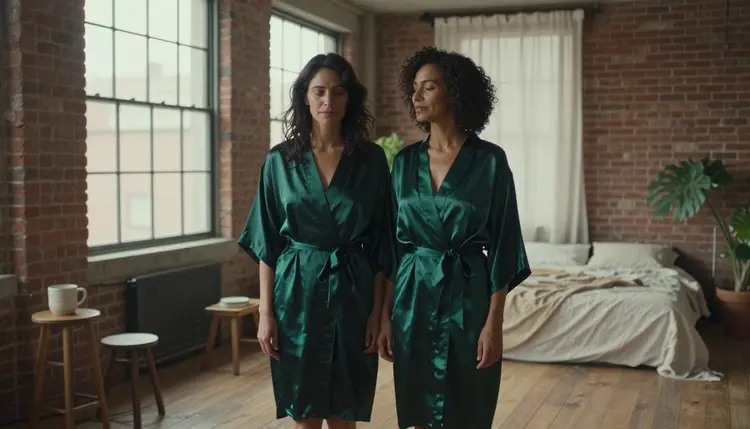
The second reason is how Seedream handles a pair. Two people in one frame often fail in the same ways: hands that merge, shoulders that float, faces that copy each other. Naming two distinct women with different heritage, hair and robe colors in the same sentence pulls the result apart in the right direction. A Brazilian woman in a champagne robe beside a Black woman with natural curls in an emerald one will read as two people, not one person drawn twice.
The look also rewards restraint. A prompt that stacks ten adjectives about mood usually flattens the picture. A prompt that says where the light comes from, what the fabric is, and what the hands are doing gives the model something to draw. Think of it as directing a short photo session: set, wardrobe, light, pose, lens. The rest of this page follows that order.
Six models in the Picasso IA catalog are confirmed for adult prompts, three for images and three for video. For a couple portrait you will mostly work with the first three, then reach for the video models if you want the scene to move.
| Model | Best for | Format |
|---|
| Seedream 4.5 | Photoreal couple portraits from text | Image, 4K |
| Recraft V4.1 Pro | Illustrated or poster-style couple art | Image, 2K, print-ready |
| Picasso Image Editor Pro | Changing one detail in a finished image | Image edit, unlimited tag |
| LTX 2.3 Pro | Slow, cinematic motion from text | Video, 4K |
| Picasso IA Video | Animating a still or writing a clip from text | Video, text or image, unlimited tag |
| Seedance 2.5 Lite | Short moving shots of the same scene | Video, up to 10 seconds, unlimited tag |
Seedream 4.5 is the starting point for this look. Recraft V4.1 Pro is the alternative when you prefer a drawn, graphic result: it is strong on illustration and design and delivers print-ready images at 2K, so it fits a framed poster of two women in a loft better than a photograph would. Picasso Image Editor Pro edits an image you already have, which is how you fix a robe color or a stray hand without starting over.
The rest of the catalog is a different story. Models such as Seedream 5 or Qwen Image 2 are untested: Picasso IA has not confirmed them either way, so they are worth a try and nothing more. If one of them returns a message instead of a picture, that tells you about that model on that day, not about your idea. The app then points you to the confirmed models and carries your prompt over, so nothing needs retyping. You can browse the rest in the full catalog.
The flow is short. Plan on one clear scene per prompt, and keep the first version simple so you can see what the model does with it before adding detail.
- Open the toolkit and pick the model. Go to the toolkit, choose Seedream 4.5 from the image models and set the widest frame you want. A 16:9 frame suits a loft with windows and brick.
- Describe wardrobe and setting. Name both women, their heritage and hair, the robe fabric and color, and the room: brick wall, oak floor, linen bed out of focus. Say the fabric is opaque and fully lined.
- Set the light and the mood. Pick one light source, such as hard morning sun through blinds or warm tungsten lamp light, then add one gesture: forehead touch, hands intertwined, a hand on a shoulder.
- Generate and review. Check the hands first, then the fabric folds, then both faces. Interlaced fingers are the usual trouble spot. If one detail is off, note it before you rerun.
- Refine or switch model. Fix a single detail with Picasso Image Editor Pro, rerun with a tighter prompt, or try Recraft V4.1 Pro for an illustrated version of the same scene.
If the toolkit lets you attach reference images for a model that accepts several inputs, each one gets an @1, @2 badge and you can refer to it in the prompt. That helps when you want the same woman in a second scene.
Each idea below names wardrobe, setting, light and angle. Copy one as a base, then change the robe colors, the heritage of the characters or the room.
Windowsill in striped sun. Two adult women in their late thirties sit on a loft windowsill in opaque silk robes, hands intertwined, hard morning sun cutting through blinds in stripes across the floor. Ask for a 100mm macro at f/2.8 and film grain, and let the stripes fall across their hands. The blinds do the dramatic work, so keep the pose calm.
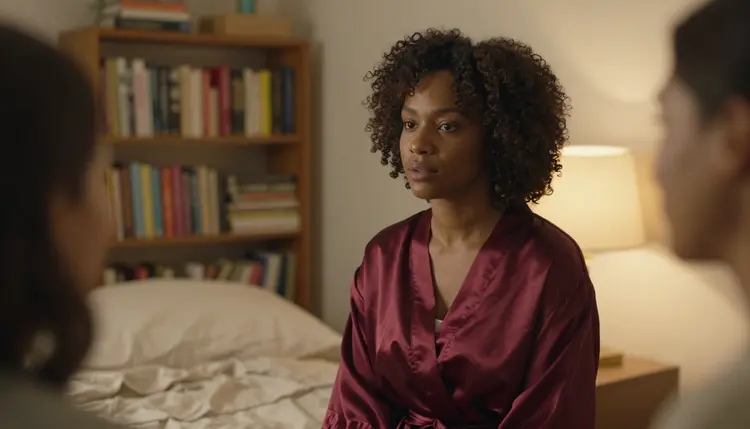
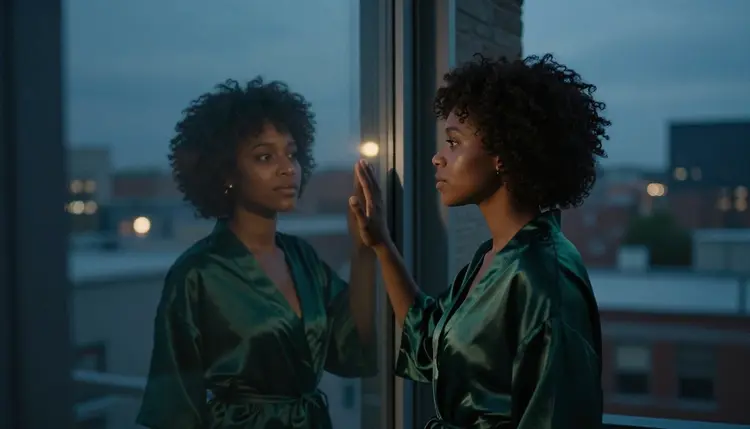
Lamp light, over the shoulder. A Black woman with natural curls in a burgundy silk robe, framed from behind her partner's shoulder, warm tungsten lamp light on her cheek, an 85mm lens at f/1.8. The shallow depth of field blurs the partner into a soft shape and leaves the face sharp. It is a good prompt for testing how the model handles skin under warm light.
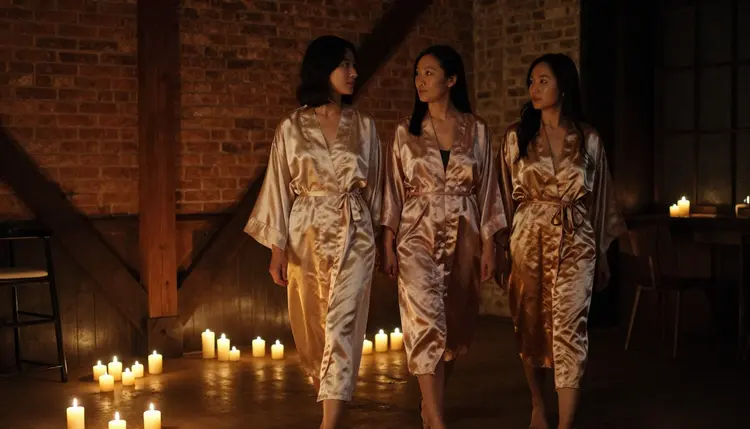
Candlelit walk. Two women in silk robes walk hand in hand past candles in a dim loft, a candid three-quarter frame shot with a 24mm lens at f/2.8. Candles give small, moving highlights and long shadows, so mention a few and let the rest of the room fall into darkness. It reads like a moment caught between two rooms.
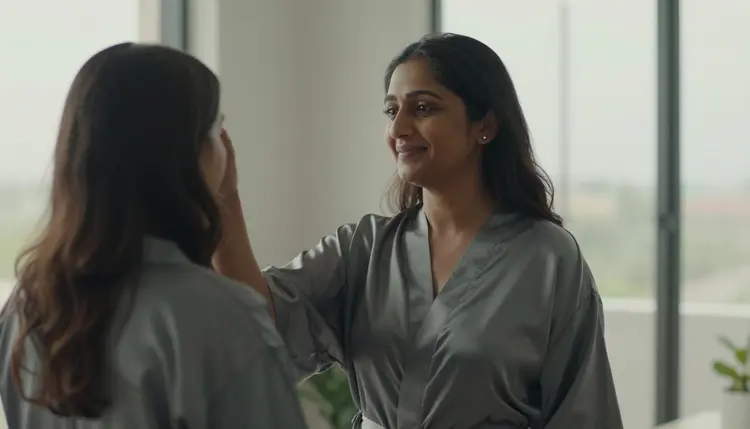
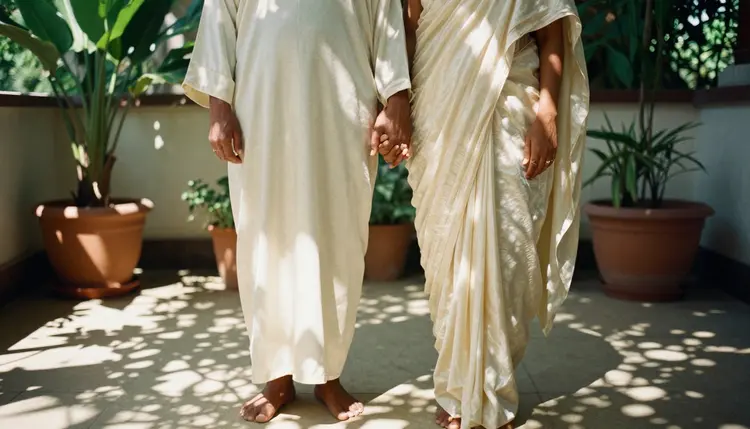
Terrace in dappled shade. A low-angle, full-length frame of a South Asian woman in an ivory silk robe beside her partner on a loft terrace, fingers linked, a 35mm lens at f/2. Dappled shade from leaves breaks the light into soft patches. Shooting from low makes the pair look taller and the sky part of the scene.
Overhead on the sofa. An overhead angle on two women lying together on a linen sofa in silk robes, hands intertwined, legs out of frame, a 135mm lens at f/2. Keeping the legs out of frame is a practical trick: it avoids awkward anatomy and keeps the emphasis on the hands, the fabric and the texture of the linen.
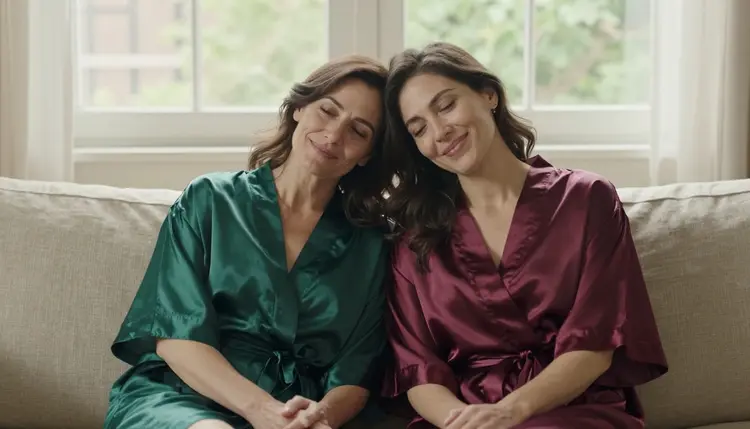
Heads together on the sofa. Two women in emerald and burgundy satin robes sitting close on a linen sofa, one resting her head on the other, both smiling, soft window daylight, a 50mm lens at f/1.8.
Golden hour silhouette. Two women in profile, foreheads touching, backlit by golden hour sun through a window, a 50mm lens at f/1.4. A silhouette hides detail on purpose, which makes it a safe frame when faces or hands keep coming out wrong. Ask for a thin rim of light on the hair and let the rest go dark.
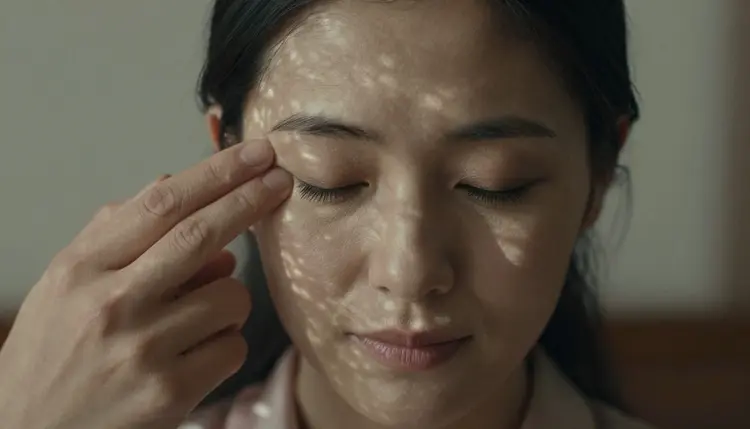
Close portrait, eyes closed. A tight close-up of a Central Asian woman with her eyes closed and her forehead against her partner's, soft dappled light, an 85mm lens at f/1.8. Fill the frame with skin, eyelashes and the edge of a silk collar. Close-ups are where 4K resolution pays off.
This section is short on purpose, and it applies to every image you make here. Picasso IA is for people aged 18 and over. If you are under 18, this page and the models it describes are not for you.
Characters are fictional adults only. Write women in their mid thirties or older, never a real or identifiable person, and never anyone who could read as a minor. If a result looks younger than you asked for, discard it and rerun with a clearer age and a more mature face description.
What you create is private by default: it is tied to your account and not published or shown to others. The art stays suggestive and romantic, in line with the rest of this section, so wardrobe, pose and light carry the mood and nothing is graphic.
A new account can try a few generations for free on selected models, including Picasso IA Image, Picasso Image Editor Pro, Picasso IA Video and Seedance 2.5 Lite. It is a small free trial on selected models, not a free pass across the catalog. Seedream 4.5 is not on that list, so check the pricing page for how credits work and which models carry the unlimited tag before you plan a long session.
If you want to run the same scene as video, Picasso IA Video turns a still or a text prompt into a clip, and Seedance 2.5 Lite is listed up to 10 seconds. LTX 2.3 Pro makes 4K video from text. Pick one of those when the forehead touch should become a slow movement instead of a frozen frame.
To build a larger series, look at sibling pages for related looks. Couples art with Seedream 4.5 covers mixed pairs in more settings, male couple art works the same way for two men, and wallpaper art shows how to compose the same kind of scene for a phone or desktop background. Anything outside the confirmed list is untested, so treat it as an experiment.
Which models are confirmed for NSFW lesbian couple art?
Six models are confirmed in Picasso IA: Seedream 4.5, Recraft V4.1 Pro and Picasso Image Editor Pro for images, and LTX 2.3 Pro, Picasso IA Video and Seedance 2.5 Lite for video. Confirmed means the app tested adult prompts on that model and watched it generate. Every other model is untested.
Why use Seedream 4.5 for this look?
It is a photoreal text-to-image model that works up to 4K, which keeps silk, skin and brick readable when you crop in. It is also confirmed for adult prompts in Picasso IA, so a Seedream 4.5 prompt about two women in robes is the sensible first try.
How should I word a prompt for this look?
Name the people, the fabric, the room, one light source, one gesture and a lens. For example: two adult women in opaque silk robes on a loft windowsill, hands intertwined, hard morning sun through blinds, 100mm macro, film grain. Short, concrete prompts beat long lists of mood words.
Can I put two women in one scene without them blending together?
Yes. Describe each woman separately with her own heritage, hair and robe color, then say what they do together. Distinct details keep the faces from copying each other. For more on pairs, see couples art with Seedream 4.5, which covers more mixed settings.
What happens when a model refuses my prompt?
The app shows a message titled Content Not Supported by This Model. It recommends models that accept adult prompts and carries your prompt over, so you do not retype it. Switching to one of the confirmed models is usually the next step.
Are the characters adults and fictional?
Yes, always. Every character is a fictional adult, mid thirties or older in this look. Nothing here involves a real or identifiable person, and no one who could read as a minor. Picasso IA is for people aged 18 and over, and results that do not match that should be discarded.
Are my images private?
Generations are private by default. What you create is tied to your account and is not published or shown to others. Sharing anything you make is your own choice, outside Picasso IA.
Can I turn a couple portrait into a video?
Yes. Picasso IA Video animates a still or writes a clip from text, and Seedance 2.5 Lite is listed up to 10 seconds. LTX 2.3 Pro makes 4K video from text. All three are confirmed models, so a candlelit walk or a slow forehead touch can move without leaving the confirmed list.
Can I change one detail, like a robe color?
Yes. Picasso Image Editor Pro edits an existing image, so you can recolor a robe, soften a shadow or fix a hand and keep the rest of the picture. It carries the unlimited tag in the catalog and is included in the free trial.
Can I try this before paying?
A new account can try a few generations for free on selected models, including Picasso IA Image, Picasso Image Editor Pro, Picasso IA Video and Seedance 2.5 Lite. The pricing page explains credits and unlimited models in detail, and the toolkit is where you start.