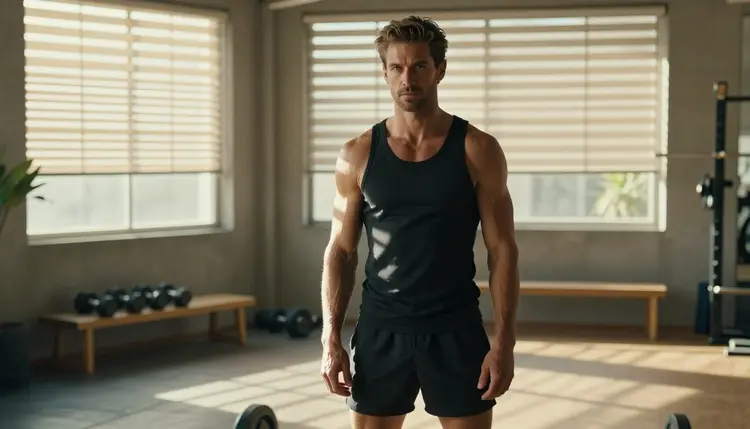
A good male fitness photo is made of a few simple things: a fitted tank top, a steel barbell, a window full of hard light and a man who looks like he owns the room. When you add the NSFW side of the look, the picture gets warmer and more suggestive, but it still lives on wardrobe, posture and light, never on explicit content. This guide shows how to build that kind of gym portrait with Seedream 4.5 inside Picasso IA, which prompts to write, and where to go when you want to fix one detail or turn a still into a clip.
Everything on this page is for adults. The man in every example is a fictional adult, the pictures stay provocative without being explicit, and what you generate is private by default.
Fitness photography is a style with clear rules. The body is the subject, so the light has to shape it: a hard sun that cuts through horizontal blinds and draws stripes across a shoulder, a cool blue-hour glow in an empty gym, a late-afternoon side light that picks out the texture of a towel and the grain of a wooden bench. The wardrobe stays simple and fitted, a tank top or a compression shirt that covers the chest, plus athletic shorts. The mood comes from the pose: a seated lean on a bench, a hand on a barbell, a look out of a tall window.
Seedream 4.5 is a good match for this because it is a photoreal text to image model that creates images up to 4K from a written description. It follows concrete details well. If you write the fabric, the color of the tank top, the kind of bench and the direction of the sun, the frame comes back with those things in it. Skin looks natural rather than plastic, metal reads as metal, and the shallow depth of field you ask for with a lens note such as 135mm f/2 gives the picture a real camera feel.
It is also one of the six models that Picasso IA has tested repeatedly with adult prompts and watched generate instead of reject. That is what "confirmed" means in the app. It is the result of Picasso IA's own tests, not a published setting of the model's maker, and the maker can change the model at any time. If you want the long version of that idea, the section on confirmed models below keeps it short and practical.
The result is a look that works for a fitness page, a model portfolio concept, a character moodboard, a poster, or simply a private set of pictures made for yourself. For other male-led looks, take a different angle with male character art, which leans on costume and character design rather than gym realism.
Picasso IA keeps a short list of models it has tested with adult prompts. For still photos of this style you will mostly use the first one, but the others are useful for the steps around it: polishing a detail, making a print-ready version, or adding motion. Each name links to its own page.
| Model | Best for | Format |
|---|
| Seedream 4.5 | Photoreal gym portraits from a text prompt | Images from text, up to 4K |
| Recraft V4.1 Pro | Poster-style or illustrated fitness art | Print-ready images at 2K |
| Picasso Image Editor Pro | Changing one detail of a finished picture | Image editing, unlimited tag |
| LTX 2.3 Pro | Short gym clips from a written scene | Video from text, up to 4K |
| Picasso IA Video | Bringing a still or a text idea to life | Video from text or image, unlimited tag |
| Seedance 2.5 Lite | Quick motion tests of a pose | Video up to 10 seconds, unlimited tag |
Beyond these six, the catalog holds hundreds of models that Picasso IA has not tested with adult prompts. They are untested, which means worth a try but not confirmed either way. If one of them accepts your gym prompt, good. If it does not, the app tells you so and you can carry the same prompt to a confirmed model without retyping it.
The flow is the same every time, and it takes a few minutes once you know the order. Open the toolkit, choose the model, write the scene, set the light and look at the result with a critical eye.
- Open the toolkit and pick Seedream 4.5. Go to the toolkit, choose text to image and select the model from its page or from the model list.
- Describe wardrobe and setting. Write the tank top or compression shirt, the shorts, the gym or garden rig, and one prop such as a barbell, a bench or a towel.
- Set the light and mood. Name the light (hard morning sun through blinds, blue hour, golden backlight) and one lens, for example 135mm f/2, then add the expression you want.
- Generate and review. Check the hands, the grip on the metal, the fabric folds, the face and the straps of the tank top before you keep a frame.
- Refine or switch. Fix one detail with Picasso Image Editor Pro, or run the same prompt on another model if the first result misses the mood.
Reviewing is where most of the quality comes from. Hands are the usual weak point in any image model, and a barbell grip is a hard case, so look at the fingers first. Then check that the tank top covers the chest cleanly with no odd seams, that the shadows from the blinds fall in the same direction across the whole body, and that the face looks like the same adult man from frame to frame. If you are building a small set, keep the character description word for word in every prompt and change only the pose, the light and the setting.
These ideas are written as short scenes. Copy one, change the details to your taste and run it in Seedream 4.5. Every one keeps the chest covered by a tank top or a compression shirt, because the look is suggestive through posture and light, not through undress.
Morning blinds. A tall man in a fitted charcoal tank top and dark athletic shorts stands in a spacious private gym, three-quarter pose beside a loaded steel barbell. Hard morning sun comes through horizontal blinds and lays stripes across the floor and his shoulders. Lens note: 135mm f/2, film grain, warm tones, confident and calm expression.
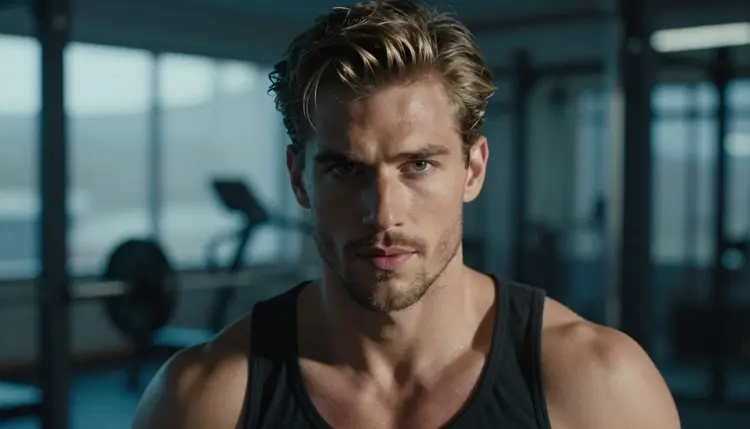
Blue hour close-up. A tight portrait of an adult man with short styled hair and light stubble, black tank top, cool blue-hour ambient light from a window behind the camera, slight steam of breath in the cool air. Lens note: 85mm f/1.8, shallow focus, quiet and intense gaze.
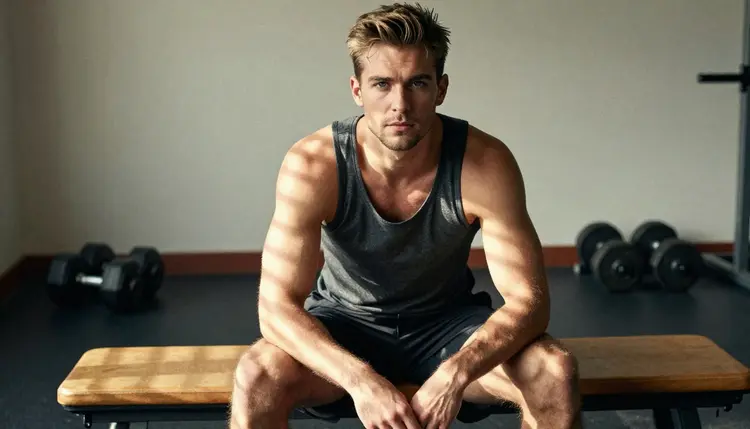
Bench seat. The man sits upright on a wooden gym bench, forearms on his knees, a fitted tank top, a small sweat sheen on the forearms. Eye-level three-quarter view, hard sun in stripes, 135mm f/2. Add a chalk bucket in the background for a real gym feel.
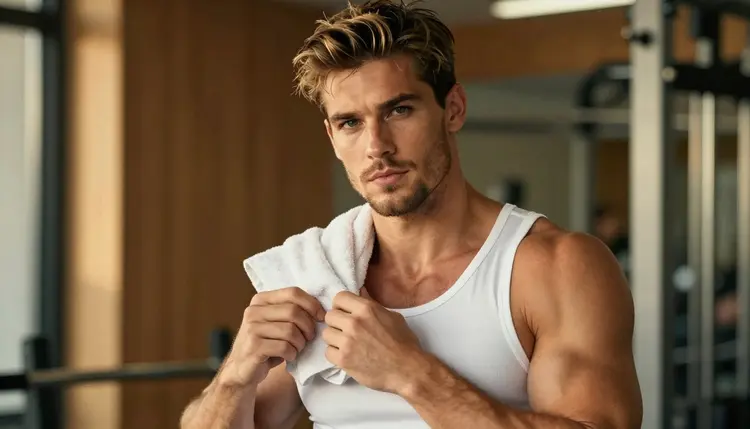
Compression and towel. Waist-up shot in a white compression tank top with a folded towel over one shoulder, late-afternoon side light that picks out the weave of the fabric, 100mm macro f/2.8, relaxed half smile, slight head tilt toward the light.
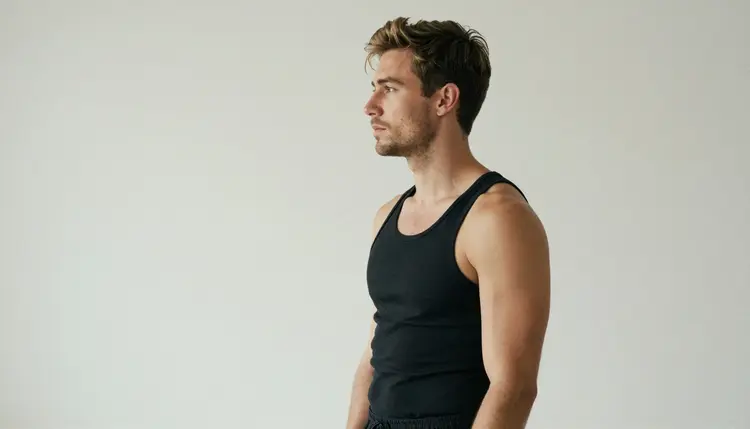
Studio silhouette. A profile view in a studio with soft diffused daylight, black tank top, a clean grey backdrop, the outline of the shoulders and jaw defined by the light. Lens note: 70mm f/2.8. This one is a good starting point for posters because the empty space leaves room for text.
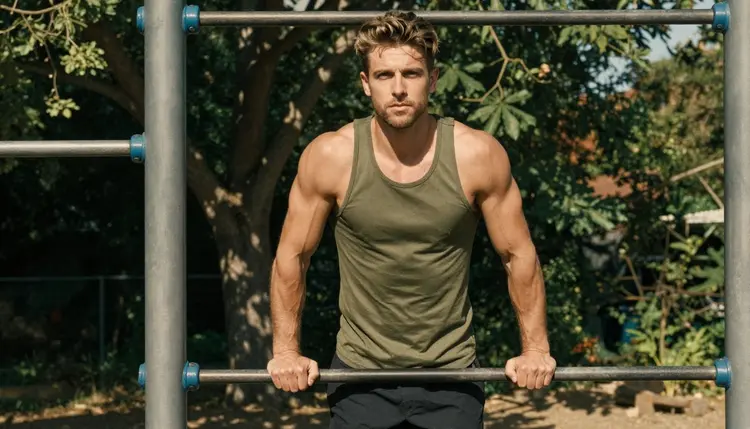
Garden rig. A wide environmental portrait beside a pull-up rig in an open-air gym, dappled shade through leaves, a light grey tank top, 50mm f/1.4, the man looking toward the camera with one hand resting on the bar.
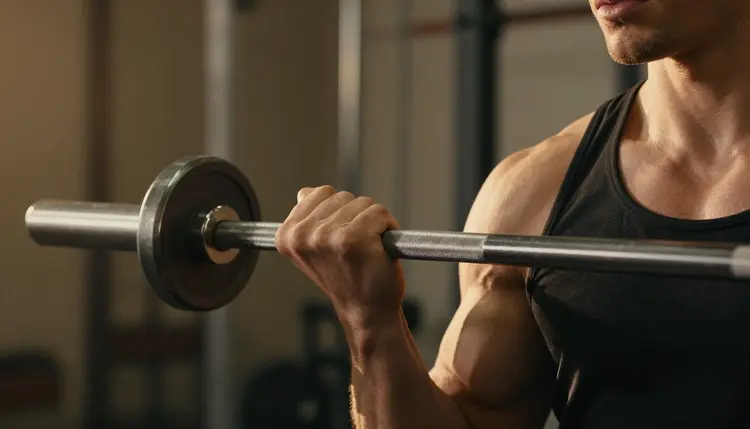
Hand on steel. A detail frame of exactly one hand gripping a steel barbell, golden hour backlight, a thin rim of light around the knuckles, 135mm f/2. Writing "exactly one hand" in the prompt helps the model avoid extra fingers or a second hand in the frame.
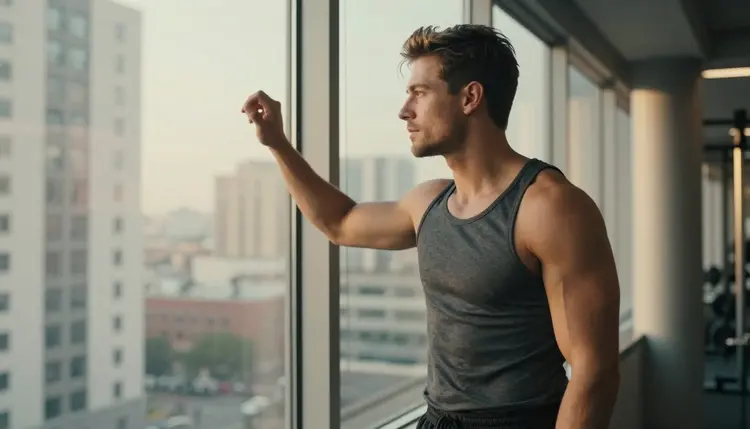
Window look. The man beside a large gym window, looking out at the street in late-afternoon side light, one hand on the frame, 24mm f/2.8, a slightly open posture and a calm profile.
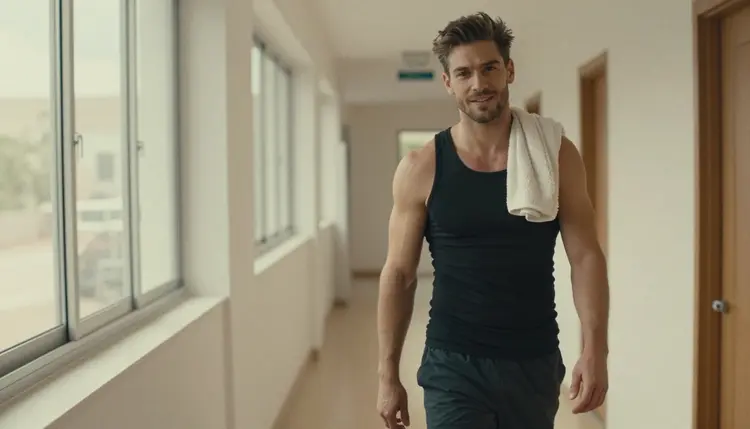
Corridor walk. A candid three-quarter walking shot in a bright gym corridor, towel over one shoulder, soft window light from the left, 135mm f/2, as if the photographer caught him between sets.
If you want a scene with two people, such as a training partner or a couple in the same gym, read the male couple art page, which covers the extra care that two characters need in a single frame.
This section is about who and what these pictures can show. Every page of this section is for people who are 18 or older. If you are not an adult, this is not the place for you, and nothing here should be used by or for someone who is not.
The man in your prompt must be a fictional adult. Do not use the face or name of a real or identifiable person, do not describe a celebrity, and never write anything that could make a character read as a minor. Describe a mature man by his build, his hair and his clothes, not by a name from real life.
What you create in Picasso IA is private by default: it is tied to your account and not published or shown to others. Keep it that way if you want, and think carefully before you share a picture outside the app.
A new account can try a few generations for free on selected models, including Seedance 2.5 Lite, Picasso IA Video and Picasso Image Editor Pro. The free trial does not cover the whole catalog, so check the pricing page for what is included and how credits work. Seedream 4.5 itself spends credits like most image models, and the cost can change with the options you pick.
Models marked with the infinity tag do not spend credits on the plans that include unlimited generation, and that includes Picasso Image Editor Pro, Picasso IA Video and Seedance 2.5 Lite. That is a handy fact for a gym photo workflow: use credits for the main frames, then use the unlimited models for edits and motion tests.
If you want to explore beyond the six confirmed models, browse the full catalog. Everything outside the confirmed six is untested, so treat it as a trial. When a model refuses a prompt, Picasso IA shows a message titled "Content Not Supported by This Model" and recommends models that accept adult prompts, with your text carried over so you do not retype it.
For a still that you want to move, take the finished frame to Picasso IA Video and describe a small action: the man lifts the barbell slowly, the blinds shift the light across his shoulders, a towel is lifted from the bench. LTX 2.3 Pro works from text for 4K clips, and Seedance 2.5 Lite is a quick option for a short test of up to 10 seconds.
A final tip for sets. Write a short character line once, such as the hair, the stubble, the build and the tank top color, then paste it at the start of every prompt. Change one thing per prompt, either the setting, the light or the pose, and you will get a coherent series instead of a pile of unrelated pictures.
Which models are confirmed for NSFW male fitness photos?
Six models are confirmed in Picasso IA: Seedream 4.5, Recraft V4.1 Pro and Picasso Image Editor Pro for images, and LTX 2.3 Pro, Picasso IA Video and Seedance 2.5 Lite for video. Confirmed means Picasso IA tested adult prompts on them repeatedly and watched them generate, not a published setting of the maker.
Why use Seedream 4.5 for gym portraits?
It is a photoreal text to image model that creates images up to 4K and follows concrete details such as fabric, props, light direction and lens notes. That makes it well suited to a fitness look, where the picture depends on a tank top, a barbell and hard window light rather than on fantasy elements.
How should I word a prompt for this look?
Write the man by build and hair, then the tank top or compression shirt, the gym or rig, one prop, the light and a lens such as 135mm f/2. Keep the chest covered by the shirt, avoid names of real people and say "fictional adult" if you want to be explicit about it. Short, concrete sentences work better than long adjectives.
Can I put two men in one scene?
Yes, but two characters need more care, because the model can blend faces or hands. Describe each man separately with his own clothes and position, and keep the light simple. The page on male couple art walks through that kind of prompt in detail.
What happens when a model refuses my prompt?
Picasso IA shows a message titled "Content Not Supported by This Model" and recommends models that accept adult prompts. Your prompt is carried over, so you do not retype it. Choose one of the confirmed models and run it again, or soften the wording of the scene.
Are these pictures only of adults and fictional characters?
Yes. Every character is a fictional adult, never a real or identifiable person and never anyone who could read as a minor. If a prompt could point to a real person or to someone who looks underage, do not run it.
Are my generations private?
Generations in Picasso IA are private by default: they are tied to your account and not published or shown to others. What you do with a picture after you download it is up to you, so think before you share it, and never share a picture of a real person.
Can I turn a fitness photo into a video?
Yes. Take the finished picture to Picasso IA Video, which makes video from text or from an image, and describe a small action. LTX 2.3 Pro is another choice for 4K video from text, and Seedance 2.5 Lite is good for short tests.
How do I change one detail without redoing the whole picture?
Open the finished frame in Picasso Image Editor Pro and describe only the change, for example a different tank top color or a cleaner background. It edits an existing image and is marked unlimited, so it is a good tool for small fixes.
Can I try this before paying?
A new account can try a few generations for free on selected models, including Picasso IA Video, Seedance 2.5 Lite and Picasso Image Editor Pro. The free trial does not cover the whole catalog, and you will find the details on the pricing page. When you are ready, open the toolkit and start with a single frame.