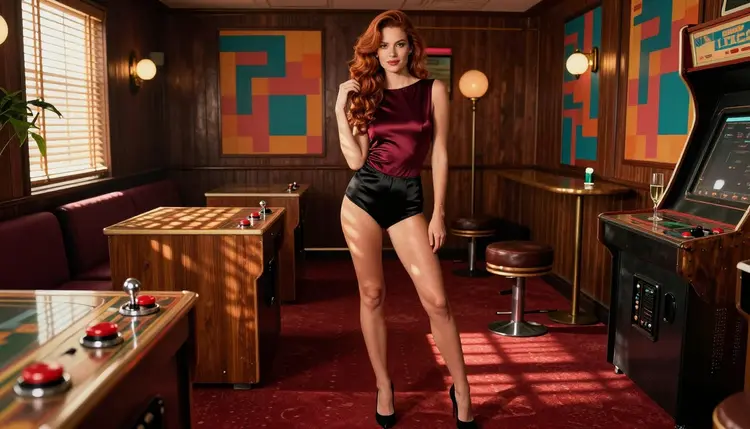
Pixel art has a clear visual language: chunky blocks of color, glowing screens, joystick cabinets and posters of 8-bit heroes. This page shows how to bring that language into an adult glamour scene made with Picasso IA, without turning the picture itself into a blocky sprite. The pixel look arrives through the set, the props and the wardrobe, while the character stays a photographic, fictional adult.
The model behind the page is Recraft V4.1 Pro, a model that Picasso IA has tested with adult prompts and confirmed. It is known for print-ready images at 2K and for strong results with illustration and design, which is exactly what you need when the walls of your scene are covered with printed pixel posters.
Everything below is written for adults. The woman you see in the pictures is a fictional character, the tone is flirty and suggestive rather than explicit, and your prompts follow the same line.
Pixel art belongs to a specific moment of game culture: small screens, limited palettes, bright primary colors and a lot of black space around them. People remember it fondly, and that nostalgia is what makes the look attractive for adult glamour work. A burgundy satin bodysuit next to a glowing cabinet feels playful, a little teasing and clearly set in a place with a story.
The trick is to separate the character from the style. If you ask a model for a pixelated woman, you get a blocky sprite and lose the glamour. If you ask for a real-looking woman standing in an arcade lounge, with pixel posters on the wall and a CRT television showing a game menu, you get the best of both. The photographic part carries skin, fabric and light. The pixel part lives in the objects.
Recraft V4.1 Pro suits this approach because of its design sensibility. Posters, cabinet side art, neon lettering and screen graphics are all design problems, and the model handles flat color, clean shapes and legible composition well. You can ask for a wall of framed pixel prints behind the subject and expect the prints to look like prints, not like noise. The 2K output also gives you room to see the fabric texture of a satin robe or the lace edge of a bodysuit.
A few habits help from the first prompt. Name the setting first (a retro arcade lounge), then the objects that carry the style (a joystick cabinet, CRT televisions, printed pixel posters), then the wardrobe, then the light. Warm tungsten light works well here because it makes screens glow against a dark room and keeps skin tones natural. Keep the wardrobe in the glamour range: satin, lace, bodysuits, robes, camisoles, shorts and jerseys.
Picasso IA keeps an app list of models that it has tested repeatedly with adult prompts and watched generate instead of reject. Confirmed does not mean a published setting of the maker, who can change it at any time, and you can read what the word covers on the page about what confirmed means. The list covers image models and video models.
For a pixel art scene the image models do the main work, and the video models are a follow-up if you want the arcade lights to flicker around the character.
Every other model in the catalog is untested. That means worth a try, not confirmed either way. If you want to explore beyond the table, the full catalog lists the rest, and the app will tell you when a model does not accept a prompt.
The workflow is short. You pick the model, describe the set and the wardrobe, set the light, generate and then fix what needs fixing. Each step below takes a minute or two once you have done it once.
- Open the toolkit and pick the model. Go to the toolkit and choose Recraft V4.1 Pro for a design-heavy set, or Seedream 4.5 if you care most about skin and fabric.
- Describe the wardrobe and the setting. Write the arcade lounge, the cabinet, the CRT televisions and the printed pixel posters, then name the outfit: a burgundy satin bodysuit with black satin shorts, for example.
- Set the light and the mood. Add warm tungsten light, a lens such as 35mm f/2 and a short note on the mood, like relaxed, teasing or late evening.
- Generate and review. Check the hands, the edges of the fabric, the face and the text on posters before you save anything.
- Refine or switch model. Fix one detail with Picasso Image Editor Pro, or run the same prompt on another model from the table.
If a prompt does not work on the first try, change one thing at a time. Swapping the wardrobe tells you more than rewriting the whole prompt, and you learn which words the model reads as the most important.
These are starting points. Copy one, change the colors and the objects, and keep the details concrete. Each idea names wardrobe, setting, light and angle, because those four things decide most of the result.
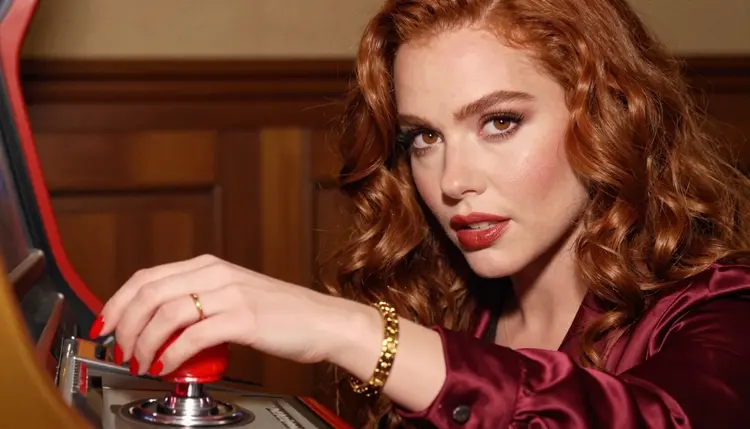
Cabinet lean. A woman in a burgundy satin bodysuit and black satin shorts leans on a vintage joystick cabinet in a dim arcade lounge, wide frame, 24mm f/2.8, warm tungsten light with the screen glowing blue on her shoulder. Printed pixel posters cover the wall behind her.
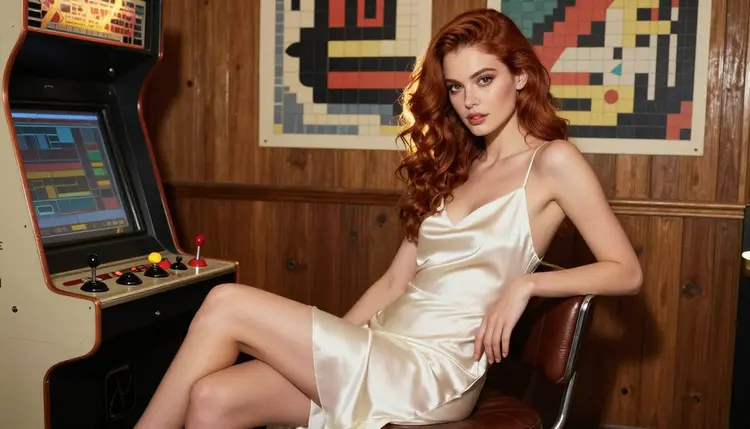
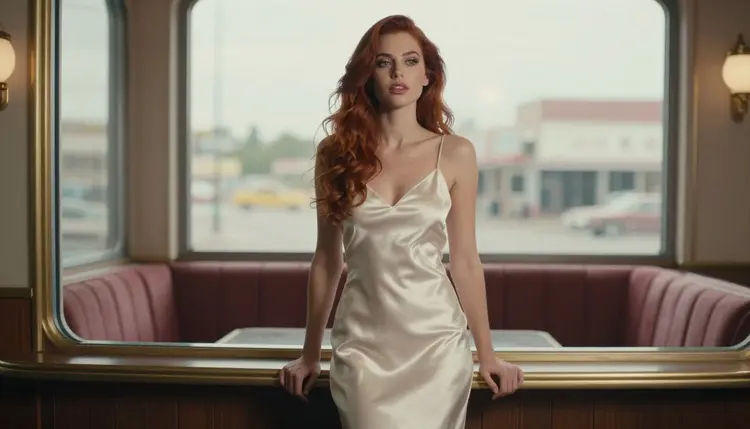
Stool pose. The same woman sits upright on a worn leather stool, knees crossed, in an ivory satin slip dress, eye-level three-quarter view, 135mm f/2, golden backlight coming through a window and catching her hair. A row of cabinets blurs softly in the background.
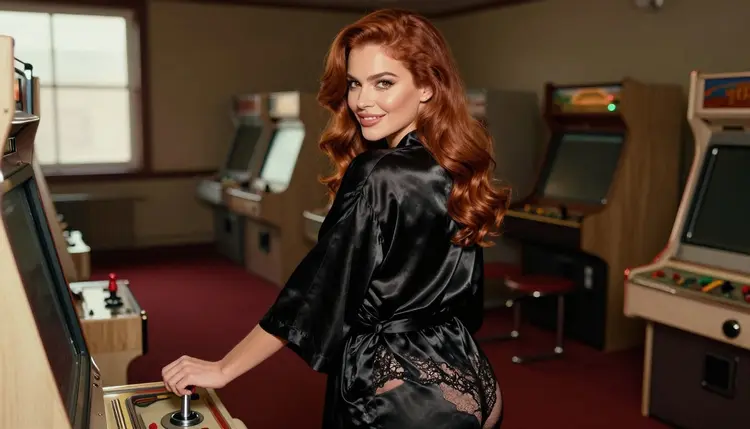
Over the shoulder. A black satin robe over a lace bodysuit, the woman glancing back over her shoulder at the camera, 35mm f/2, soft window light from the left. A cabinet with a pixel hero on its side panel stands next to her.
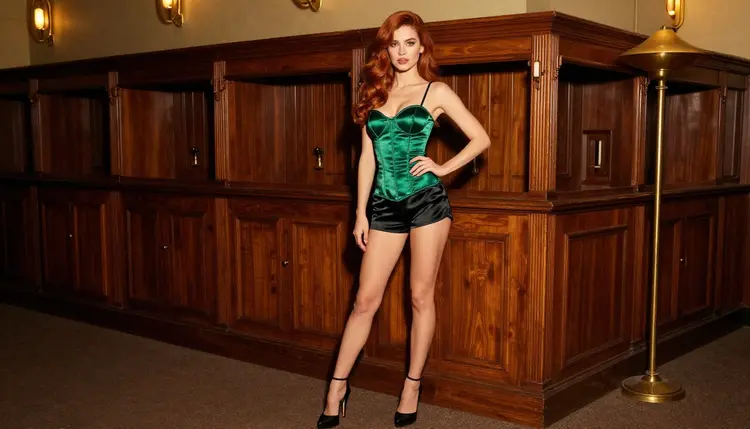
Corset among the cabinets. Full-length frame in an emerald satin corset and black satin shorts, standing between two wooden cabinets, 85mm f/1.8, golden backlight. Ask for a floor with a worn carpet pattern so the room feels lived in.
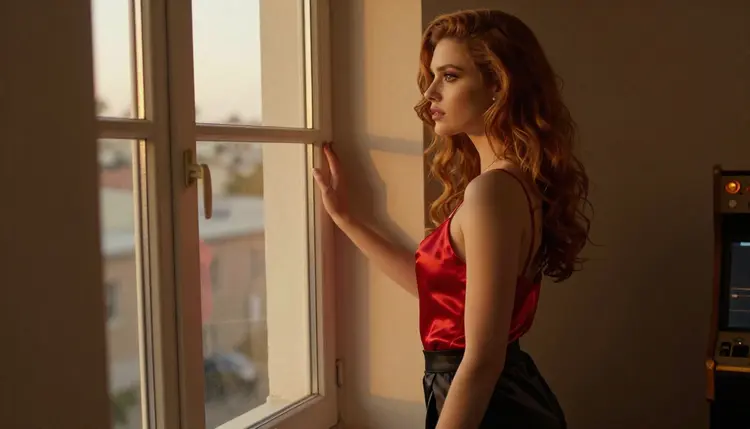
Window moment. A red satin camisole, the woman looking out of a window at the evening light, 24mm f/2.8, golden backlight. Do not add a mirror in this one, since reflections are a common place for odd details.
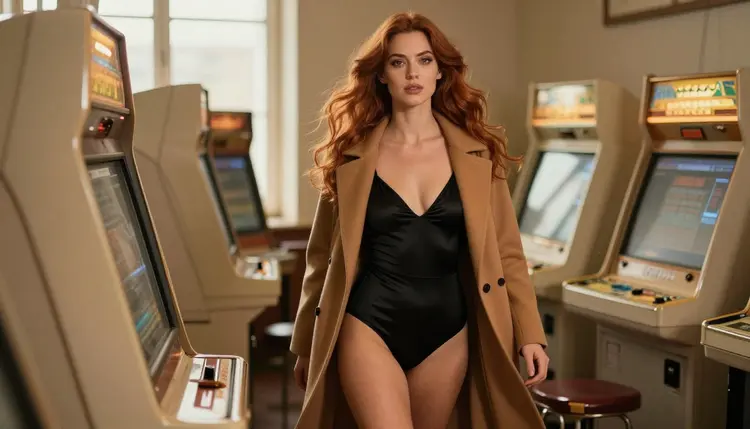
Walking through. A candid three-quarter shot of a woman in a black satin bodysuit and open camel coat walking between rows of cabinets, 50mm f/1.4, soft window light from the left. The coat gives the frame movement.
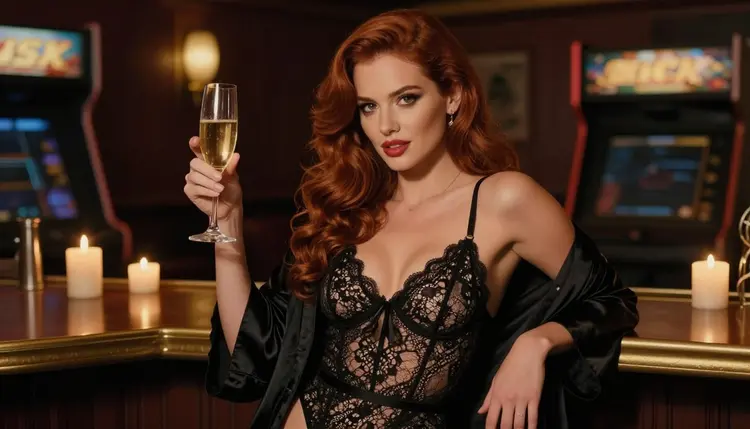
Champagne bar. A waist-up shot in a black lace bodysuit with a satin robe, holding a glass of champagne at a candlelit counter, 35mm f/2. Candlelight and the glow of a CRT give two warm sources of different colors.
One hand on the stick. A macro detail of exactly one hand with red nails resting on a chrome arcade joystick, 100mm macro f/2.8, warm tungsten lamp light. Write the words one hand in the prompt, which helps the model avoid extra fingers.
If you want two characters in one scene, a romantic arcade date for example, the page on couples art with Seedream 4.5 covers how to describe both people. For other costume-driven looks that follow the same set-and-wardrobe logic, see bunny costume art or the best NSFW art generator overview.
This section is short on purpose. Picasso IA is for adults only. You need to be 18 or older to create anything on this page, and the pictures are meant for adult viewers.
Every character is a fictional adult. Do not use a real or identifiable person, a celebrity or a public figure, and do not describe anyone who could read as a minor. A prompt that mentions school uniforms, childlike features or a school setting is outside the line, and you should write the character as a grown woman or man with an adult wardrobe instead.
What you create is private by default. Generations are tied to your account and are not published or shown to other people. You decide what to download, keep or share, and you are responsible for sharing only what is legal and respectful.
A new account can try a few generations for free on selected models: Picasso IA Image, Picasso Image Editor Pro, Picasso IA Video and Seedance 2.5 Lite. It is a small free trial on selected models, not on the whole catalog. The details of credits, plans and the models marked with the infinity tag live on the pricing page, so read it before you plan a long session.
Recraft V4.1 Pro and Seedream 4.5 spend credits, and the amount varies by model and by options such as resolution. Picasso Image Editor Pro carries the infinity tag, which means it does not spend credits on the plans that include unlimited generation. Check the pricing page to see how that applies to your account.
For a pixel art mood you may also want to try other models in the catalog that work with illustration or design. They are untested for adult prompts, so treat them as worth a try rather than as a safe bet, and use the full catalog to browse. If a model refuses, the app shows a message and sends you back to models that accept your prompt.
A good workflow is to draft in Recraft V4.1 Pro for the set, then run the finished prompt in Seedream 4.5 to compare how each reads the skin and the satin. Keep the version you prefer and edit it with Picasso Image Editor Pro if one small thing needs fixing.
Which models are confirmed for pixel art style scenes?
These models are confirmed in the app: Recraft V4.1 Pro, Seedream 4.5 and Picasso Image Editor Pro for images, and LTX 2.3 Pro, Picasso IA Video and Seedance 2.5 Lite for video. Picasso IA tested adult prompts on each one repeatedly. The confirmed models page explains the term.
Why use Recraft V4.1 Pro for this look?
Pixel art scenes depend on posters, screens and clean graphic shapes. Recraft V4.1 Pro is built around print-ready images at 2K and is strong on illustration and design, so the props in the background come out readable instead of muddy.
How should I word a pixel art prompt?
Put the pixel look in the objects, not in the person. Write the arcade lounge, a joystick cabinet, CRT televisions and printed pixel posters, then the wardrobe, the light and a lens. If you ask for a pixelated woman, you will get a blocky sprite instead of a glamour photograph.
Can I put two characters in one scene?
Yes, as long as both are fictional adults. Describe each person separately, with their own wardrobe and position, and keep the number of props small so the model has room to place them. The page on couples art with Seedream 4.5 goes deeper on this.
What happens if a model refuses my prompt?
The app shows a message titled "Content Not Supported by This Model". It recommends models that accept adult prompts and carries your prompt over, so you do not retype anything. Pick one of the suggestions, or rewrite the prompt with more focus on wardrobe and light.
Are the characters real people?
No. Every character is a fictional adult, and the prompts on this page never use a real or identifiable person. Do not upload or describe a celebrity, and do not write anyone who could read as a minor. Picasso IA is for adults aged 18 or older only.
Are my pictures private?
Yes. Generations are private by default and tied to your account. They are not published or shown to other people unless you choose to share them yourself. Keep that in mind when you download a picture and decide where it goes next.
Can I turn the picture into a video?
Yes. Take the finished still into Picasso IA Video, which handles text or image to video, or into LTX 2.3 Pro for 4K video from text. Describe a small movement, such as a screen flicker or a slow turn of the head.
Can I fix just one detail of a picture?
Yes. Open Picasso Image Editor Pro, attach the image and describe the change, such as a different robe color or a cleaner poster on the wall. It edits an existing image, so the rest of the scene stays as it was.
Can I try it before I pay?
A new account gets a small free trial on selected models, including Picasso IA Image, Picasso Image Editor Pro, Picasso IA Video and Seedance 2.5 Lite. It does not cover the whole catalog. The pricing page has the details of credits and plans.