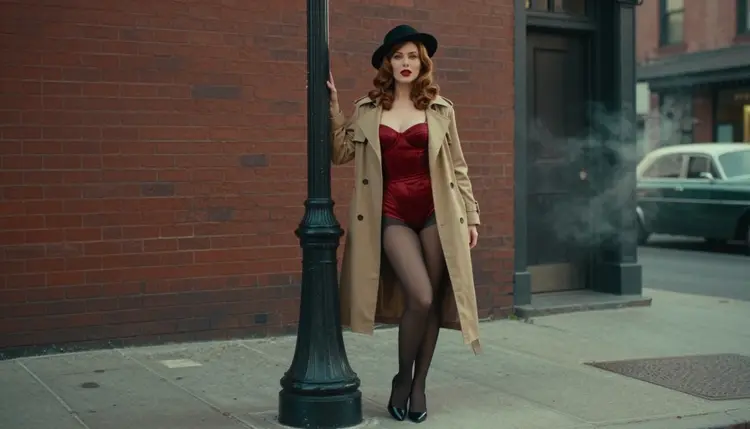
Pulp magazine cover art is a look built on a few strong ingredients: a woman in a belted trench coat, a satin slip or a corset bodysuit under it, saturated reds and greens, a hard-edged shadow and a street that feels like a mid-century detective story. On this page you will build that look with Recraft V4.1 Pro, a model that handles print-ready images at 2K and reads illustration and design cues well.
One rule shapes everything below. You are not making a magazine. There is no masthead, no title block and no lettering in the pictures. The pulp feeling comes from wardrobe, pose, color grading and set, the way a retro film still carries a mood without a single word on screen. Every character is a fictional adult, the content is NSFW but never explicit, and what you create stays private by default.
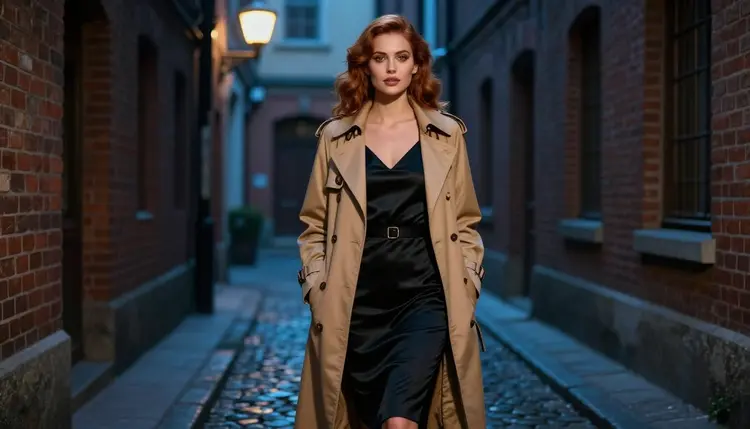
The pulp look is old-fashioned on purpose. Think of the covers that sold detective stories and romance paperbacks: one woman, a clear silhouette, a prop that tells you the genre and a color palette that shouts from across a room. Nothing is subtle. The pose is theatrical, the lipstick is red, the coat collar is up and the light comes from one direction.
That clarity is what makes the style easy to prompt. A model does not need a long story. It needs a short list of visual facts: a tan trench coat, a black satin slip dress, a felt hat tilted over one eye, a rotary telephone on a windowsill, an alley at blue hour. Each fact gives the image a hook, and together they add up to a period mood.
Recraft V4.1 Pro suits this because the model is described in the catalog as a print-ready 2K image generator, and the pulp look depends on clean shapes, confident color blocks and legible fabric. Satin highlights, a coat lapel, the edge of a hat brim and a gloved fingertip all need to stay crisp. Picasso IA has tested adult prompts against this exact model repeatedly and watched it generate instead of reject, which is why it is marked as confirmed. That is the app's own result, not a published setting of the model's maker, and the maker can change it at any time.
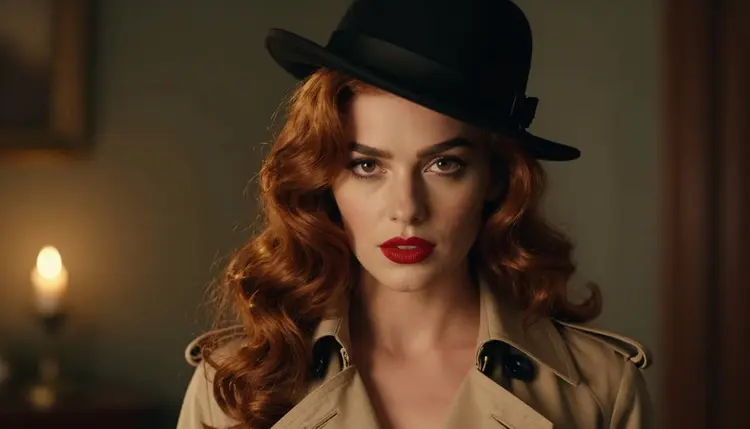
The color grading is the second half of the style. Aim for saturated retro film: deep red lipstick, an emerald or burgundy accent, warm skin, slightly crushed blacks and visible grain. Describe it as photographed on film with a retro color grade rather than painted, and the frames look like stills from a forgotten noir instead of digital illustration.
The third half, if there is one, is the set. A hotel corridor with a patterned carpet, a plain desk with window blinds, a vintage convertible parked in dappled shade and an alley with a single street lamp all read as pulp the moment they appear. Pick one set per image and let it do the work.
If you like how this look handles wardrobe and props, the same method works for other illustrated genres. Compare it with NSFW Book Cover Art for a more modern layout feel, or with NSFW Comic Art for bolder outlines and flat color.
Six models in the catalog are confirmed for adult prompts, which means Picasso IA tested them repeatedly and they generated instead of refusing. Three of them make images, and three make video. For still pulp frames you will mostly use the image models; the video models are for the follow-up, when you want the trench coat to move.
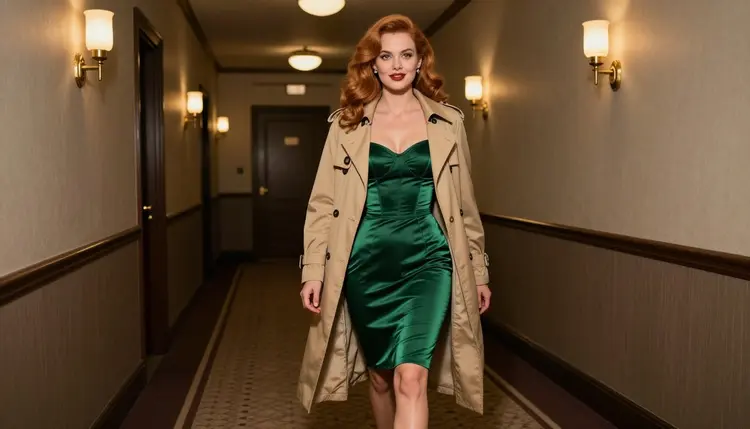
A useful split is to start in Recraft V4.1 Pro for the design-forward version of the cover look, then try Seedream 4.5 with the same prompt when you want the frame to look more like a real film still. Same wardrobe, same light, two different readings of it. Keep the version you prefer and edit it from there.
The rest of the catalog is untested. A model that is not on the confirmed list is worth a try, but nothing is promised either way: it may generate your prompt or it may not. If you want to browse, the full catalog lists every model with its title, and the untested ones are described in their own terms further down this page.
The workflow is short. You choose a model, describe the clothes and the street, set the light, look closely at the result and fix what needs fixing. Here is the path in the toolkit.
- Open the toolkit and pick the model. Choose Recraft V4.1 Pro for a clean 2K pulp frame, or Seedream 4.5 if you want a photoreal film still. Both are confirmed for adult prompts.
- Describe the wardrobe and the set. Write the coat, the lingerie or swimwear under it, one prop and one location. For example: tan belted trench coat over a black satin slip dress, felt hat, rotary telephone, rain-wet alley.
- Set the light and the mood. Name one light source and one color grade: blue-hour ambient light, saturated retro film grading, visible grain. Add the lens if you want the framing to feel consistent, such as 85mm for a close portrait.
- Generate and review. Look at the hands, the fabric folds, the hat brim and the face. Check that no lettering has appeared anywhere. If something is off, change one phrase and generate again.
- Refine or switch. Use Picasso Image Editor Pro to fix a single detail, or move the same prompt to another model and compare. Keep the best frame.
Two habits save time. First, change one thing per attempt, so you know which phrase caused which difference. Second, when a frame gets close, save it and edit instead of regenerating from scratch; a good face and pose is worth more than a perfect coat.
Each idea below names the wardrobe, the set, the light and the angle. Replace the details with your own, and keep every character a fictional adult.
Alley at blue hour. A woman with long soft-curled auburn hair stands full-length in a belted trench coat over a black satin slip dress, in a narrow brick alley with one street lamp. Cool blue-hour ambient light, 70mm lens, eye-level, saturated retro film grading.
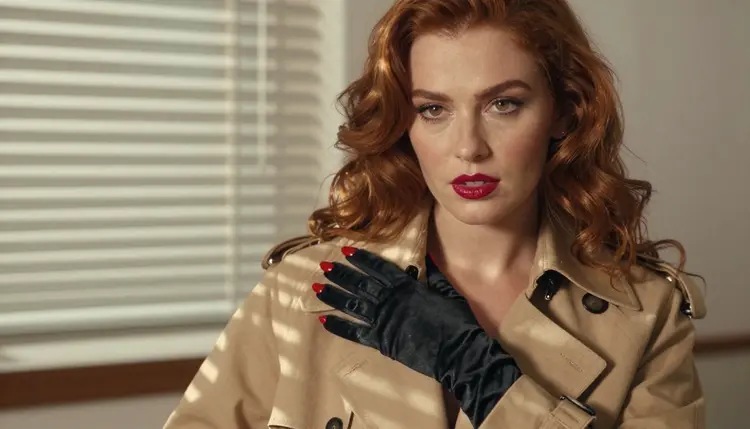
The hand on the lapel. A detail frame of one hand in a black satin glove resting on the lapel of a tan trench coat. Hard morning sun through window blinds throws stripes across the fabric. Wide 24mm lens, exactly one hand in frame, nothing else in view.
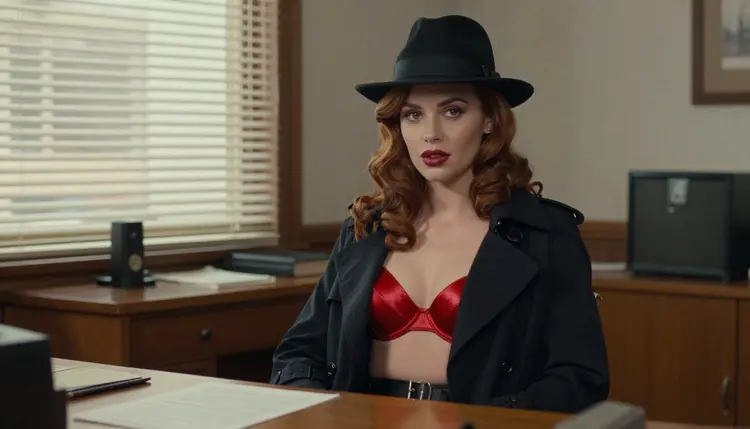
The fedora at the desk. Waist-up medium shot of a woman in a fedora and a red satin bralette at a plain wooden desk with blinds behind her. Overcast soft daylight, 24mm lens, a typewriter and a glass ashtray as props. No paper with writing on it.
Candlelit close-up. Tight portrait with a felt hat tilted over one eye, deep red lipstick and hazel eyes, lit only by one candle. 85mm lens at f/1.8, shallow depth, warm skin and dark background.
The hotel corridor. A candid three-quarter walking shot in an emerald satin corset bodysuit down a hotel hallway with patterned carpet and wall sconces. Candlelight, 35mm lens, slight motion in the hem of the coat.
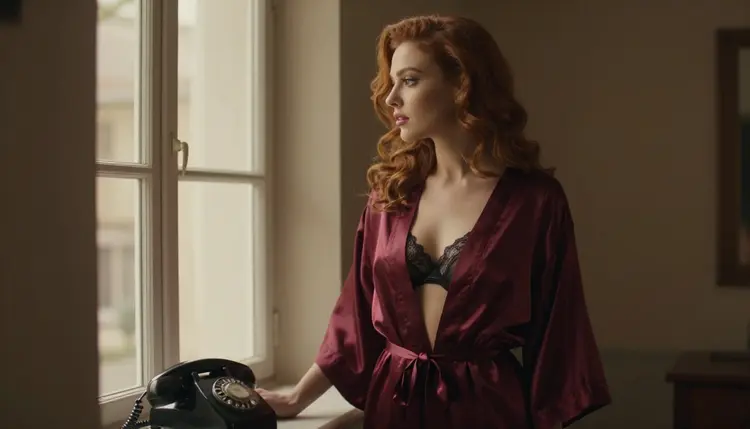
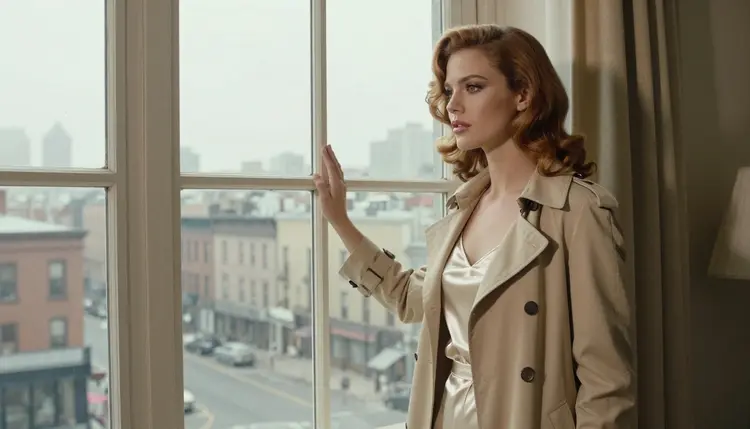
Burgundy robe by the window. A profile silhouette in a burgundy satin robe beside a window with a rotary telephone on the sill. Late-afternoon side light, 50mm lens, the outline of the face sharp against the glow.
Convertible in the shade. A wide environmental portrait of a woman in a red swimsuit and an open trench coat beside a vintage convertible, dappled shade under trees, 35mm lens. Swimwear keeps the frame sunny; the coat keeps it noir.
Two things make these prompts work. Each has one clear prop, and each avoids asking for text. If a prompt mentions a newspaper, a sign or a book, the model may try to draw letters, and you will spend attempts erasing them. Skip the paper and keep the prop physical: a telephone, a typewriter, a car.
This page is for adults. You must be 18 or older to use the NSFW section, and everything on it is written for readers who are.
Every character in your prompts must be a fictional adult. Never use a real or identifiable person, and never write anything for someone who could read as a minor. Pulp wardrobe and glamour poses are about adult characters in costume, nothing else.
What you create is private by default. It is tied to your account and not published or shown to other people. The content on this page is suggestive and glamorous, never explicit.
If a model does not accept a prompt, the app shows a message titled "Content Not Supported by This Model". It recommends models that accept adult prompts and carries your prompt over, so you do not retype anything. Use that as a signal to pick one of the confirmed models rather than rewording the same idea over and over.
A new account can try a few generations for free on selected Picasso IA models: Picasso IA Image, Picasso IA Editor Pro, Picasso IA Video and Seedance 2.5 Lite. It is a small free trial on selected models, not on the whole catalog. Details on credits, options and the models marked as unlimited are on the pricing page.
Credits are spent per generation and vary by model and by options such as resolution or duration. If you plan to build a series, for example ten cover-style frames of the same woman in different coats, check the pricing page first so you know which models fit your plan.
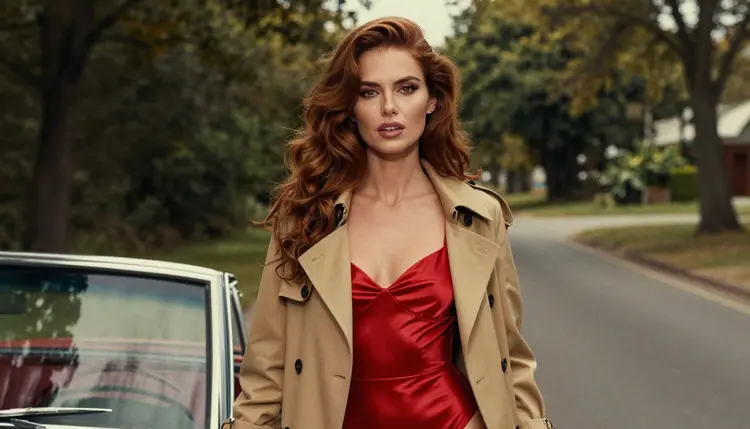
Beyond the confirmed list, the catalog has other image models that suit retro looks. Qwen Image 2 is untested for adult prompts. It is worth a try for a retro portrait, but nothing is confirmed either way, and if it declines you can carry the prompt to Recraft V4.1 Pro. Picasso Video (Pruna P-Video) is also untested and sits in the video group. Seedance 2.5 is a different model from Seedance 2.5 Lite and is untested too; the Lite version is the confirmed one.
Related styles on the site use the same method with different wardrobe. NSFW Cosplay Art swaps the trench coat for costume pieces, and the pulp wardrobe carries over well.
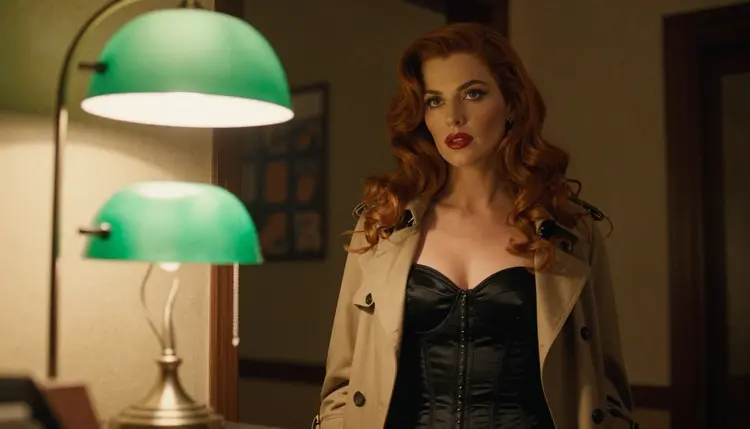
Which models are confirmed for pulp cover art?
Six models are confirmed: Seedream 4.5, Recraft V4.1 Pro and Picasso Image Editor Pro for images, and LTX 2.3 Pro, Picasso IA Video and Seedance 2.5 Lite for video. Confirmed means Picasso IA tested adult prompts against each one repeatedly and watched it generate. It is the app's own result, and a model's maker can change its settings at any time. See the toolkit to try them.
Why Recraft V4.1 Pro for this style?
The catalog describes it as a print-ready 2K image model, and the pulp look needs crisp color blocks, clean fabric edges and strong silhouettes. It is also confirmed for adult prompts, so a trench coat over a satin slip generates instead of being refused. You can read about it on its model page.
How should I word a pulp prompt?
Name one wardrobe item, one prop, one location, one light source and one color grade. For example: tan trench coat over a black satin slip dress, rotary telephone, blue-hour alley, saturated retro film grading. Short, concrete prompts beat long stories, and you should never ask for a magazine title or any written words in the picture.
Can I put two characters in one scene?
Yes, a couple can share a frame, for instance a woman in a trench coat and a man in a fedora under one street lamp. Describe each with a different item of clothing so the model keeps them apart. For a similar two-person idea in another genre, see NSFW Comic Art. Keep both characters fictional adults.
What happens when a model refuses my prompt?
The app shows a message titled "Content Not Supported by This Model". It recommends models that accept adult prompts and carries your prompt over, so nothing has to be retyped. Pick one of the confirmed models, and if the frame is still off, change one phrase at a time instead of rewriting everything.
Is this content adults only and fictional?
Yes. The NSFW section is for people who are 18 or older, and every character must be a fictional adult. Never use a real or identifiable person, and never write a prompt for someone who could read as a minor. The look is glamorous and suggestive, never explicit.
Are my pulp images private?
By default, yes. What you generate is tied to your account and not published or shown to anyone else. You decide what to do with the files you download. If you share them, you are responsible for where they go and who sees them.
Can I turn a pulp frame into a video?
Yes. Picasso IA Video takes a text prompt or an image, so you can animate a finished frame, and LTX 2.3 Pro makes 4K video from text. Seedance 2.5 Lite is listed up to 10 seconds. All three are confirmed for adult prompts.
How do I change one detail without redoing the whole image?
Open the frame in Picasso Image Editor Pro, which edits an existing image and is marked unlimited in the catalog. Ask for a single change, such as a different hat color or a cleaner glove, and leave the rest alone. It is faster than regenerating when the face and pose are already right.
Can I try this before paying?
A new account gets a small free trial on selected models, namely Picasso IA Image, Picasso IA Editor Pro, Picasso IA Video and Seedance 2.5 Lite. It does not cover the whole catalog. The pricing page explains credits, options and unlimited models, and the full catalog lists everything else.