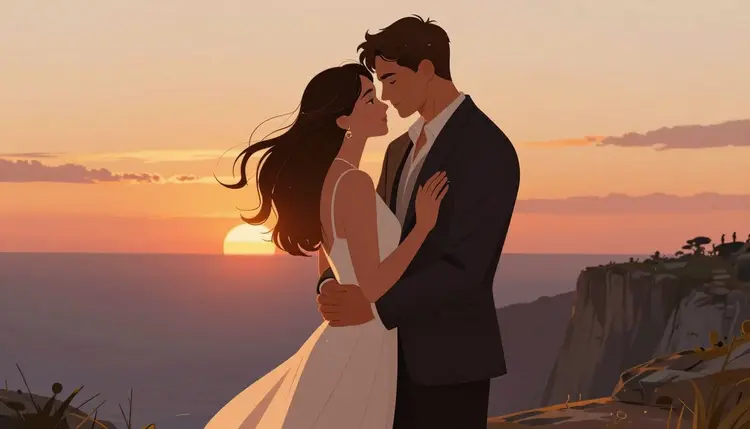
Most image generators are built for general use, so they reject anything that reads as adult content the moment a prompt mentions bare skin, an intimate pose, or a suggestive scene. That is a real problem for romance and erotica authors, since the genre lives or dies on a cover that signals exactly what is inside the book. Recraft V4.1 Pro is one of six models in Picasso IA's catalog confirmed to generate adult content directly, without a safety filter intercepting the prompt first.
A blocked prompt wastes the time you spent describing pose, lighting, wardrobe, and mood, then forces you to start over on a different model. With Recraft V4.1 Pro, a prompt describing two fictional adult characters in an embrace, a figure in lingerie against a moody backdrop, or a stylized nude silhouette for a dark romance cover goes through as written, so you get a usable draft on the first attempt.
Recraft V4.1 Pro also happens to be strong at the kind of composition book covers actually need: a clear focal subject, dramatic lighting, and a layout that leaves room for a title and author name without the image fighting the text. That combination, filter-free adult generation plus genre-appropriate composition, is why it is the model we point romance and erotica authors toward first inside the toolkit.
Recraft V4.1 Pro is a text-to-image model, so every cover starts from a written prompt rather than a reference photo. It is particularly good at stylized illustration and painterly rendering, which suits the romance and erotica cover market better than photorealism does, since a large share of bestselling covers in these genres use painted or digitally illustrated art rather than photography. Its output leans naturally in that direction: clean linework, controlled color palettes, and lighting that reads as intentional.
The model handles composition requests well. Ask for a close cropped portrait, a full figure pose, a silhouette against a sunset, or a two-character embrace, and it will generally respect the framing you describe. It is also responsive to mood cues, so a prompt built around "dark fantasy romance" or "small town contemporary romance" produces noticeably different color grading and styling, which helps a cover match its subgenre at a glance.
Where it is weaker: fine hand and finger detail can still drift on complex poses, and dense background text or logo-style elements are not reliable, so plan to add your title typography afterward in your cover design tool rather than asking the model to render text. Skin tone and lighting consistency across a multi-image series also benefits from keeping your prompt template consistent between generations rather than rewriting it from scratch each time.
For comparison, Seedream 4.5 and Qwen Image 2 are the other two confirmed filter-free image models, and both are worth testing side by side with Recraft V4.1 Pro on the same prompt, since each has a slightly different rendering style. If you already have a cover draft and only need to adjust wardrobe, pose, or background, Picasso Image Editor Pro is the confirmed filter-free option for editing an existing image rather than generating from scratch.
Getting a usable cover out of Recraft V4.1 Pro is a short, repeatable process once you know what to specify and in what order. Follow these five steps for your first generation, then reuse the same structure for every cover after it.
- Open Recraft V4.1 Pro in the toolkit. Go to the toolkit and select Recraft V4.1 Pro from the text-to-image models so your prompt goes straight to a filter-free model instead of one that might reject it.
- Describe your fictional characters in detail. Specify age as clearly adult, physical description, wardrobe or lack of it, pose, and the emotional tone of the scene. The more specific the description, the less the model has to guess.
- Set the scene and lighting. Add a setting (a bedroom, a rain-soaked street, a moonlit forest), a color palette, and a lighting style, since these details do more to sell the genre than the pose itself.
- Choose an aspect ratio built for a cover. Pick a tall portrait ratio so the output already matches a standard book cover shape and needs minimal cropping before you add title text.
- Generate, review, and refine. Run the prompt, check the result against your genre's cover conventions, and adjust wording, not the model, if the pose, framing, or mood needs a second pass.
Once you have a version you like, save the prompt itself. Reusing a working prompt template with only the character description swapped out is the fastest way to produce a consistent cover series for a multi-book series.
The single biggest improvement you can make to your prompts is ordering. Put the subject and pose first, then wardrobe, then setting, then lighting and mood, then style. Recraft V4.1 Pro weighs earlier words in the prompt more heavily, so burying the pose behind three sentences of background description tends to produce a generic result.
Be explicit about adult status. Naming an age range in plain language, such as "an adult woman in her late twenties" or "two adult characters in their thirties," is both more accurate to what you actually want and helps the prompt read unambiguously as adult content.
Name your subgenre. "Dark romance," "contemporary romance," "paranormal romance," and "romantasy" each carry different visual conventions in cover design, and mentioning the subgenre by name nudges the color palette, styling, and mood in the right direction.
Describe lighting like a photographer would. Terms like "golden hour rim light," "moody blue backlighting," or "warm candlelight" produce more distinct, more premium looking results than a generic instruction like "nice lighting."
Keep a template. Write your prompt structure once, subject, pose, wardrobe, setting, lighting, style, and reuse it across a series, changing only the specific character and scene details each time. This keeps a multi-book series visually consistent, which matters more to genre readers browsing a shelf than any single cover does on its own.
If a specific prompt still gets flagged or produces an unexpected refusal on Recraft V4.1 Pro, do not try to reword it to slip past a filter. Instead, try the same prompt on Seedream 4.5 or Qwen Image 2, the other confirmed filter-free options, since rendering differences between models sometimes produce a better result anyway.
Every character generated with Recraft V4.1 Pro on Picasso IA must be a fictional adult. This is a hard rule: never prompt for a real person's likeness, a public figure, or a celebrity, and never generate anything that resembles a minor, regardless of how the prompt is framed. These restrictions apply to every model in the catalog, filter-free or not.
Within those limits, Recraft V4.1 Pro gives you real creative freedom for adult fiction cover art: original characters, invented settings, and scenes built entirely from your description rather than a photo reference. That is the intended use case, illustrated book covers for adult fiction, and it is where the model performs best.
It is worth understanding how the rest of the catalog behaves around adult prompts, since Recraft V4.1 Pro is the exception rather than the rule. Most other models, including big-tech flagship image and video models, run a content filter that checks a prompt before generation and blocks it if it reads as sexual content. When that happens on Picasso IA, you will see a "Content Not Supported by This Model" message rather than a generated image, and the app will suggest switching to one of the confirmed filter-free models and carry your prompt over automatically so you do not have to retype it. That is the sanctioned way to handle a blocked prompt: change the model, not the wording.
If your project needs adult content in video rather than a still cover, the same logic applies. Picasso Video and LTX 2.3 Pro are the two confirmed filter-free video models, useful if you want to animate a cover reveal or a short teaser clip alongside your static cover art.
Recraft V4.1 Pro is billed per generation like every other model on Picasso IA, with the exact cost shown on the model page before you generate so there are no surprises after the fact. New accounts start with free credits, enough to run a handful of test generations and get a feel for how the model responds to your prompt style before you commit to a paid plan.
For a full breakdown of plans, credit allowances, and what each tier unlocks, see pricing. If you are working across multiple genres or need more than image generation, from video to background removal to super resolution upscaling, the full catalog lists every model available on the platform alongside what it is built for.
Is Recraft V4.1 Pro really filter-free for adult content?
Yes. Recraft V4.1 Pro is one of six models confirmed on Picasso IA to generate adult content directly from a prompt without a safety filter intercepting or rejecting it. No other model on the platform outside that confirmed group should be assumed to behave the same way.
Can I generate a cover featuring a real author or celebrity?
No. Every character generated must be entirely fictional. Generating a real person's likeness, a public figure, or a celebrity is not permitted under any framing, and this rule applies across the whole catalog, not just Recraft V4.1 Pro.
What happens if my prompt gets blocked on a different model?
If a model applies a content filter and rejects your prompt, Picasso IA shows a "Content Not Supported by This Model" message and suggests switching to a confirmed filter-free model, carrying your prompt over automatically so you can regenerate without retyping it.
Which other models can generate NSFW content without a filter?
The six confirmed filter-free models are Recraft V4.1 Pro, Seedream 4.5, Qwen Image 2, Picasso Image Editor Pro, Picasso Video, and LTX 2.3 Pro. Every other model in the catalog, including flagship image and video models from major providers, is not confirmed to behave this way.
Does Recraft V4.1 Pro work from a reference photo?
No. Recraft V4.1 Pro is a text-to-image model, so it generates entirely from your written prompt rather than an uploaded photo. If you want to edit an existing cover image, such as changing a pose or background on a draft you already have, Picasso Image Editor Pro is the confirmed filter-free option built for editing rather than generating from scratch.
What aspect ratio should I use for a book cover?
Choose a tall portrait ratio so the generated image already approximates a standard book cover shape. This minimizes cropping later and leaves more usable space for title and author text once you bring the image into your cover design tool.
Can Recraft V4.1 Pro render my book title as text on the cover?
Not reliably. Text rendering, including titles and logos, is not a strength of the model, so plan to generate the artwork first and add typography afterward in a dedicated design tool rather than prompting for text directly on the image.
Will my cover be consistent across a book series?
It can be, if you reuse the same prompt template and only change the specific character and scene details between generations. Keeping the structure, subject, pose, wardrobe, setting, lighting, and style consistent is what produces a visually unified series.
How much does it cost to generate an NSFW book cover?
Cost varies by model and generation settings, and the exact price is always shown on the model page before you generate. New accounts also receive free credits to test the model first. See pricing for full plan details.
Is there an age restriction on who can use this feature?
Yes, this feature is for adults only. Every character generated must also be depicted as a fictional adult, and generating anything that resembles a minor is never permitted, regardless of context or fictional framing.