Winter holiday glamour has its own particular heat: a satin robe by a frosted window, velvet catching the glow of a fire, a string of lights blurred soft behind bare shoulders. Most AI image models flag that mood before it ever renders, reading a fitted satin gown or a close crop on skin and velvet as adult content the moment the prompt gets specific, whatever the actual intent behind it. Seedream 4.5 does not have that problem.
It is one of six models on Picasso IA confirmed to run with no content filter, and among those six it is the one built for a photographic, hyper-realistic look, exactly what winter holiday glamour needs to read like a photograph taken by firelight and not a stiff costume render. Velvet grain, satin sheen, and the warm blur of string lights all hold up under a close look, which is where most filtered models start to flatten a scene into something generic and waxy.
This page covers why Seedream 4.5 fits the winter glamour aesthetic, nine looks worth trying from a fireside robe to a garland wrapped staircase, the five steps from a blank prompt to a keeper, and the rules that apply to every image it makes. Every character on this page is a fictional adult, eighteen and over.

Most of the models in the Picasso IA catalog apply a content filter, and that filter reacts to a satin robe, a close crop on velvet and skin, or two characters sitting close together by a fire about the same way it reacts to anything else it reads as adult. It does not judge the scene, it pattern matches the wording, so a holiday glamour prompt can get refused for the same reasons a far more explicit one would. When that happens, the app shows a "Content Not Supported by This Model" message and carries the prompt over to a model that will actually run it, so nothing typed gets lost. Seedream 4.5 is one of the alternatives, and it is confirmed filter free: a winter glamour prompt runs the same way any other prompt does, no rewording, no softening a phrase to sneak it past a filter that simply is not there.
It shares that status with five other models, but the winter holiday look specifically is where Seedream 4.5 pulls ahead. Qwen Image 2 is the open source pick when a prompt stacks several separate things at once, a fireplace, a staircase, two characters, a specific time of evening. Recraft V4.1 Pro is for illustration and stylized art, a painted or greeting card style holiday scene rather than a photograph. Picasso Image Editor Pro edits a holiday shot you already have instead of generating one from scratch, useful for fixing a hand near a cocoa mug or swapping a background after the fact. Picasso Video and LTX 2.3 Pro handle video, for animating a still into a short clip or generating motion directly, snow falling past a balcony, firelight flickering across a room. Seedream 4.5 is the one to reach for when the brief is a photograph: velvet grain, satin sheen, string lights soft in the background, textures that hold up under a close look. See the full catalog for everything else the app offers.
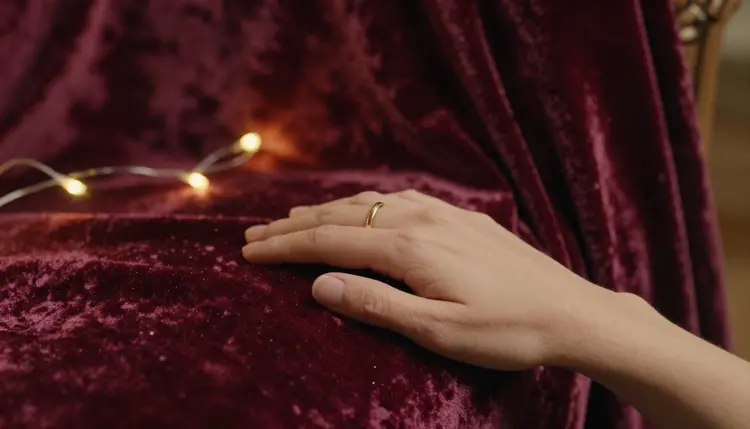
Winter holiday glamour is not one pose repeated in a different gown, it is a whole catalog of rooms, fabrics and light, and Seedream 4.5 covers most of it convincingly from a single prompt. A few looks worth trying:
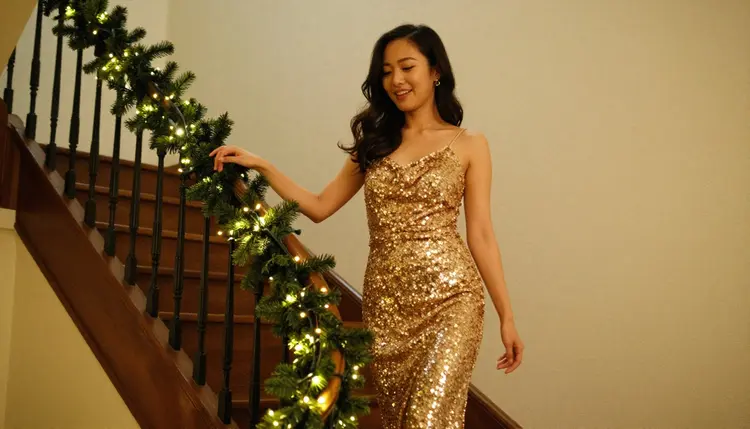
A gold sequin dress on a garland wrapped staircase gives the model a strong, specific moment: the shimmer of sequins catching light from above, the texture of pine garland along the railing, a smile aimed back over a shoulder mid descent. Naming the staircase and the garland gives Seedream something concrete to build the light around.
A burgundy satin dress reclining on a velvet chaise by the fire adds warmth and a relaxed, laughing pose, the kind of candid moment that reads as a real photograph rather than a posed studio shot. The contrast between matte velvet and glossy satin is a strong test of how well a model renders two different fabrics touching in the same frame.

A green velvet robe on a balcony, watching snow fall, is a quieter mood entirely, cool blue exterior light against the warm robe, breath faintly visible in the cold air. It is a strong choice when the brief calls for stillness rather than a full glamour pose.

An ivory satin nightgown curled on a fur throw in front of a lit tree leans into softness, warm string lights reflected in satin, the texture of fur against smooth fabric. It is one of the more forgiving looks to prompt, since the pose is relaxed rather than dynamic.

The path from a blank prompt box to a holiday glamour shot worth keeping is short, and it is the same loop whether this is a first generation or a fiftieth.
- Write the scene in plain, concrete words. Name the subject as a fictional adult character, then the fabric, the room, and the light: a fictional woman in an emerald satin robe, seated by a frosted window, warm firelight from the left. Concrete nouns about velvet, satin and firelight do more work than adjectives about the body.
- Open the toolkit and select Seedream 4.5. The model is listed among the text to image options; picking it before typing the prompt saves a wasted first generation on a model that will simply refuse it.
- Generate a batch and look at it as a set. A handful of variants from the same prompt shows how the model read it: a tight, consistent batch means the brief landed, a scattered one means a detail is missing, usually about the light or the room.
- Change one thing and generate again. Keep whichever image is closest, then adjust a single variable, the gown color, the light, or the pose, rather than rewriting the whole prompt. Three or four rounds like this is normal before something is worth keeping.
- Review the result closely before saving it. Zoom into hands, jewelry, fabric seams, and any text or lettering in frame; these are where an otherwise strong holiday image tends to fall apart, on Seedream 4.5 as on any image model.
Winter holiday glamour is defined by fabric and light more than almost any other genre, so name the material before the pose: a heavy, matte velvet versus a glossy satin, warm firelight versus the cooler blue of snow through a window. Naming the fabric and the light source does more for a convincing result than any adjective attached to the body.
Name the garment and the setting together, not just gown or dress on its own. A fitted satin slip dress renders differently from a loose velvet robe, because the model has something concrete to reason about, how a specific cut catches light, how satin pools differently from velvet drape. The same goes for the room: a fireside living room, a garland wrapped staircase, a snow lit balcony, each carries its own texture and light logic, and naming one anchors the whole image.

Describe the pose the way a photographer would direct it, glancing back mid descent on a staircase, reclining against a chaise, standing at a balcony rail, rather than reaching for vague intensifiers. A specific, composed pose reads as a real photograph, a vague one tends to produce something generic. A couple by the fire or a single figure works equally well when the moment named is specific rather than described in the abstract.

Keep every character fictional and describe them as such in your own head even when the word fictional is not typed into every prompt: invented names, invented features, nothing built to resemble someone real. Ask for one scene, not a sequence, since a prompt that tries to describe three moments at once tends to blur all three together. And treat the first batch as a draft, not a final answer: the fastest way to a keeper is comparing a small set side by side and changing one variable at a time, not writing a longer and longer single prompt chasing perfection on the first try.
This is stated plainly because it matters more than any prompting tip: everything generated here is for adults, eighteen and over, and every subject must be a fictional adult character. No real person's likeness runs on this platform without that person's own consent, and no public figure or celebrity is permitted at all. No minor, and no character made to look like one, in any style, holiday scenes included. Prompts that cross these lines are refused, and attempting them violates the platform's terms.
Seedream 4.5 having no content filter does not change any of this. Removing the filter that blocks adult content in general is not the same as removing the rules about whose likeness can be generated or how old a character must read as; those rules hold regardless of which model is running the prompt.
Generations stay private by default: what you create is tied to your account, not posted anywhere or shown to other users, unless you choose to share it yourself. The tool also does not take judgment off your hands once an image exists. What gets shared, and where, is governed by local law and by the rules of whatever platform it lands on. Legal to generate is not the same as allowed to publish.
Generations on Picasso IA are paid for with credits, spent per image rather than through a separate subscription tier for each model. A new account starts with free credits, enough room to run the loop above, several batches and a few rounds of iteration, before deciding whether to buy more. Image generations sit toward the cheap end of what the app offers, well below the cost of a video generation.
Exact credit amounts and plan pricing change as the catalog evolves, so current numbers live on the pricing page rather than printed here where they would go stale. What stays true regardless of the number: iterating on a holiday glamour shot, comparing a small batch and adjusting one variable at a time, is the efficient way to spend credits, on Seedream 4.5 or any other model in the catalog.
Does Seedream 4.5 really generate NSFW winter holiday glamour art with no filter?
Yes. Seedream 4.5 is one of six models on Picasso IA confirmed to run with no content filter, alongside Qwen Image 2, Recraft V4.1 Pro, Picasso Image Editor Pro, Picasso Video, and LTX 2.3 Pro. A holiday glamour prompt runs on it the same way any other prompt does, with no need to reword or disguise anything to get past a filter that simply is not there.
Why is Seedream 4.5 specifically good for winter holiday glamour rather than general NSFW images?
Winter holiday glamour depends on realistic fabric and light more than most adult image genres, and that photographic, hyper realistic look is exactly what Seedream 4.5 is built for. Velvet grain, satin sheen, and the warm blur of firelight or string lights read convincingly because the model treats them as real materials rather than generic shapes.
What settings work best for a winter holiday glamour scene?
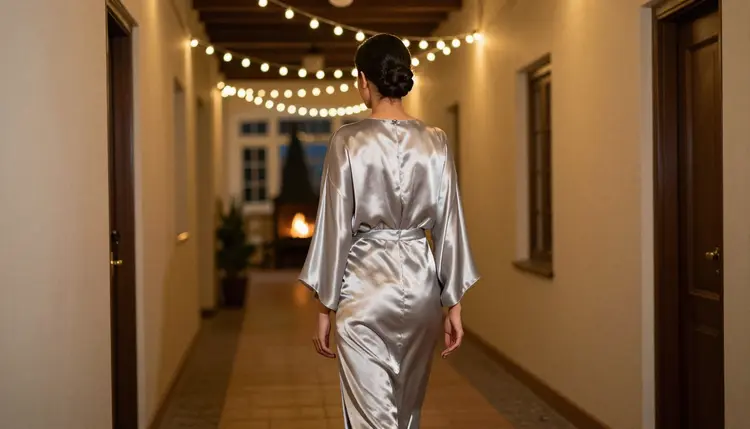
A fireside living room, a garland wrapped staircase, a snow lit balcony, or a hallway strung with warm lights all work well, since each gives the model a concrete space with its own light and material logic. Naming the room and its light source together, rather than either alone, tends to produce the strongest result.
Is Seedream 4.5 free to use on Picasso IA?
New accounts start with free credits, which cover several generations before anything needs to be purchased. Beyond that, generations are paid for with credits rather than a flat subscription per model, and how far a given amount of credits goes depends on current pricing, which is kept up to date on the pricing page rather than stated here.
Can I generate a real person or a celebrity in a winter holiday glamour image with Seedream 4.5?
No. Every subject on this page must be a fictional adult character, eighteen and over. A real person's likeness, including a celebrity or any other public figure, is not permitted without that person's own consent, and prompts that attempt it are refused and violate the platform's terms regardless of which model is running.
What if I want an illustrated or greeting card style holiday look instead of a photo?
Seedream 4.5 leans toward realism even when a prompt asks for a drawn look, so it is not the right tool for that brief. Recraft V4.1 Pro is built for illustration and stylized art, and it is also filter free, which makes it the better pick when the goal is a painted or greeting card style holiday scene rather than a photographic one.
Why do hands or jewelry sometimes look wrong in my holiday glamour image?
Hands, rings, and thin chain jewelry are difficult for every image model, filtered or not, and Seedream 4.5 is no exception. The fix is usually a simpler pose, fewer hands visible in frame, or a closer look at the batch before picking a winner; checking hands and jewelry before saving is worth doing on every generation, not only when something looks obviously off.
How many images should I generate before I have a keeper?
There is no fixed number, but three or four rounds of generating a small batch, picking the closest result, and changing one variable is a normal distance to something worth keeping. Trying to get a perfect result on the first prompt usually takes longer than iterating, because a single very long prompt is harder for the model to satisfy than a short one refined over a few rounds.
Can I edit a Seedream 4.5 holiday glamour photo after generating it?
Yes. Once an image is close but not quite right, Picasso Image Editor Pro can adjust it directly, fixing a hand, swapping a background, or changing one detail with a plain instruction instead of a fresh generation from scratch. It is also filter free, so a holiday image can be edited the same way it was generated.
Can a Seedream 4.5 holiday glamour photo become a video?
Yes, through a separate step. Picasso Video takes a still image and animates it into a short clip built from that frame, and LTX 2.3 Pro generates cinematic video directly from a prompt; both run with no content filter. The efficient order is to settle on a still image first, since a round of image generation costs less than a round of video, and only animate the frame already decided as a keeper.