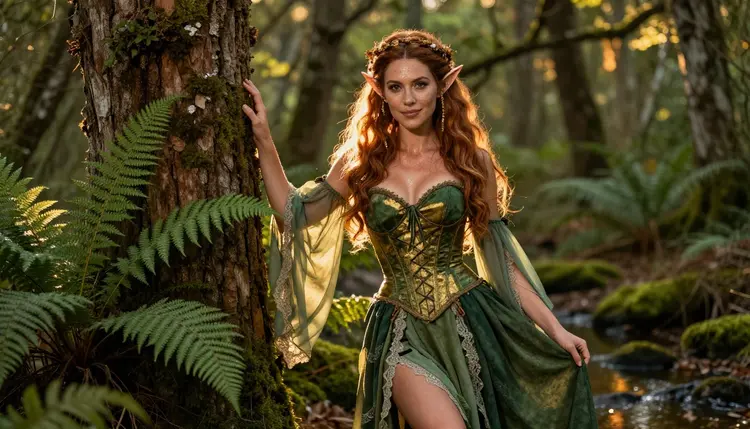
Some of the most popular NSFW prompts on Picasso IA never mention a real person at all. They describe a woodland fae with pointed ears, a siren perched on wet rock, or an enchantress wrapped in velvet and candlelight, because fantasy creatures give you a face, a body and a costume that belong to nobody but the character you invented. That freedom also keeps the work squarely inside the platform's fictional adults only policy: there is no real identity to protect or misuse, only a species, a silhouette and a mood you get to design from scratch.
This guide walks through ten fantasy creature concepts worth generating, the five steps that take a concept from a blank prompt box to a finished image, and what Recraft V4.1 Pro, one of six models on Picasso IA confirmed to generate adult content without a filter blocking the prompt, does particularly well with skin texture, fabric and lighting. Every example image below was made with Recraft V4.1 Pro from a plain text prompt, no reference photo required.
Fantasy species solve a problem that photorealistic, ordinary person prompts do not. A pointed ear, a scaled shoulder, a faint shimmer of iridescent skin or a pair of feathered wings signals immediately that the character is invented, which sidesteps any question about whose likeness you might be borrowing. It also gives you a much bigger costume and setting vocabulary to draw from: corsetry and lace for a woodland fae, scales and pearl for a siren, bark and moss for a dryad, fur and frost for a winter spirit. None of that needs explicit description to read as adult and atmospheric, since mood, lighting and fabric choice already do most of the work.
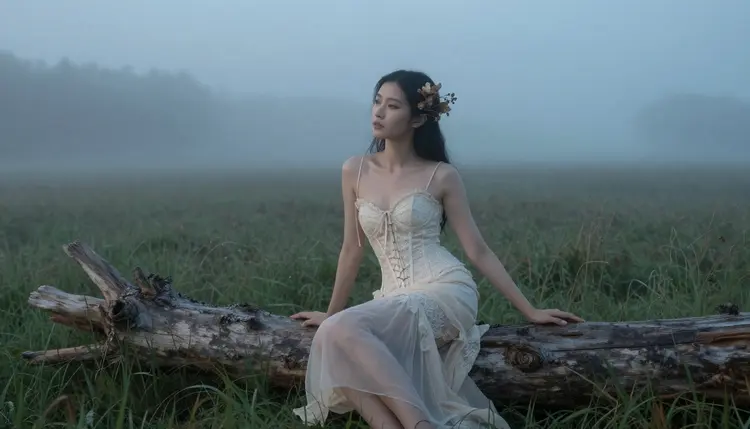
Recraft V4.1 Pro renders fabric and skin with a level of grain and light response that traditional illustration tools usually have to build by hand, which is part of why it is one of the six confirmed uncensored models on Picasso IA. The lace above catches ambient fog light the way real lace does, not the flat sheen a lot of AI generators default to.
Use any of these ten as a starting prompt, then swap in your own color palette, setting or era. Each one pairs naturally with a soft, painterly aesthetic that keeps the result feeling like art rather than a photograph.
1. Woodland Fae
A fae in ivory lace or linen, bare feet, moss and mist around her, works as a first prompt on almost any model. Keep the setting soft focus and let the costume do the storytelling: lace, ribbon, a flower crown.
2. Gilded Elf
Elves reward close up detail: a gold armlet, a woven cuff, a circlet catching the light against green or emerald fabric.
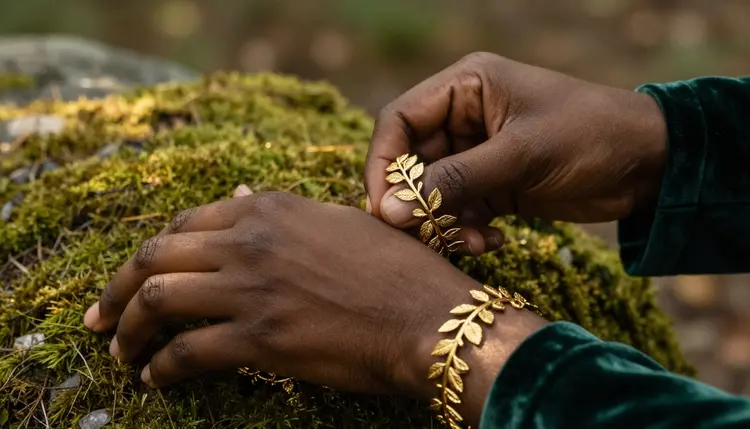
A tight crop like this one lets Recraft V4.1 Pro spend its detail budget on metal, velvet and skin instead of a whole scene.
3. Siren or Mermaid
Scaled fabric, wet rock, tide pools and an iridescent gown read as siren instantly.
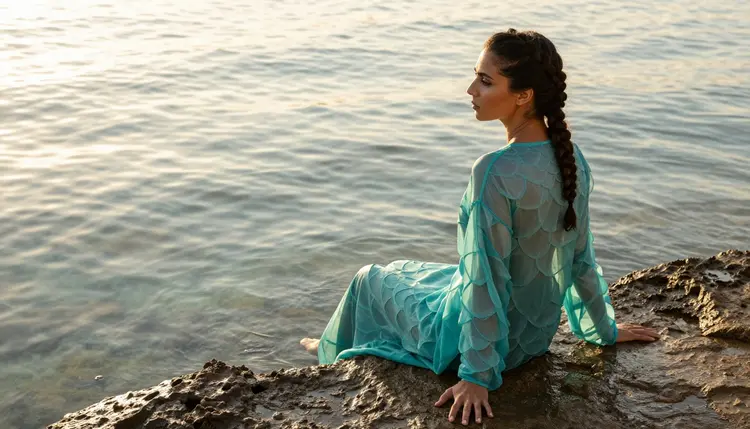
Ask for a scaled or shimmering gown rather than a literal fish tail if you want the character standing or seated rather than swimming.
4. Elf Ranger
Pointed ears, a drawn longbow and a pine forest turn the same base character into something more active and adventurous.
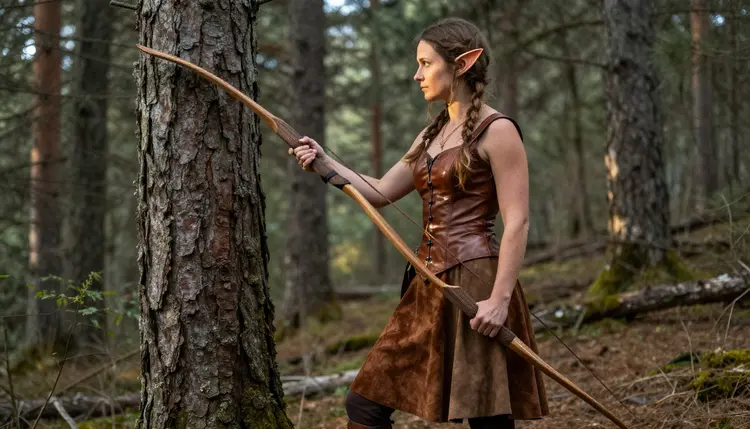
Action poses like a drawn bow give a generation more tension than a static portrait.
5. Winged Fae or Harpy
Feathered wing harnesses over satin or silk, shot at golden hour, are one of the most requested looks in this category.
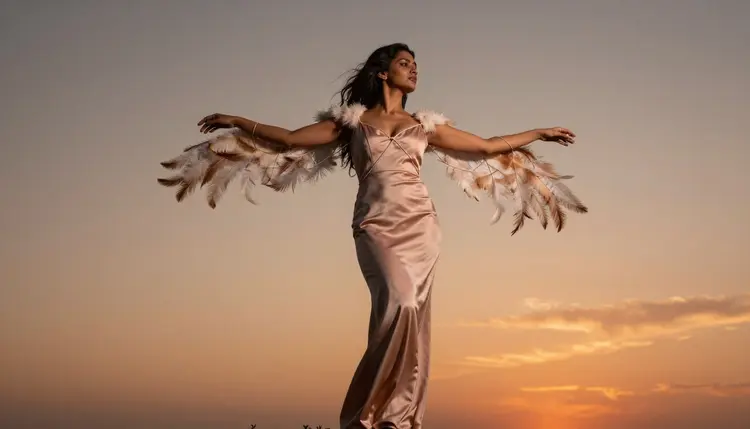
Backlighting hides fine wing detail while keeping the silhouette dramatic, which is forgiving if your wording is imprecise.
6. Dryad or Tree Spirit
Bark textured costuming against an ancient trunk is a strong pick when you want an earthier, less polished mood than the fae look above.
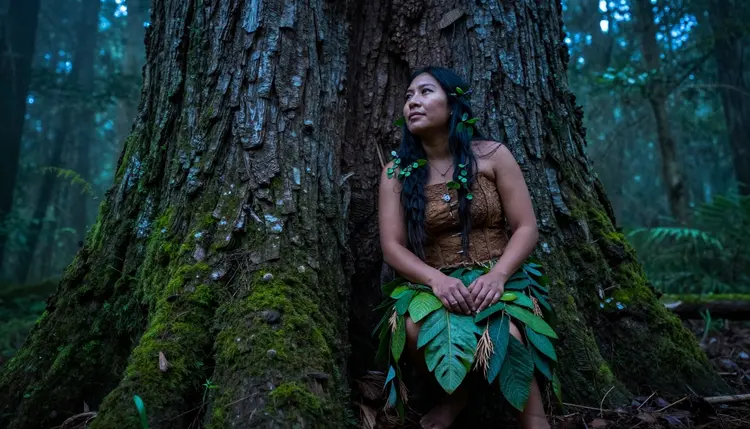
Crouched, low poses suit a creature that belongs to the forest floor rather than an open clearing.
7. Water Nymph
A seafoam or pale aqua gown, wading through a shallow river, gives a softer, more serene read than the siren concept above.
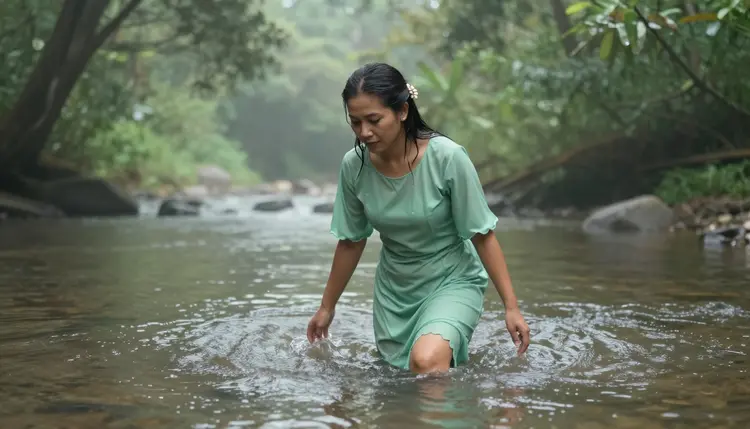
Moving water adds natural highlights that a still pond will not give you.
8. Frost Fae or Winter Spirit
White fur trim, pale skin and a snow dusted pine forest push the same base fae concept into a colder, quieter palette.
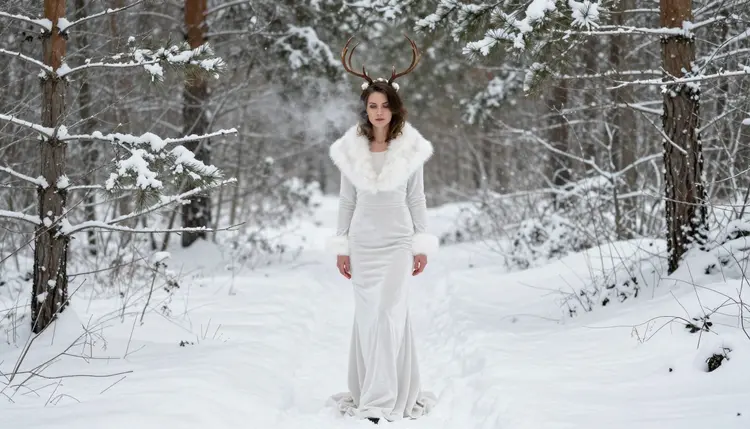
Snow light is naturally soft and flattering, so it is a forgiving setting to prompt for.
9. Paired Elf and Fae Characters
Two invented characters standing together, one elf and one fae, gives you a composition with contrast in costume and coloring without adding any real identity to the scene.
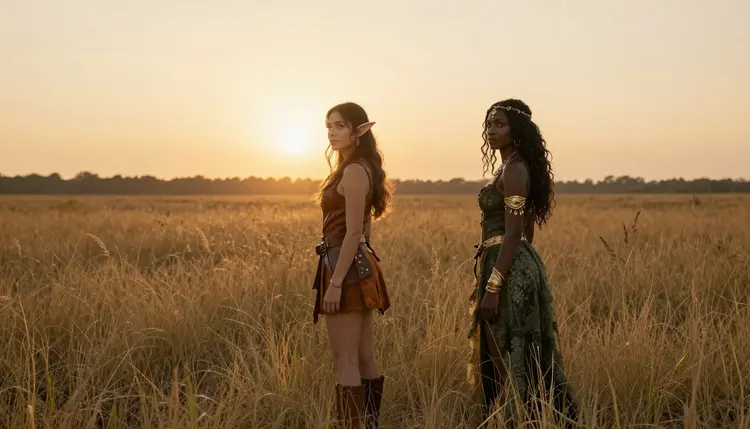
Dusk lighting ties two different costumes into one coherent palette.
10. Enchantress or Witch
Dark velvet, candlelight and a scattering of arcane props, a grimoire, dried herbs, a single candle, shift the tone from soft fantasy to something moodier and more dramatic, a useful change of pace after nine lighter looks.
Turning any of the ten ideas above into a finished image takes the same five steps every time.
- Pick One Archetype and One Setting. Choose a single creature type, a fae, siren, dryad or elf, and pair it with one location so the prompt stays focused instead of describing three scenes at once.
- Write the Costume and Skin Detail First. Describe fabric, texture and any skin markings before you describe the pose, since Recraft V4.1 Pro and the other confirmed models respond strongly to material and lighting cues.
- Open the Toolkit and Select Recraft V4.1 Pro. Head to the toolkit and choose Recraft V4.1 Pro, or another of the six confirmed models, before pasting in your prompt.
- Generate and Compare Two or Three Results. Run the same prompt two or three times, since lighting and pose vary between generations even with identical wording.
- Refine the Prompt Instead of Starting Over. Adjust one detail, fabric color, lighting direction or pose, at a time rather than rewriting the whole prompt, so you can tell which change actually moved the result.
Recraft V4.1 Pro is one of the six models on Picasso IA confirmed to generate adult content directly, without its filter blocking a fantasy or adult prompt, which is why every example image on this page came from it. A few things it handles unusually well for this category:
Skin under fabric edges. Where a corset laces or a sleeve ends, Recraft V4.1 Pro tends to render a believable transition rather than a hard cutoff, which matters for costumes like the gilded elf look above.
Wet and reflective surfaces. Tide pools, damp rock and wet skin, relevant for the siren and water nymph concepts, come out with real highlight variation instead of a flat gloss layer.
Backlit and low light scenes. Sunset and candlelight prompts, useful for the winged fae and enchantress ideas, keep detail in shadow areas instead of crushing them to black.
If a result looks close but not quite right, changing the lighting description, adding "soft directional light" or "warm backlight", moves Recraft V4.1 Pro's output more reliably than changing the pose description does.
Rules and Limits for Fantasy Creature Content
Fantasy species do not relax any of Picasso IA's content rules, they just give you a wider costume and setting vocabulary to work inside them with. Every character generated on the platform, creature or otherwise, must be an adult and must be entirely fictional: no real person's face or identity, no public figure, and nobody who resembles a minor, no matter how the character is dressed or how many pointed ears it has. This applies on every model, adult content or not.
Picasso IA is an 18+ platform. Creating an account and generating any of the content described on this page confirms you are an adult and that you understand every character shown, elf, siren, dryad or otherwise, is an invented figure with no real world counterpart.
Generations are private to your account by default. Picasso IA does not publish what you create or attach your name to it anywhere on the site, so trying out a fantasy concept before you are sure of the final look does not put anything on public display.
Picasso IA has six models, out of a much larger catalog, confirmed to generate adult content directly without a filter blocking the prompt: Seedream 4.5, Qwen Image 2, Recraft V4.1 Pro, Picasso Image Editor Pro, Picasso Video, and LTX 2.3 Pro. For fantasy creature portraits specifically, Recraft V4.1 Pro is the one used throughout this page because of how it handles fabric texture and skin under variable lighting, but Seedream 4.5 and Qwen Image 2 are also strong text to image choices worth trying with the same prompts. Picasso Image Editor Pro is the one to reach for if you already have a generated portrait and want to edit the costume or setting rather than starting over. Picasso Video and LTX 2.3 Pro turn any of the ten concepts above into a short moving clip instead of a still image, which works well for something like the winged fae silhouette or the water nymph wading through a river. Every other model in the catalog is built for different work and is not confirmed to bypass its own filter on an adult prompt, so an adult fantasy prompt on one of them will most likely return a content not supported message rather than a result.
Are fantasy creature characters allowed in NSFW generations on Picasso IA?
Yes. Fantasy species such as elves, fae, sirens and dryads are common subjects for adult generation on Picasso IA, as long as the character is entirely fictional, shown as an adult, and does not resemble any real, identifiable person.
Which model made the example images on this page?
Every example image above was generated with Recraft V4.1 Pro, one of six models on Picasso IA confirmed to generate adult content directly without its filter blocking the prompt.
Can I use these ten ideas with a model other than Recraft V4.1 Pro?
Yes. Any of the six confirmed models, Seedream 4.5, Qwen Image 2, Recraft V4.1 Pro, Picasso Image Editor Pro, Picasso Video, or LTX 2.3 Pro, can generate these prompts, and results vary slightly between models even from the same wording.
Do I need a reference photo to generate a fantasy creature character?
No. Every image on this page came from a plain text prompt describing costume, setting and lighting, with no uploaded reference photo involved.
How specific should a costume description be?
Fairly specific. Naming the fabric, lace, velvet, scaled satin, a texture detail such as bark or fur trim, and a light source like mist, candlelight or sunset gives Recraft V4.1 Pro more to work with than a general phrase like "fantasy dress."
Is there an age requirement for using this feature?
Yes. Picasso IA is an 18+ platform, and every character generated, fantasy or otherwise, must be depicted as a fictional adult, with no minors and no real people used as a reference.
Can I generate a video of a fantasy creature instead of a still image?
Yes. Picasso Video and LTX 2.3 Pro both turn a text prompt, or an image plus a prompt, into a short clip, and several of the ten concepts above, the winged fae and water nymph especially, work well as motion.
What happens if I try one of these prompts on a model that is not confirmed for adult content?
Most other models in the catalog apply their own content filter and return a message that the content is not supported, with your original prompt carried over so you can switch to one of the six confirmed models without retyping it.
Can two characters appear in the same fantasy creature generation?
Yes. Paired characters, such as the elf and fae concept above, are generated the same way as a single character; describe both costumes and their positions relative to each other in one prompt.
Are my generated fantasy creature images kept private?
Yes. Generations stay tied to your account by default and are not published or shared anywhere on Picasso IA, so you can try different fantasy concepts privately before deciding which one you like best.