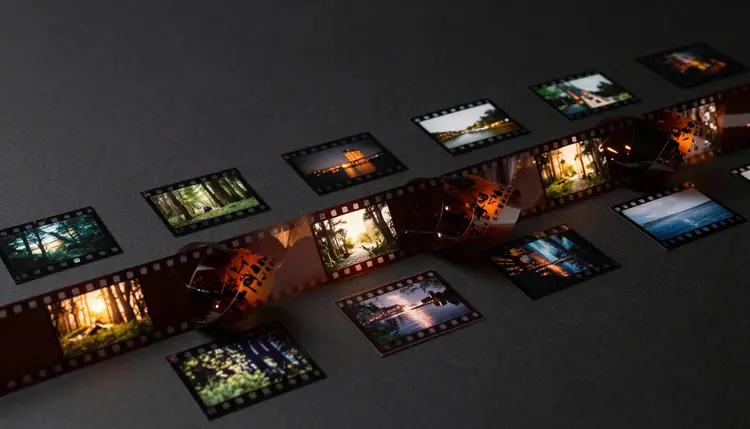
A talking-head video needs somewhere for the eye to rest. Every jump cut, every dense explanation, every stretch where the same face fills the frame benefits from a cutaway. AI b-roll generates that footage from a text description, so a solo creator can cover a cut without booking a second shoot or combing stock libraries for a clip that almost fits.
A-roll is the footage that carries the story: you talking to the camera, the interview subject answering a question, hands actually on the product. B-roll is everything cut in around it, and editorially it does three jobs at once. It covers a hard cut so a jump in the a-roll does not read as a mistake. It illustrates what is being said, so when you mention a spreadsheet the viewer sees a spreadsheet instead of your face saying the word. And it adds visual variety, because ten unbroken minutes of one static frame is the fastest way to lose a viewer.
Before generated video, b-roll meant a second shoot, a stock subscription, or footage repurposed from an earlier project, all of which cost time a script-and-record workflow does not otherwise need. Generating a clip from a written description collapses that step: describe the cutaway, wait under a minute, and drop it in where the cut needs covering.
On Picasso IA this happens in the Toolkit with a text-to-video model. Kling and other video models in the catalog take a written description and return a short clip, no source footage required unless wanted. New accounts get free credits, so testing whether generated b-roll fits your edit costs nothing but a few minutes.
Cutaway footage that clashes with the main scene is worse than no cutaway at all, because it breaks the viewer's sense that they are watching one continuous piece rather than a video stitched from parts. A slow, contemplative interview does not want a fast-cut, high-energy insert, and a punchy product review does not want a static, moody shot of rain on a window. The generated clip has to borrow the pacing and register of the footage around it, not just the subject.
Say so directly in the prompt. Naming the camera movement, pace and tone gets you closer than describing only the subject: "a slow, static shot of hands typing, soft daylight, calm mood" behaves very differently than "hands typing, fast motion, dramatic lighting," even with the same subject. Match the pacing to how your a-roll actually moves, since an editor cutting between a static talking head and a whip-pan insert will feel the seam.
Color and lighting matter almost as much as motion. A clip lit like golden hour sits oddly next to a-roll shot under flat office fluorescents, so describing the lighting condition of your actual footage, not the lighting you wish you had, keeps both halves of the edit in the same visual world.
Pro tip: generate three or four short variations of the same cutaway idea rather than one long clip. A four-second insert trimmed from a six-second generation, cut to start and end on clean frames, almost always looks more intentional than a single take stretched to fill the gap.
The clips that work best as b-roll are the ones that make no specific claim. A shot of hands typing, a city skyline at dusk, coffee steaming, gears turning: none of these assert that a particular event happened, so nobody watches them expecting documentary accuracy. That is the honest use of generated cutaway footage, and also the safest one, because generic and atmospheric shots hold up to scrutiny in a way that specific ones do not.
The trouble starts when generated b-roll tries to stand in for something concrete: your actual office, a real product you sell, a specific person's face. A generated "modern tech office" works fine as mood; the same shot presented as your company's actual office does not, because it shows a room that never existed. The same line separates a generic unboxing shot from one claiming to be your exact product. Keep inserts abstract enough that no viewer would mistake them for documentation of a real place or product, and disclose AI use wherever expectations call for it.
This is not unique to AI video. Editors have always reached for generic stock over misrepresented footage for the same reason: an audience that catches a fake documentary claim stops trusting the whole video.
Different video topics call for different cutaway vocabularies. Naming the right one in your prompt saves several rounds of regeneration. These four cover most of what creators ask for.
| Video topic | B-roll style that fits | What to ask for |
|---|
| Tech and product talk | Clean, minimal, close on details | close-ups of hands, screens, devices, cool lighting |
| Lifestyle and vlog | Warm, handheld, everyday moments | walking shots, coffee, natural light, soft motion |
| Business and finance | Composed, orderly, slightly formal | offices, charts, handshakes, neutral daylight |
| Educational and how-to | Literal, illustrative of the exact step | close-ups of the object or action being explained |
Naming the topic family, even a generic phrase like "clean tech product cutaway" or "warm lifestyle vlog insert," steers the model toward the right register faster than describing lighting and mood from scratch each time.
Generated cutaway footage earns its place by covering cuts and adding texture cheaply. It stops being useful, and starts being risky, past a few specific limits worth knowing before you rely on it for something that matters.
- Not documentary footage: a generated shot of "your office" is not real footage of that place, so presenting it as an actual record of an event or location misleads the viewer even without a technical disclosure rule.
- Exact color grade needs a pass: matching a clip's lighting precisely to your main footage usually still needs a color-correction step in your editor, since the generation and the source were never lit by the same light.
- Specific and branded visuals film better than they generate: real packaging, a recognizable landmark, or a person's likeness should be filmed, not generated, since a model approximates rather than reproduces exact details.
- Text on screen is unreliable: signage, labels and screen content inside a generated clip frequently come out garbled, so treat on-screen text as decorative, never as something a viewer is meant to read.
- Continuity is not guaranteed across clips: two separate generations of "the same" scene will not match each other in lighting or framing the way two takes from one camera would, so treat each generated clip as a standalone insert.
None of these limits change what generated b-roll is good for, cheap, fast, generic coverage, they mark where that job ends and a real shoot should take over instead.
The generate-and-cut workflow is short enough to run mid-edit, without breaking momentum to go source footage elsewhere. Five steps take a rough cut from a visible jump to a covered one.
- Find the cut that needs covering. Scrub the rough edit for jump cuts, dense explanations, or any stretch longer than ten or fifteen seconds of an unbroken talking-head frame.
- Describe the supporting visual, not just the subject. Name what illustrates that sentence, plus the camera movement, pace and lighting that matches the surrounding footage.
- Generate a few short clips. Run three or four variations of the idea in the Toolkit rather than committing to the first result.
- Color-match the winner to your main footage. Bring the clip into your editor and adjust exposure and white balance so it sits in the same visual world.
- Cut it in at the jump point. Trim to a clean in and out point, typically two to four seconds, and lay it directly over the cut it is meant to hide.
The pricing page shows what a short generation costs before you commit, and the model catalog lists every video model available.
What is b-roll and why does a video need it?
B-roll is the supplementary footage cut in around your main subject, the a-roll, to cover hard cuts, illustrate what is being said, and add visual variety. Without it, a talking-head video is one unbroken shot of a face, difficult to watch for more than a couple of minutes no matter how good the script is. B-roll gives the editor somewhere to cut to, letting a jump in the a-roll disappear instead of announcing itself.
Can AI actually generate usable b-roll from just a text description?
Yes, for the generic, atmospheric shots that make up most b-roll: hands typing, a city at dusk, gears turning, coffee steaming. Text-to-video models on Picasso IA, including Kling, take a written description of the subject, camera movement and mood and return a short clip in under a minute. Results improve when the description names pacing and lighting, since a bare description leaves the model to guess at everything else.
How long should a generated b-roll clip be?
Most cutaways run two to five seconds on the timeline, even when the source generation is longer, because b-roll exists to cover a cut, not become the main event. Generate a slightly longer clip than needed, then trim to the cleanest two or three seconds. A short, well-chosen segment almost always cuts better than a full clip left untrimmed.
Will generated b-roll match the lighting and color of my main footage?
Not automatically, and that is normal rather than a flaw. A generated clip is lit however the model interpreted your prompt, which rarely matches your actual filming conditions exactly. Plan on a short color-correction pass, adjusting exposure and white balance so the insert sits in the same visual world as the footage around it.
Is it okay to use generated b-roll of my own office or product?
Only if it stays generic enough that no viewer would mistake it for real footage of that place. A shot of "a modern office" used as atmosphere is fine; a shot presented as your actual office is not, because it depicts a room that does not exist. The same applies to products: an anonymous unboxing shot works as texture, but a clip claiming to show your exact product should be filmed instead.
What kind of prompt gets the best cutaway results?
Name four things: the subject, the camera movement, the pace, and the lighting. "A slow, static close-up of hands typing on a keyboard, soft window light, calm mood" gives the model far more to work with than "hands typing," and it tells you upfront whether the shot will match your footage's energy. Vague prompts return technically correct but tonally random clips.
Can generated b-roll replace stock footage libraries entirely?
For most everyday cutaways, yes, since a generic insert generated in under a minute covers the same job a stock search used to. Where stock still wins is highly specific or literal shots, a recognizable landmark, a branded product, footage of a real historical event, none of which a generation can honestly stand in for. Treat generated b-roll as the default, and reach for stock when a shot needs to be verifiably real.
How many b-roll clips does a typical video need?
It scales with length and density rather than a fixed rule. A five-minute video with one dense segment might need three or four inserts; a fifteen-minute interview with several jump cuts can use a dozen or more. A useful heuristic: any stretch past ten to fifteen seconds of unbroken a-roll is a candidate for a cutaway, so count those stretches rather than guessing a total up front.
Does b-roll need to literally match what is being said?
Loosely, not literally. Describing a spreadsheet, a shot of someone working at a laptop reads as connected even without the exact spreadsheet visible; an unrelated cityscape would feel disconnected. The audience is pattern-matching mood and subject, not fact-checking frame by frame, so the cutaway needs to feel plausibly related, not illustrate the sentence with documentary precision.
Can I generate b-roll for topics I have no footage of at all, like history or science?
Yes, and this is one of the strongest cases for generated footage, since filming an illustrative shot of an abstract or historical topic is often impossible the traditional way. A video explaining a scientific concept or a historical event can use generated atmospheric clips to give the eye something to look at while the narration carries the information. Keep the visuals clearly illustrative rather than presented as archival footage.
Your script already knows where the cuts are. Open the Toolkit and describe the shot each one needs.