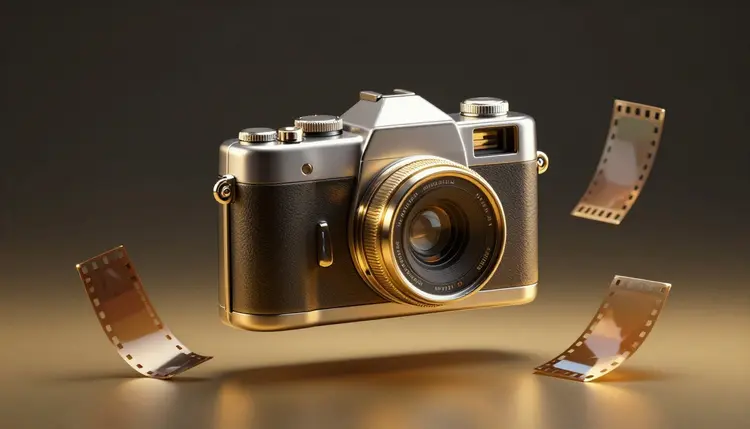
A disposable camera has no screen, no zoom and one chance per frame, which is exactly why its photos feel alive: the flash is harsh, the faces are caught mid-laugh, the corners go dark and nobody tidied anything up. Image models can recreate that look from a sentence, as long as you describe the camera and not only the scene. Here is how to get flash, grain and that party look without it turning into a cheap filter.
The appeal of a disposable camera photo is a set of small flaws that happen together: a flash that flattens the face and blows out the nearest skin, a background that drops into darkness a few steps back, slightly soft focus, a tilted horizon, a thumb at the edge of the frame. Photographers spend years learning to avoid every one of those. Chasing them on purpose is a style choice, and a generated image lets you make that choice without carrying a camera to the event, waiting for a lab or hoping the shot turned out.
There are practical reasons too. A mood board for a party, a wedding or a launch needs reference images that look like the night you are planning, before the night exists. An invitation, a playlist cover or a feed post often wants the snapshot feeling more than it wants sharp detail. Picasso IA has 212 text-to-image models among its 502, so you can run the same prompt through several of them and see which one understands flash and grain best; the full catalog lists them all. New accounts get free credits, and generating images is a small cost next to video.
One honest rule before the rest. These photos are made, not found. Use fictional characters or your own pictures, never a real identifiable person, and if you post the results as party memories that did not happen, say they are generated. The look is borrowed from film; the event is not real.
Models respond to photographic vocabulary because they learned from captioned photos, so the most reliable way to get the look is to name what the camera did. Ask for direct on-camera flash, a bright face against a dark background, slight red eye, visible film grain, faded colors, soft focus and a casual, off-center framing. Then describe the moment: a friend mid-laugh holding a paper cup, someone blurred walking out of frame, confetti on a kitchen floor.
Words that do not help are the glossy ones. Cinematic, 8K, ultra detailed and perfect lighting all push a model toward a polished studio result, which is the opposite of a snapshot. If the first batch looks too clean, remove adjectives instead of adding them, and add one flaw at a time: a finger near the lens, a tilted frame, a lens that is a little dirty.
Tip: ask for the mistake, not the style. A prompt that says the photographer was in a hurry, the flash fired too close and the frame is slightly crooked will often look more like a real disposable shot than a prompt that only says retro film photo.
Keep the scene mundane. A disposable camera lives in kitchens, parking lots, backyards, car windows and dance floors, and a plain location with ordinary props reads as more convincing than a dramatic one. The less the image looks composed, the more it looks captured.
Not every disposable photo looks like a night out. The table below separates the looks that people usually mean, with the words that steer each one and the thing most likely to go wrong. Test one look across two or three models before you commit to a set.
| Look | Prompt words that steer it | Good for | Common problem |
|---|
| Direct flash party | harsh on-camera flash, bright face, dark background, shiny skin highlights, slight red eye | Nights out, birthdays, dance floors | Every face drifts toward the same look |
| Warm daylight trip | faded warm colors, slight overexposure, soft light leak at the edge, sun glare | Beach days, road trips, picnics | Colors turn too orange or too even |
| Dinner table | mixed indoor light, flash falloff on the wall, blurred hands, crumbs and glasses | Dinners, weddings, family tables | Food and glasses melt together |
| Candid blur | slightly tilted frame, motion blur, subject half out of frame, thumb near the lens | Friend groups, backstage, street | Blur hides the detail you wanted |
| Date stamp | small orange date stamp in the lower right corner | Nostalgic feed posts and covers | Digits are often garbled, so check them |
| Own photo restyle | your photo as a reference, same people, add flash, grain and faded color | Your own party pictures | The model may change faces slightly |
This is the shortest path from an idea to a small set of frames that read as one roll. It assumes a scene in mind and about twenty minutes.
- Pick the scene and the people. Decide whether the subjects are fictional characters or your own photos, and write down one ordinary location and one moment, such as two friends laughing in a kitchen at midnight.
- Write the camera into the prompt. Open the toolkit, choose an image model such as flux-2-pro or nano-banana-pro, and describe the flash, the grain, the faded color and the flaw before you describe the scene.
- Generate a small batch and compare. Make four images from the same prompt, then run the same prompt through seedream-4.5 or gpt-image-1.5 to see which model gives the roughest, least polished result.
- Restyle your own photos if you have them. Attach a picture as a reference to nano-banana-pro or qwen-image-edit-plus and ask for the same people with direct flash, grain and a dark background, keeping faces and clothes unchanged.
- Cull and finish the roll. Keep the frames that look uneven on purpose, drop the ones that look too clean, and if you add a date stamp or a border, do it in an editor so the digits are correct.
Most failed attempts fail the same way: the image is a clean photograph with a filter on top. Real disposable shots are uneven, and the problems below are what give a generated version away. Check a batch against this list before you use any frame.
- Everything is sharp: a real flash photo is crisp near the subject and soft in the background, so ask for focus falling off instead of a uniform sharp frame.
- Perfect faces: smooth, symmetrical, evenly lit faces look rendered, so ask for sweat, shine and an expression caught between words.
- Grain that looks painted: a texture laid evenly over everything reads as an overlay, so describe film grain in the shadows and ask for the model to keep skin natural.
- Too many people looking at the camera: candid shots catch people turning away, so write that one person is looking off to the side and another is blurred.
- A scene that is too pretty: the room, the table and the lighting are staged, so add clutter, a half-eaten plate, a tipped cup or a messy background.
The look has real limits. A model draws the idea of flash, not the physics of it, so shadows behind a subject can fall in the wrong direction and reflections in glasses or mirrors often do not match the scene. Hands holding cups, phones and cigarettes are still a common place for extra fingers, and group shots with six or more faces tend to repeat features or merge people at the edges.
Date stamps and any printed text in the background, such as a menu or a banner, are risky because small lettering often comes out wrong. A restyle of your own photo can also quietly change a face, and for a picture of a real friend that matters, so compare the result against the original before you share it.
Finally, authenticity is the one thing the tool cannot supply. A generated frame will not carry a real night, and presenting it as documentation of an event can mislead people. For anything where the picture is meant to be proof, use a real camera. Use this approach for posters, mood boards, covers, invitations and clearly labeled creative work, and see AI portrait styles for other ways to restyle your own photos.
Can AI really make photos that look like a disposable camera?
Yes, to a convincing degree, as long as the prompt names what a cheap camera does. Direct on-camera flash, a dark falloff behind the subject, visible grain, faded color and a casual crop are all things image models know from captioned photos. Expect to run a few batches and remove polished words along the way. The result is an imitation of the look, so pick the frames that feel uneven rather than the cleanest one.
Which AI model is best for the disposable camera look?
There is no single answer, which is the case for trying several. In the catalog, flux-2-pro, nano-banana-pro, seedream-4.5 and gpt-image-1.5 are all text-to-image models worth testing with the same prompt. Look at which one produces the roughest, least polished frame, and which handles faces and hands in a group without errors. Your own taste decides the winner, so compare outputs side by side before choosing.
Can I turn my own party photos into the disposable camera style?
Yes. Models such as nano-banana-pro and qwen-image-edit-plus accept a reference image plus an instruction, so you can attach a photo and ask for the same scene with direct flash, grain and faded color. Tell the model to keep faces and clothes unchanged, then compare the result with the original. Only use photos of yourself or people who agreed to it, because a restyle can subtly alter a face.
What words should I put in the prompt for flash and grain?
Start with direct on-camera flash, bright face against a dark background, visible film grain, faded colors, slightly soft focus and off-center framing. Then add one flaw at a time, such as a tilted frame, a finger near the lens or a blurred person leaving the frame. Avoid cinematic, 8K and ultra detailed, because those words push models toward a polished studio image instead of a snapshot.
Why do my results look too clean or too much like a filter?
Usually the prompt describes a good photo instead of a bad one. Polished adjectives, perfect lighting and a staged scene all produce a clean image. Remove those words, add a hurried photographer, a flash that fired too close and a messy background, and ask for focus to fall off behind the subject. If grain looks painted on, ask for it in the shadows and keep the skin natural.
Can I add a date stamp to the photos?
You can ask for one, but check the digits, because small text and numbers are a weak spot for image models and the date often comes out garbled. A safer route is to generate the photo without it and add the stamp in an editor, where you control every character. Keep it small, orange and in the lower corner if you want the classic feel, and make sure the date is not misleading.
Is it okay to share these as real photos?
It is better not to. A generated frame was never taken at an event, so presenting it as a real memory or as proof of something can mislead people, and some platforms ask you to label generated images. Check the current requirements of the platform you post on. Use fictional characters or your own pictures, never a real identifiable person, and say the images are generated where it matters.
Can I make a whole roll that looks like one night?
Yes, with a little discipline. Reuse the same camera words, the same location and the same light in every prompt, and change only the moment. With models that take reference images, such as nano-banana-pro and flux-2-pro, attach a frame you like so the people and clothes stay close from shot to shot. Expect some drift in faces, so cull the set and keep the frames that match.
Can I use the images on invitations, covers or posters?
Often yes, and that is where the look fits best: invitations, playlist covers, mood boards and feed posts. Whether you can use an image commercially depends on the model and the rules where you publish, so check the current terms for the model you used and the platform you post on. Avoid real people and real brands in the frame, and do not use the pictures to imply a real event happened.
How much does it cost to make these photos?
Generations are paid in credits, and the cost per image depends on the model and the settings you choose, so any number written here would go out of date. Images sit at the cheaper end of the catalog compared with video. New accounts get free credits to try the look, and current plans are listed on the pricing page, which is the only place to trust for figures.
Ready to see how your own night would look on a cheap roll of film? Open the Picasso IA toolkit and shoot your first frame with a prompt in the next few minutes.