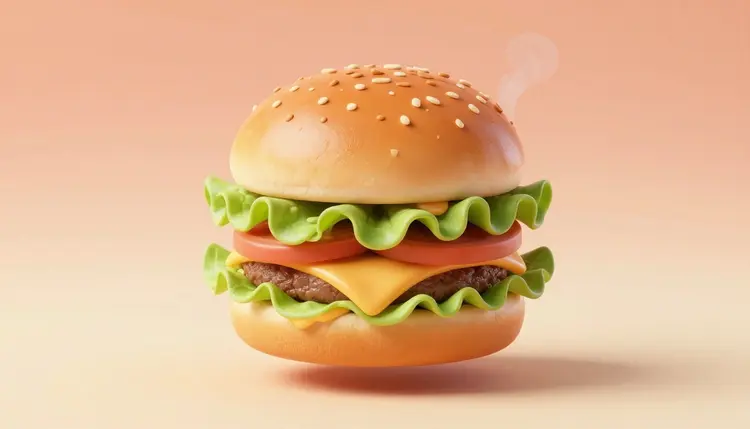
A menu lives or dies by its photos. On a delivery app, a blurry phone snap sitting next to a sharp, well-lit shot tells a customer which dish to trust before they read a single word of the description. Booking a food stylist and a photographer for a full menu update costs real time and money that most kitchens do not have lying around, and that gap between what a dish deserves and what most menus actually show is exactly what AI image models were built to close.
A food photo shoot is really three jobs stacked together: styling the plate, lighting it, and shooting it from the angle that sells. None of those three require the food to physically exist in front of a camera once a model has learned what a seared steak, a dripping burger or a dusted pastry looks like from thousands of labeled examples. You describe the dish and the plating, and a text-to-image model renders the scene around it.
Picasso IA runs 488 models behind one interface, including FLUX, Seedream and nano banana, so the same dish can be tested across several engines instead of learning one tool's quirks; the full catalog is browsable if you want to see what else is in there. New accounts include free credits, enough to generate a first batch and see whether the workflow fits how your menu gets updated. And because a generation takes seconds, not a studio afternoon, testing five plating ideas costs nothing close to a reshoot.
Food prompts respond best to the vocabulary a menu photographer already uses: the plate, the garnish, the light, and the state of the food at the exact moment it looks best. Naming the dish alone gets a generic result; naming how it is plated, what catches the light and what is steaming or melting gets a shot that reads as appetizing rather than merely correct.
Four details do most of the work. State the plating: stacked, drizzled, scattered garnish, a smear of sauce pulled across the plate. Name the light: soft window light, a single warm key light, backlit steam. Add texture words the model can render: glistening glaze, crisp edges, a melted cheese pull, condensation on a glass. And give a camera instruction, since "overhead flat lay" and "45-degree hero shot, shallow depth of field" produce genuinely different images from the same dish.
Pro tip: put the freshness cues in the prompt, not just the dish name. Words like just-plated, steam still rising and glossy from the sauce push the model toward an appetizing moment instead of a static, slightly tired-looking plate, which is the difference most people notice first and struggle to name.
Different menu placements call for different shots, and naming the angle and style directly steers the result more reliably than describing the composition piece by piece.
| Style or angle | What to write in the prompt | Best for |
|---|
| Overhead flat lay | top-down view, symmetrical plating, garnish scattered evenly | Bowls, salads, pizza, shareable platters |
| 45-degree hero shot | three-quarter angle, shallow depth of field, blurred background | Burgers, sandwiches, stacked or layered dishes |
| Close-up macro | extreme close-up, glistening texture, visible steam | Desserts, sauces, drinks, garnish detail |
| Rustic tabletop | wooden table, natural window light, linen napkin nearby | Comfort food, bakery items, brunch plates |
| Clean studio white | plain white backdrop, soft shadow, centered composition | Delivery app thumbnails, catalog consistency |
Run the same dish through two or three of these before picking one. A grain bowl usually reads best from overhead, where every ingredient is visible, while a stacked burger needs the 45-degree angle to show its layers; the wrong angle is a more common mistake than a weak prompt.
A menu with thirty dishes photographed in thirty different styles looks like thirty different restaurants stitched together. Consistency, not any single stunning shot, is what makes a menu look professional at a glance, and it depends on locking the background, the light and the framing before generating dish after dish.
Write one fixed style paragraph, the plate type, the background color, the light direction and the camera angle, and reuse it word for word across every dish, changing only the food description in between. Reference-driven models make this easier still: feed a locked example shot back in as a reference image alongside the new dish description, and models built for accurate reference matching, such as Riverflow 2.0 Refsr, hold the background, lighting and framing steady while the dish itself changes. For a real plate you already photographed, nano banana and Seedream can restyle the same lighting template onto the actual photo instead of generating the dish from scratch.
Batching this way also protects the schedule: generate the whole menu in one sitting against the same template rather than returning to it dish by dish over several weeks, since style drifts most between sessions.
This is the workflow that produces a coherent set of dish photos rather than a folder of unrelated, individually nice images. It assumes a dish list and about an hour for a first batch.
- Write a plating-first prompt for one dish. Name the dish, the plating detail, the garnish, the texture cues and the camera angle in one sentence, then generate four variants to compare.
- Pick the angle and lock a style template. Choose the strongest result, write down its background, light and framing as a fixed paragraph, and treat that paragraph as the house style for the whole menu.
- Generate the rest of the menu against the template. Reuse the style paragraph for every remaining dish in the Toolkit, swapping only the dish description, and run two or three models like FLUX and Seedream side by side.
- Match real plates when accuracy matters. For a signature dish that must look exactly like the kitchen serves it, feed a real photo into a reference-driven model such as Riverflow 2.0 Refsr or nano banana instead of generating from a description alone.
- Export for print and for the delivery app. Run a printed menu photo through an image upscaler if it needs to be larger, and for app thumbnails that need a clean cutout, use a dedicated background removal pass plus a matching shadow for a consistent, shelf-ready look.
An honest tool page names where the tool stops working. For menu photography there are five recurring places.
- Exact recipe accuracy is not guaranteed: a generated shot can drift from your actual ingredient count or portion size, so a signature dish worth getting exactly right should start from a real photo rather than a pure text description.
- Liquid and steam physics can look slightly off: pours, drips and rising steam are some of the harder things for a model to render believably, and a close inspection sometimes shows a splash or a melt that does not quite obey gravity.
- Text on packaging or menu boards distorts easily: if a shot needs to include a legible label or a printed menu board in the background, check every letter, since long text is still the weakest spot for most image models.
- Over-idealizing a dish is a real risk, not just a style choice: several delivery platforms have rules against photos that misrepresent portion size or ingredients, so a generated shot needs the same honesty check a real photo would get before it advertises the dish.
- A forty-item menu still takes real review time: batching cuts the work down sharply, but every generated dish still needs a human to confirm it actually looks like what gets served.
None of these is a reason to skip the tool, only reasons a person still checks every plate before it goes live.
Is there a free way to generate AI food photos for a menu?
Picasso IA gives new accounts free credits, and a single dish photo is one of the cheaper generations in the catalog compared to video or 3D work. That is enough to test plating styles and angles for a handful of dishes and see whether the results are strong enough to build a menu around. Beyond the free credits, current plans are listed on the pricing page, and they change often enough that a specific number here would go stale fast.
Can I generate a photo of my actual dish instead of a generic-looking one?
Yes, and it is the more reliable path for a signature item. Upload a real photo of the plated dish to an editing or reference model such as nano banana or Riverflow 2.0 Refsr, and ask it to relight, reframe or restyle the background while keeping the dish itself unchanged. This tends to preserve portion size and exact garnish placement far better than describing the dish from scratch in a prompt.
Which AI model is best for food photography?
There is no single best model, which is the argument for testing a few. FLUX and Seedream both produce strong text-to-image results with realistic lighting and texture, nano banana is a dependable choice for editing a real dish photo, and Riverflow 2.0 Refsr is built specifically for matching a reference image's real detail. A practical session runs the same prompt through two or three of the 488 models and keeps whichever reads as most appetizing.
Will the AI photo make the dish look better than it actually is?
It can, and that is worth watching for rather than ignoring. Prompts that lean heavily on words like glistening, oversized or dripping can push a result past what the kitchen actually plates, which risks disappointing a customer who orders based on the photo. Compare the generated shot against a real plate before publishing it, and several delivery platforms explicitly prohibit photos that misrepresent portion size or ingredients.
Can I keep the same photo style across every dish on the menu?
Yes, and it matters more for how professional the menu looks than any single photo does. Write one fixed style paragraph describing the plate, background, light and camera angle, and reuse it for every dish, changing only the food description. Reference-driven models make this even more consistent by locking a background and lighting template from one accepted shot and applying it to the rest.
Do delivery apps allow AI-generated food photos?
Policies vary by platform and change over time, so checking the current terms of whichever app you list on is the only reliable answer. The general principle that holds across most platforms is that a photo must represent the dish honestly, whether it was shot with a camera or generated, so treat an AI photo with the same accuracy standard as a real one rather than assuming the rules do not apply to it.
Can I get a transparent food photo for a delivery app icon?
Yes. After generating or editing the dish shot, a dedicated background removal pass produces a clean transparent cutout, and adding a matching shadow afterward keeps the isolated dish from looking like it is floating on the app tile.
How do I get a high-resolution photo for a printed menu?
Generate at the highest resolution the model supports, several current models output up to 4K, and if a printed menu needs it even larger, run the result through an upscaling model afterward. Check the shot at full zoom before sending it to print, since fine details like garnish texture or steam are the first things to look soft if the source resolution was too small to begin with.
Can AI photograph drinks and desserts as well as savory dishes?
Yes, and these categories often generate cleanly since condensation, glaze and layered textures are exactly the kind of detail current models render well. A cocktail with condensation on the glass or a dessert with a glossy glaze tends to need less prompt effort than a complex savory plate with many separate components, though steam and pouring liquid still deserve a closer look before publishing.
How much does generating menu photos cost?
Generations are paid in credits, and the exact cost depends on the model and settings chosen, so any specific number written here would be wrong within a few months. Food photos sit toward the cheaper end of the catalog compared to video or 3D generation. New accounts start with free credits, and current pricing for ongoing use lives on the pricing page, the only place worth trusting for real numbers.
Your menu deserves photos that match what actually leaves the kitchen. Open the Picasso IA toolkit and turn your dish list into a consistent, menu-ready set in the next hour.