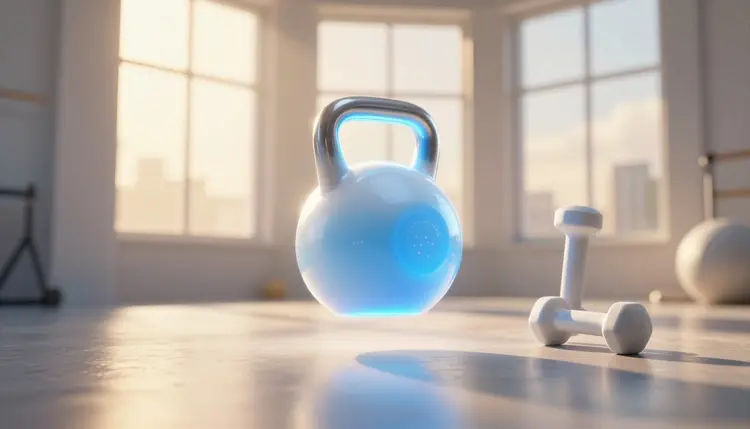
A gym needs fresh promo clips all the time: the new Saturday class, the January offer, the founding-member deadline, the coach introduction. Filming each one means a camera, a quiet hour and members who would rather train than pose. AI video lets you describe the scene and the offer, generate short clips, add a voice and post them, while the real classes keep running on the floor.
Most gyms and independent trainers have no marketing department, just an owner with a phone and a calendar full of things that change every month: class times, intro offers, new instructors. Each deserves a clip, and almost none get one, because a proper shoot costs more time than the offer is worth.
Generated video changes the arithmetic for a certain kind of clip. A class teaser does not need your members in it; it needs a mood, a few seconds of motion and a call to action. An offer announcement does not need a location shoot; it needs a clear scene and a voice that says the deadline out loud. A text-to-video model can produce both from a paragraph of description.
Picasso IA puts 502 models behind one interface, 121 of them text-to-video, so you can try the same brief on different engines and keep the one that fits your brand. New accounts get free credits to test with, and the model catalog shows what else is there. The honest scope is promotion: atmosphere, offers, announcements and introductions. Teaching people how to exercise is a different job, and it stays with humans.
Gym promos come in a handful of recurring shapes, and each one suits a different tool. The table below is a starting point based on what the models are documented to do, not a ranking. Run your own brief through two engines before you settle.
| Clip type | Good first model | What you give it | Watch out for |
|---|
| Class teaser, 10 to 15 seconds | Kling v3 Video (kwaivgi/kling-v3-video) | A scene prompt, or up to six short shots in one run | Body motion that looks off, so keep the action simple |
| Offer or deadline announcement | Seedance 2.5 (bytedance/seedance-2.5) | A prompt with the offer line in quotes, audio switched on | Spoken numbers and dates: check every one |
| Coach or front-desk welcome | Avatar V (heygen/avatar-v) | A script, an avatar and a voice | Only fictional or properly licensed avatars |
| Space and atmosphere b-roll | Seedance 2.5 or Kling v3 Video | Your own photo of the gym as the first frame | Equipment that morphs or changes shape |
| Vertical story or Reels cut | Any of the above, 9:16 | The same prompt with the aspect ratio changed | Captions sitting under the app interface |
Two habits save credits. Generate the short version before the long one, since a few seconds shows whether the model understood the scene. And use a real photo of your space as the opening frame, so the room in the promo is your room. Kling v3 Video accepts a start image, and Seedance 2.5 accepts a first frame and up to thirty reference images.
A promo prompt has four parts: the scene, the motion, the light and the line. The scene says where we are and who is in it, the motion says what moves and how the camera behaves, the light sets the mood, and the line is whatever should be spoken or shown. Leave out any of them and the model fills the gap with its own taste, which is rarely yours.
For a class teaser, think in gestures, not in exercises. A slow push-in on a row of empty mats at sunrise is easy for a model. A detailed barbell complex is not, and you will pay for the attempt. Describe energy, space and sound, then let the voiceover carry the specifics.
For an offer clip, write the line first. Something like: a bright reception desk, a hand sliding a key fob across the counter, a voice says "First month half price, until the end of the week". Put spoken words in quotes, and listen to the finished audio, since models can stumble on numbers. Put any conditions in the caption, where people can read them, not only in a spoken line.
The effects page holds one-click preset looks worth a skim when you want a visual style. For paid placements, see AI video ads for social.
This is the shortest path from an offer on a whiteboard to a clip you can post. Plan on a handful of generations per step, not one.
- Write the one-sentence promise. Class name, time, who it is for, and the single action you want, such as book a spot or claim the intro week. If the sentence needs a second clause, you have two videos.
- Generate the visuals in the toolkit. Open the toolkit, pick Seedance 2.5 or Kling v3 Video, paste your scene prompt, and set 9:16 for Stories and Reels or 16:9 for the lobby screen. Attach a photo of your own space as the first frame if you have one.
- Add the voice. Either switch on native audio in the video model, or write the script and run it through a text-to-speech model such as elevenlabs/v3 or minimax/speech-2.8-hd, then lay it under the clip.
- Add a host if you want one. For a coach welcome, give Avatar V a script of a few sentences, choose a fictional or licensed avatar and a voice, and turn on burned-in captions.
- Cut, check and publish. Trim to the strongest seconds, verify every price, date and time against your real schedule, and check the platform's current ad and content requirements before you post.
A voice is what makes an offer clip sound like your gym instead of a template. There are three routes, and they can be mixed.
Native audio comes first. Seedance 2.5 renders picture and sound together, including quoted dialogue, effects and music, and Kling v3 Video can generate native audio when you switch it on. It is the quickest route, right for atmosphere and short announcements.
Separate voiceover is the control route. The catalog lists 24 text-to-speech models, so you can pick a voice with the pacing you want, write the script yourself and keep every word exactly as you approved it. Our AI voiceover for videos page walks through that workflow. This matters most for anything with a price or a date in it.
The avatar route is for introductions. Avatar V turns a typed script into a talking-head video with lip sync, at 720p, 1080p or 4K, in 16:9 or 9:16, with optional burned-in captions and a voice speed between 0.5x and 1.5x. Use it for a coach welcome, a trial-class explainer or a weekly schedule update. If you are weighing it against a dedicated avatar product, the Picasso IA vs HeyGen comparison lays out the differences.
Never put a real person's face or voice in a promo unless it is yours or you have their clear permission. Pick a fictional avatar, or no on-screen person at all, and do not generate lookalikes of members, local athletes or celebrities.
Captions are worth the extra minute. Many people watch gym clips on mute, and the same words that sell the offer protect you from a misheard price. See automatic video subtitles for adding them to a clip that has none.
This page is about promotion, and it stops being useful in specific places. Treat the following as hard edges, not as footnotes.
- Exercise form is often wrong: generated people squat, lift and stretch with joints that bend oddly, uneven reps and equipment that changes shape mid-clip. It is fine as background energy and bad as anything a viewer might copy.
- Never use generated clips to teach technique: a viewer who imitates a flawed movement can get hurt. Instruction should come from a qualified coach, filmed or demonstrated live.
- No body-transformation or health claims: do not generate before-and-after bodies, promise weight loss or imply medical benefits. They would be invented, they can mislead, and advertising rules in many places restrict them.
- Offers must match reality: the clip must show the real price, real class times and the real conditions, because a generated voice repeats a wrong number with total confidence.
- Your space and your people are not generated: if you show the gym, use your own photo as the base, and keep real members out of generated scenes unless they have agreed in writing.
There is a softer limit too. Generated clips are short, so they are teasers and announcements, not a facility tour. A real walkthrough, filmed once on a phone, still beats any model.
Can AI make a promo video for my gym without any filming?
Yes, for the right kind of clip. Text-to-video models generate short scenes from a written description, and a voiceover or avatar can carry the message. That covers class teasers, offer announcements, atmosphere shots and coach introductions. What it does not cover is real exercise demonstration, so keep anything instructional filmed or live. Start with one 9:16 clip and judge it against your own brand before making more.
Which AI models work best for gym promo clips?
There is no single best, so test two. Kling v3 Video makes clips up to 15 seconds, supports up to six shots in one run, and takes a start image. Seedance 2.5 renders picture and synced audio together, can take reference images and a first and last frame, and runs up to 30 seconds. Avatar V is the one for talking-head intros. All three are in the toolkit.
Can I show my real gym in a generated video?
Yes, by giving the model a photo of your space as the starting frame. Kling v3 Video accepts a start image and Seedance 2.5 accepts a first frame and reference images, so the room, the colors and the layout can stay recognizable. Check the result closely, since models sometimes reshape equipment or move walls, and a promo should not misrepresent your facility.
Can I use AI-generated clips to demonstrate exercises?
No, and this page recommends against it. Generated bodies often move incorrectly: joints bend wrongly, reps look uneven, and equipment changes shape between frames. A viewer who copies that can get injured. Use generation for atmosphere and announcements, and leave technique to a qualified coach.
Can I generate before-and-after transformation videos?
You should not. A generated body is invented, so a transformation clip would be a fabricated result presented as if it were real, and it can mislead viewers about what training does. Many ad platforms and advertising rules also restrict body and health claims. Real member stories, told in their own words with consent, are a better route.
How do I add a voiceover to a gym promo?
Two ways. Switch on native audio in a video model like Seedance 2.5, which can generate dialogue, sound effects and music in the same pass, or write the script and run it through a text-to-speech model, then lay that audio under the clip. The second route gives you exact control over every word, which is safer when the script contains a price, a date or a class time.
Can an avatar introduce my coaches or classes?
An avatar can host the clip, but it should not pose as a specific real coach unless that person has agreed and the avatar is licensed for it. Avatar V takes a typed script plus an avatar and a voice and produces a lip-synced talking head. Use a fictional host for generic welcomes, and film your real coaches for anything where members expect to see the actual person.
What video format works best for Stories and Reels?
Vertical, so generate at 9:16. Seedance 2.5 offers 9:16 among several ratios, Kling v3 Video offers 16:9, 9:16 and 1:1, and Avatar V offers 16:9 and 9:16. Keep the key message away from the edges where app buttons sit, and add captions. Specs change, so check each network's current requirements before exporting.
Is it okay to run these clips as paid ads?
Often yes, but the rules belong to the platform, not to us. Check the current ad policies of the network you are using, especially around health, fitness and body imagery, which tend to be reviewed more strictly. Keep the offer accurate, avoid transformation claims, and never use a real person's likeness without permission.
How much does it cost to make a gym promo video?
Generation costs credits, and the amount depends on the model and the settings you choose, such as duration, resolution and audio, so any number written here would go stale. New accounts get free credits to test a first clip. Current plans are on the pricing page, which is the only place to trust for figures. Short drafts cost less than long finals, so draft short.
Ready to try it on your next class or offer? Open the Picasso IA toolkit, paste your scene and your offer line, and see a first clip before the front desk opens.