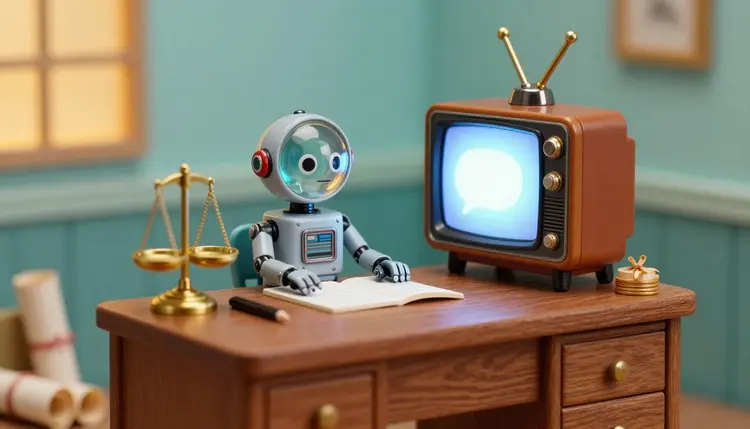
Most people meet the legal system in a stressful week, holding a letter they do not fully understand. A short video that explains what a deposition is, what usually happens after a filing, or what to bring to a first consultation can settle that moment before the phone call even starts. This page shows how a firm can build those videos with an AI presenter, a synthetic voice and simple visuals, and which review habits keep them honest.
Legal information is usually written by lawyers for other lawyers. A page saying a claim must be filed within the limitation period is accurate, and it still leaves a worried reader asking what that means for them. Video lets a firm say the same thing the way a patient associate would across a desk: slowly, in order, with one picture for each idea.
The catch has always been production. A lawyer's hour is expensive, a camera crew costs more, and a recorded video goes stale the day a procedure changes. With Picasso IA you work from text instead. The script is the asset, an avatar model or a voice model reads it aloud, and a few simple visuals carry the meaning. When a rule changes, you edit a paragraph and generate the clip again rather than rebooking a shoot. The toolkit runs all of it in one workspace, drawing on the 502 models in the catalog, and new accounts get free credits to try a first clip.
One boundary before anything else: these videos are general information, not legal advice. They explain how a process usually works, they never tell a viewer what to do in their own case, and they say so out loud. The rest of this page keeps coming back to that line.
Not every legal question deserves a talking head. Some work better as a calm voice over a diagram, others with the attorney's own face. Choose the format by the question.
| Format | How it is built | Best for | Watch out for |
|---|
| Talking presenter | A preset avatar in HeyGen Avatar IV reads the script on screen | Welcome videos, what to expect at a first consultation | Legal text read by a polished avatar can feel cold, so keep sentences short |
| Voiceover over visuals | A text-to-speech voice such as ElevenLabs v3 over simple images or diagrams | Process timelines, document checklists, what happens next | Every label and arrow in a diagram has to be correct |
| Your own face and voice | Kling Avatar v2 animates your portrait to audio you recorded | Attorney introductions on a practice area page | Only your own likeness, and only with your agreement |
| One question, one clip | A short script on a single question, in any of the formats above | FAQ pages and social posts | Resist squeezing a second topic into the same video |
| Translated version | The approved script translated, then voiced again | Client communities that speak another language | A translated legal term can shift meaning, so a fluent reviewer must check it |
Two habits make this table easier to use. Keep one question per video, because a viewer who wanted filing deadlines should not sit through the whole case lifecycle. And reuse the structure: the same opening, the same closing disclaimer, the same look across every clip. The explainer videos page covers the general pattern beyond law.
This is the order that keeps the lawyer in control.
- Write the script first, in plain language. One question per video, short sentences, an ordinary word wherever Latin would otherwise go, and a closing line that says this is general information and points to a consultation.
- Have a lawyer review it before anything is generated. A licensed lawyer at the firm reads every script for accuracy in your jurisdiction and for anything it seems to promise. Fixing words now is editing text, while fixing them later means regenerating the video.
- Generate the presenter or the voice. For an on-screen presenter, open HeyGen Avatar IV in the toolkit, pick a preset avatar and a voice, and paste the script. For a voiceover instead, run the text through ElevenLabs v3 and listen for any name or legal term it mispronounces.
- Add simple visuals. Make plain diagrams, icons or calm illustrated scenes with nano banana pro, then join voice and pictures with a video editing model such as lucataco/video-audio-merge or with an editor you already use. Keep words out of generated images and add labels yourself.
- Review the finished video, then publish with the disclosures. A lawyer approves the final cut, not only the script. Add the disclaimer and the note that the presenter is AI-generated, and check your advertising rules before it goes live.
The script does most of the work, so most of the effort belongs there. A good legal explainer answers in a fixed order: what this is, who is involved, what usually happens next, and what the viewer may want to bring or ask. People rarely retain more than that from one video, so say that much and stop.
Use the words your clients use. If they say a lawsuit, introduce the formal term once, right after the plain one, and then keep using the plain one. Avoid outcome language such as you will win or you are owed. Prefer phrasing like people in this situation often find, which describes a process without promising a result. Read the script aloud before generating anything: a sentence that leaves you out of breath will leave a voice model breathless too.
A language model from the chat category can help turn a dense paragraph into a plainer one, which is a legitimate use as long as the output is treated as a draft. The risk is quiet drift: a simpler sentence that says something slightly different.
A script that sounds clear is not the same as a script that is correct. Plain language can change what a sentence legally says, so the lawyer compares the simplified version against the original and signs off on the version that will actually be spoken.
Once the script is approved, freeze it, and keep the text, the reviewer's name and the date next to the video file.
A video on a firm's website, social profile or video channel is often treated as lawyer advertising. The rules differ by country, by state or province and by the bar or regulator that supervises you, and they change. This page cannot tell you what applies where you practice, so check your regulator's current rules or ask your ethics counsel before publishing. The firm and its responsible lawyers answer for what the video says, not the tool that made it.
Some areas deserve a deliberate look every time: how the video describes results, whether it implies a specialty, what disclaimers and firm details must appear, and which jurisdictions it is meant for. Any rule about disclosing an AI-generated presenter belongs on that list too, along with each platform's own requirements, which you should read on its current pages.
Likeness needs its own care. Use a preset avatar, a fictional character, or your own face and voice with your own consent. Do not build a presenter that imitates a real lawyer, a judge or a client, and do not stage a testimonial from a person who does not exist, because that is a fabricated endorsement. For viewers who watch without sound, add subtitles: the automatic subtitles page shows how.
A tool page should say where the tool stops being useful. For legal explainers there are five places:
- Advice for one person: a video cannot know the viewer's facts, so it cannot say whether a deadline applies to them; its job is to prepare someone for a conversation with a lawyer, not to replace it.
- Law that moves: rules change and differ by place, and a video stays online after it stops being accurate, so keep a list of what you published and a date to revisit each clip.
- Legal vocabulary: voice models stumble on names, Latin terms and case citations, and a translation can turn one legal term into a near neighbor with a different meaning, so listen to every clip in full.
- Tone on heavy topics: a smooth presenter can feel detached when the subject is a divorce, an arrest or an immigration hearing, and there your own face may serve clients better.
- Words inside visuals: image models can misspell text and invent official-looking forms, so never show a generated document as if it were a real court form, and add any labels yourself in an editor.
None of this is a reason to avoid video. It is the reason a lawyer stays in the loop from the first sentence to the final cut.
Can an AI video replace legal advice for my clients?
No. A video can explain how a process usually works, but it cannot know a viewer's facts, deadlines or jurisdiction. Say so in the script and again in the closing line, and point viewers to a consultation. The videos are general information, and anyone with a real problem needs advice from a qualified lawyer who has looked at their situation.
Does a lawyer really need to review every script?
Yes, and it is the step to protect most. A model can read a script smoothly and still deliver an error. A licensed lawyer should read each script before generation and approve the finished video before publication. Keep a note of who reviewed it and when.
Which Picasso IA models should a firm start with?
For a presenter on screen, try HeyGen Avatar IV, where you pick a preset avatar and a voice and paste a script. For a voiceover, ElevenLabs v3 is a good first test, and the text-to-speech category has more than twenty others if you want to compare. For diagrams and illustrated scenes, nano banana pro works well. Run one short script through two options and keep the clearer one.
Can I use my own face and voice instead of a preset avatar?
Yes, if it is really your own. Kling Avatar v2 takes a portrait photo and an audio file and produces a video where the face speaks in sync with the audio. Record the audio yourself or generate it from the approved script, and use only your own image. Never animate a colleague, a client or any real person without their clear consent.
Should the video say the presenter is AI-generated?
It is a sensible habit, and in some places it may be required, so check your regulator's current rules. A short line on screen or in the description is easy to add and avoids any impression that a real lawyer is speaking to the viewer personally.
Are lawyer advertising rules the same everywhere?
No. They vary by country, state or province and by the body that regulates lawyers where you practice, and they get updated. Videos on your site or social channels are often counted as advertising. The firm and its lawyers are responsible for compliance, not the software, so check the current rules before publishing and ask your ethics counsel when you are unsure.
Can I show a client story or testimonial in these videos?
Be very careful. Real client stories raise confidentiality and advertising questions that depend on your jurisdiction, so get consent and legal review first. What you should never do is invent a client or a testimonial, with an avatar or otherwise. A made-up endorsement is fabricated, and presenting it as real puts the firm at serious risk.
How do I stop a video going out of date when the law changes?
Treat each video as a document with an owner. Keep the approved script, the reviewer and the publication date, and set a reminder to revisit each clip. When a procedure changes, edit the script text, get it reviewed again and regenerate. Because the script is the source, an update is a text change plus a new generation, and the old video comes down.
Can I make the same video in other languages?
Yes. Translate the approved script, have a reviewer who is fluent in the language and understands the legal terms check it, then generate the voice again, with a presenter or voiceover model that supports that language. Do not skip the review: a legal term translated word for word can mean something else in another legal system.
How much does it cost to make these videos?
Generations are paid in credits, and the cost depends on the model and the settings you pick, so any number written here would go out of date. A presenter video generally takes more credits than a voiceover or an image. New accounts get free credits to test a first clip, and current plans are listed on the pricing page.
Pick the one question your clients ask most, get a lawyer to approve the answer, and open the toolkit to turn it into a first draft video.