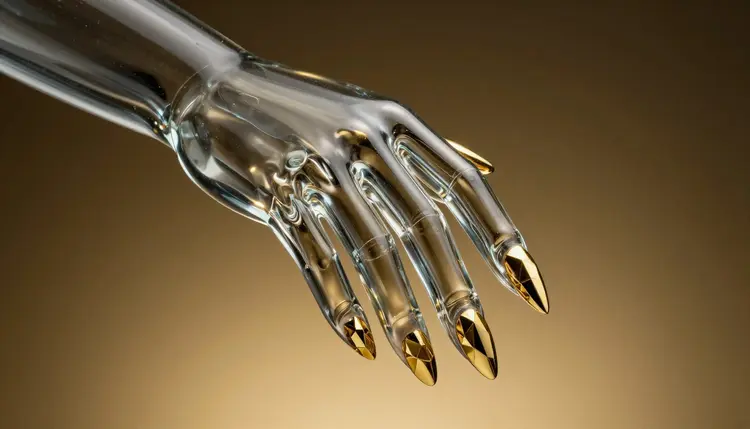
Choosing nail art is a small gamble. A color that looked perfect on a swatch card turns out too pale against your skin tone, or the almond shape you saw online looks different on short fingers. With an image editor you can skip most of that gamble. You upload a photo of your own hand, describe the manicure in a sentence, and see a few versions on your actual nails before the appointment.
Nail inspiration online is always on someone else's hands. Different skin tone, different nail beds, different finger length. What you really want to know is how a design looks on yours, and that is something an image editing model can show you, because it keeps your hand in the photo and changes only the nails when you ask it to.
The cost of being wrong is also lopsided. Changing a prompt takes a few seconds, while a full set of gel or acrylic takes a chair, a few hours and a fair amount of money, and removing it is its own appointment. Trying five looks on a screen first is cheap by comparison.
Picasso IA puts 502 models behind one workspace, and the image editors among them are the ones you need here: nano-banana, qwen-image-edit and flux-kontext-pro all take a photo plus a written instruction. New accounts get free credits, so you can find out whether the approach works for you before paying for anything.
Most nail briefs are really three decisions: the shape of the nail, the base color and finish, and the decoration on top. Changing one at a time makes the comparison honest. If you change all three between two images, you will not know which change you actually liked.
| Decision | Options to try | What to check on your own hand |
|---|
| Shape | Short square, round, almond, coffin, stiletto | Does the length suit your finger and the width of your nail bed? |
| Base color | Nude, deep red, pastel, dark, sheer pink | Does it flatter your skin tone in daylight? |
| Finish | Glossy, matte, chrome, cat-eye, glitter | Does the finish still read at arm's length, not just zoomed in? |
| Decoration | French tip, accent nail, floral, geometric lines, small gems | Is the detail large enough to be painted by hand? |
| Pattern spread | One bold nail against plain ones, or the same pattern on all ten | Does the set look balanced when the fingers are relaxed? |
Plain words work best. Write the shape, the color and the finish the way you would say them to a nail tech: short almond nails, sheer milky pink, glossy, one accent nail with a thin gold line. The effects page also holds preset looks, and skimming it can give you vocabulary for styles you cannot name yet.
You need one decent photo and an idea. The whole routine fits into a short session at the kitchen table.
- Take a clear photo of your own hand. Daylight, plain background, fingers relaxed and slightly apart, nails facing the camera. Keep the whole hand in frame and avoid harsh flash.
- Open the toolkit and pick an image editor. In the toolkit, choose a model such as nano-banana, qwen-image-edit or flux-kontext-pro and attach the photo.
- Describe only the nails. Ask for the shape, color, finish and decoration, and add that everything else in the photo should stay the same: skin, rings, background, finger positions.
- Run several variations and change one thing at a time. Keep the best result, then ask for a different shape, a warmer color or a smaller accent. Compare them side by side.
- Save the winner as your reference. If the nails look soft or blurry, run the image through an upscaler, then keep it on your phone to show at the appointment.
The editor is guessing in the places the photo does not show it, so the more you tell it to leave alone, the more the result looks like your hand. State what should not change, and keep the request to one or two sentences. A long list of decorations tends to produce a messy result that no one could actually paint.
Tip: ask for the nail look you would actually book, not the most dramatic one the model can draw. If a design needs ten tiny hand-painted flowers per nail, the picture will look great and the appointment will not match it.
Reference photos help when words fall short. If you saw a design you like, you can attach it as a second image and ask the model to apply that style to the nails in your hand photo. Use it as inspiration for color, pattern and finish, and respect the original artist: do not present someone's signature design as your own work.
Photos of your own hand are the right input. Do not upload other people's hands without their say, and if you are a nail tech, ask clients to send a photo of their own hand rather than editing pictures of strangers. The same logic applies to related ideas such as hairstyle try-on or outfit try-on: your own photos, your own decisions.
The most useful thing the picture does is replace a vague sentence. Saying pretty and natural, but not boring can mean fifty different manicures. Showing three images of what you mean gets you to the answer in the first two minutes of the appointment, and it gives the tech room to say what is realistic.
Treat the image as a starting brief, not an order. A good tech will adjust the shape to your nail bed, suggest a base that lasts, and tell you which details will chip or lift. Nail technicians who want to preview ideas for walk-in clients can use the same flow on a photo each client sends of their own hand, then agree on the design before any product touches the nail.
If you do your own nails at home, the picture works as a plan. Hold the screen next to your polish bottles, match the base color first, and note the one detail that is hard to copy so you can decide if it is worth the effort.
This is a preview tool, not a nail salon. Five places where it stops helping:
- Finger shapes: editors sometimes reshape fingers while changing nails, or give the hand an extra knuckle. Check that the fingers still look like yours and rerun the image if they do not.
- Small details: tiny gems, fine linework and miniature flowers often come out smeared or inconsistent from nail to nail. A real tech paints these by hand, so use the picture for the idea, not the exact drawing.
- Real colors: screens, camera light and the model's own color choices all shift a shade. Treat the color as a direction, then compare with real swatches in daylight at the salon.
- Real finishes: chrome, cat-eye and glitter are rendered as a still image, so you cannot see how they move in the light. Ask your tech to show a sample on a tip.
- Wear and fit: the picture cannot tell you about nail length limits, how long a set lasts, or whether your nail bed suits a very long shape. Those answers come from the person doing the nails.
None of this makes the preview pointless. It narrows the choices so that the conversation at the appointment starts from something concrete.
Can AI show me how nail art will look on my own hand?
Yes, as a preview. An image editing model takes a photo of your hand plus a written instruction and returns the same photo with the nails restyled. It is an approximation: shapes, colors and finishes are drawn by the model, not painted by a person, so use it to choose a direction and then confirm the final details with your nail tech.
Which AI model is best for trying nail designs?
There is no single best one, and that is why a catalog is useful. Editors such as nano-banana, qwen-image-edit and flux-kontext-pro all accept a photo plus an instruction, and they differ in how well they keep the hand intact and how they render finishes. Run the same prompt through two or three and keep the one that left your fingers alone.
Is there a free way to try AI nail art ideas?
New Picasso IA accounts get free credits, which is enough to run several nail ideas through an editor and see if the method works for you. Each generation costs credits, and the amount depends on the model and settings you choose. Current plans are on the pricing page, and that is the only place to trust for numbers.
What kind of photo works best for a nail try-on?
A sharp photo in daylight, with the whole hand visible and the nails facing the camera. Relaxed, slightly spread fingers give the model clear edges to work with. Avoid hard flash, heavy shadows, motion blur and busy backgrounds. If you wear rings or a bracelet and want them to stay, say so in the prompt.
Can I try a design I saw on Pinterest or Instagram?
You can use it as a visual reference: attach it as a second image and ask the model to apply that color, pattern and finish to the nails in your own hand photo. Keep it as inspiration for your own appointment. If the design belongs to a nail artist, do not post the result as your own original work, and give credit when you share it.
Why do the fingers sometimes look different after the edit?
Editing models redraw part of the image, and sometimes they redraw more than you asked for. Fingers can get longer, a knuckle can move or a ring can disappear. Add a line such as keep the hand, fingers, skin and background exactly the same, run it again, and compare. If it keeps happening, switch to another editor from the catalog.
Can a nail tech use this with clients?
Yes, with the client's own photo. Ask the client to send a clear picture of their own hand, try two or three looks, and agree on a design before the appointment. It also helps the conversation about what is realistic. Do not edit photos of people who have not agreed to it, and do not promise an exact match to the preview.
Will the real manicure match the AI picture?
Not exactly, and no one should promise it would. The preview is an image made by a model: the color on your screen shifts, tiny details are simplified, and shine and glitter behave differently on a real nail. Think of it as a mood board on your own hand, then let the person doing the nails turn it into something that can actually be painted.
Can I generate nail art designs from text only?
Yes. Any text-to-image model in the catalog can draw nail art from a description, for example a flat lay of hands or a sheet of design ideas. It will not show your own hand, so it is better for inspiration than for deciding. Use text-only to explore ideas, then switch to an editor and your own photo to test the shortlist.
Can I use the images commercially, for example in a salon menu?
Check the terms of the model you used and the rules of the platform where you will publish, and keep the pictures honest: a salon menu should show work that you can actually deliver. For anything beyond personal use, the support page is a good place to ask a question before you publish.
Ready to test your next manicure? Open the Picasso IA toolkit, attach a photo of your hand and compare the first few looks.