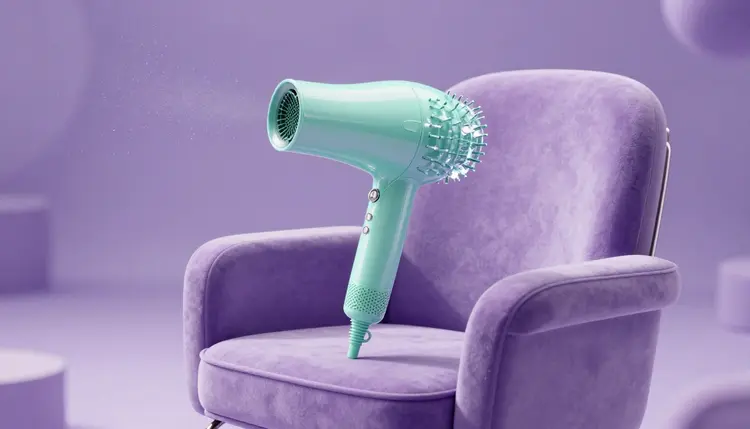
A salon day runs on a schedule, and the content never fits in it. There is a gap of twenty minutes while a color processes, a phone in your pocket, and a feed that wants a fresh post. AI will not do your hair or nails, but it can build the announcement graphic, the seasonal backdrop and a short reel while you wait, as long as the real work stays real.
Most salon owners are also the receptionist, the bookkeeper and the person who posts on social media. Content gets made at 11 pm or not at all. The honest case for AI here is not that it replaces good photography of your actual work. It covers everything around that photography: the walk-in announcement, the holiday hours post, the new-service menu card, the quiet-Tuesday offer, the moody backdrop behind a client's finished color.
Picasso IA puts 502 models behind one workspace, the toolkit, so one session can go from a text prompt to a still, from the still to a few seconds of motion, and from there to a sized export. The full catalog lists everything if you want to see what is available beyond the models named on this page. New accounts get free credits, enough to test whether the look suits your salon before you spend anything.
The practical gain is time in small pieces. A task that fits between a foil and a rinse gets done; one that needs an hour does not.
What to Make for Each Kind of Post
Not every post needs the same tool. Some need a generated image, some need your photo animated, and some are better left to a phone camera. Treat this table as a starting point.
| Post type | What AI does | What stays real | Good starting point |
|---|
| Promo or offer announcement | Generates the backdrop and visual mood | Your actual offer, dates and booking details | A text-to-image model such as seedream-4.5 |
| New service or menu card | Creates illustrative art for each service | The service names and the work you really deliver | flux-2-pro or nano banana |
| Seasonal or holiday greeting | Builds themed scenes and decor | Your salon name and opening hours | Any text-to-image model, then an edit pass |
| Short reel from a real photo | Adds gentle camera motion and light | The photo itself, which must be your own work | An image-to-video model such as wan-2.6-i2v |
| Behind-the-scenes teaser | Produces an illustrative opener or transition | Footage of your tools, products and space | A short clip from kling-v2.5-turbo-pro, labeled as illustrative |
| Hiring or staff announcement | Makes a decorative frame or banner | The names and faces of your real team | A text-to-image model, never invented staff |
Two habits make this table work. First, decide before you generate what the post must prove. If it must prove skill, use your own photo; if it only sets a mood, a generated image is fine. Second, keep text out of the generated image. A misspelled service name on a promo card is worse than no card, so add the offer and the date as text in your editing app or the caption.
This is the part that decides whether AI content helps a salon or damages it. Clients book a stylist or a nail tech because of what that person can do. If a generated image suggests a result you did not produce, you have made a promise on the page that you may fail to keep in the chair.
Rule of thumb: if the image shows a result you are selling, it must be a result you actually produced. If it is generated, say so in the caption, and never place it where it could be read as a before and after.
In practice that means three lines:
Do not generate a before and after. Not even a loose one. Before and afters are the most trusted format in the beauty trade precisely because they are hard to fake, and an invented one is misleading to the client who books it. Photograph the real transformation, with the client's permission, in consistent light.
Do not generate a client. Faces, hands and hair of people who do not exist can sit in a mood graphic, but a generated model should not stand in for your clientele. Never use the likeness of a real person you do not have permission to show, including a celebrity look, and never edit a client's photo beyond what they agreed to.
Do mark illustrative content clearly. A short line such as illustrative image or generated with AI in the caption is enough for a backdrop or a concept graphic. Check the current rules of the platform you post on, since many now have their own labeling options for AI content, and requirements differ by country.
This is a workflow built for a twenty-minute gap. It assumes a phone or laptop, a few real photos from your own camera roll, and an idea of what you want to announce.
- Decide what the post has to do. Pick one job: announce an offer, fill a quiet day, introduce a service, or set a mood. Write the offer, date and booking line as plain text first, because those words will live in the caption, not in the image.
- Generate the backdrop or concept image. In the toolkit, choose a text-to-image model such as seedream-4.5 or flux-2-pro and describe the scene, the palette and the empty space where you will add text later. Make four variants and keep the one that fits your brand colors.
- Edit it to match your salon. Use an image editing model such as nano banana or qwen-image-edit-plus to adjust one thing at a time: a warmer light, a different surface, a calmer background. Keep any real photo of your work untouched apart from simple crops.
- Turn a still into a short reel. Feed your best image, or a genuine photo of your finished work, to an image-to-video model such as wan-2.6-i2v or kling-v2.5-turbo-pro and ask for slow, subtle motion. Ten seconds of gentle camera drift beats a busy clip that looks fake.
- Label, caption and post. Add the offer text, the booking link and, where the image is generated, a plain note that it is illustrative. Check the platform's current requirements for AI labels and ad rules before you publish.
Beauty content lives or dies on texture, and texture is where generated images tend to slip. A few habits keep the output usable.
Describe the scene, not the transformation. A prompt like soft morning light across a marble station, lavender towels, a single orchid, empty space on the left for text gives you a backdrop you can use honestly. A prompt like flawless balayage on a smiling client asks the model to invent a result, which is exactly the thing the previous section tells you to avoid.
Name the lighting and the surface. Models respond well to words like diffused window light, matte ceramic, brushed brass or satin fabric, and these words carry more brand feeling than adjectives like luxurious. Say your salon palette in plain terms, such as sage green and warm cream, and the output sits more naturally next to your own photos.
Keep hands and faces out when you can. Models still render odd fingers and nail shapes now and then, and a viewer in the beauty trade spots them fast. Flat lays of tools, decor details and abstract textures sidestep the problem.
For motion, ask for less than you think. Image-to-video models do best with one clear instruction: a slow push-in, a soft light sweep, drifting petals. For reels built around your real photos, turning photos into videos covers the motion side, and AI social media posts covers sizing and captions for the feed.
Where AI Salon Content Stops Being Useful
Some jobs are better done without it, and a few are risky. These are the limits worth knowing before you build a routine around it.
- Proof of skill: a generated image proves nothing about your hands, so portfolio, cut and color results must come from real photos of real work with the client's consent.
- Hands, nails and hair detail: close shots of fingers, nail art and individual strands are where models break most often, so check each image at full size before it goes anywhere.
- Text in the image: prices, dates, service names and phone numbers often come out misspelled or garbled, so add them yourself as real text after generating.
- Your actual look and space: a model cannot know your chairs, your lighting or your logo, so a generated salon interior can mislead a new client about where they are walking into.
- Style try-ons for clients: previewing a color or cut on a client photo is a different job with its own consent questions, and AI hairstyle try-on covers it separately.
None of this is a reason to avoid the tool. It is a reason to point it at the backdrop, the announcement and the motion, and keep the proof in your own camera roll.
Can I use AI-generated images in my salon's Instagram posts?
Yes, for announcements, backdrops, menu cards and mood graphics, with a clear note that the image is illustrative when it is generated. Platforms and countries set their own rules on labeling AI content and on advertising claims, so check the current requirements of the app you post on. The safe line is simple: generated images set a mood, real photos prove your skill.
Is it okay to generate a before and after for a haircut or nail set?
No. A generated before and after shows a result you did not produce, and a client who books on the strength of it is being misled. Photograph real transformations in consistent light with the client's permission, and use AI for the things around them, such as the layout of the post, the backdrop or a short transition.
Which models are good for salon promo images?
Text-to-image models such as seedream-4.5, flux-2-pro and nano banana handle backdrops, decor and mood scenes well, and each one has a slightly different look, so run the same prompt through two before choosing. For edits to an existing image, nano banana and qwen-image-edit-plus take plain instructions like a warmer light or a cleaner surface. All of them are in the toolkit.
Can I turn a photo of my real work into a short reel?
Yes. Image-to-video models such as wan-2.6-i2v and kling-v2.5-turbo-pro take a still and add subtle motion, like a slow camera push or a drift of light. Use a photo you shot of your own client with their permission, and keep the motion gentle so the finished result still looks like your actual work and does not distort it.
Can I put a client's face in an AI video?
Only with their clear permission, and only for the purpose they agreed to. Never use a real person you do not have permission from, including a celebrity look or a stranger's photo. For decorative content, use no people at all or clearly fictional figures, and say in the caption when an image is generated.
Do I need to label AI content on my salon's social media?
Many platforms ask for or offer a label for AI-generated content, and some countries have their own advertising rules, which change over time. Check the current requirements for each platform you post on. Whatever the rule, a short line saying illustrative image or generated with AI costs you nothing and protects the trust your clients place in your real work.
How long does it take to make one post?
It depends on the model, the settings and how many variants you run, so there is no honest single number. Stills generally take far less time than video, so a post built around one image suits a gap between clients, and a reel suits a longer break.
How much does it cost to make salon content with AI?
Generations are paid in credits, and the cost depends on the model and the settings you choose. Images sit at the lighter end of the catalog compared with video. New accounts get free credits to start, and current plan details are on the pricing page, which is the only place worth trusting for numbers.
Can AI write the captions and offers too?
Yes. The toolkit includes large language models, so you can ask one to draft a caption in your salon's voice, shorten an offer, or translate a post for clients who speak another language. Always read the result and fix the facts yourself, because a model does not know your prices, hours or booking rules unless you give them.
Will my posts look like every other salon using AI?
They can, if you use default prompts. The way out is specificity: your brand colors, your real surfaces and decor, and your own photos as the main proof, with generated images as support. Running a prompt through a few models also helps, since each has its own look.
Your next quiet twenty minutes can become a finished post. Open the Picasso IA toolkit and build one announcement before the next client sits down.