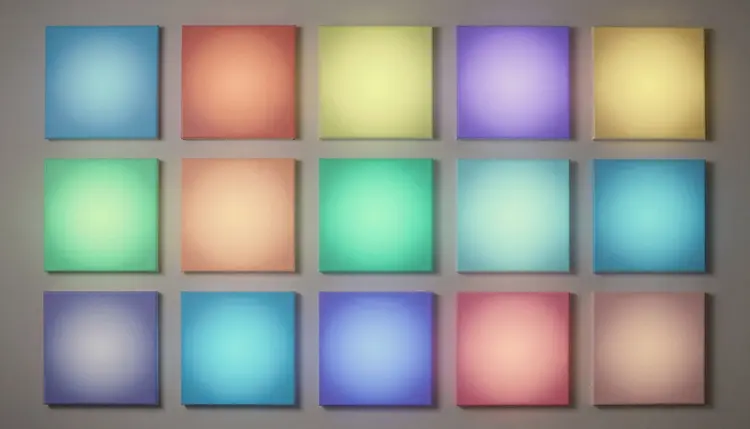
Posting daily used to mean designing something new every morning, which is exactly why most small accounts stop posting daily. Batch generation flips that order: sit down once, generate a whole month of on-brand visuals in a single style, resize them for each platform, and schedule the lot. A busy week no longer gets a vote in whether you post.
A content calendar usually dies the same way. Day one gets a carefully designed post, day four gets a phone screenshot with a caption slapped on top, because there was no time that morning to open a design tool. Batching removes the daily design decision entirely. You make the style decision once, at the start of the month, and every post after that is a variation on a look you already approved.
The mechanic is straightforward with a text-to-image model. Write one prompt that nails your visual identity, the color palette, the subject framing, the background treatment, then reuse that prompt's structure for every image in the batch, only swapping the subject or the text a graphic needs to carry. Because the style language stays fixed, the outputs read as one coherent feed instead of thirty unrelated experiments.
On Picasso IA that batch runs in the Toolkit, where a single account reaches 488 models, so a photorealistic product shot, a flat-illustration quote card and a seasonal scene can all come from the same session without switching tools or accounts.
Pro tip: keep a short "style block" of wording (palette, lighting, background, mood) saved somewhere outside the generator, and paste it, unchanged, into every prompt for the month. Editing the style block mid-batch is the single fastest way to end up with a feed that looks like three different brands.
Generating thirty images before deciding what they should be is how a whole feed ends up looking like the same photo with a different filter. The fix is a five-minute plan made before opening the generator: decide roughly how many posts of each type the month actually needs.
A workable mix usually looks like this. A third product-focused, showing what you sell in its best light. A slice that reads as behind-the-scenes, the process, the workspace, the making-of. A slice of tip or quote graphics that carry text rather than a photo. And a handful tied to a season, a holiday or a promotion currently running. None of those four categories needs more than a sentence of planning, but naming them before you generate is what keeps day nineteen from looking identical to day three.
Write the plan as a simple list, one line per week, three to four posts per line, each tagged with its type. That list becomes the batch order: you are no longer improvising thirty prompts, you are filling in a template you already trust.
A square product shot posted as-is to a story gets cropped at the top and bottom by the platform, and a vertical clip cover dropped into a square feed slot gets squeezed at the sides. Neither looks intentional, and both are avoidable by producing the same core visual at the aspect ratio each destination actually uses: roughly square or 4:5 for a main feed, 9:16 for a story or a Reel cover, and a wider frame for anything meant to sit on a website banner.
The efficient order is style first, size second. Lock the visual once at whatever ratio suits the platform you care about most, then either crop deliberately, leaving margin in the composition for a tighter or taller frame, or regenerate the same prompt at the target dimensions when the composition genuinely needs the extra width or height rather than a crop. A subject centered with room on every side survives more resizes than one pushed into a corner of the frame.
Post Types and the Visual Approach for Each
Not every post needs the same treatment, and naming the approach before generating saves a redo later. These five categories cover most of what a small account posts in a normal month.
| Post Type | Visual Approach | Where It Fits Best |
|---|
| Product highlight | Single subject, soft shadow, clean brand-colored background | Main feed, product pages |
| Tip or quote graphic | Bold short text over a simple background, generous negative space | Feed, carousel, Pinterest |
| Seasonal or promotional | Scene dressed for the season or offer, consistent warm palette | Stories, feed, campaign pushes |
| Behind-the-scenes | Candid workspace or process feel, natural light, less polished | Stories, Reel covers, TikTok |
| Testimonial or review | Quote-style graphic with the product or context visible | Feed, carousel, highlights |
The product photography workflow feeds the first row directly: a clean product render, generated once, can supply an entire month of highlight posts in different crops and backgrounds.
An honest tool page tells you where a workflow breaks. Batching a month in one sitting is efficient, but five limits show up often enough to plan around.
- Repetition creeps in: a style locked too narrowly starts to look like the same post recycled, so build deliberate variety into the plan rather than trusting the model to vary things on its own.
- Trends move faster than any template: a format that reads as current this week can read as dated in a month, so treat generated concepts as a starting look rather than a locked template you never revisit.
- Baked-in text can misrender: text a model draws directly onto an image can come back misspelled or oddly kerned, so any graphic carrying words needs a careful proofread before it goes near a schedule.
- Real-time details are not in the prompt: a model has no idea what your price, stock level or promotion end date is today, so numbers and dates on promotional graphics need to be added or checked by hand.
- Brand accuracy needs a manual check: a model does not know your exact logo file or hex codes, so treat its output as the composition and swap in your real brand assets before anything ships.
The whole batch takes roughly an hour once the style and the mix are decided, most of it spent generating and picking, not designing from scratch. Credits are only spent on generation, and the pricing page shows what a batch of this size costs before you start.
- Define the style and the month's content mix. Write the style block once and decide, in a short list, how many product, behind-the-scenes, tip and seasonal posts the month needs.
- Generate the batch across that mix. Work through the list in order, reusing the style block and swapping only the subject or the on-image text for each entry.
- Resize each visual for its target platform. Produce or crop a feed version, a story version and, if you use them, a wider banner version for anything that will travel outside the main feed.
- Proofread any on-image text. Read every word a graphic carries out loud before scheduling it, since misrendered text is the single most common reason a batched post gets pulled back for a redo.
- Schedule the batch. Drop the finished set into your scheduler in the order your content plan laid out, and the month is covered before it has properly started.
Can AI actually generate a full month of social media posts in one sitting?
Yes, for the visuals themselves. A text-to-image model can produce dozens of on-brand images in a single session once you have a style prompt and a content plan, and that is genuinely the time-consuming part of a normal posting routine. What still needs a human is the plan (deciding what the month should say), the proofreading of any on-image text, and the actual scheduling, none of which the model does for you.
How do I keep a whole month of AI-generated posts looking consistent?
Reuse the exact same style wording across every prompt in the batch rather than writing a fresh description each time. A short saved block covering palette, lighting, background treatment and mood, pasted unchanged into every generation, is what makes thirty separate images read as one feed. Changing that wording partway through the month is the most common reason a batch starts to look inconsistent.
What is the right mix of post types for a month?
There is no single correct ratio, but a workable starting point splits roughly a third product-focused, a slice behind-the-scenes, a slice of tip or quote graphics, and a smaller slice tied to whatever season or promotion is current. Planning that mix as a short list before generating anything is what keeps the batch from turning into thirty versions of the same idea.
Do I need different image sizes for Instagram, TikTok and Pinterest?
Yes. A story or a Reel cover uses a tall 9:16 frame, a main feed post reads best roughly square or at 4:5, and Pinterest and website banners tend to want more width. Posting one size everywhere means the platform crops it for you, often awkwardly, so it is worth generating or cropping a couple of versions of any visual that is going to more than one destination.
Will text I put inside a generated graphic come out correctly?
Sometimes, but not reliably enough to skip checking it. Models that draw text directly onto an image can misspell words, break kerning or drift off the intended layout, especially with longer sentences. Keep on-image text short, a phrase rather than a paragraph, and read every word out loud before a graphic goes into your scheduler.
Can I generate the same product photo in different styles for variety?
Yes, and it is one of the most efficient uses of a batch session. Generate one clean product image, then run it through a couple of style variations, a plain background for the main feed and a more seasonal or lifestyle setting for a story, so a single subject supplies several distinct posts instead of one.
How many models does Picasso IA offer for this kind of batch work?
488 at last count, spanning text-to-image, image editing and upscaling among other categories. You do not need to explore all of them for a monthly batch; picking one or two text-to-image models that match your style and staying with them across the month keeps the output consistent, and the model catalog is there when you want to compare alternatives.
Should generated social posts disclose that they were made with AI?
Where the platform or your local advertising rules require disclosure, yes, and it is good practice regardless. The visuals here are original compositions generated from your prompts, not photographs of real events, so treat them the same way you would any other piece of designed marketing content and follow whatever labeling rules apply to your account and region.
Can I turn one of these visuals into a short video for Reels or TikTok?
Yes. A strong still from the batch can be handed to an image-to-video model for a short clip, a gentle push or a slow pan usually works best, and that clip becomes its own post or a story frame. Keep the motion subtle, since a still that was designed as a photo, not filmed as a scene, holds up better under gentle camera movement than under fast or complex motion.
Is Picasso IA free to try for a batch like this?
New accounts receive free credits, enough to test the batching workflow on a handful of posts before committing to a full month. After that, generation costs credits, and plans are listed on the pricing page. There is no separate social-media tier; the same credits work across image, video, audio and 3D generation.
A style prompt you already trust and a short list of what the month needs are most of the work. Open the Toolkit and generate the first week's worth before deciding whether the rest of the month is worth batching too.