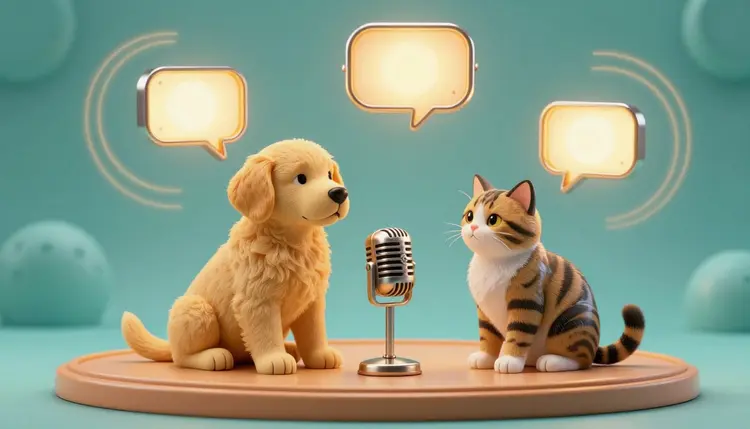
Your dog has opinions about the mailman and your cat clearly has notes on your cooking. Putting those thoughts into words, with a mouth that moves when the voice speaks, is the whole appeal of a talking pet video. The honest workflow has a few moving parts, and one of them is shakier than most tutorials admit. This page covers what to try, in which order, and where it breaks.
A talking pet clip is three things stacked together: a picture of the animal, movement in the face, and a voice. The picture is the easy part, because you already have a hundred photos. The voice is easy too, since text-to-speech models turn a typed sentence into audio in seconds. The hard part is the middle one. Making an animal's mouth open and close in time with speech is exactly what most lipsync models were built to do for human faces, and a muzzle or a beak is a different problem.
So the useful question is not whether AI can make a pet talk, but which route gives you a mouth that moves convincingly enough to be funny. Some routes drive the face from an audio file. Some invent the movement from a prompt and leave the voice for a second step. Some add a lipsync pass over a clip you already have. They fail in different ways, so running the same photo through two or three of them tells you more than any description can.
This page is for your own pet, or a fictional animal you made up, not for someone else's animal or a photo you found online.
Here is the uncomfortable part: none of the models below lists animals as a supported subject. Picasso IA carries 502 models, including 12 in the lipsync category and 24 for text-to-speech, and the lipsync descriptions are written around portraits and people. Omni Human 1.5 talks about faces, full-body shots and illustrated characters. P Video Avatar describes turning a portrait photo into a talking avatar. Kling Lip Sync takes a short video and matches a speaker's mouth to new audio.
So treat every one of them as an experiment on a pet. Some will move a dog or cat face well, especially when the animal is stylized, cartoon-like or shot very clearly from the front. Some will leave the face almost still, or move it in a way that looks like chewing. You only find out by trying.
Other models come at it sideways. Wan 2.2 S2V takes a still image, an audio file and a prompt, and moves the picture in time with the sound; its catalog examples include a white cat in sunglasses on a surfboard, which shows it will animate an animal to audio, though not that the mouth will match the words. Wan 2.7 I2V animates a photo from a prompt and also accepts an audio file. Veo 3.1 generates a clip of four to eight seconds with audio built in, and you can give it up to three reference images to keep a subject consistent, but its catalog examples show people talking, so a speaking pet is something to test rather than something promised.
The table compares the routes by what actually moves the mouth and where the voice comes from, because that is what decides how much work each one is.
| Route | What moves the mouth | Where the voice comes from | Try it when |
|---|
| Audio-driven image model (Omni Human 1.5, Wan 2.2 S2V) | The audio clip you upload | Your own recording or a text-to-speech file | The pet face is large, front-on and a bit cartoon-like |
| Avatar model (P Video Avatar) | A typed script or your audio | 30+ built-in voices, or your file | You want a quick test from one portrait photo |
| Video model with built-in audio (Veo 3.1) | The prompt | Generated together with the clip | You want a short joke and can accept a luck-based result |
| Image-to-video plus voiceover (Wan 2.7 I2V with Speech 2.8 HD) | A prompt describing the mouth motion | A separate audio file you lay over the clip | Timing can be loose, like a pet muttering a reply |
| Lipsync pass on an existing clip (Kling Lip Sync) | The audio or script you add | Audio file or built-in voices | You already have a clip where the face is clear and steady |
Start with the first row. It gives you the most control, because the voice is fixed before the animation starts, and a recording of your own voice trying to sound like a dog is often funnier than a polished synthetic one.
This is the shortest path that ends with a clip you can post. Expect to repeat steps three and four more than once.
- Pick a photo with a clear face. Use your own pet, front-on or at a slight angle, with the mouth and both eyes visible, good light and the face large in the frame. Skip photos where fur hides the muzzle or the head is turned away.
- Write one short line and make the voice. Aim for a sentence a person could say in about five seconds. Record it yourself, or type it into a text-to-speech model such as Speech 2.8 HD in the toolkit and download the audio file.
- Animate the photo. In the toolkit, open an audio-driven model such as Omni Human 1.5 or Wan 2.2 S2V, upload the photo and the audio, and describe the motion in plain words, for example the dog opens and closes its mouth as if speaking.
- Test two or three models on the same pair. Run the identical photo and audio through another model from the all models page and compare the mouths side by side. Keep the take where the movement reads as speech.
- Trim and finish. If the voice came as a separate file because you used image-to-video, lay it over the clip in any video editor and cut to the best second or two. Short and slightly absurd beats long and uncanny.
Pets are funniest when they say very little. A single sentence in a flat, serious voice does more than a paragraph of jokes, partly because a short line leaves less room for the mouth to drift out of sync. Write the line, read it out loud once, and cut anything you stumble on.
When a model accepts a prompt, describe the mouth and the motion, not the story. Something like the cat opens and closes its mouth as if talking, ears twitch, head tilts slightly, camera stays still works better than a plot, because the prompt controls the movement and the audio carries the words. The same logic is behind talking photos of people: a steady frame and a clear face matter more than a clever description.
Keep the camera still and the face large. Every extra element in the frame, a moving background, a second animal, a hand in shot, gives the model another place to put the motion, and it will often put it on the wrong mouth.
On the voice side, Speech 2.8 HD lets you set an emotion and shift the pitch by up to twelve semitones either way, so a small dog can sound small and an old cat can sound grumpy without recording anything. For a longer read on voice work, see AI voiceover for videos. Use your own voice or a stock synthetic one. Cloning a real person's voice to speak through your pet is a step this page does not recommend.
A talking pet is a novelty clip, and it behaves like one. These are the specific places it breaks:
- Mouth shape: lipsync models are described around human faces, so on a muzzle the mouth may open and close in rhythm without matching syllables, or the model may hold the face still and move something else.
- Clip length: Kling Lip Sync wants a video of 2 to 10 seconds, Omni Human 1.5 fails on audio longer than 35 seconds and Veo 3.1 renders 4 to 8 seconds, so a longer monologue has to be stitched from several clips.
- Identity drift: markings, ear shape and eye color can shift between takes, and reference images or a fixed seed reduce that without removing it.
- Two animals in frame: the model picks one mouth, or both, or neither, and you cannot reliably tell it which one is speaking.
- Faces that hide the mouth: long fur over the lips, flat faces, a snout turned away or an open-mouth pant already in the photo all give the model less to work with.
Plan for a handful of generations before one is usable, and decide in advance what counts as good enough. If the mouth only roughly follows the words, a comic voice and a one-liner can carry it. If you need convincing lip sync, a human face in a talking photo or a photo turned into video will be far more reliable than any animal.
Can AI really make my dog or cat talk?
It can make a photo of your dog or cat move while a voice plays, and sometimes the mouth follows the words well enough to look like speech. It is not reliable. The models that sync lips were described around human faces, and none of the models on Picasso IA lists animals as supported, so every result is a test.
Which model is best for a talking pet video?
There is no verified best. For control, start with an audio-driven model such as Omni Human 1.5 or Wan 2.2 S2V, because the voice is fixed before the animation begins. P Video Avatar is a quick test from a single portrait, Veo 3.1 gives you a clip with audio from a prompt, and Kling Lip Sync can be tried on a clip you already have. Run the same photo through two or three and keep whichever mouth looks most like speech.
Do I need to record the voice myself?
No. You can type the line into a text-to-speech model such as Speech 2.8 HD, choose an emotion, shift the pitch and download the audio. Some avatar models also take a typed script and read it with a built-in voice. Recording yourself is worth trying, though, because an exaggerated human performance of a dog or cat voice usually feels more alive than a neutral synthetic one, and the animation follows the timing of whatever audio you give it.
Why does the mouth not match the words?
Most lipsync models learned from human faces, so an animal muzzle is outside what they expect. The result can be a mouth that opens and closes with the beat of the audio but not the syllables, a face that barely moves, or motion in the wrong place. A larger, front-on face, a shorter line and a plain background help. Switching to another model often changes the result more than rewriting the prompt does.
How long can a talking pet video be?
Short. Kling Lip Sync accepts videos of 2 to 10 seconds, Omni Human 1.5 rejects audio over 35 seconds, and Veo 3.1 renders 4 to 8 seconds. In practice a single line of a few seconds works best for lip movement. For a longer routine, make several short clips with the same photo and the same settings and cut them together in an editor, expecting small differences in the pet's look from one clip to the next.
Can my pet talk in another language?
The voice can, and the mouth movement follows the audio. Speech 2.8 HD supports dozens of languages through its language hint, and P Video Avatar offers ten languages for its built-in voices. Omni Human 1.5 lists English, Spanish, Japanese, Korean, Chinese and Indonesian for audio input. The pet itself will not look any different, so a joke that works in one language needs a rewrite, not just a translation, to keep its timing in the next.
Can I use a photo of someone else's pet?
This workflow is meant for your own pet or a fictional animal. Putting made-up words into a stranger's animal, or into a photo you found online, raises questions about the photo's owner and about what the clip implies, and the clip travels without that context. If the animal belongs to a friend, ask first. For anything beyond your own pet, a character you invent from scratch with an image model is a cleaner starting point.
What kind of pet photo works best?
A sharp, evenly lit photo with the whole face visible, the eyes open and the mouth closed or only slightly open. The face should fill a good part of the frame, and the animal should look at or near the camera. Avoid photos with a second animal, a hand, a leash across the muzzle or heavy shadow over the mouth. If your best photo is cluttered, crop it first.
Can I post the video on social media?
You can share clips you made from your own photos and your own words, but platforms set their own rules for AI-generated media, labels and music, and those rules change. Check the current requirements of each platform before you post. Keep the clip obviously playful and say the voice is synthetic if the platform asks for it.
How much does it cost?
Generation costs credits, and the amount depends on the model and the settings you pick, such as resolution and clip length. New accounts get free credits to try the workflow, and the pricing page is the only place that lists current plans, so check it there instead of trusting a number written here.
Your pet already has a lot to say. Open the Picasso IA toolkit, upload one clear photo and see which model gives it a voice.