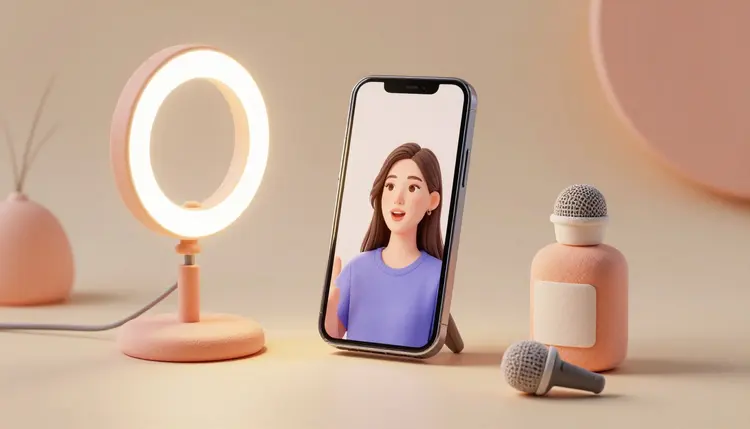
A UGC-style video ad looks like organic content: someone talking straight into a phone camera about a product, shot loose and unpolished on purpose, because that reads as trustworthy in a way a studio commercial does not. Brands used to pay creators to film dozens of these and test which hook worked, which is slow and expensive at real volume. AI collapses that loop: write the script, pick a presenter, and get a talking clip back in minutes.
The format works because it does not look like advertising. A presenter looking into the lens, mid-sentence energy, a slightly shaky first take, all of that reads as a real person's opinion rather than a brand's pitch, and that reading is worth more clicks than a polished shot ever earns on these platforms. The problem was always production: booking a creator, scheduling a shoot, and reshooting when the hook does not land, for every single variant you want to test.
Picasso IA folds the pipeline into one catalog instead of one creator relationship. Avatar and lipsync models turn a script into a talking presenter, text-to-speech models supply the voice when you are not recording your own, and the same script can run through several presenters in the time it used to take to book one shoot. The full model catalog is worth browsing first, since the right model depends on whether you are starting from a photo, a stock avatar, or a filmed clip you want dubbed.
The presenter decision drives everything downstream, and it comes down to what you are willing to show. A real product photo gives the most authentic-feeling result, because the face and setting are genuinely yours; a stock avatar scales further because nobody has to sit for a photo at all. The table below maps the common paths to the model that handles each one on Picasso IA today.
| Approach | What you provide | Model to use | Best for |
|---|
| Photo to talking video | One portrait photo plus a script or audio | Omni Human (ByteDance) | A single spokesperson clip built from a photo you already have |
| Full stock avatar | Just a typed script | Avatar V (HeyGen) | Running many scripts fast without ever photographing anyone |
| Photo avatar, pick a voice | One portrait photo plus a script | P Video Avatar (PrunaAI) | The same face speaking in several languages or voice styles |
| Dub a real filmed clip | An existing UGC video plus a new script | Lipsync Precision or Video Translate (HeyGen) | Localizing a creator's real footage into another market |
| Voice only, no face on screen | A script and product footage or photos | Text-to-speech voices such as ElevenLabs or MiniMax | Ads that lean on voiceover and on-screen product shots instead of a talking head |
Photo-based presenters generally read as more trustworthy, since the audience is looking at a real person tied to the product. Stock avatars trade some of that authenticity for speed across a whole campaign; run a few candidate avatars on the same script and see which one pulls the highest watch time.
Every part of the workflow depends on the script, since the model performs exactly what you type, no more and no less. The scripts that work read like something a person would actually say out loud: short sentences, a specific problem named in the first line, one claim you can back up, and a plain call to action instead of a slogan. Marketing language, exclamation points and words like revolutionary tend to break the illusion the format depends on, because a real person filming a phone selfie does not talk that way.
The single biggest lever in a UGC-style ad is the first line. Viewers decide whether to keep watching in about a second and a half, so open on the specific problem or the surprising result, never on the brand name; save the product name for the second or third sentence, once the hook has already earned the extra second of attention.
Write the script as if a friend is explaining why they bought something, not as if a copywriter is selling it. Read the line out loud before you send it to the avatar model: if it sounds like something you would say to a friend, it reads as genuine on screen; if it sounds like a billboard, rewrite it.
This is the path from an idea to an exported clip, and most people can run it end to end in under twenty minutes once the script is written. It assumes you already know which product or offer the ad is for.
- Write three short scripts. Fifteen to thirty seconds each, one specific hook per script, so you are testing different openings rather than three versions of the same idea.
- Pick a presenter. Upload a portrait photo for Omni Human or P Video Avatar, or choose a stock avatar in Avatar V if you would rather not photograph anyone.
- Generate the voice, or upload your own. Use a text-to-speech model such as ElevenLabs or MiniMax Speech if you are not recording audio yourself, and pick a voice that matches the tone of the script.
- Run each script through the presenter model. In the Toolkit, pair the script or audio with the photo or avatar and generate the clip; a fifteen-second script renders faster than a longer one.
- Watch all the variants back to back and pick the strongest hook. Judge the first three seconds specifically, since that is the part deciding whether the ad gets watched at all before it ever reaches the offer.
The advantage over a real creator shoot is not the final clip, it is how cheap the tenth variant is compared to the first. A studio shoot makes every additional hook expensive; here the marginal cost of another version is one more generation. A few habits make that advantage count for something instead of producing a pile of similar clips.
- Change one variable at a time: swap only the opening line, or only the voice, or only the presenter, between two otherwise identical clips, so you actually learn which change moved the result.
- Keep scripts under thirty seconds: UGC-style ads live or die on the hook, and a longer script gives the viewer more chances to scroll past before the offer even lands.
- Test the same script across presenters: a photo-based presenter and a stock avatar reading the identical line will not perform the same, and the gap tells you something real about your audience.
- Vary the voice tone deliberately: an excited voice and a calm, matter-of-fact one sell very differently, so treat voice choice as a variable you test, not a default you set once.
- Retire losers fast: once a variant is clearly underperforming, stop paying to show it rather than letting sunk production cost keep it in rotation.
This format is not a free pass around honesty, and it has real limits worth knowing before you build a campaign around it.
Photo-based presenters can show stiffness in the eyes and jaw on longer scripts, and the illusion holds up better in the first ten seconds than across a full minute, which is one more reason to keep scripts short. Audio-driven models such as Omni Human perform best on clips of around fifteen seconds; push much past that and lip-sync quality tends to soften. Stock avatars are limited to the library a given model ships with, so you cannot conjure an arbitrary face, only choose among the ones available. And a synthetic presenter is not a substitute for an actual customer testimonial: if your audience specifically expects proof from a real buyer, a generated presenter reading a script will not carry the same weight, no matter how natural it looks.
There is also a disclosure question that is not optional. Most platforms require you to label ad content as advertising regardless of format, and several are adding rules specifically for AI-generated presenters; treat a synthetic UGC-style ad the same way you would treat any paid endorsement, and disclose it plainly rather than letting it pass as an organic post from a real customer.
What is a UGC-style video ad?
It is an advertisement made to look like organic content a real customer posted, someone talking to the camera about a product in a casual, unpolished way, rather than a scripted studio commercial. The format performs well on feed-based platforms because viewers read it as a genuine opinion first and an ad second, at least until the pitch becomes obvious. AI versions recreate that look using a talking-avatar or lipsync model instead of a hired creator.
Do I need to film anything myself to make one?
No, not necessarily. You can upload a single portrait photo you have the rights to use, or pick a stock avatar built into a model like Avatar V, and generate a full talking clip from a typed script. Recording your own short video and dubbing it with a new script is also an option if you already have footage you like the framing of.
Which Picasso IA model should I start with?
Start from what you have. If you have a photo of the presenter, Omni Human or P Video Avatar turns it into a talking clip paired with a script or an uploaded voice recording. If you would rather use a stock face and never photograph anyone, Avatar V generates the whole presenter from a script alone. Both sit in the same catalog, so testing one against the other costs nothing but a second generation.
How long should the script be?
Fifteen to thirty seconds is the range that performs best for this format, which works out to roughly forty to eighty spoken words depending on pacing. Shorter scripts also render faster and hold lip-sync quality better on audio-driven models, so there is a practical reason to stay brief on top of the attention-span one.
Can the same script be spoken by different presenters to compare results?
Yes, and this is one of the more useful things about generating rather than filming. Run the identical script through a photo-based presenter and a stock avatar, or through two different avatars, and compare watch time on each; because the words never change, any difference in performance comes from the presenter and the voice, which is exactly the variable you want to isolate.
Can I turn a real customer photo or video into a UGC-style ad?
Only if you have the right to use it. If a customer has given permission, either their photo or an existing short clip can become the base: a photo goes through Omni Human or P Video Avatar with a new script, and an existing clip can be relabeled with new dialogue through a lipsync-dubbing model. Never use a stranger's photo or footage pulled from social media without consent.
Does this replace hiring real UGC creators?
Not for every use case. Generated presenters are fast and cheap for testing hooks and scaling script variants, but a real creator brings an actual following, a genuine voice and, in some categories, a level of trust a synthetic presenter cannot match. Many teams use both: generated clips for rapid hook testing, real creators for the campaigns that need an authentic face people already recognize.
Do I have to disclose that the video is AI-generated?
Yes, if it is presented as advertising, and most platforms now expect it either way. Ad-disclosure rules apply to the format regardless of how the presenter was produced, and several platforms are adding specific labels for AI-generated people in ads. Treat a synthetic UGC-style ad exactly like any other paid promotion and disclose it plainly rather than letting viewers assume it is an unpaid, organic post.
Why does the presenter sometimes look slightly off?
Lip-sync and facial-motion models are strongest on short, clearly lit, front-facing footage, and they soften a little as a script runs longer or the source photo is angled, low resolution or poorly lit. Keeping scripts under thirty seconds and starting from a sharp, well-lit, front-facing photo fixes most of what causes that stiffness, and choosing a newer model in the catalog when one is available also tends to help.
How much does it cost to generate one of these ads?
Cost depends on the model, the resolution and the length of the clip, so any specific figure written here would be wrong within a few months as the catalog updates. Avatar and lipsync video generations sit above single still images and below the heaviest video work in typical cost. Current numbers live on the pricing page, and new accounts start with free credits, enough to test a few scripts and presenters before spending anything.
Stop waiting on a creator's calendar for the next ad test. Open the Picasso IA toolkit, pair a script with a photo or a stock avatar, and have a testable clip back before the meeting where you were going to propose the shoot even starts.