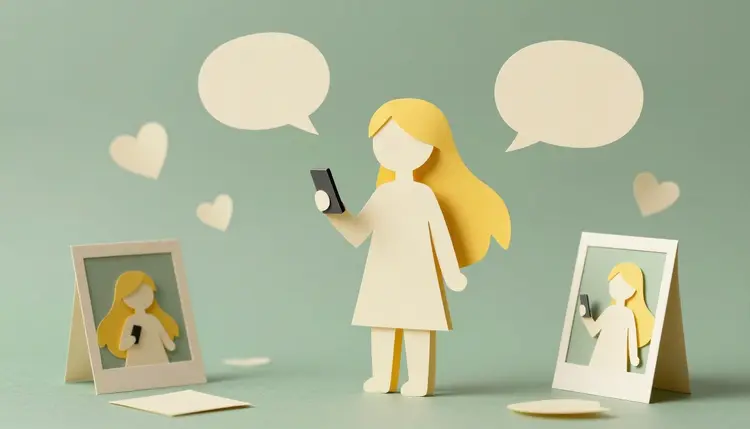
A virtual influencer is a character nobody has to photograph. It has a name, a look, a personality and a feed, and every picture of it is made, not taken. The hard part is not generating one good portrait. It is generating the fortieth image and still recognizing the same person. This page walks through building a fictional persona that holds together, and being straight with your audience about what it is.
A persona used to need a photographer, a model, a studio and a retoucher, which is why only brands with budgets ran them. Image models changed the economics of the stills. You can now describe a person, a wardrobe and a street corner in a sentence and get a believable photograph back in a minute or two, as many times as you like.
That makes a fictional persona a reasonable project for a small brand, a storyteller or a studio testing an idea. A character can model your clothing line, host a niche topic, front a newsletter or tell a serialized story, and it never has a bad hair day or a scheduling conflict. It also never replaces the thinking: the voice, the topics and the reason anyone would follow it still come from you.
Picasso IA puts 502 models behind one workspace, so the same persona can move from a still image model to a lipsync model without exporting files between tools. The full catalog is open to browse, and new accounts get free credits to test whether a character holds up before you plan a month of posts around it.
Most failed virtual influencers fail at the sheet, not at the model. If the face is the only thing you decided, every new image becomes a fresh guess. Write the persona down first, in plain sentences you can paste into any prompt.
Cover four things. The look: age range, face shape, hair, skin, two or three signature details such as freckles or a particular jacket. The setting: where this person lives and which places show up in the feed. The voice: how they talk, what they care about, what they would never post. And the boundary: this is a fictional character, so the prompt never names a real person, never asks for a celebrity lookalike and never borrows a stranger's photo as the face.
Then fix a short block of look-words and reuse it word for word. Models respond to repeated wording the way a casting director responds to a headshot, and changing one adjective between prompts is the quickest way to end up with a cousin instead of the same person. The consistent AI characters page goes deeper on locking a character across a whole series.
Different posts need different tools, and a persona with only still photos feels flat after a few weeks. This is how the formats map to models that exist in the catalog today.
| Post format | Model to start with | What you feed it | Where it tends to break |
|---|
| Portrait or lifestyle still | google/nano-banana-pro | Reference images of the persona plus a scene prompt | Outfit or hairstyle drifts after many edits |
| Carousel or photo series | google/nano-banana-pro | The same reference set, one new setting per frame | Background details that contradict each other |
| Talking clip with your persona's face | prunaai/p-video-avatar | One portrait still plus a script, or your own audio | Wide shots and busy gestures, since the input is a portrait |
| Presenter clip with a stock presenter | heygen/avatar-iv | A script, plus an avatar ID and a voice ID from HeyGen's lists | The presenter is not the face you designed |
| Short moving clip, no speech | A video model from the text-to-video category | The approved still as the starting frame | Hands and fast motion can warp |
Notice the fourth row. As its inputs are written, Avatar IV asks for an avatar ID and a voice ID taken from HeyGen's own lists, so it presents with their presenters, not with a character you invented. For your own persona's face, the lipsync route with a portrait is the one that keeps it yours. If you are weighing the two, the Picasso IA vs HeyGen comparison lays out the difference.
This is the workflow that ends with a week of usable posts instead of a folder of strangers. It assumes you have written the persona sheet above and nothing else.
- Write the persona sheet. Name, look, setting, voice and the things the character never does, in a few short paragraphs you can paste into a prompt. Keep the look-words in their own block so you can reuse them untouched.
- Generate the anchor portraits. Open the toolkit, pick google/nano-banana-pro and generate several front-facing portraits from your look block. Choose one face and save its best two or three angles as your reference set.
- Make a batch of stills from the references. Attach the reference images, change only the scene and the outfit in each prompt, and ask for the aspect ratio your platform uses. Reject anything where the face has wandered, even if the picture is pretty.
- Give the persona a voice and some motion. Take your best portrait into prunaai/p-video-avatar with a short script and a voice, or upload your own recorded audio. Keep each clip short, and check the lip movement before you trust a take.
- Review, label and publish it yourself. Look at every file, add the AI label your platform expects, and post. Picasso IA does not post for you, so a weekly sitting that produces seven items is the realistic way to keep a daily rhythm.
Platforms and, in some places, advertising rules ask creators to label synthetic or AI-generated content, and the details change. Check the current requirements of each platform you post on, and any rules that apply where you and your audience live, instead of relying on a summary from a tool page. The safe habit is simple: say in the bio that the persona is AI, and use the platform's own label when one exists.
Rule of thumb: if a follower would feel tricked on finding out the persona is not a real person, the disclosure is not clear enough yet. Say it in the bio and in the first post, not buried in a link.
The second line to hold is identity. A virtual influencer is invented from scratch, which means no real person's face, voice or name. Do not prompt for a celebrity lookalike, do not feed in photos of someone who has not agreed, and do not clone a real voice. If the character is meant to sell something, the product pictures still have to be truthful about the item, because a fictional face does not excuse a misleading shot of the thing being sold.
An honest page says where the tool stops helping. For a persona, there are five places:
- Drift over time: even with references, small details creep, such as a jawline or a mole that moves, so keep the reference set open and compare each new image against it before posting.
- Hands, text and small props: fingers, jewelry clasps and any lettering on clothing are the usual failure points, so frame shots to avoid them or retry until they hold.
- Face and voice are separate jobs: the still comes from an image model and the speech from a lipsync model, and they only match because you made them match, so audition voices on the same script.
- No posting and no analytics: Picasso IA creates the media and stops there, with no auto-posting and no schedule queue, so you publish, watch the numbers and decide what to make next.
- Audience trust is yours to earn: a flawless face does not give followers a reason to stay, and a persona with no point of view reads as an ad even when it is labeled.
None of this means the idea does not work. It means the persona is an editorial project that happens to use image tools, not an automatic account.
What is an AI virtual influencer?
It is a fictional character presented like a social media creator, with a consistent face, a name, a style and a posting feed, where the pictures and clips are generated by AI models instead of photographed. The character is invented, so it does not stand in for any real person, and good ones tell their audience plainly that they are AI.
Can Picasso IA post to my accounts for me?
No. There is no auto-posting and no scheduler inside Picasso IA. It generates the images and clips, you download them and publish on each platform yourself. If the platform has its own scheduling tool you can use that, as long as you follow its current rules for labeling AI content.
How do I keep the same face in every image?
Choose one anchor portrait, save a few angles of it, and attach them as reference images every time. google/nano-banana-pro accepts up to 14 reference images alongside a prompt. Keep your look-words identical between prompts, change only the scene or outfit, and discard any result where the face has drifted, even when the picture is good.
Which models should I use for a virtual influencer?
For stills, google/nano-banana-pro with reference images. For talking clips in your persona's own face, prunaai/p-video-avatar, which takes a portrait and a script or your own audio. heygen/avatar-iv is a presenter model that works from HeyGen's avatar and voice lists, so it suits a presenter format rather than a character you designed. Every one of these runs in the toolkit.
Do I have to say my influencer is AI?
Plan on it. Many platforms ask creators to label AI-generated or synthetic content, and advertising rules in some countries add their own requirements for sponsored posts. These change, so read the current rules for each platform you use. Beyond the rules, saying it in the bio is the honest choice and protects the trust you are trying to build.
Can I base the persona on a real person or a celebrity?
No. The point of a virtual influencer is that it is fictional. Do not prompt for a real person's likeness, do not upload photos of someone who has not agreed, and do not clone their voice. If you want a character that resembles you, use your own photos, with your own consent, and say clearly that it is a stylized version of you.
Can my virtual influencer talk?
Yes. prunaai/p-video-avatar turns a portrait photo into a talking clip from a typed script, with over 30 voices across 10 languages and 720p or 1080p output, or from audio you upload yourself. Short clips tend to work best. Check the lip sync and any odd head movement before you post, and regenerate if a take looks off.
Can a virtual influencer really post every day?
Posting is the part you do. The content side is realistic if you work in batches: one sitting to generate a week of stills and a few short clips, then publish them one a day. The limit is rarely the models. It is having enough ideas for the character to say and show that the feed still feels like one person's life.
Can I make money with a virtual influencer?
Some creators do, but this page makes no promise of income, and results depend on your audience, niche and the brands you work with. Sponsored content usually brings disclosure rules of its own, so check what applies where you live. Treat the persona as a creative project first and a business second, and ask a qualified professional about contracts or taxes.
How much does it cost to create a virtual influencer?
Generations are paid in credits, and the cost depends on the model and the settings you pick, so a number written here would go stale. Still images cost less than video, and a lipsync clip costs more than a still. New accounts get free credits to start, and the pricing page is the only place worth trusting for current figures.
Your persona exists as a paragraph until it has a face. Open the Picasso IA toolkit and generate the first anchor portrait today.