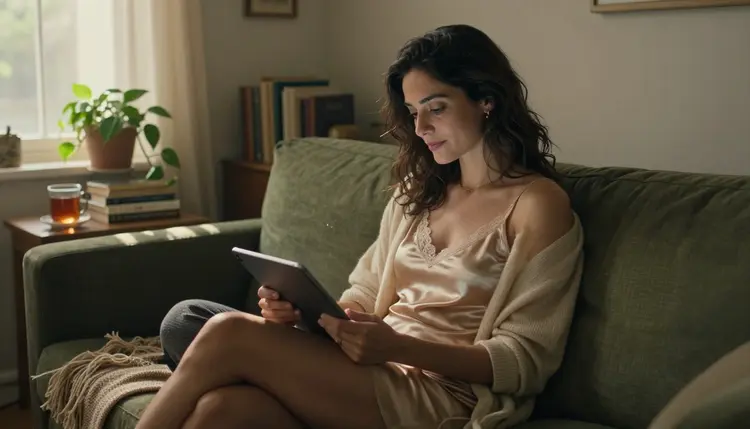
If you are wondering what ChatGPT allows when you ask it for NSFW images, this page gives you a plain answer and a next step. It looks at what OpenAI's own published rules say about adult content, explains why mainstream tools tend to refuse adult prompts, and shows how to carry the same prompt to a model that accepts it. Everything here is for adults, and every person described or shown is a fictional adult. The pictures stay in glamour and boudoir territory: wardrobe, light, pose and mood, nothing explicit.

ChatGPT is a general-purpose AI assistant from OpenAI. It chats, it writes, and it can also generate images. It is not a dedicated image generator.
The behavior of OpenAI's assistants is governed by a published document called the Model Spec. According to that document, the assistant should not generate explicit adult material, depictions of illegal or non-consensual intimate activity, or extreme gore, except in scientific, historical, news, artistic or other contexts where sensitive content is appropriate. The exceptions it lists are tied to context.
We stop at that rule on purpose. The exact wording that applies to images is OpenAI's to state and OpenAI's to change, so read its current usage policies before you rely on anything you see summarized on a third-party page, this one included. What we can say is how to plan around it: if your project is adult, glamour or boudoir work and a general assistant is not the right fit, you do not have to fight it. You can use a tool whose job is exactly that.
Picasso IA is a browser app for AI image and video generation, and it keeps a short list of models it has tested on adult prompts. Those are called confirmed models, and what confirmed means is explained on its own page. The rest of this guide shows how to use them.
A mainstream platform answers to a very wide audience, and its rules are set by the company that runs the model. The same prompt can be accepted by one service and refused by another, because each one decides for itself where its line sits. Nothing about that is a flaw in your prompt. It is a difference in policy.
In general, safety filters work at one or two points. They read the text you send, and on some platforms they also look at the image that comes back. A filter that reads text looks at words, not at intent, so a mild request for a woman in a satin slip on a sofa can be treated the same way as a request the platform really does not want. A filter that checks the output looks at what was drawn, so a prompt that passed can still be stopped later. Both behaviors belong to the platform, not to you.
That is why we do not recommend tricks to get around a filter. Misspelling a word or stacking synonyms is slow, it is fragile, and it does not change the rule that sits behind it. The straightforward route is to use a model whose rules fit your work. If you want to refine a result once you are in the right place, writing a good negative prompt removes unwanted details from a result, and it works on any model that accepts one.
Other mainstream tools publish rules of their own, and they differ. If you are comparing, the page on Midjourney and adult content looks at another popular service the same way this page looks at ChatGPT.
When a prompt does get refused, the useful move is to keep the prompt and change the tool. The wording you spent time on, the wardrobe, the light, the lens, the setting, is worth keeping. A good adult prompt reads like a photographer's brief, and a brief can travel between models.

Here is the short version of the move. It takes a few minutes and you do not need to retype anything if you copy the prompt first.
- Copy the prompt. Select the full text of the prompt that was refused, including the wardrobe, the light and the lens, and keep it in your clipboard or a note.
- Open the toolkit. Go to the toolkit in your browser. Nothing is installed, and your generations stay tied to your account.
- Pick a confirmed model. Choose one of the confirmed models: a photoreal image model for stills, an illustration model for design work, or a video model if you want motion.
- Adjust wardrobe, light and mood. Paste the prompt and tighten it with concrete details such as an opaque lined satin camisole, candlelight, an 85mm f/1.8 close-up, Kodak Portra 400 grain.
- Generate and edit. Run the generation, look at the result, and fix a single detail with the image editor instead of rewriting the whole prompt.
A prompt that works well for this kind of picture is specific about the person and the room. For example: a raw 8K film photograph of a woman in her mid thirties, a mature adult, sitting on a sofa with a tablet, in a lined satin camisole and a cream knit cardigan, candlelight from the left, a wool throw and a mug nearby, 85mm f/1.8, Kodak Portra 400 film grain. It says who, what she wears, where, in what light and with which lens. That is enough for a confirmed model to work with.
Inside the toolkit, when a model cannot take a prompt, Picasso IA shows a message titled "Content Not Supported by This Model". It then recommends models that accept adult prompts and carries your prompt over to them, so nothing has to be retyped. You pick a recommended model, generate, and keep working.

The models Picasso IA lists as confirmed are the ones it tested with adult prompts, repeatedly, and watched generate instead of reject. Confirmed is a statement about those tests. It is not a published setting of the model's maker, who can change a model at any time. The page that ranks them, the top confirmed models, goes deeper on what each one does well.

Models marked unlimited with the infinity tag do not spend credits on plans that include unlimited generation, and the details live on the pricing page. Every other model uses credits that vary with the model and with options such as resolution or duration.
Every model outside that table is untested. That means worth a try, not confirmed either way. We do not call any of them filtered and we do not call any of them filter-free, because we have not tested them with adult prompts. If you want to explore, the full catalog lists everything, and the app will tell you if a model does not take your prompt.
One more detail helps when you build a scene across several pictures. In the toolkit, each image you attach gets an @1, @2 badge, and you can refer to it by that badge in your prompt. Picasso IA translates the reference into the syntax each model understands. Only models that accept several inputs show the badges.
Picasso IA is for adults only. You must be 18 or older to use the adult features, and the pages in this section are written for that audience.
Every character you create is a fictional adult. Do not make pictures of real or identifiable people, and do not make anyone who could read as a minor. Prompts that describe a person say woman or man, with an age and wardrobe that read clearly as a mature adult. The page on what is required for NSFW AI art covers the requirements in more detail, and it is not legal advice.
Your generations are private by default. What you create is tied to your account and is not published or shown to other people.

ChatGPT is the better choice when you want one general assistant for many jobs. It chats, it writes, and it can also generate images, so a single conversation can move from drafting an email to brainstorming a caption to making a picture. If your task is general, such as explaining a topic, outlining a plan or writing text, an assistant built for that range is a natural fit. Picasso IA makes pictures and videos. It does not chat, and it does not try to replace a general assistant.
It is also a sensible place to draft ideas before you build a prompt. You can use it to think through a mood, a setting or a story, then bring the resulting wording to a model that does images. Check its current rules before you plan around any of that, because they can change.
Picasso IA is not affiliated with OpenAI or with ChatGPT. We describe its published rules only to help you decide where to work. If you want a fuller side by side look, the comparison of Picasso IA and ChatGPT goes through what each one does.

If you would like to try the confirmed models first, a new account gets a small free trial on selected models, and the pricing page explains how credits and plans work. From there, the only thing left is to write the brief and press generate.
Does ChatGPT allow NSFW images?
According to OpenAI's published Model Spec, the assistant should not generate explicit adult material, depictions of illegal or non-consensual intimate activity, or extreme gore, except in contexts such as scientific, historical, news or artistic ones where sensitive content is appropriate. Check its current rules for the exact wording that applies to images.
What happens when a model refuses my prompt on Picasso IA?
The app shows a message titled "Content Not Supported by This Model". It recommends models that accept adult prompts and carries your prompt over, so you do not retype it. You can read how confirmed models are chosen on their own page.
What can I use instead of ChatGPT for adult images?
If its rules stop a prompt you want to make, try one of the confirmed models in Picasso IA, such as Seedream 4.5 for photoreal stills. The guide to Seedream 4.5 for NSFW images shows what to write and what to expect from it.
Can I generate images of real people?
No. Every character must be a fictional adult. Picasso IA does not allow pictures of real or identifiable people, including celebrities, and prompts should describe an invented woman or man rather than someone you know or someone famous.
Are minors or characters who look like minors allowed?
No. The adult features are for people aged 18 or older, and every character must be a fictional adult. Nothing that could read as a minor is allowed, and prompts should state a mature adult age and wardrobe that reads clearly as an adult.
Are my generations private?
Yes. Generations are private by default. What you create is tied to your account and is not published or shown to other people. You decide what to do with your own files after you download them.
Is there a free trial?
Yes, a new account can try a small free trial on selected Picasso IA models. It does not cover the whole catalog. The pricing page explains the details, including which models are marked unlimited and how credits work for the rest.
Can I make adult video clips too?
Yes. LTX 2.3 Pro, Picasso IA Video and Seedance 2.5 Lite are the confirmed video models. They take a text prompt, and Picasso IA Video also starts from an image. Clips stay in the same glamour and boudoir style as the stills, for fictional adults only.
Can I change one detail of a picture without starting over?
Yes. Picasso Image Editor Pro edits an existing image, so you can change one detail and leave the rest alone. Attach the picture, describe the single change, and generate again rather than rewriting the whole prompt.
What if a platform changes its rules?
Policies change, on every platform. Check ChatGPT's current rules before you rely on this page. On our side, confirmed describes what Picasso IA saw in its own tests of a model, not a promise from the model's maker, who can change a model at any time.