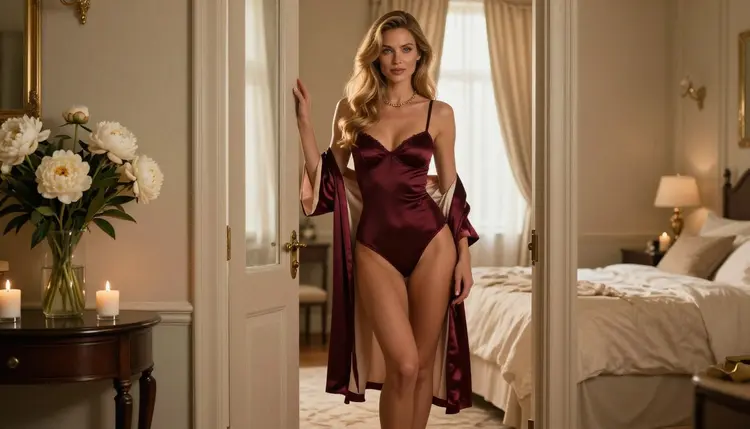
A boudoir shoot starts long before anyone picks up a camera. The photographer, the stylist and the model need a shared picture of what the day should feel like: which fabrics, which colors, how much light, which poses. A mood board is that picture on one page. With Picasso IA you can build it from images made to order, so the board shows your idea instead of a loose collection of references pulled from other people's work.
This guide walks through the whole job. You will plan the board, choose a model, write prompts for lingerie, robes and satin, keep the same fictional woman across every frame, and finish the set with a few edits. Everything here is for adults, about fictional characters, and stays on the suggestive side: glamour, wardrobe and light, never anything explicit.
A useful board answers four questions at a glance. What do the clothes look like? What is the palette? What does the light do? What are the bodies doing, meaning the poses? If a frame on the board does not answer one of those, it is decoration and can go.
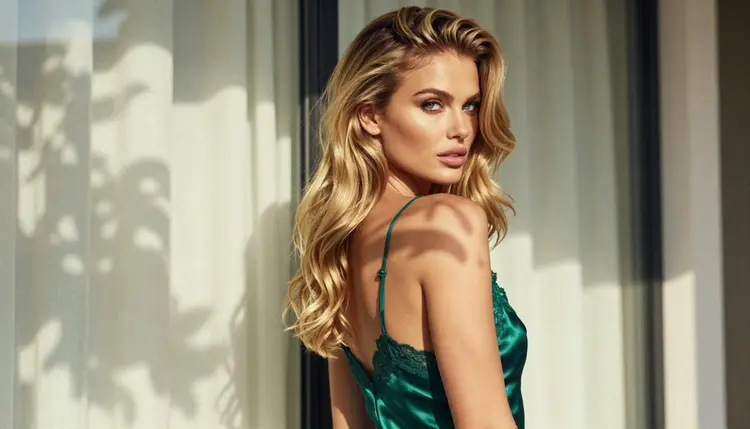
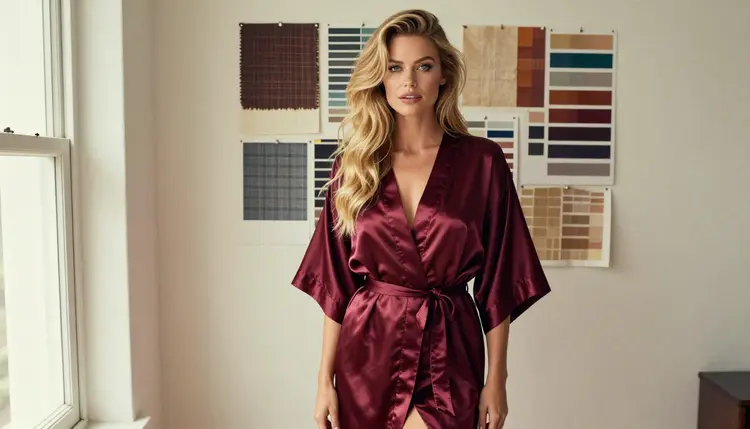
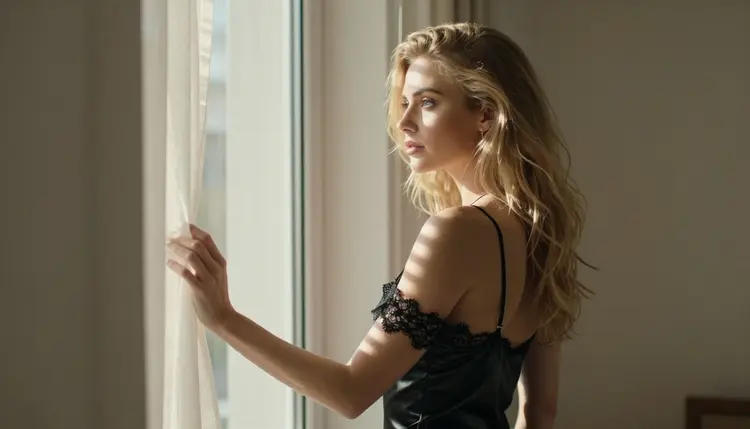
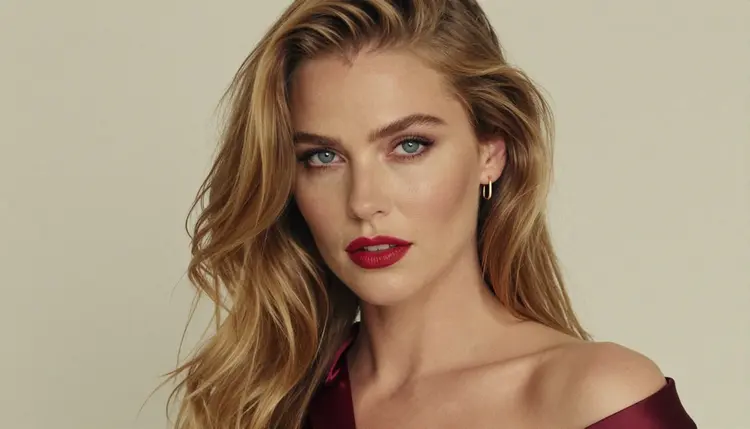
Most boudoir boards hold between six and twelve images. That is enough to show a range without turning into a wall of noise. A good split is two or three wide frames that set the room and the mood, three or four medium frames that show wardrobe and posture, and two or three close frames for texture and expression. The images in this guide follow that pattern, from a doorway hero frame to a tight portrait with a burgundy strap.
Consistency is the part that makes a board look professional. If every frame shows a different face, the client reads it as a collage. If the same woman appears in every frame, with the same hair and the same polished makeup, the client reads it as a shoot that already happened. In Picasso IA you get there by describing the same fictional woman in the same words every time, and by attaching a favorite frame as a reference when the model accepts several inputs.
Format matters too. Boards are usually landscape, so generate your frames wide and let them sit in a grid. If you plan to print the board or hand it to a client as a file, ask for the highest resolution the model offers and keep the originals untouched. You can always crop later, but you cannot add detail that was never there.
Picasso IA tested adult prompts repeatedly against the models below and watched them generate instead of reject. That is what "confirmed" means here, and it is not a published setting from the model's maker, who can change it at any time. The page on what confirmed means explains the details.
| Model | Best for | Format |
|---|
| Seedream 4.5 | Photoreal boudoir frames from text | Image, 4K |
| Recraft V4.1 Pro | Palette cards, graphic and illustrated board tiles | Image, 2K, print-ready |
| Picasso Image Editor Pro | Editing an existing frame, color and detail fixes | Image edit, unlimited tag |
| LTX 2.3 Pro | Moving mood reels from text | Video, 4K |
| Picasso IA Video | Turning a still or a text idea into a clip | Video, unlimited tag |
| Seedance 2.5 Lite | Short motion tests | Video, up to 10 seconds, unlimited tag |
For a stills board, Seedream 4.5 is the natural first choice. It makes text-to-image at 4K, and the photoreal look suits boudoir work: satin sheen, lace edges, skin that reads as photographed. Recraft V4.1 Pro earns a place when the board needs design elements next to the photos, such as a flat color palette, a typographic title tile or a stylized pattern. Picasso Image Editor Pro is the finishing tool, and you will use it more than you expect.
If you want to explore beyond the confirmed list, other models in the full catalog are worth a try. Qwen Image 2 is untested for adult prompts, and so is every other model not listed above: not confirmed either way, so treat any result as a bonus and not as a promise. The toolkit tells you when a model does not accept a prompt, which makes testing cheap.
Open the toolkit, pick a model and work through the steps below in order. The whole board can be done in one sitting once you have a plan.
- Plan the set. Write down the palette (two or three colors), the fabrics, the room and the light before you type a prompt. Decide how many frames you need and which ones are wide, medium and close.
- Describe the woman and the scene. Write one reusable paragraph for the fictional adult model: age in the early thirties, hair, eyes, makeup, build. Add a second paragraph for the room and light.
- Generate the key image. Make the doorway or window hero frame first. Run it a few times and keep the one that sets the tone best.
- Build the rest of the set. Reuse the same woman paragraph, change only wardrobe, pose, lens and light, and attach the key image as a reference where the model supports it.
- Refine and export. Open Picasso Image Editor Pro to fix small details such as a strap, a color cast or a hand, then download the originals and assemble the grid.
Planning Textures, Palettes and Poses
This is where the board gets its identity. Think in three layers and write each one into the prompt.
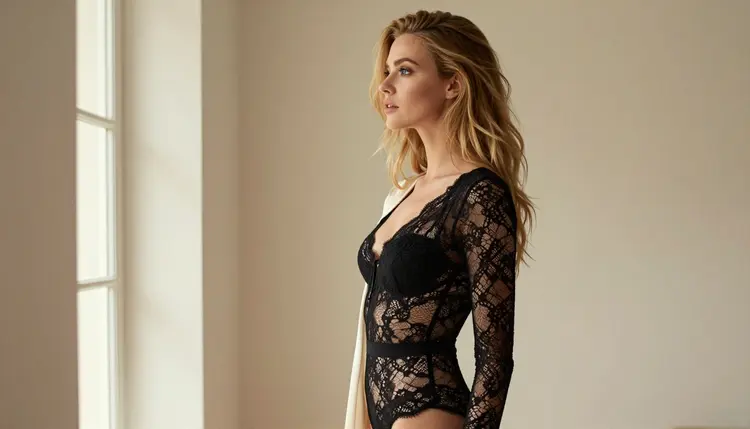
Textures first. Boudoir looks expensive when the fabrics are specific. Instead of "lingerie", write "fully lined black lace bodysuit under a long ivory silk robe" or "opaque deep green satin slip dress with a thin lace hem". Name the surface behind her too: sand-colored plaster wall, painted wood door frame, cream drapery, dried pampas grass in a vase. Models respond to material words with visible grain, sheen and weave.
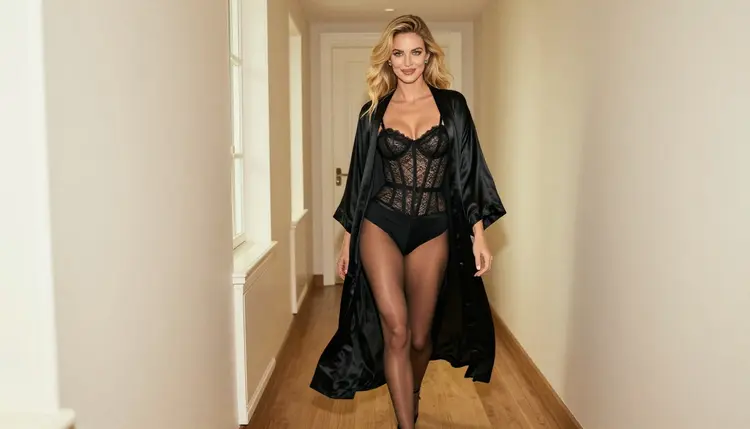
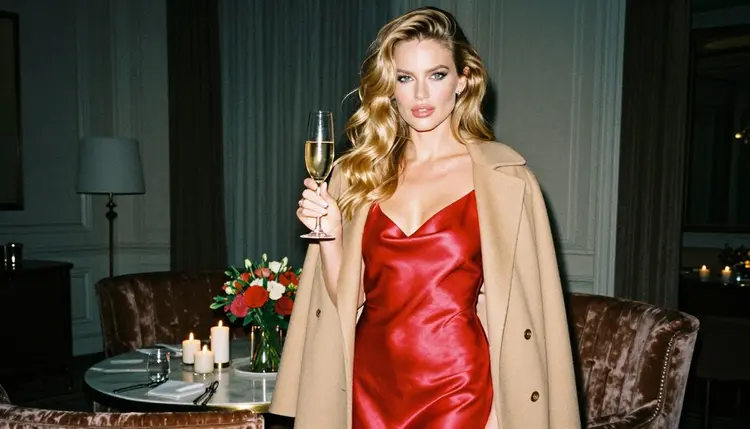
Palettes next. Pick a small family and repeat it. A burgundy, ivory and gold board feels warm and classic. Emerald, cream and black feels more editorial. Say the colors in the prompt, and say them for the room as well as the clothes, so the board holds together when you lay the frames side by side. A quick check: squint at the finished grid. If one frame jumps out as a different color, regenerate it with the palette stated more firmly.
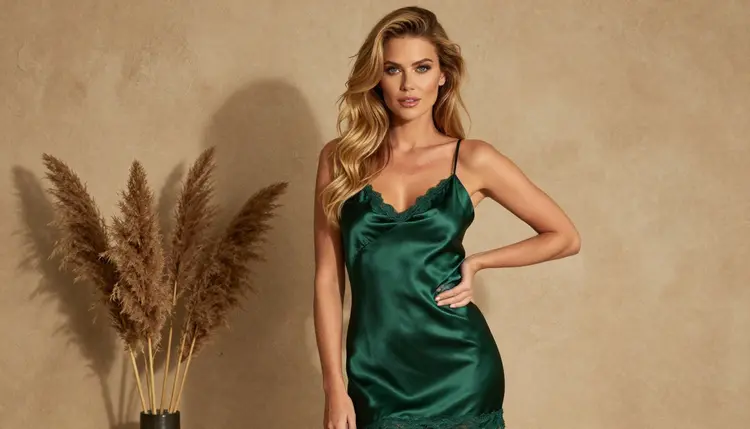
Poses last. A board needs variety in posture even when the woman and the palette stay fixed. Useful reference poses to ask for are a back glance over the shoulder, a profile with the chin lifted, a candid walk down a corridor, a hand resting on the hip against a wall, a seated three-quarter view, and a figure looking out of a window. Add the camera too: eye-level, 85mm for portraits, 135mm to compress a background, 24mm for a wider walk-through shot. Mention the light: late-afternoon side light, soft window light from the left, golden hour backlight, hard morning sun through blinds, overcast daylight.
Here is a prompt shape that works well for a medium frame with Seedream 4.5: "Medium shot, waist up, of a fictional adult woman in her early thirties with long honey-blonde beach waves, blue eyes and polished glamour makeup, in an opaque ivory satin corset top with a thin gold necklace, soft cream drapery and white roses behind her, golden hour backlight, 100mm lens at f/2.8, fine film grain, warm film look." Swap the wardrobe, the background and the light, keep the rest, and you have the next frame.
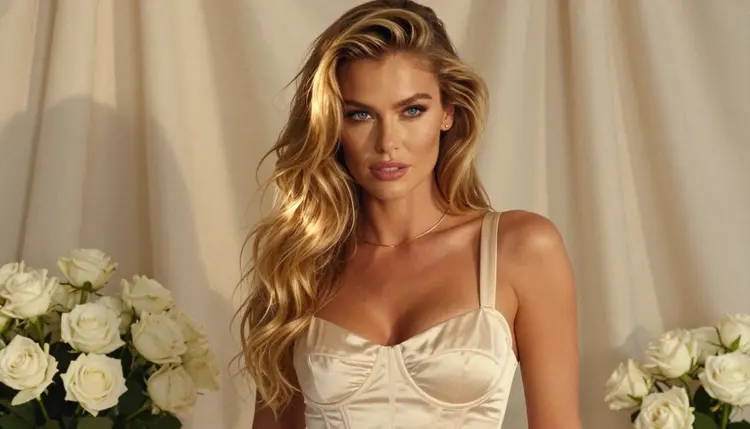
To keep the same woman across the board, copy the character paragraph word for word into every prompt and put it at the start. Do not paraphrase it between frames. Small wording changes are the most common cause of a face drifting. If a frame still drifts, attach your key image as a reference and mention it in the prompt using its @1 badge, which Picasso IA translates into the syntax each model understands. Only models that accept several inputs show those badges.
When the board is for a client who wants movement, move to video after the stills are approved. Picasso IA Video turns an image or a text idea into a clip, and LTX 2.3 Pro makes 4K video from text. Seedance 2.5 Lite is listed up to 10 seconds and suits quick motion tests. A slow curtain movement or a head turn is plenty for a mood reel. If you are building a related board, the guides on a creative mood board and a romance novel mood board use the same workflow with a different subject.
Picasso IA's adult tools are 18+ only. If you are under the legal age where you live, this page and these models are not for you, and you should close the tab.
Every character you create is a fictional adult. Never use a real or identifiable person, never a celebrity, never a photo of someone you know, and never anyone who could read as a minor. The prompts in this guide describe a woman in her early thirties for a reason, and you should keep your own characters just as clearly adult.
What you create is private by default: it is tied to your account and not published or shown to others. What you do next is up to you, so check the rules of wherever you publish or print. A mood board that stays inside a studio folder has no audience to worry about, but one that goes onto a website, a portfolio or a print service falls under that service's own content rules, and those rules can change.
A new account can try a few generations for free on selected models: Picasso IA Image, Picasso Image Editor Pro, Picasso IA Video and Seedance 2.5 Lite. It is a small free trial on selected models, not on the whole catalog, so use it for the key frame and one or two tests. Details on credits, plans and the unlimited tag are on the pricing page.
Models marked with the infinity tag do not spend credits on the plans that include unlimited generation, which suits the editing and revision loop of a board, where you may touch the same frame many times. Picasso Image Editor Pro and Picasso IA Video carry that tag.
Beyond the confirmed list, try a few untested models for variety. They are not confirmed either way. Qwen Image 2 is a text-to-image option, and the video side has Picasso Video (Pruna P-Video) and Seedance 2.5. If a model does not accept an adult prompt, the app shows a message titled "Content Not Supported by This Model", recommends models that do accept adult prompts and carries your prompt over, so you do not retype anything.
Once your board is done, you can reuse the same approach for other projects. Bedroom wall art takes the single best frame and prepares it for a wall, and a fanfiction cover uses the same character paragraph for a cover image.
How many images should a boudoir mood board have?
Between six and twelve works for most shoots. Include a few wide frames for the room, several medium frames for wardrobe and pose, and a couple of close frames for texture and expression. More than twelve usually dilutes the idea.
Which model is best for a boudoir mood board?
Seedream 4.5 is the first one to try for photoreal stills at 4K, and it is one of the confirmed models. Use Recraft V4.1 Pro for palette cards and design tiles beside the photos.
How do I keep the same woman in every frame?
Write one character paragraph and paste it unchanged at the start of every prompt. Change only wardrobe, pose, lens and light. If the face still drifts, attach your best frame as a reference and call it in the prompt with its @1 badge.
Can I edit a frame after I generate it?
Yes. Picasso Image Editor Pro edits an existing image, so you can fix a strap, shift a color or clean a detail without regenerating the whole frame. It carries the unlimited tag, and the free trial includes it.
Can I make the board move?
You can add a short clip once the stills are approved. Picasso IA Video works from a text idea or an image, and Seedance 2.5 Lite is listed up to 10 seconds. Keep the motion simple: a curtain, a head turn, a slow step.
What should I put in a prompt for fabrics and lingerie?
Name the garment, the fabric, the lining and the color: "opaque deep green satin slip dress with a thin lace hem" works better than "lingerie". Add the surface behind her and the light. Specific material words give you visible sheen, weave and grain.
Are the people in the images real?
No. Every character is a fictional adult. Picasso IA does not allow real or identifiable people and nobody who could read as a minor. Keep your own prompts just as clear about it, and never base a character on a photo of someone you know.
Is my board private?
Generations are private by default: they are tied to your account and are not published or shown to others. Where you share the board afterward is your choice, and wherever you publish or print has its own content rules, so check them first.
What happens if a model refuses my prompt?
The app shows a message titled "Content Not Supported by This Model", recommends models that accept adult prompts and carries your prompt over, so you do not have to retype it. Models outside the confirmed list are untested, so a refusal there is not a surprise.
Is there a free way to start?
A new account gets a small free trial on selected models, including Picasso IA Image, Picasso Image Editor Pro, Picasso IA Video and Seedance 2.5 Lite. See the pricing page for how credits and the unlimited tag work, and open the toolkit to begin.