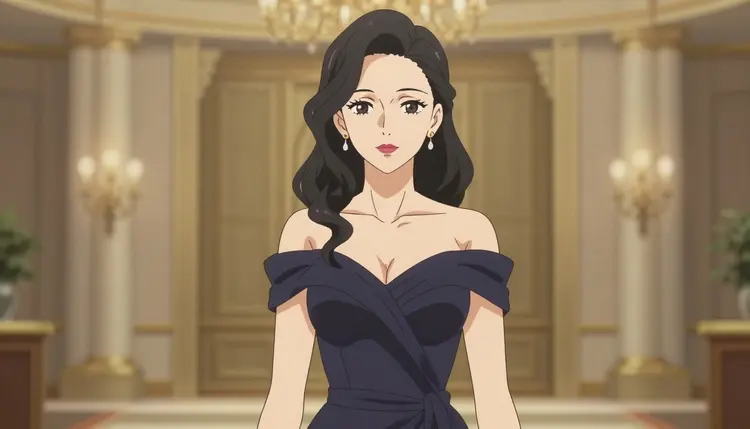
Picasso IA hosts more than 488 AI models, but most of them apply a content filter that blocks adult prompts outright. If you have tried to generate NSFW anime art anywhere else in the app and hit a refusal, that filter is why. Recraft V4.1 Pro is different: it is one of the six models on Picasso IA confirmed to generate NSFW content directly, with no safety filter standing between your prompt and the output.
That makes it the practical starting point for anyone who wants NSFW anime art without guessing which model will actually cooperate. The other five confirmed models are Seedream 4.5, Qwen Image 2, Picasso Image Editor Pro, Picasso Video, and LTX 2.3 Pro. Everything else in the full catalog, including the well known general purpose names, is not confirmed to skip the filter, so this page sticks to what is actually true about Recraft V4.1 Pro rather than guessing about the rest.
One condition applies across the whole app and it is not negotiable: adults only, fictional characters only. Nothing here is built for, or should be used for, generating a real person's likeness, a public figure, or anyone who could be read as a minor. Keep reading for what that means in practice.
Anime is one of the most requested adult art styles on the app, and it is also one of the styles that general purpose models tend to refuse outright, since a filtered model cannot always tell a stylized fictional character apart from something it is trained to reject on sight. Recraft V4.1 Pro sidesteps that problem simply by not running that filter in the first place, which is a more honest solution than trying to trick a filtered model into cooperating.
Recraft V4.1 Pro is a text to image model. You type a description, set a style and aspect ratio, and it renders an image from that prompt in one pass, the same workflow as any other text to image model in the toolkit. What sets it apart for this use case is simply that it will render an NSFW anime prompt instead of stopping at a refusal screen.
Because it takes a plain style description in the prompt, it is not locked to one look. You can ask for cel shaded anime, soft painterly shading, sharp line art, or a more detailed illustrative finish, and it will follow the style language you give it rather than forcing a single house style. That flexibility is what makes it useful for anime specifically: character design, outfits, poses, and backgrounds are all things you describe directly in the prompt rather than pick from a fixed menu.
It pairs naturally with two of the other confirmed models. Once you have a still you like, Picasso Image Editor Pro can edit or refine it without re rolling the whole image, and Picasso Video or LTX 2.3 Pro can turn a finished still into a short video. All three sit in the same filter free group, so a project can move from image, to edit, to video without hitting a refusal at any step.
None of that comes at the cost of everyday usability. Recraft V4.1 Pro behaves like any other text to image model in the toolkit: you set the prompt, choose a style and aspect ratio, and generate. There is no separate NSFW mode to toggle or hidden setting to find, the model simply follows the prompt you give it, adult content included, the same way it would follow a prompt for a landscape or a product shot.
Getting from a blank prompt box to a finished NSFW anime image takes five steps. None of them require special settings or workarounds. The model simply does not block adult content the way most of the catalog does.
- Open Recraft V4.1 Pro in the toolkit. Go to Recraft V4.1 Pro or find it through the toolkit, where it is listed alongside the app's other text to image models.
- Write a clear, fictional, adult context prompt. Describe the character, outfit, pose, setting, and art style in plain language. Keep every character clearly fictional and clearly adult.
- Set the style and aspect ratio. Pick the anime style you want, cel shaded, painterly, or line art, and the frame that fits your use, whether that is a portrait crop or a wider scene.
- Generate and review the image. Run the prompt and check the result against what you asked for. If a detail is off, adjust the wording and generate again.
- Refine or export. Send the image to Picasso Image Editor Pro for touch ups, or download it as is once it looks right.
- Describe the character before the action. Hair, eyes, outfit, and body type first, then pose and expression, gives the model less room to guess.
- Name the art style directly. Cel shaded anime, soft painterly anime, and detailed line art each pull the output in a different direction, so pick one instead of leaving style implicit.
- Keep the setting concrete. A named location or backdrop, a bedroom, a rooftop at night, a plain studio background, reads better than a vague scene description.
- Put the details you care about most early in the prompt. The model tends to weight earlier description more heavily than details added at the end.
- Iterate instead of over stuffing one prompt. A shorter first pass followed by a second prompt to fix one detail usually beats one long prompt trying to cover everything at once.
- Reuse a prompt structure that works. Once you find a phrasing pattern that produces the look you want, keep it as a template and swap out the character and scene details for the next image.
- State the fictional context up front if the scene could otherwise read as ambiguous. A short phrase establishing that the character is an original, adult, fictional creation removes guesswork for the model and for anyone reviewing the result.
- Avoid stacking too many competing style tags in one prompt. Two or three well chosen descriptors, an art style, a lighting mood, a color palette, usually produce a cleaner result than a long list of adjectives fighting each other.
Every image generated through Recraft V4.1 Pro, or any other model on Picasso IA, must depict fictional adult characters only. That means no real person's likeness, no public figure, and no character written or drawn to resemble a minor, regardless of art style. This applies whether the character is entirely original or inspired by an existing fictional series. The line that matters is real versus fictional, not one franchise versus another.
Recraft V4.1 Pro does not apply its own content filter to adult prompts, but that is specifically about explicit fictional content, not a loophole around the rule above. Most other models in the full catalog do apply a filter, and when one of them refuses a flagged adult prompt, the app shows a "Content Not Supported by This Model" message and points you to the confirmed filter free models instead, carrying your prompt over so you do not have to retype it. If you see that message, the answer is to switch to Recraft V4.1 Pro or one of the other five confirmed models, not to reword the prompt to try to sneak it past the filter. That approach is not supported and is not what this page recommends.
Treat these rules as the boundary of what the tool is for, not a formality to work around. A fictional character can be drawn in any anime style, any body type, any setting you like, as long as it is clearly an adult and clearly not modeled on a real, identifiable person. If a prompt would only make sense as a depiction of someone real, that prompt does not belong here, regardless of which model would technically render it.
Recraft V4.1 Pro runs on the same credit system as the rest of Picasso IA. New accounts start with free credits, so you can generate your first images with Recraft V4.1 Pro before deciding whether to subscribe. From there, plans scale from a starter tier up through higher subscription levels for people who generate regularly, plus the option to buy credits directly if you would rather not subscribe at all. Full current pricing, plan tiers, and what each one includes are listed on the pricing page, since that is where the numbers stay accurate and up to date.
Is Recraft V4.1 Pro really uncensored for NSFW anime art?
Yes. Recraft V4.1 Pro is one of six models on Picasso IA confirmed to generate NSFW content directly, without a safety filter blocking adult prompts, which is why it is a reliable starting point for NSFW anime art specifically.
Can I generate images of real people or celebrities?
No. Every model on Picasso IA, including Recraft V4.1 Pro, is meant for fictional adult characters only. Generating a real person's likeness or a public figure is not what this tool is for and is not supported.
What happens if I try an NSFW prompt on a model that isn't confirmed filter free?
Most other models apply a content filter and will refuse a flagged adult prompt. When that happens, Picasso IA shows a "Content Not Supported by This Model" message and suggests switching to one of the confirmed filter free models, carrying your prompt over automatically so nothing is lost.
Can I reword my prompt to get past a filter on another model?
That is not the recommended approach and this page does not walk through how to do it. If a model refuses your prompt, the supported path is switching to Recraft V4.1 Pro or one of the other confirmed filter free models, not disguising the prompt to try to sneak it through.
Which other models besides Recraft V4.1 Pro can generate NSFW content?
Five other models are confirmed filter free: Seedream 4.5, Qwen Image 2, and Picasso Image Editor Pro for editing, plus Picasso Video and LTX 2.3 Pro for video.
Do I need to pay before I can try Recraft V4.1 Pro?
No. New Picasso IA accounts start with free credits that cover your first generations with Recraft V4.1 Pro. If you want to generate more regularly after that, plans and credit packs are listed on the pricing page.
Can I turn a Recraft V4.1 Pro image into a video?
Yes. Once you have a still you like, you can bring it into Picasso Video or LTX 2.3 Pro, both confirmed filter free, to generate a short video from it.
Can I edit or touch up an image after generating it?
Yes. Picasso Image Editor Pro is built for exactly this and is also confirmed filter free, so you can refine details on an NSFW image without hitting a filter partway through the edit.
Is Recraft V4.1 Pro only for anime style, or can it do other art styles?
It is a general text to image model, not an anime only tool. This page focuses on anime because it is a common request among people generating NSFW content, but you can describe any style you want in the prompt, from realistic illustration to painterly art.
Where can I find Recraft V4.1 Pro in the app?
Open it directly at Recraft V4.1 Pro, or browse to it through the toolkit or the full catalog alongside the app's other 488 models.