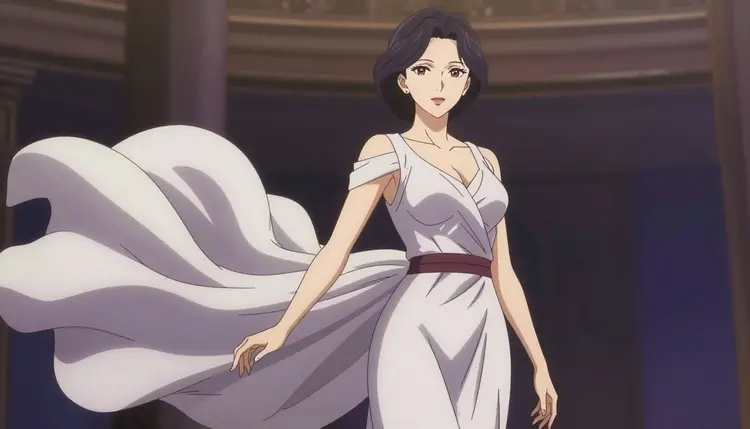
Anime style adult content runs into the same wall as any other adult content on most AI video models: a content filter reads the prompt as adult, regardless of the art style attached to it, and refuses the request before a single frame renders. Drawing the scene as anime does not change how a filter reads it. LTX 2.3 Pro is one of only six models on Picasso IA confirmed to generate NSFW content directly, without a safety filter standing between your prompt and the render, and that confirmation covers anime prompts the way it covers everything else. Fictional adult characters, described in an anime art style, get rendered instead of bounced back with a refusal.
LTX 2.3 Pro is not a dedicated anime model trained only on that look. It is a general text to video model that follows whatever art direction you give it, live action, painterly, or anime, and renders that direction as described. What makes it the right pick for anime specifically is what makes it strong for cinematic video generally: it holds a scene together across frames, so a character's line work, palette, and proportions do not drift into a different style halfway through a pan or a push in. That consistency is harder in a flat-shaded look than a photorealistic one, since any small drift reads as an error instead of blending into realistic noise.
Of the six confirmed filter-free models, two generate video: LTX 2.3 Pro and Picasso Video. LTX 2.3 Pro is the one to reach for when starting from a text description rather than an existing still, and its camera work, pans, push ins, holds, is the closest thing on the platform to a directed anime shot. For anime stills to pair with a video project, the confirmed image models are Seedream 4.5, Qwen Image 2, Recraft V4.1 Pro, and Picasso Image Editor Pro, all reachable from the toolkit.
LTX 2.3 Pro is a text to video model. You write a prompt, it renders a short clip that follows that description, and the output reads as a shot rather than stills stitched together. For anime prompts, describe both the scene and the style: who is in frame, what they are doing, where the scene takes place, and the visual language you want, cel shading, bold line art, flat color fields, a look described in general terms rather than a named copyrighted style.
Because it is one of the confirmed filter-free models, LTX 2.3 Pro attempts a fictional adult anime prompt directly instead of refusing it outright. That does not guarantee a perfect result on the first try, since video generation stays iterative regardless of style. What it does mean is that the gap this model fills, fictional adult anime scenes most video models will not touch, gets rendered rather than blocked at the door.
Camera behavior carries over best from live action to anime. A push in that holds an expression, a slow pan across a room, a static hold with only hair and fabric moving, all read as intentional in an anime clip, and that restrained, held motion is what separates a shot from a flicker. Duration and resolution are configurable per generation, with the exact credit cost shown in the generation panel before you commit, so check the live options in the toolkit when you start a project.
Getting from an anime concept to a finished clip follows the same five steps every time, inside the toolkit.
- Open the toolkit and select LTX 2.3 Pro. Choose text to video as your mode, then pick LTX 2.3 Pro from the model list, one of the six models marked filter-free for adult content.
- Lead with the art style, then the scene. State the visual style first, for example a 2D anime look with bold line art and cel shading, then describe the character, the setting, and the action.
- Specify the camera motion. Name the move you want, a slow push in, a static hold, a gentle pan, rather than leaving it unstated, so the render does not default to something busier than intended.
- Set duration and resolution. Pick the clip length and output resolution from the options in the generation panel. The cost updates live as you adjust either setting.
- Generate, review, and refine. Check whether the line work, palette, and character proportions hold steady from the first frame to the last. If something drifts, adjust the prompt and generate again.
Most anime scenes take a few passes to land. A small wording change to the camera direction or the style description often fixes a result that is close but not quite right.
A general video model needs to be told it is rendering anime, since that is one option among many rather than a default. A handful of habits separate a convincing result from one that drifts toward a photoreal look partway through.
Name the style explicitly and early. Phrases like two dimensional anime style, cel shaded, or bold outlined line art tell LTX 2.3 Pro what visual language to hold across the whole clip. Leaving style out of the prompt tends to pull the render toward a realistic default that fights with an anime character description.
Keep character details consistent across a prompt. Hair color, eye shape, and outfit described the same way every time reduce the chance of the model drifting a detail mid clip. A recurring character across a series means reusing the exact same wording for their description each time.
Favor restrained camera moves. A slow push in, a static hold with secondary motion in hair or fabric, or a gentle pan reads as intentional, while fast or combined moves are more likely to blur the flat color fields that make the style read as anime.
Keep backgrounds simple when the style matters most. A busy, detailed background pulls the render toward photoreal shading, which can fight against a flat, cel shaded foreground character. A simpler setting keeps the whole frame in the same visual language.
Change one variable at a time. If a render is close but the style or the camera work needs adjusting, change just that one element and generate again. That keeps you able to tell which change fixed the issue, and keeps your credit spend efficient.
Picasso IA is an adults only platform, and every account generating adult content, in any style, is expected to be an adult creating fictional adult material. Anime style does not change that boundary. Content depicting a real person's likeness or a public figure is never allowed regardless of art style, and drawing a character in an anime look does not make an otherwise disallowed subject permitted. A character must read as a fictional adult no matter how stylized the art is, and anyone who could be read as a minor is off limits in any style, anime included.
It is also worth understanding what happens on a model that is not one of the six confirmed filter-free options, models like GPT Image 1, DALL-E 3, Imagen 4, Flux, Grok Imagine, Hunyuan, Wan, Nano Banana, Seedance, Sora, Veo, or Kling. Those models apply their own content filters, and an anime prompt that reads as adult gets refused the same way a photoreal one would, since the filter reads the content, not the art style. When that happens, Picasso IA shows a "Content Not Supported by This Model" message and recommends switching to a confirmed model instead, carrying the prompt over automatically.
That switch, moving to a confirmed model like LTX 2.3 Pro, is the intended path when a filtered model refuses a prompt. Rewording or disguising a prompt to slip past a filter is not supported here, and it does not change the rule about who can be depicted. For a recurring anime character, write out a clear internal description, hair, eyes, outfit, build, and reuse that exact wording across every prompt, which helps both visual consistency and your own clarity that every character stays fictional and adult.
Picasso IA runs on a credit system, and new accounts start with free credits, enough to generate a handful of anime clips with LTX 2.3 Pro before spending anything. Beyond that starting balance, credits are purchased as needed or included with a subscription plan, and the exact packages, tiers, and current free credit amount live on the pricing page rather than repeated here, since those numbers change over time.
Video cost is not a flat number. LTX 2.3 Pro lets you choose duration and resolution per render, so the credit cost scales with what you pick, a short, lower resolution clip costs less than a longer, higher resolution one, and that cost is shown in the generation panel before you submit, updating live as you change the settings.
If you are still dialing in a character's style or camera work, render a short draft first to confirm the look before committing to a longer version, which avoids paying for a render that needed a style tweak anyway. The same credit balance covers every model on the platform, so credits spent exploring anime stills or the full catalog are never locked to one model.
Does LTX 2.3 Pro actually generate anime NSFW video without blocking the prompt?
Yes. LTX 2.3 Pro is one of six models on Picasso IA confirmed to generate adult content directly, without a safety filter refusing the request, as long as the scene involves fictional, adult characters. That confirmation applies to anime prompts the same way it applies to any other style.
Is LTX 2.3 Pro trained specifically for anime, or do I need to prompt for the style?
LTX 2.3 Pro is a general text to video model, not one built only for anime. It follows whatever visual style you describe, so getting an anime look means naming the style explicitly, for example two dimensional, cel shaded, bold line art, rather than assuming the model will default to it.
Do I need a special plan to use LTX 2.3 Pro?
No separate plan is required. LTX 2.3 Pro is available to any account with enough credits to cover the render, whether from the free starting balance, a purchase, or a subscription. Current plan details are on the pricing page.
Can anime style be used to generate content involving a real person or a minor?
No. Anime style does not change the platform's rules. Content depicting a real person's likeness, a public figure, or anyone who could be read as a minor is never allowed, regardless of the art style applied, on LTX 2.3 Pro or any other model.
What happens if another model refuses my anime adult prompt?
Models that apply a content filter, which is most models on the platform, refuse a prompt that reads as adult regardless of style. Picasso IA then shows a "Content Not Supported by This Model" message and recommends switching to a confirmed filter-free model, including LTX 2.3 Pro, carrying the prompt over automatically.
Is LTX 2.3 Pro the only video model that supports NSFW anime content?
No, it shares that status with Picasso Video, the only other confirmed filter-free video model on the platform. LTX 2.3 Pro generates directly from a text prompt, while Picasso Video animates a still image you already have.
How long does a render take?
Render time depends on the duration and resolution you select, with longer, higher resolution clips taking more time. You can watch the render progress directly in the toolkit.
Can I keep the same anime character consistent across multiple clips?
Reusing the exact same character description, hair, eyes, outfit, build, across every prompt is the most reliable way to keep a character consistent from one clip to the next. A reference image alongside the prompt can also help, though results still vary between generations.
What image models pair well with LTX 2.3 Pro for anime stills in the same project?
For fictional adult anime stills in the same project, the confirmed filter-free image models are Seedream 4.5, Qwen Image 2, Recraft V4.1 Pro, and Picasso Image Editor Pro, all reachable from the toolkit.
Why does LTX 2.3 Pro cost more for some renders than others?
Cost scales with the duration and resolution you choose, not with a flat per model rate. A short, lower resolution clip costs less than a long, high resolution one, and the exact credit cost is shown before you generate.