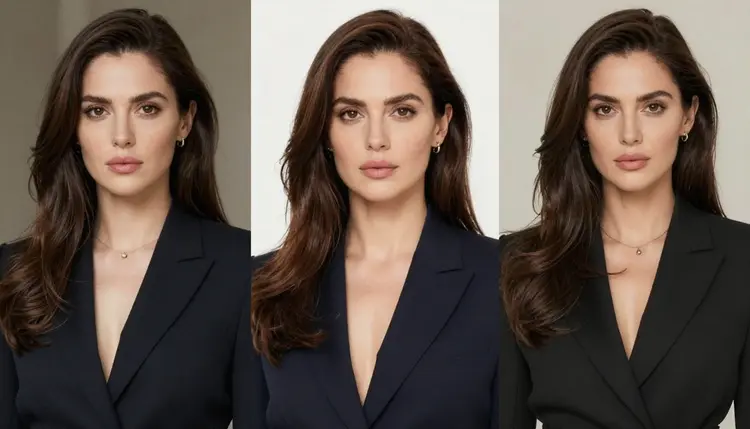
Picasso IA runs 488 AI models, but only six of them generate adult content directly, without a safety filter blocking the prompt. Seedream 4.5 is one of those six, and it is also one of the strongest for a specific job: keeping a fictional character looking like the same person across many separate generations.
That distinction matters because most image models were never built for this. Ask a general-purpose model for an adult scene and it either refuses outright or produces something close to what you asked, but with the character's face, hair, or build shifted just enough that it no longer reads as the same person in the next image. Seedream 4.5 does not carry that filter for adult prompts, and it follows a detailed character description closely enough that repeating the same wording produces a recognizably similar result each time.
This page walks through the actual technique: how to write a character description that Seedream 4.5 can reproduce, not just once, but across a whole set of images. It also covers what the model is genuinely good at, where the other five uncensored models fit in, and the plain rules Picasso IA enforces around this kind of content.
Seedream 4.5 is a text to image model. Given a written description, it renders a still image, and it does this without refusing prompts that describe adult content involving fictional characters. That single property, generating the image instead of stopping at a content warning, is what makes the consistency technique on this page possible at all. You cannot iterate on a character across multiple generations if the third or fourth prompt gets blocked.
Beyond that, Seedream 4.5 tends to hold onto concrete, specific details from a prompt: exact hair color and length, specific clothing items, distinguishing marks like a tattoo or a scar, a stated body type. Vague prompts get vague, inconsistent results from any model. Specific prompts are what Seedream 4.5 actually rewards, which is the entire basis of the five step method below.
Seedream 4.5 is not the only confirmed option in the catalog. Picasso IA has six models total that generate adult content without a filter.
For the specific job of building one character and reusing it, Seedream 4.5 is the starting point on this page. Qwen Image 2 and Recraft V4.1 Pro are worth trying with the exact same locked description if you want a different rendering style while keeping the same underlying character. Picasso Image Editor Pro is useful once you have a reference image and want to adjust it directly rather than regenerate from text. Picasso Video and LTX 2.3 Pro exist for turning a finished character image into a short clip, though this page focuses on still images. None of the other models in the full catalog are confirmed to generate adult content without a filter, and this page makes no claim about them either way.
Consistency does not come from a special setting. It comes from writing a character description precise enough that there is only one reasonable way to render it, then reusing that exact description, unchanged, every time you generate a new image of the same character.
- Write a fixed character block. Before generating anything, write down the character's hair color and length, eye color, skin tone, build, height impression, and any distinguishing feature such as a tattoo, scar, or piercing. Keep it to plain, concrete nouns and adjectives, not mood words.
- Lock the outfit in specific terms. Name the actual garments, their colors, and their material, such as a black leather jacket, not "cool clothes." If the character wears the same outfit across a set, describe it identically every time.
- Save the block and reuse it verbatim. Copy the exact wording from your first successful generation into a text file. Every future prompt for this character starts with that same block, word for word, with nothing paraphrased.
- Change only the scene around the character. Vary the pose, the setting, the lighting, or the camera angle in the rest of the prompt, but leave the character block untouched. This is what keeps the person recognizable while the surroundings change.
- Adjust one detail at a time when something drifts. If an image comes back with the wrong hair length or a missing detail, do not rewrite the whole prompt. Change the single phrase describing that one trait and regenerate, so you can tell which word actually controlled the result.
Working through the toolkit makes this easier in practice, since you can keep the same session open, regenerate quickly, and compare results side by side before deciding what to adjust.
A few habits make the five step method work better in practice. Put the character description first in the prompt, before the scene. Leading with the fixed character block, then adding the setting afterward, is a simple habit that keeps the description of the person from getting diluted by everything else in the prompt.
Use concrete nouns over adjectives that describe a feeling. Wearing a red satin robe gives the model something exact to render. Looking sultry does not describe anything specific and invites a different interpretation each time. The same applies to body descriptions. A stated build, height, and proportion in plain terms will hold up better across regenerations than an adjective meant to imply the same thing.
Keep the character block short enough to actually reuse. A five or six line description is easy to copy into every prompt without typos. A three paragraph description is more likely to get shortened or reworded by accident somewhere along the way, and that is usually where consistency breaks down.
If a specific prompt gets refused, that is the model's own content filter acting on that particular request, not a fixed rule about the whole model. When that happens on any model in the catalog, Picasso IA shows a message that the content is not supported by that model and suggests switching to one of the six confirmed models above, carrying your prompt over automatically so you do not have to retype it. The fix is switching models, not rewording the prompt to try to slip past a filter, which is not a supported or reliable approach on this platform.
This is an adults only feature for fictional characters. Every character generated with this technique must be invented, not a depiction of a real person. That means no real individual's likeness, no public figure, and nothing intended to resemble a minor, regardless of how the character is described or stylized. Picasso IA does not support generating adult content of real people or of anyone who could be mistaken for a minor, on Seedream 4.5 or any other model in the catalog.
If you are building a character for a personal creative project, story, or game, the same rule applies. Describe an original person, not someone based on an actual individual. Keep this in mind when writing the character block in step one, since specificity should describe an invented person's features, not reconstruct a real one.
Picasso IA gives new accounts free credits to try models like Seedream 4.5 before committing to a paid plan. Because costs vary by model and by what you generate, the exact credit amounts and plan details live on the pricing page rather than here, so you always see current numbers instead of a figure that could go stale.
The same account and credit balance works across every model in the catalog, so credits spent testing Seedream 4.5 for character consistency, then switching to Qwen Image 2 or Recraft V4.1 Pro for a different style, all draw from the same balance. Check pricing for the current plans and what a free account includes.
Does Seedream 4.5 generate NSFW content without a filter?
Yes. Seedream 4.5 is one of six models in Picasso IA's catalog of 488 confirmed to generate adult content directly, without a safety filter blocking the prompt, alongside Qwen Image 2, Recraft V4.1 Pro, Picasso Image Editor Pro, Picasso Video, and LTX 2.3 Pro.
Can I generate a real person or celebrity with this technique?
No. This technique is for fictional, invented characters only. Picasso IA does not support generating adult content depicting real people, public figures, or anyone resembling a minor, on any model.
Why does my character look slightly different in every image?
This usually happens when the character description changes wording between prompts, even slightly. Write a fixed character block covering hair, eyes, skin tone, build, and outfit, then reuse that exact wording unchanged in every new prompt, as described in the five step method above.
What should I include in a character description for the best consistency?
Concrete, specific details work best: exact hair color and length, eye color, skin tone, build, any distinguishing feature like a tattoo or scar, and the specific garments and colors of the outfit. Avoid mood words like "attractive" or "sultry," since any two generations can interpret them differently.
Is Seedream 4.5 the only model that can do this?
It is the model this page focuses on, but Qwen Image 2 and Recraft V4.1 Pro are the other two confirmed image models without a filter, and both can use the same locked character description if you want a different visual style. Picasso Image Editor Pro is useful once you already have a reference image of the character and want to edit it directly.
What happens if a prompt gets blocked?
Some models in the catalog apply their own content filter and will refuse a flagged adult prompt. When that happens, Picasso IA shows a message that the content is not supported by that model and suggests switching to one of the six confirmed models, carrying your prompt over automatically so you can continue without retyping it.
Can I turn my consistent character into a video?
Yes. Once you have a character image you are happy with, Picasso Video and LTX 2.3 Pro are the two confirmed models for turning it into a video without a content filter blocking adult material.
How many free credits do I get to try this?
The exact free credit amount is listed on the pricing page, since it can change over time. New accounts do receive free credits to test models like Seedream 4.5 before choosing a paid plan.
Does rewording a blocked prompt help it get past a filter?
No, and this is not a supported approach. If a model's filter blocks a prompt, the reliable fix is switching to one of the six confirmed models rather than trying to reword the same request to slip past the same filter on the same model.
Do all 488 models in the catalog support NSFW content?
No. Only six of the 488 models in Picasso IA's catalog are confirmed to generate adult content without a safety filter: Seedream 4.5, Qwen Image 2, Recraft V4.1 Pro, Picasso Image Editor Pro, Picasso Video, and LTX 2.3 Pro. Every other model may apply its own content filter to adult prompts.