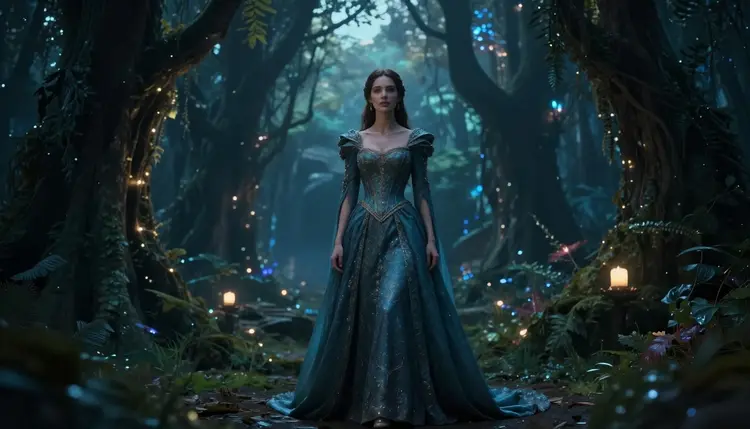
Most AI video generators refuse adult prompts outright. They scan the text, flag anything suggestive, and return a rejection instead of a clip. Picasso Video works differently. It is one of only six models across Picasso IA's catalog of 488 that is confirmed to generate content without a safety filter blocking adult material, and it is the one built specifically for animation rather than still images.
That makes it the practical choice when the goal is a moving fantasy scene rather than a single frame: an elf archer drawing her bow in slow motion, a fictional couple dancing in candlelight, a mermaid surfacing under moonlight. Picasso Video turns a prompt, or a still image you already generated, into a short clip without stopping at the door to check whether the scene is safe enough.
One rule sits above everything else on this page. Every character has to be fictional and adult. No real person's likeness, no public figure, no one who could be read as underage. That line does not move, no matter how the prompt is phrased, and it is the condition that makes the rest of this page possible to write honestly.
To start, open the toolkit and select Picasso Video from the text-to-video models, or jump straight to its page: Picasso Video.
Picasso Video takes either a text prompt or a reference image and turns it into a short video clip. Both paths work for fantasy content:
- Text-to-video: describe the scene, the character, the mood, and the motion, and Picasso Video builds the clip from scratch.
- Image-to-video: generate or upload a still first, then feed it to Picasso Video to bring it to life, keeping the character's face, outfit, and setting consistent from the source image.
The second path is usually the more reliable one for NSFW fantasy work, because it lets you lock in exactly how a character looks before committing to motion. A common workflow on Picasso IA is generating the character with an image model first, then animating the result:
| Step | Model | What it's for |
|---|
| Design the character | Seedream 4.5 | Confirmed filter-free stills from a text prompt |
| Refine or edit the image | Picasso Image Editor Pro | Confirmed filter-free edits and touch-ups |
| Animate the result | Picasso Video | Confirmed filter-free motion from that image |
Picasso Video does not add its own safety layer that blocks fictional adult content, so if your still image is already what you want, the clip will keep that same content rather than softening it. That is what uncensored means here in practice, not that anything is technically possible, but that this specific model does not reject a fictional, adult scene the way most of the catalog does.
Getting from an idea to a finished clip takes five steps.
- Open the toolkit and select Picasso Video. Go to the toolkit, filter by text-to-video, and pick Picasso Video from the list.
- Choose your starting point. Write a text prompt describing the fictional character and scene, or upload a reference image you already generated with an image model.
- Describe the motion, not just the scene. Add camera direction, pacing, and action to the prompt, such as a slow pan, a turn toward camera, or hair moving in wind, so the model has something to animate beyond a static pose.
- Generate and preview the clip. Run the generation, watch the result, and check that the character, setting, and motion match what you asked for.
- Re-roll or save the result. If the clip is not quite right, adjust the prompt and generate again; once it is, download it or keep it in your library for later edits.
Each generation draws from your account's credit balance, so it helps to get the prompt right before committing to a full run. The prompting tips below cover how to do that.
A vague prompt gives Picasso Video little to animate. A few habits make a real difference:
- Name the character as fictional from the start: an invented name, a species, or an archetype (elf, succubus, cyberpunk android), rather than anything that points at a real, identifiable person.
- Describe motion explicitly. A phrase like "turns and walks toward the camera" gives Picasso Video far more to work with than a static description of a pose.
- Set the mood with lighting and setting details, such as candlelight, moonlit water, neon rain, or a forest clearing. These carry into the animation and keep the clip visually coherent.
- Start from a consistent reference image when the character needs to look the same across multiple clips. Generating the character once with Seedream 4.5 or Qwen Image 2 and reusing that image keeps the face and outfit stable from one video to the next.
- Keep the prompt focused. One clear scene with one clear action produces a more usable clip than a prompt trying to cram in several actions or shot changes at once.
Picasso Video's lack of a safety filter on adult content is not a loophole and it is not a license for anything. The platform rule is simple and it does not bend. Every character has to be a fictional adult. That rules out any real person's likeness, any public figure, and anyone who could be mistaken for a minor, in every prompt and every reference image, without exception.
Most of the other 487 models on Picasso IA do apply a content filter, and that filter will reject a flagged adult prompt outright. When that happens, the app shows a "Content Not Supported by This Model" message and points you toward the models that are actually built to handle it, carrying your prompt over automatically so you do not have to retype it. That message is a signal to switch models, not a wall to write around with rephrased or coded language. Disguising a prompt to slip past a filter is not how Picasso IA is meant to be used.
Six models across the catalog are currently confirmed filter-free for adult content, and Picasso Video is one of them:
Every other model in the full catalog, including well-known names for text-to-image and text-to-video work, is not confirmed filter-free and should not be assumed to behave like the six above.
Picasso Video runs on the same credit system as the rest of Picasso IA. Each generation draws credits from your account balance, and new accounts start with free credits to try the model before paying for anything. Because video generation costs more compute than a still image, a Picasso Video clip typically uses more credits than a single image from a model like Seedream 4.5 or Qwen Image 2, so it is worth previewing your character and scene with a still first and only spending video credits once the prompt is dialed in.
Full current pricing, plan tiers, and credit costs are listed on the pricing page, since costs are tied to what you select for each generation rather than a single flat number.
Is Picasso Video really uncensored for NSFW content?
Yes. Picasso Video is one of six models on Picasso IA confirmed to generate adult content without a safety filter blocking it, and it is the only one of those six built specifically for video rather than still images. That confirmation applies only to Picasso Video and the other five listed on this page, not to every model in the catalog.
Do I need a reference image, or can I generate from text only?
Either works. Picasso Video accepts a text prompt on its own, or a reference image plus a prompt for image-to-video generation. Starting from a reference image is usually more reliable for keeping a fictional character's appearance consistent, since you can lock in the look first and animate it second.
Are real people or celebrities allowed in NSFW videos?
No, without exception. Every character generated with Picasso Video has to be fictional and adult. No real person's likeness, no public figure, and no one who could be mistaken for a minor is permitted in a prompt or a reference image.
What happens if my prompt gets flagged on a different model?
If you try an adult prompt on a model that applies a content filter, the app shows a "Content Not Supported by This Model" message and recommends switching to one of the confirmed filter-free models, carrying your prompt over automatically so nothing is lost. The fix is to switch models, not to reword the prompt to try to slip past the filter.
Can I animate a character I made with a different model?
Yes. A common approach is designing the character first with an image model like Seedream 4.5 or Recraft V4.1 Pro, refining it if needed with Picasso Image Editor Pro, and then uploading that image to Picasso Video for the animation step.
Is there an age restriction to use Picasso Video?
Yes. Picasso Video and every model discussed on this page are for adults generating fictional adult content only. This is not a feature for minors, and no character generated should resemble a minor either.
How many credits does an NSFW fantasy video cost?
It depends on the length and settings of the generation, in line with the rest of Picasso IA's credit system. New accounts get free credits to test Picasso Video before committing to a paid plan, and full current costs are listed on the pricing page.
Can I download the finished video?
Yes. Once a clip finishes generating, you can preview it, download it, or keep it saved in your account library to revisit and re-edit later.
Why does Picasso Video sometimes not match my prompt exactly?
Like any generative model, Picasso Video interprets a prompt rather than executing it literally, so results vary between runs even with an identical prompt. Adjusting the wording, adding more specific motion or lighting detail, or re-rolling the generation usually gets closer to the intended result.
Which other models on Picasso IA are also filter-free?
Five other models are currently confirmed filter-free alongside Picasso Video: Seedream 4.5, Qwen Image 2, Recraft V4.1 Pro, Picasso Image Editor Pro, and LTX 2.3 Pro, the last of which is another video option. Every other model in the full catalog is not confirmed to work the same way.