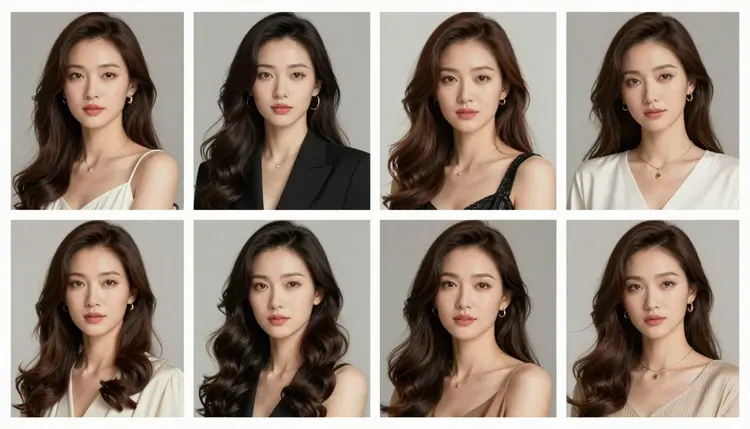
A single NSFW image is one prompt and one result. A themed photo set is a different problem: the same fictional character, in the same setting, generated ten or twenty times over with a different pose each time, and every one of those generations has to clear whatever content filter sits between the prompt and the model. Most of the 488 models in the Picasso IA catalog apply that filter, and a prompt flagged once tends to get flagged again, which makes a whole set impossible to finish on a filtered model.
Seedream 4.5 is one of six models on Picasso IA confirmed to run with no content filter at all, so an adult photo set runs the same way any other batch of generations does, no refusals partway through. That matters more for a set than for a single image, since a set can mean a dozen or more generations before it is finished, and a filter that blocks even one of them breaks the sequence.
The other five filter-free models cover different jobs around a photo set rather than replacing this one. Qwen Image 2 is the open-source alternative when a prompt lists several details at once. Recraft V4.1 Pro suits a drawn or illustrated set instead of a photoreal one. Picasso Image Editor Pro fixes one image in an otherwise finished set rather than regenerating it from scratch. Picasso Video and LTX 2.3 Pro turn a still from the set into a short clip afterward. Seedream 4.5 is the starting point for the set itself, since it is built for a photographic result and holds a written description together across repeated generations reasonably well. See the full catalog for everything else the app offers.
Seedream 4.5 is a text-to-image model. It does not remember a previous generation or hold a reference image between prompts, so what actually makes a photo set possible is simpler than it sounds: it renders a photorealistic image from a written description, and it follows that description closely enough that reusing the same wording produces a recognizably similar result each time. A set is built by keeping the character and setting fixed in the prompt, and changing only the pose.
Its instinct toward photographic realism, real skin, real fabric, light that falls the way light actually falls, helps a set hold together visually, since every image in the sequence is reaching for the same kind of result rather than drifting between styles on its own. It handles a wide range of settings well: a bedroom, a studio backdrop, an outdoor scene, daylight or lamplight, which gives a set somewhere consistent to live once the setting is chosen.
Where the other five filter-free models fit around this work:
| Model | Format | Where it fits in a photo set |
|---|
| Seedream 4.5 | Image | Generating the set itself, photo by photo |
| Qwen Image 2 | Image | An alternative when a prompt lists many details at once |
| Recraft V4.1 Pro | Image | A drawn or illustrated set instead of a photoreal one |
| Picasso Image Editor Pro | Image editing | Fixing one photo in the set without regenerating it |
| Picasso Video | Video | Turning one finished photo into a short clip |
| LTX 2.3 Pro | Video | Generating video directly once the set is done |
None of the other models in the catalog are confirmed filter-free, so this page makes no claim about them either way.
A themed set is less about any one prompt and more about a small amount of planning before the first generation, then discipline about what changes between images and what does not.
- Write one fixed block for the character and the setting. Cover hair, build, and any distinguishing feature for the character, then the room or backdrop, the lighting, and the camera style for the setting, in plain concrete terms. This block does not change for the rest of the set.
- Plan a short shot list before generating anything. Write down four or five poses or angles in a few words each, such as seated on the edge of the bed, standing by the window, half turned toward the camera, before opening the toolkit. Planning the variety first keeps the set from turning into ten versions of the same shot.
- Generate the first image and treat it as the anchor. Run the fixed block with the first pose from the shot list, then check the result against what you pictured for the character and the setting before adding a second image to the set.
- Reuse the block and change only the pose line for every following image. Copy the exact wording from the anchor image and swap out only the phrase describing the pose or angle, leaving the character and setting description untouched.
- Compare the batch as a set and regenerate the outlier. Once four or five images are done, look at them together rather than one at a time. If one image breaks from the rest, in lighting, in a detail of the outfit, regenerate that single image with the same fixed block rather than starting the set over.
Running this through the toolkit keeps every generation in one place, which makes it easier to compare the set side by side as it grows instead of hunting through separate sessions for each image.
Separate the fixed part of the prompt from the variable part in your own notes, before you type anything. Keep the character and setting description as one block you copy every time, and keep a short list of pose phrases as a second block you swap in and out. Treating these as two separate pieces is what actually keeps a set of ten images looking like it belongs together.
Name the pose with a verb and a body position, not a mood. Seated on the edge of the bed, facing away toward the window, leaning against the doorframe, each of these tells the model something specific to render. A word like sensual or alluring describes an effect, not a position, and leaves the actual pose to chance, which is the opposite of what a themed set needs.
Vary the framing on purpose rather than by accident. A full body shot, a half body shot from the waist up, and a closer portrait style shot within the same setting give a set visual rhythm instead of ten near-identical crops. Naming the framing directly, full body, half body, close portrait, is more reliable than hoping the model varies it for you.
A short reference for what stays fixed and what changes across a set:
| Keep fixed across the set | Change per image |
|---|
| Character description: hair, build, distinguishing feature | Pose: seated, standing, turned away, reaching |
| Setting: room, backdrop, time of day | Framing: full body, half body, close portrait |
| Lighting style: daylight, lamplight, window light | Camera angle: eye level, from above, from the side |
Treat the first two or three images as a test of the fixed block itself. If the character or setting is not landing right, fix it before generating seven more images with the same description.
Every image in a photo set generated on Picasso IA is for adults, eighteen and over, and the character in it must be entirely fictional. No real person's likeness, with or without a claimed resemblance, and no public figure, in any pose or setting. No character that reads as a minor, in any style, at any point across a set. Prompts that cross these lines are refused, and attempting them violates the platform's terms.
This applies to every image in the set, not only the first one. A fixed character block reused across ten generations must describe an invented person from the first image to the last.
Seedream 4.5 running with no content filter changes what kind of adult content it will render, not who it can be rendered of. The rules about fictional characters and adult age are separate from that filter and apply on every model in the catalog, filtered or not.
What you generate and where you share it are also governed by local law and by the rules of whatever platform you post the finished set to. Legal to generate is not the same as allowed to publish.
Picasso IA charges credits per generation rather than a flat fee for a finished set, so a ten image photo set costs roughly ten times what a single image costs, plus anything spent regenerating an outlier. A new account starts with free credits, enough to run the five step process above and build a first small set before deciding whether to buy more.
Image generations sit toward the cheap end of what the app offers, well below the cost of video, so building out a set in Seedream 4.5 before animating any of it with Picasso Video or LTX 2.3 Pro is the efficient order to work in. Exact credit amounts and plan pricing change as the catalog evolves, so current numbers live on the pricing page rather than printed here where they would go stale.
Does Seedream 4.5 really generate a NSFW photo set with no filter?
Yes. Seedream 4.5 is one of six models on Picasso IA confirmed to run with no content filter, alongside Qwen Image 2, Recraft V4.1 Pro, Picasso Image Editor Pro, Picasso Video, and LTX 2.3 Pro. Every image in a set runs the same way any other prompt does, with no need to reword or disguise anything.
What actually makes a set of images look like one theme instead of unrelated pictures?
Reusing the exact same wording for the character and setting across every prompt, and changing only the phrase describing the pose. The moment that wording gets paraphrased between prompts, the images start to drift apart.
How many images does a themed photo set usually need?
There is no fixed number. A small set of four or five images covering a few poses is enough to feel like a coherent series, and a larger set just extends that with more poses against the same fixed character and setting block.
Should I write a new prompt from scratch for every image in the set?
No. Write the character and setting description once, save it somewhere, and reuse it word for word for every image. Only the line describing the pose or the camera angle should change between generations.
What if one image in the set comes out looking different from the rest?
Regenerate that single image using the same fixed character and setting block rather than restarting the whole set. Comparing the batch together, rather than checking each image in isolation as it is generated, makes an outlier easier to spot.
Can I plan the poses in advance, or should I improvise each one?
Planning a short shot list of four or five poses before generating anything is the more reliable approach. It keeps the set visually varied on purpose, rather than ending up with several near identical shots because each prompt was written in the moment.
Is Seedream 4.5 better for a photo set than the other five uncensored models?
For a photorealistic set, yes, since it is the filter-free model built for a photographic result rather than a drawn one. Recraft V4.1 Pro is the better starting point for a drawn or illustrated set instead of a photoreal one, and Qwen Image 2 handles a prompt that lists many details at once.
Can I fix one bad image in the set without regenerating everything?
Yes. Picasso Image Editor Pro can adjust a single image directly, useful for a hand or a detail that came out wrong in an otherwise good result, and it runs with no content filter as well, so an adult image in the set can be edited the same way it was generated.
Can a finished photo set become a video?
Yes, as a separate step. Picasso Video can animate a single still into a short clip, and LTX 2.3 Pro generates video directly from a prompt, and both run with no content filter. Finishing the image set first is the more efficient order, since images cost less than video.
Is building a photo set on Picasso IA free?
New accounts start with free credits, which cover a first small set of images before anything needs to be purchased. Beyond that, credits are spent per generation, so a larger set costs proportionally more than a small one. Current numbers live on the pricing page rather than stated here.